1. Introduction
This manual provides comprehensive instructions for the safe and efficient use of your Grundig 10000 mAh Powerbank. Please read this manual thoroughly before operating the device and retain it for future reference.
The Grundig 10000 mAh Powerbank is a portable charging device designed to provide power to your electronic devices on the go. It features a high-capacity battery and multiple USB ports for versatile charging of smartphones, tablets, smartwatches, and other USB-powered devices.
2. Package Contents
Verify that all items are present and in good condition upon opening the package:
- 1 x Grundig 10000 mAh Powerbank
- 1 x Micro USB to USB-C Cable
3. Product Overview
The Grundig 10000 mAh Powerbank is designed for portability and efficiency. It features a compact form factor and essential ports for charging and recharging.
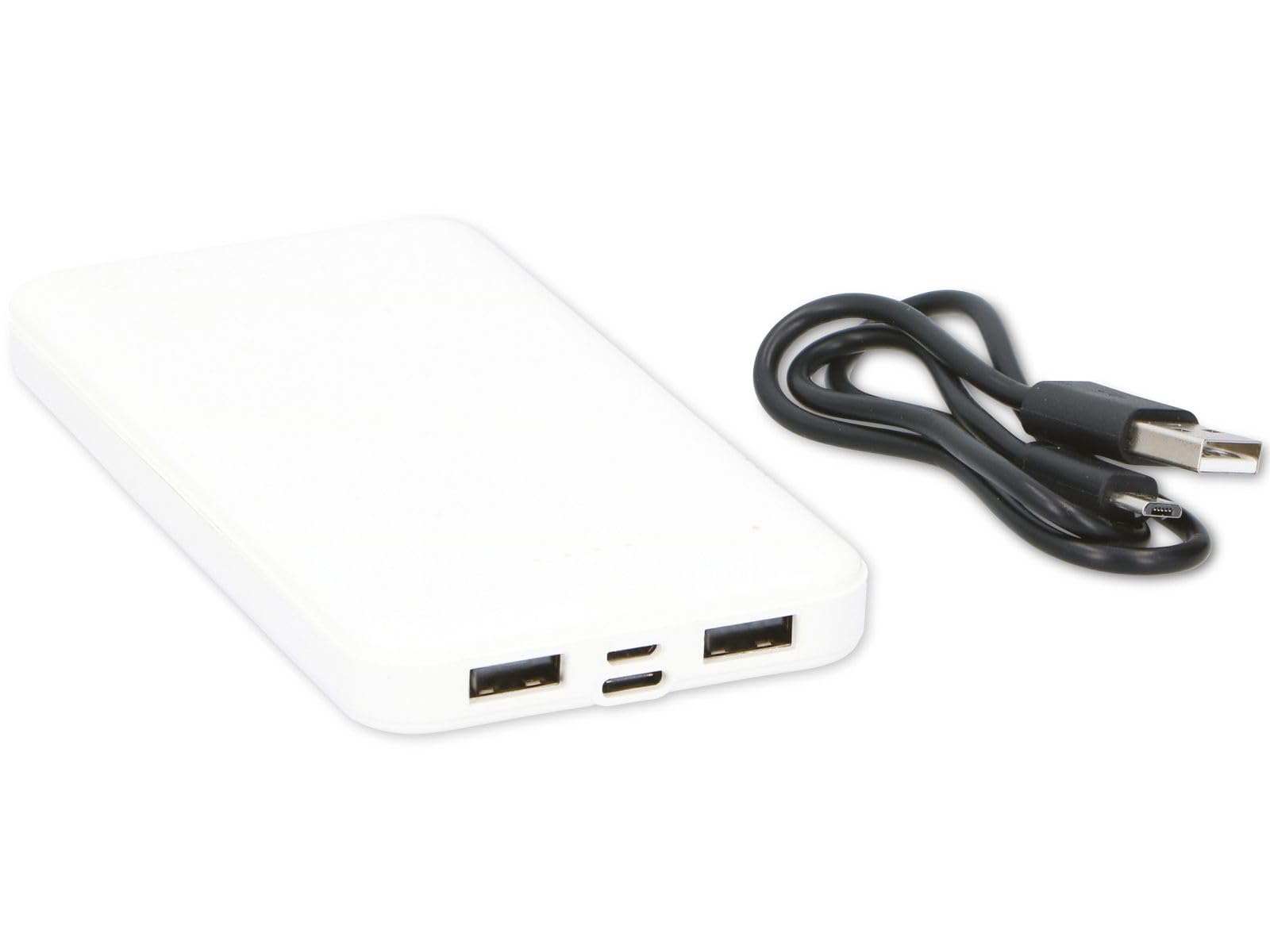
Figure 1: Grundig 10000 mAh Powerbank. This image displays the Grundig 10000 mAh Powerbank, highlighting its sleek white casing and the various input/output ports located on its side.
Key Features:
- High Capacity: 10000 mAh battery for extended power.
- Dual Input Ports: Micro USB and USB-C for recharging the power bank.
- Dual Output Ports: Two standard USB-A ports for charging devices.
- Compact Design: Slim and lightweight for easy portability.
4. Setup
4.1 Initial Charging of the Powerbank
Before first use, fully charge the Grundig Powerbank. This ensures optimal battery performance and longevity.
- Connect the included Micro USB to USB-C cable to either the Micro USB input port or the USB-C input port on the power bank.
- Connect the other end of the cable to a compatible USB power adapter (e.g., a smartphone charger, not included) or a computer's USB port.
- The power bank's indicator lights will illuminate to show the charging status. Allow the power bank to charge until all indicator lights are solid, indicating a full charge.
Note: Charging times may vary depending on the power source.
5. Operating Instructions
5.1 Charging External Devices
The Grundig Powerbank can charge a wide range of USB-powered devices.
- Ensure the power bank is sufficiently charged.
- Connect your device's charging cable (e.g., USB-A to Lightning, USB-A to USB-C, etc.) to one of the two USB output ports on the power bank.
- Connect the other end of the cable to your smartphone, tablet, smartwatch, or other compatible device.
- The power bank will automatically begin charging your device. The indicator lights on the power bank will show its remaining charge level.
You can charge two devices simultaneously using both USB output ports.
5.2 Checking Battery Level
Press the power button (if present, or observe automatic indication) to check the remaining battery level of the power bank via the LED indicator lights.
6. Maintenance and Care
- Cleaning: Clean the power bank with a soft, dry cloth. Do not use harsh chemicals or abrasive materials.
- Storage: Store the power bank in a cool, dry place, away from direct sunlight and extreme temperatures.
- Battery Health: If storing for extended periods, recharge the power bank every 3-6 months to prevent deep discharge and maintain battery health.
- Avoid Moisture: Keep the device away from water and high humidity.
7. Troubleshooting
| Problem | Possible Cause | Solution |
|---|---|---|
| Device not charging from power bank. | Power bank battery is depleted. Faulty charging cable. Device is not compatible. | Recharge the power bank. Try a different charging cable. Ensure your device is USB-powered. |
| Power bank not recharging. | Faulty charging cable or adapter. Input port issue. | Try a different Micro USB/USB-C cable and a different USB power adapter. Ensure the cable is fully inserted into the input port. |
| Slow charging. | Low power adapter used for recharging. Cable resistance. | Use a higher wattage USB power adapter (e.g., 5V/2A). Use a high-quality charging cable. |
8. Specifications
| Brand | Grundig |
| Model | 10000 mAh Powerbank |
| Battery Capacity | 10000 mAh |
| Input Ports | Micro USB, USB-C |
| Output Ports | 2 x USB-A |
| Dimensions (L x W x H) | 13.9 x 6.8 x 1.2 cm |
| Weight | 165 Grams |
| Color | White |
| Compatible Devices | Smartphone, Smartwatch, Tablet |
| Country of Origin | China |
9. Safety Information
Please observe the following safety precautions to prevent damage to the device or injury to yourself:
- Do not disassemble, modify, or attempt to repair the power bank.
- Avoid dropping, puncturing, or subjecting the power bank to strong impacts.
- Keep the power bank away from fire, high temperatures, and direct sunlight.
- Do not expose the power bank to water or other liquids.
- Keep out of reach of children.
- Dispose of the power bank responsibly according to local regulations for electronic waste.
10. Warranty and Support
For warranty information, technical support, or service inquiries, please contact your retailer or refer to the official Grundig website. Please have your proof of purchase and product model information ready when contacting support.
Note: Specific warranty terms may vary by region and retailer.


