1. Introduction
Thank you for purchasing the LEKATO Wireless External Page Turner Pedal. This device is designed to enhance your musical performance and practice by providing hands-free control over digital music scores, lyrics, and loop stations. Its robust construction and long battery life make it an ideal companion for musicians. Please read this manual thoroughly to understand the product's features, setup, and operation.

Image 1.1: The LEKATO Wireless Page Turner Pedal, showcasing its compact design and the two foot pedals. A foot is shown interacting with one of the pedals, demonstrating its intended use for hands-free operation.
2. Safety Information
- Do not disassemble or modify the device. Unauthorized modifications may void the warranty and pose safety risks.
- Keep the device away from water, moisture, and extreme temperatures.
- Use only the provided USB charging cable for charging.
- Avoid dropping the device or subjecting it to strong impacts.
- Dispose of the battery according to local regulations. Do not incinerate.
3. Package Contents
Please check the package contents upon unboxing. If any items are missing or damaged, contact customer support.
- LEKATO Wireless External Page Turner Pedal (M0-1470)
- USB Charging Cable
- User Manual (this document)
4. Product Overview and Features
The LEKATO Wireless Page Turner Pedal is designed for versatility and durability.
4.1 Key Components
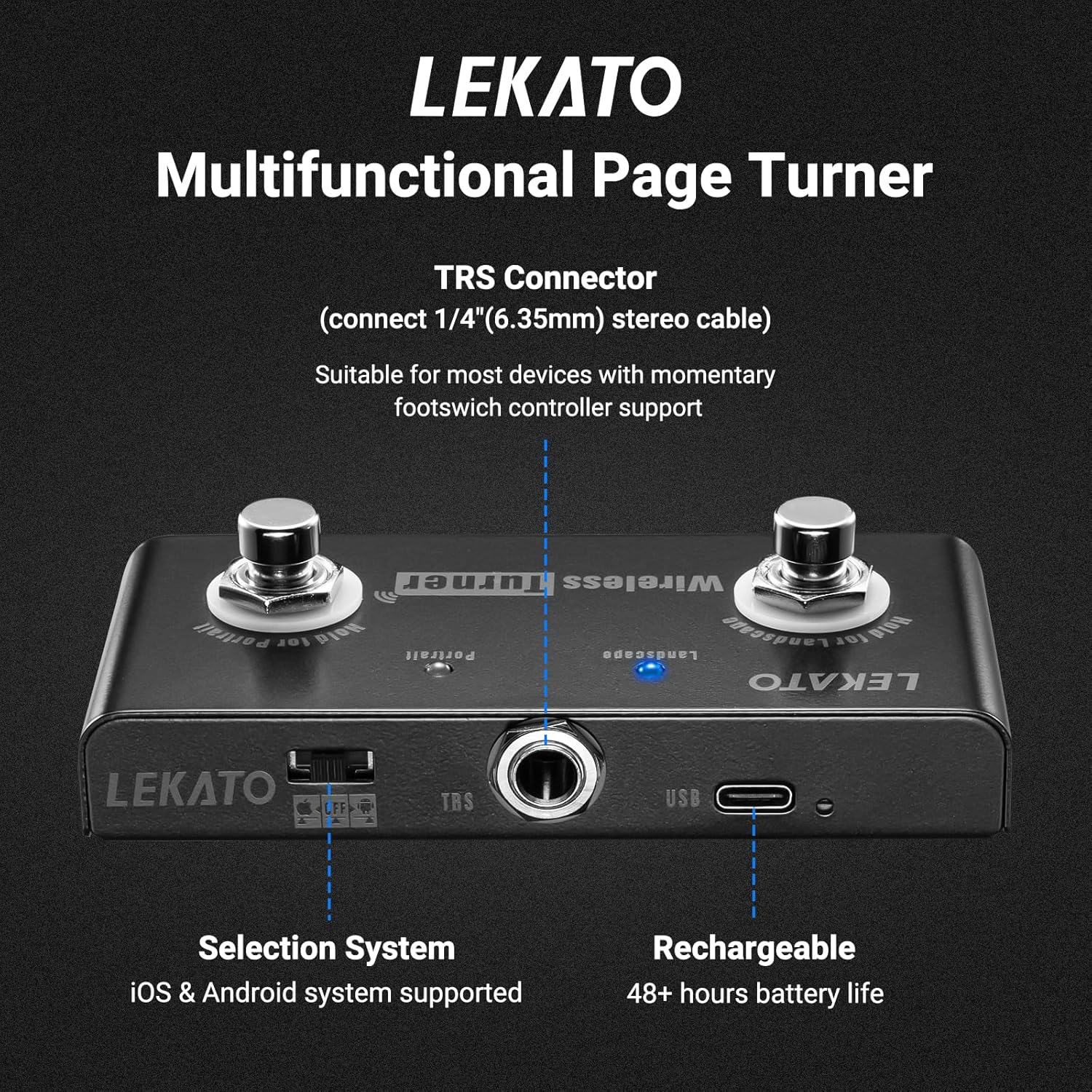
Image 4.1: Top view of the LEKATO Wireless Turner pedal, highlighting the TRS Connector, USB charging port, and the system selection switch (iOS & Android supported). The two main foot pedals are also visible.
- Left Pedal: Typically used for "previous" or "left" actions (e.g., previous page, previous loop).
- Right Pedal: Typically used for "next" or "right" actions (e.g., next page, next loop).
- System Selection Switch: Located on the side, allows switching between iOS and Android compatibility modes.
- TRS Connector (6.35mm): For connecting to devices with momentary footswitch controller support.
- USB-C Port: For charging the built-in battery.
- LED Indicator: Shows connection status and battery level.
4.2 Design and Durability
The pedal features a solid metal casing, ensuring durability and stability during use. Four anti-slip pads on the bottom prevent movement during performance.

Image 4.2: The compact size of the pedal (approx. 4.6" / 11.7cm length, 2.3" / 5.8cm width, 1.5" / 3.8cm height) and the rubber anti-skid pads on the bottom, designed to prevent sliding.
4.3 Connectivity Options
The pedal supports both wireless Bluetooth connection and wired TRS connection for broader compatibility.

Image 4.3: New Version: TRS Port. This port allows for wired connection to compatible devices.

Image 4.4: Old Version: USB Port. Some older models may feature a USB port for direct connection to a loop station.
5. Setup
5.1 Charging the Device
Before first use, fully charge the pedal.
- Connect the provided USB charging cable to the USB-C port on the pedal.
- Connect the other end of the cable to a USB power adapter (not included) or a computer USB port.
- The LED indicator will show charging status. A full charge provides approximately 48 hours of use.
5.2 Wireless Connection (Bluetooth)
The pedal connects wirelessly to smartphones, tablets, and compatible loop stations via Bluetooth.
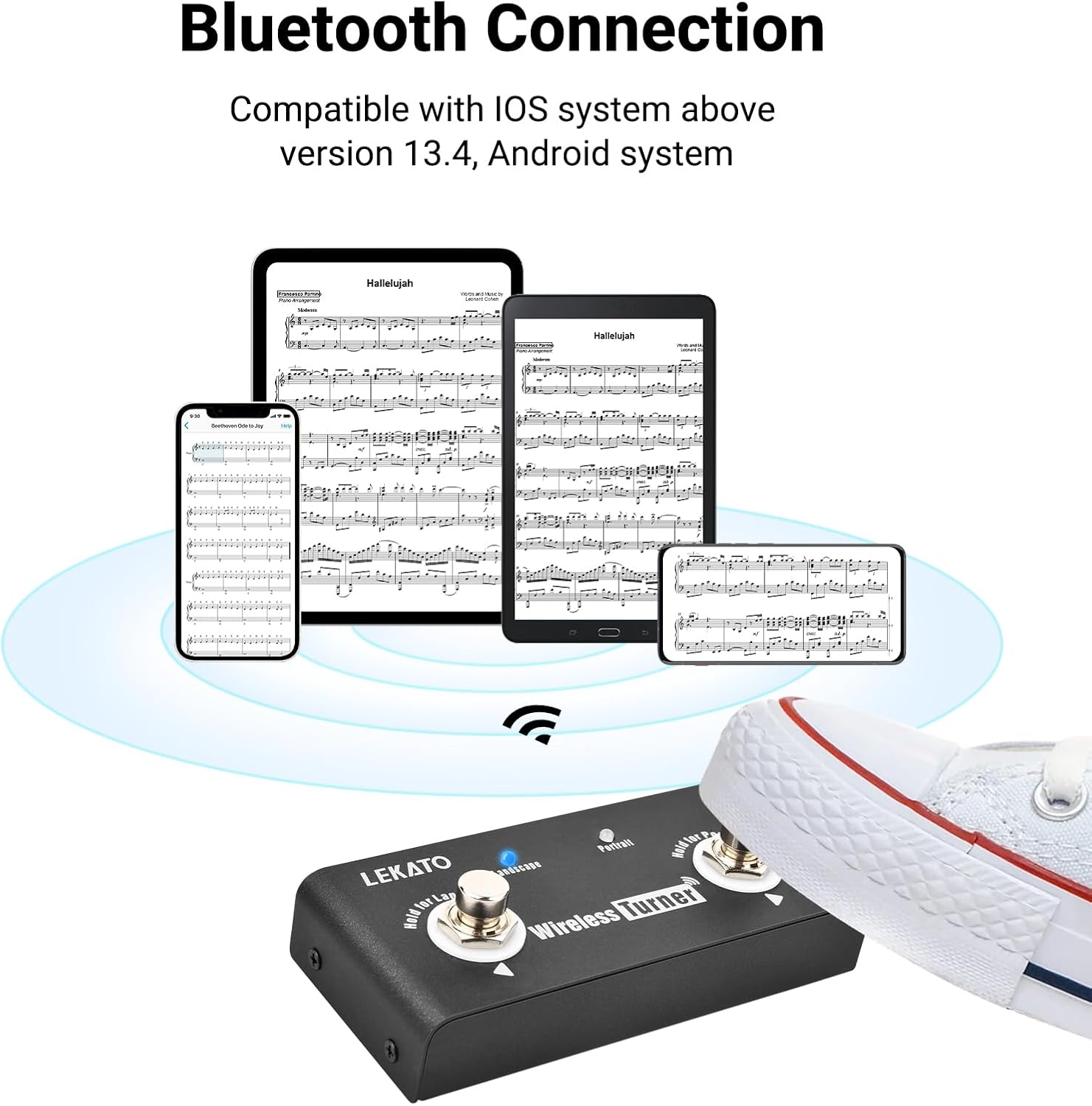
Image 5.1: The LEKATO Wireless Turner pedal establishing a Bluetooth connection with various devices, including smartphones and tablets, all displaying digital music scores. This illustrates its compatibility with Android systems.
- Ensure the pedal is charged.
- Turn on the pedal using the power switch. The LED indicator will blink, indicating pairing mode.
- On your device (smartphone, tablet, or loop station), enable Bluetooth and search for available devices.
- Select "LEKATO Wireless Turner" or similar from the list to pair. The LED indicator will become solid once connected.
- Important: When connecting to a loop station, turn off all other Bluetooth devices nearby to avoid interference.
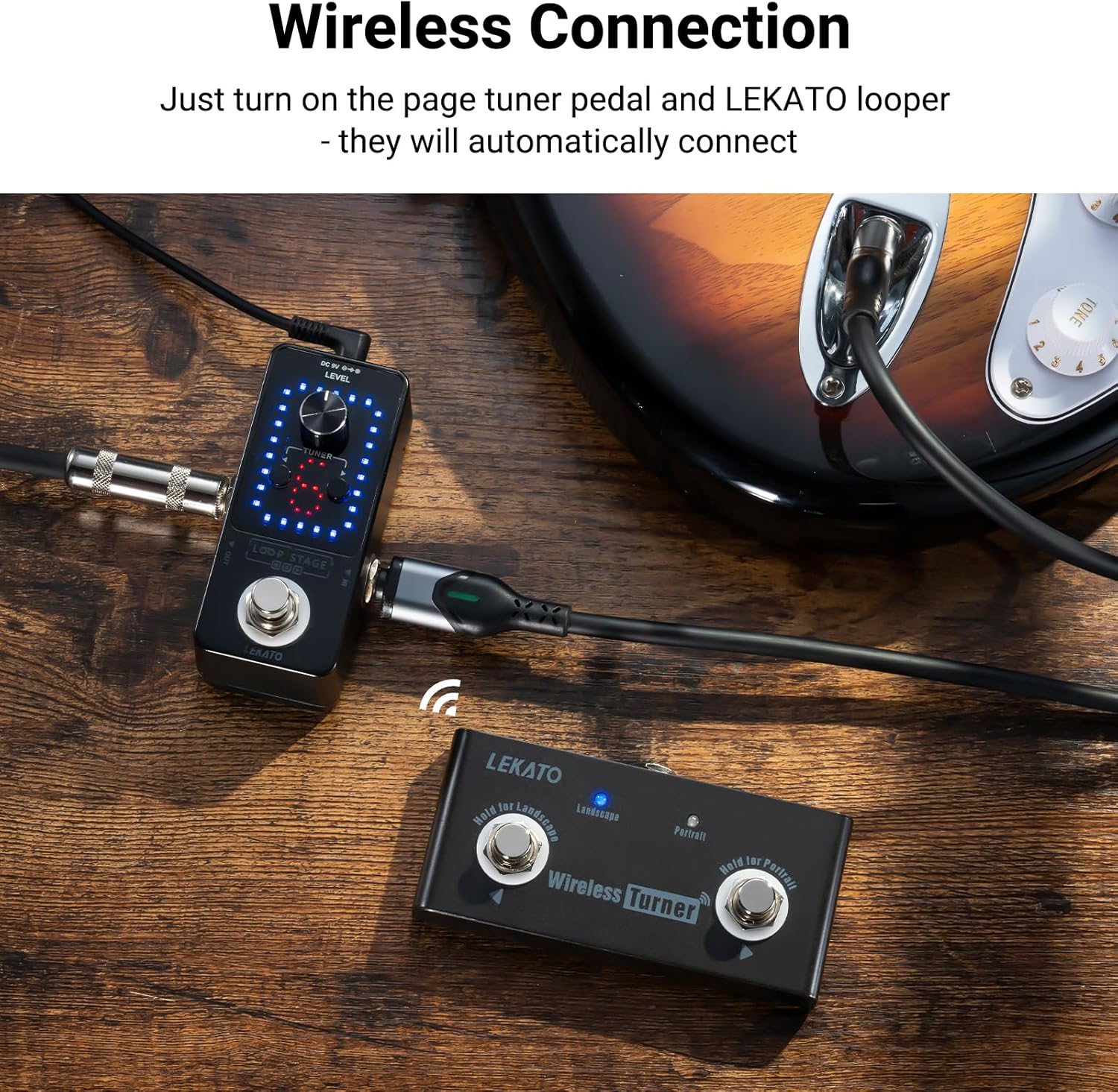
Image 5.2: The LEKATO Wireless Turner pedal shown wirelessly connected to a LEKATO loop station, demonstrating seamless integration for musicians.
5.3 System Compatibility Switch
The pedal has a switch to select the operating mode for different systems.
- Android Mode: Compatible with Android smartphones and tablets. This mode often simulates a mouse drag for page turning.
- iOS Mode: Compatible with iOS devices (e.g., iPad, iPhone) running iOS 13.4 or above. This mode typically sends "Left" and "Right" key presses.
Note: While primarily designed for Android, some users report that the iOS mode may also work on certain Android devices, depending on the application. Experiment with both modes if you encounter issues.
6. Operating Instructions
6.1 Page Turning Function
Use the pedal to navigate through digital sheet music, lyrics, or guitar tabs.
- Press Left Pedal: Moves to the previous page/section.
- Press Right Pedal: Moves to the next page/section.
This function works with various music reading applications. Ensure your application supports external pedal control.

Image 6.1: A musician playing an acoustic guitar, demonstrating the hands-free operation of the LEKATO Wireless Turner pedal. The pedal allows the user to turn pages on a laptop without interrupting their playing.
6.2 Loop Station Control
When connected to a compatible LEKATO loop station, the pedal can control loop switching.
- Press Left Pedal: Switches to the previous loop.
- Press Right Pedal: Switches to the next loop.
This allows for seamless multi-loop control without using your hands, enhancing your performance flow.
7. Maintenance
- Cleaning: Wipe the pedal with a soft, dry cloth. Do not use abrasive cleaners or solvents.
- Storage: Store the device in a cool, dry place away from direct sunlight when not in use for extended periods.
- Battery Care: To prolong battery life, avoid fully discharging the battery frequently. Charge it regularly, even if not in constant use.
8. Troubleshooting
| Problem | Possible Cause | Solution |
|---|---|---|
| Device does not turn on. | Battery is depleted. | Charge the device using the provided USB cable. |
| Cannot connect via Bluetooth. | Bluetooth is off on your device; pedal is not in pairing mode; interference from other devices. | Ensure Bluetooth is enabled. Turn the pedal off and on again to re-enter pairing mode. Turn off other Bluetooth devices nearby. |
| Page turning/loop switching not working. | Incorrect system mode selected; application not compatible; device not properly paired. | Check the system selection switch (Android/iOS). Ensure your application supports external pedal control. Re-pair the device. |
| Pedal feels unstable or slides. | Anti-slip pads are dirty or worn. | Clean the anti-slip pads. Ensure the surface is clean and dry. |
9. Specifications
| Feature | Detail |
|---|---|
| Model Number | M0-1470 |
| Dimensions (L x W x H) | 12.2 x 6 x 3.9 cm (4.8 x 2.4 x 1.5 inches) |
| Weight | 180 grams (0.4 lbs) |
| Battery Type | Lithium Polymer |
| Battery Life | Approx. 48 hours on a single charge |
| Connectivity | Bluetooth, TRS (6.35mm) |
| Charging Port | USB-C |
| Compatibility | Android system, iOS system (version 13.4 and above) |
| Material | Solid Metal Casing |
10. Warranty and Support
LEKATO products are designed for reliability and performance. For warranty information and technical support, please refer to the warranty card included with your purchase or visit the official LEKATO website.
If you encounter any issues not covered in this manual, please contact LEKATO customer service for assistance.