
Introduction
This manual provides essential instructions for the safe and effective use of your Antar AT51125 Electric Rehabilitation Trainer. This device is designed for active and passive exercises of both lower and upper limbs, aiding in rehabilitation and improving circulation. Please read this manual thoroughly before initial use and keep it for future reference.
Important Safety Information
Before using the Antar AT51125, consult with a healthcare professional to ensure it is suitable for your condition.
- Always place the device on a stable, flat surface.
- Ensure the power cable is not damaged or tangled.
- Do not use the device if you experience pain or discomfort.
- Keep children and pets away from the device during operation.
- Do not attempt to disassemble or repair the device yourself. Contact qualified service personnel.
- Unplug the device from the power outlet when not in use or before cleaning.
This device is intended for rehabilitation and exercise purposes. It is not a medical device for diagnosis or treatment.
Package Contents
Verify that all components are present in the package:
- Antar AT51125 Electric Rehabilitation Trainer Unit
- Remote Control
- Power Cable
- User Manual (this document)
Setup
- Unpacking: Carefully remove all components from the packaging.
- Placement: Place the rehabilitation trainer on a firm, level surface. Ensure there is enough space around the device for safe operation.
- Power Connection: Connect the power cable to the designated port on the device.

Image: The Antar AT51125 Electric Rehabilitation Trainer showing the power cable connected to the back of the unit.
- Plug In: Plug the power adapter into a suitable electrical outlet.
- Pedal Adjustment: Adjust the non-slip pedal straps to securely fit your feet or hands. The straps have 3 levels of adjustment.
The device is now ready for operation.
Operating Instructions
The Antar AT51125 features a remote control for easy operation and an LCD screen to display exercise data.
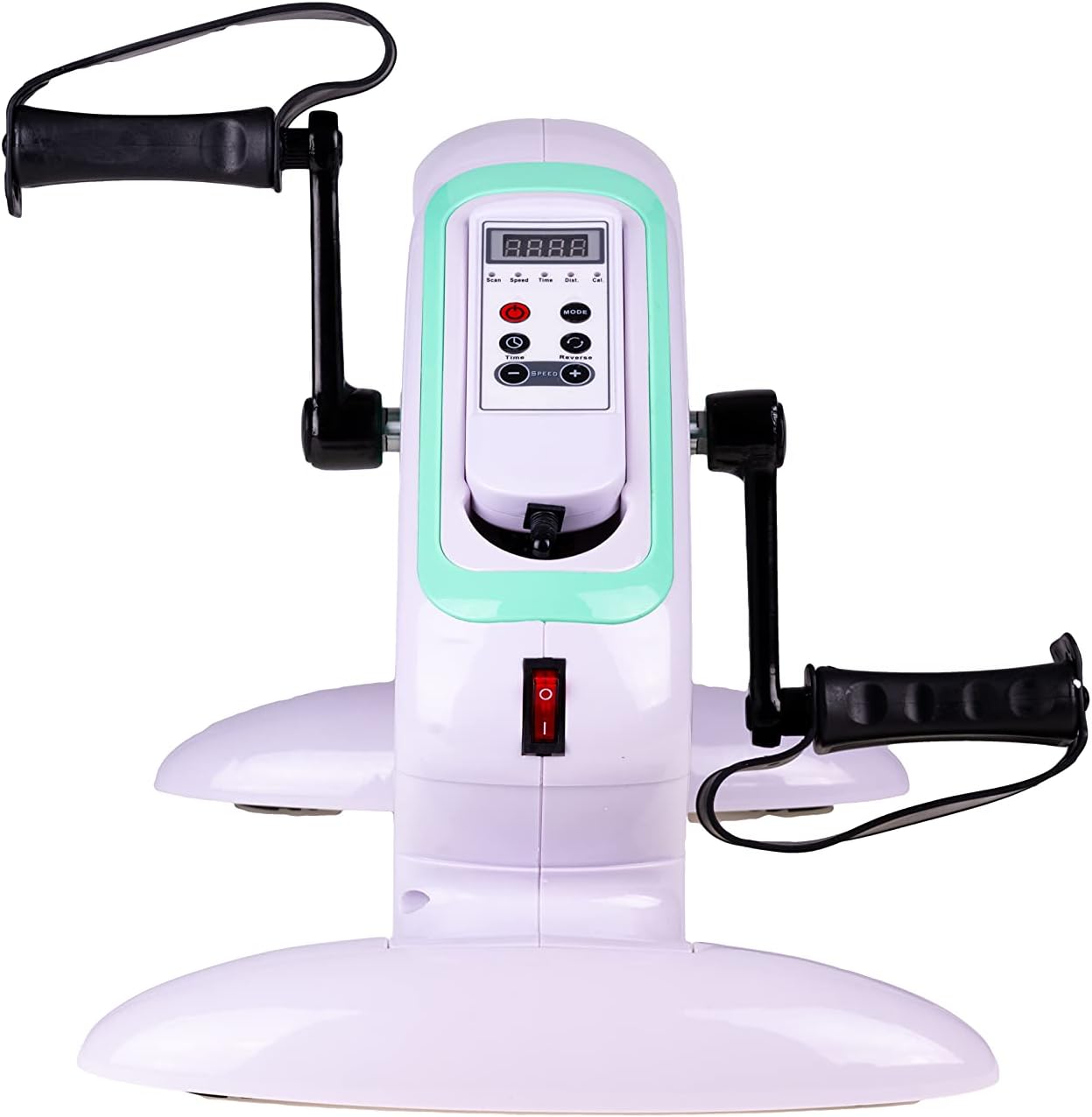
Image: Front view of the Antar AT51125 Electric Rehabilitation Trainer, showing the integrated control panel and pedals.
Remote Control Functions

Image: The remote control for the Antar AT51125, showing buttons for power, mode, speed adjustment, time, and reverse.
- Power Button (Red): Turns the device ON or OFF.
- MODE Button: Cycles through display modes on the LCD screen (Speed, Time, Distance, Calories, Scan).
- TIME Button: Sets the exercise duration.
- REVERSE Button: Changes the direction of pedal rotation (forward or backward).
- SPEED Buttons (+/-): Adjusts the motor speed. There are 12 levels of operation.
Starting an Exercise Session
- Turn on the device using the red Power button on the remote control.
- Select your desired exercise duration using the TIME button.
- Adjust the speed using the SPEED +/- buttons. Start with a low speed and gradually increase as comfortable.
- Position your feet or hands securely in the pedals.
- The device will begin rotating automatically. You can change the direction of rotation at any time using the REVERSE button.
- Monitor your progress on the LCD screen. The SCAN mode will cycle through all data points.
Active and Passive Exercise
The trainer supports both active and passive exercise:
- Passive Mode: The motor rotates the pedals, providing movement for users with limited mobility. Adjust speed to a comfortable level.
- Active Mode: Users actively pedal against the motor's resistance. The motor assists in maintaining a consistent rotation. Adjust speed and resistance as needed.
Maintenance
Cleaning
- Always unplug the device before cleaning.
- Wipe the device with a soft, damp cloth. Do not use abrasive cleaners or solvents.
- Ensure no liquid enters the internal components.
Storage
- Store the device in a cool, dry place away from direct sunlight.
- Keep it covered to protect from dust.
Troubleshooting
Device Does Not Turn On
- Check if the power cable is securely connected to both the device and the electrical outlet.
- Ensure the power outlet is functional.
- Verify the power button on the remote control has been pressed.
Pedals Do Not Rotate
- Check if the device is powered on.
- Ensure a speed level has been selected.
- If the device is overloaded, the motor may stop. Reduce resistance or user effort.
LCD Screen Not Displaying
- Check if the device is powered on.
- If the issue persists, contact customer support.
Specifications
| Feature | Detail |
|---|---|
| Model | AT51125 |
| Brand | Antar |
| Dimensions (L x W x H) | 50 x 30 x 28 cm |
| Item Weight | 5 kg |
| Color | White |
| Control Type | Remote Control |
| Operating Mode | Automatic |
| Power Source | Electric Cable |
| Number of Programs/Levels | 12 |
| Display | LCD (Speed, Time, Distance, Calories, Scan) |
| Pedal Features | Non-slip with 3-level adjustment straps, ergonomic, bi-directional rotation |

Image: Side view of the Antar AT51125 Electric Rehabilitation Trainer, highlighting the ergonomic pedals and stable base.
Warranty and Support
For warranty information or technical support, please refer to the documentation provided with your purchase or contact Antar customer service. Keep your purchase receipt as proof of purchase.
