
1. Introduction
This manual provides essential instructions for the safe and efficient use of your Andoer NP-FV5 Battery Charger and NP-FV5 Plus rechargeable batteries. Please read this manual thoroughly before using the product and retain it for future reference.

Image 1.1: Andoer NP-FV5 Battery Charger Kit Components
2. Safety Information
To prevent injury or damage to your product, observe the following safety precautions:
- Do not disassemble, open, or shred battery packs.
- Do not expose batteries to heat or fire. Avoid storage in direct sunlight.
- Do not short-circuit a battery. Do not store batteries haphazardly in a box or drawer where they may short-circuit each other or be short-circuited by other metal objects.
- Do not subject batteries to mechanical shock.
- In the event of a battery leaking, do not allow the liquid to come into contact with the skin or eyes. If contact has been made, wash the affected area with copious amounts of water and seek medical advice.
- Keep batteries clean and dry.
- Do not use any charger other than that specifically provided for use with the equipment.
- Do not leave a battery on charge when not in use.
- Do not immerse the charger or batteries in water or other liquids.
- Keep out of reach of children.
3. Package Contents
Verify that all items are present in your package:
- 1 x Andoer NP-FV5 Battery Charger
- 2 x Andoer NP-FV5 Plus 3.7V 1000mAh Lithium-ion Polymer Batteries
- 1 x USB Charging Cable (Micro USB)
4. Product Overview
The Andoer NP-FV5 Battery Charger is designed to charge NP-FV5 series batteries efficiently. It features a compact design and an LED indicator for charging status.
4.1. Charger Components
- Battery Slot: Area where the battery is inserted for charging.
- Charging Contacts: Metal pins inside the slot that connect to the battery.
- Micro USB Port: Input for the USB charging cable.
- LED Indicator Light: Displays charging status.

Image 4.1: Charger Battery Slot and Contacts

Image 4.2: Charger with USB Port and LED
4.2. Battery Overview
The NP-FV5 Plus batteries are 3.7V 1000mAh Lithium-ion Polymer batteries, providing reliable power for compatible devices.
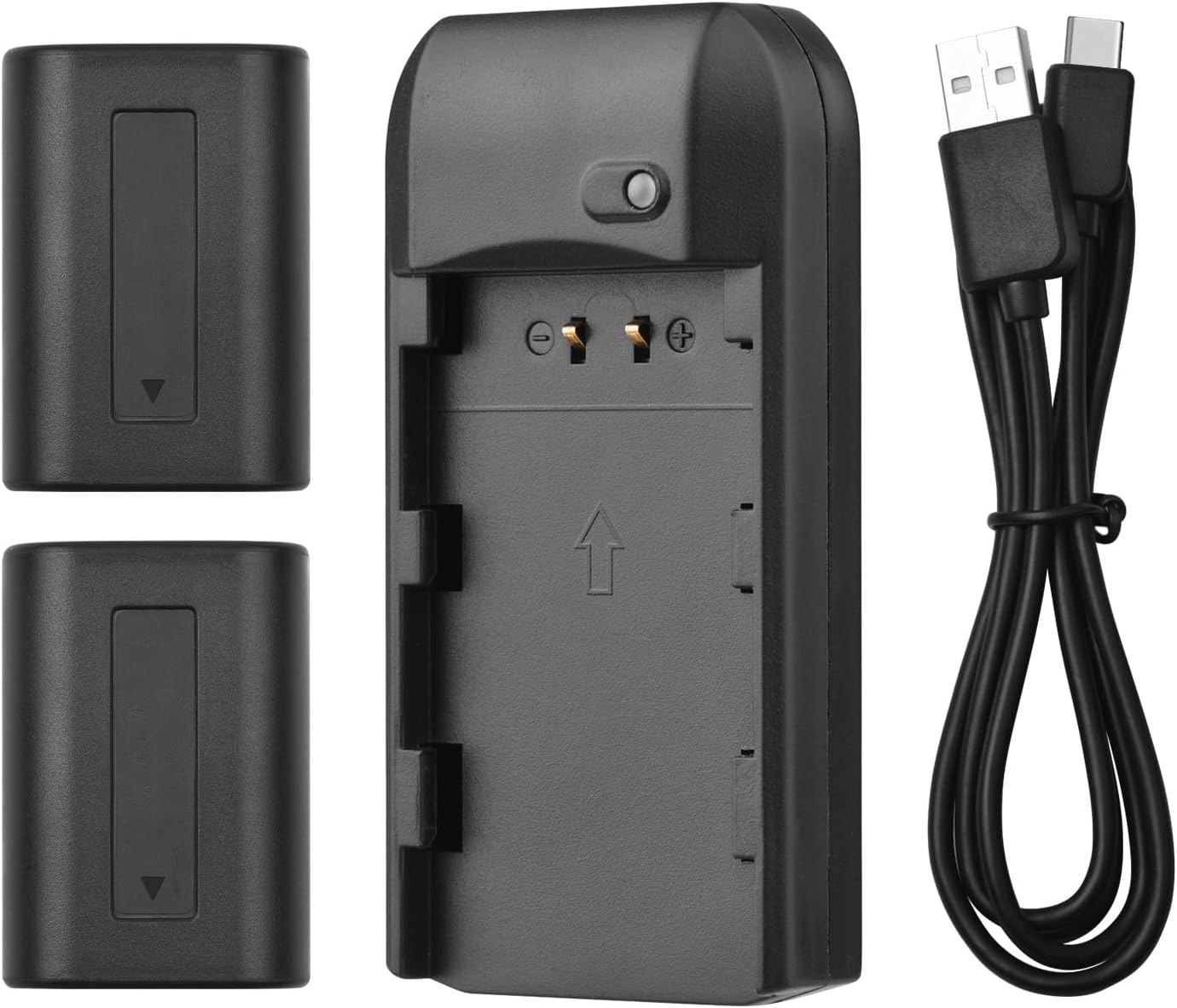
Image 4.3: All Kit Components
5. Setup and Charging
Follow these steps to set up your charger and begin charging the batteries:
- Connect the Charger: Insert the Micro USB end of the provided USB charging cable into the charger's Micro USB port.
- Connect to Power Source: Connect the standard USB-A end of the cable to a compatible 5V 1A USB power source. This can be a laptop, a USB wall adapter, or a power bank.
- Insert Battery: Carefully align the NP-FV5 battery with the charger's battery slot and gently push it in until it clicks into place. Ensure the battery contacts align with the charger's pins.
- Monitor Charging Status: The LED indicator light on the charger will show the charging status:
- Red Light: Indicates the battery is currently charging.
- Green Light: Indicates the battery is fully charged.
- Remove Battery: Once the LED turns green, the battery is fully charged. Gently pull the battery out of the charger.

Image 5.1: LED Indicator Light Status
6. Operating Instructions
The charger operates automatically once a battery is inserted and power is connected. No manual intervention is required during the charging process.
- Always ensure the charger is connected to a stable 5V 1A power source.
- Only charge NP-FV5 series batteries with this charger.
- Do not cover the charger during operation to ensure proper ventilation.
7. Maintenance and Storage
Proper maintenance ensures the longevity of your charger and batteries:
- Cleaning: Use a soft, dry cloth to clean the charger and batteries. Do not use liquid cleaners or solvents.
- Storage: Store the charger and batteries in a cool, dry place away from direct sunlight and extreme temperatures.
- Battery Care: For long-term storage, it is recommended to charge batteries to approximately 50% capacity. Avoid storing fully charged or completely depleted batteries for extended periods.
- Cable Care: Avoid bending or twisting the USB cable excessively.
8. Troubleshooting
If you encounter issues, refer to the following common problems and solutions:
| Problem | Possible Cause | Solution |
|---|---|---|
| LED indicator does not light up. | No power supply, faulty cable, or incorrect battery insertion. |
|
| Battery does not charge (LED remains red indefinitely or doesn't change). | Battery fault, charger fault, or insufficient power input. |
|
| Charger or battery becomes excessively hot during charging. | Overload, faulty battery, or poor ventilation. |
|
9. Specifications
Technical details for the Andoer NP-FV5 Battery Charger and NP-FV5 Plus Batteries:
| Component | Specification |
|---|---|
| Charger Input | DC 5V 1A |
| Charger Output | DC 4.2V, 400mA |
| Charging Port | Micro USB |
| Battery Type | Lithium-ion Polymer |
| Battery Voltage | 3.7V |
| Battery Capacity | 1000mAh |
| Charger Dimensions | 6.5 x 3.3 x 1.5 cm (2.6 x 1.3 x 0.6 inches) |
| Charger Weight | 11g (0.4oz) |
| Model Number | XCW2361199610991EL (Charger) / NP-FV5 (Batteries) |

Image 9.1: Charger Dimensions

Image 9.2: Charger Label with Specifications
10. Warranty and Support
For warranty information and customer support, please refer to the documentation provided at the time of purchase or contact your retailer. Keep your proof of purchase for warranty claims.
For further assistance, you may visit the official Andoer website or contact their customer service department.