
Introduction
This manual provides essential information for the proper installation, operation, and maintenance of your Denso Ten ECLIPSE AVN-LS02 Car Navigation System. Please read this manual thoroughly before using the product to ensure safe and optimal performance.
Safety Information
- Always operate the device responsibly and in accordance with local traffic laws.
- Do not attempt to operate the navigation system or view video content while driving, as this can distract from the road and lead to accidents.
- Ensure the unit is securely installed to prevent detachment during vehicle movement.
- Consult a qualified technician for installation if you are unsure about the process.
Package Contents
Verify that all items are present in the package:
- ECLIPSE AVN-LS02 Car Navigation Unit
- Film Antenna
- Power Cord
- Installation Manual
- Instruction Manual (this document)
Setup and Installation
Proper installation is crucial for the functionality and safety of your AVN-LS02 system. Refer to the dedicated Installation Manual included with your product for detailed wiring diagrams and mounting instructions.
Key Installation Considerations:
- Power Connection: Connect the power cord according to the vehicle's electrical system specifications.
- Antenna Connection: Securely attach the film antenna for optimal GPS and digital TV reception.
- Mounting: Ensure the unit is firmly mounted in the dashboard, providing clear visibility and accessibility without obstructing driving.
- Initial Setup: After installation, follow the on-screen prompts for initial system configuration, including language settings and time zone.
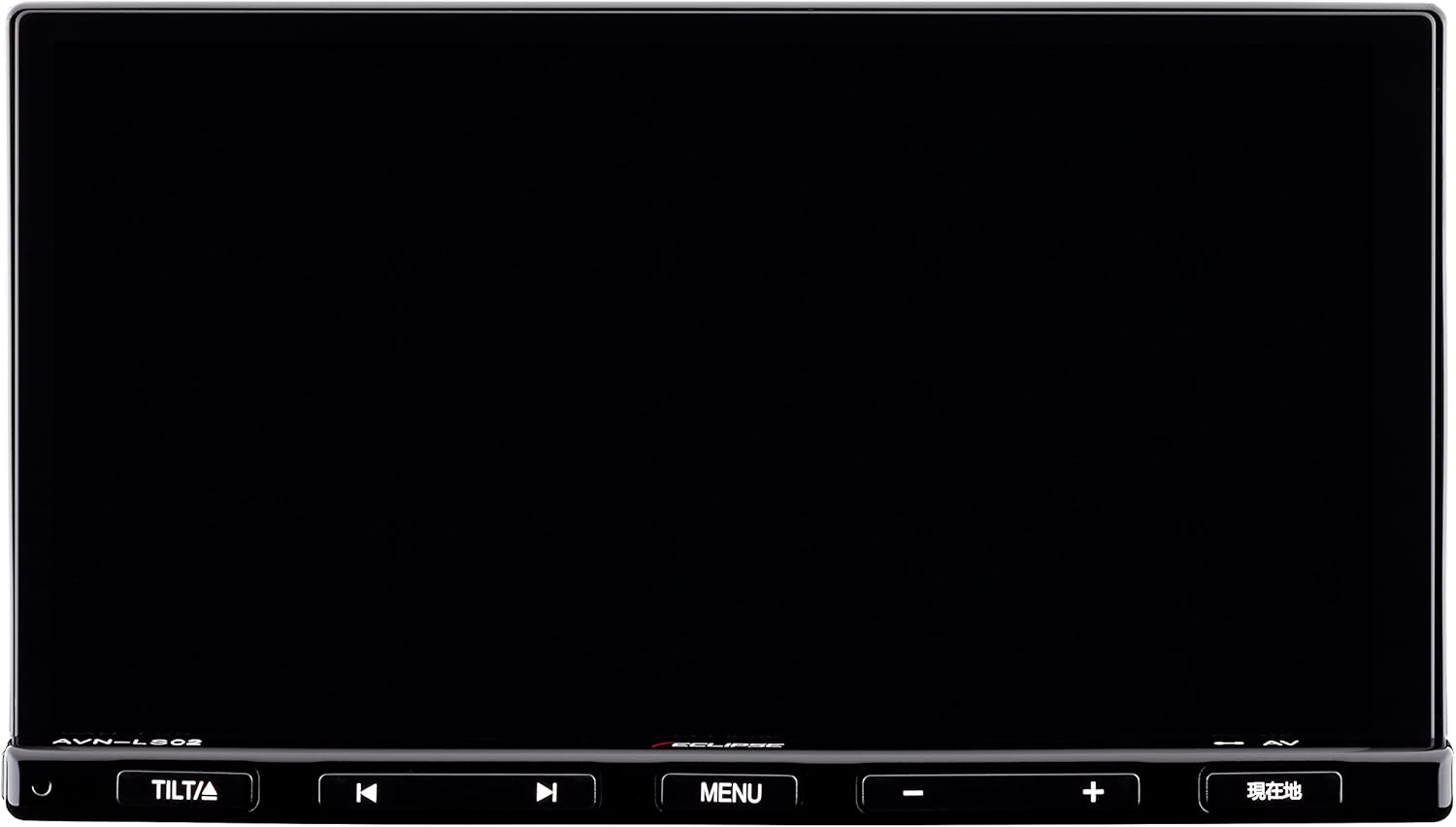
Figure 1: Front view of the ECLIPSE AVN-LS02 unit, showing the 7-inch display and control buttons.
Operating Instructions
Navigation System
The AVN-LS02 features a comprehensive navigation system with VICS Wide support for real-time traffic information.
- Map Display: The 7-inch LCD provides a clear and detailed map view.
- Route Guidance: Enter your destination using the touchscreen or voice commands (if supported) to receive turn-by-turn directions.
- VICS Wide: Utilize VICS Wide for updated traffic conditions, helping you avoid congestion and optimize your travel time.
- POI Search: Search for points of interest such as gas stations, restaurants, and parking facilities.

Figure 2: Navigation map display on the ECLIPSE AVN-LS02, showing route information and surrounding areas.
Audio and Bluetooth Functions
Enjoy various audio sources, including CD, DVD, and Bluetooth streaming.
- CD/DVD Playback: Insert audio CDs or video DVDs into the disc slot for playback.
- Bluetooth Connectivity: Pair your smartphone or other Bluetooth-enabled devices to stream music wirelessly or make hands-free calls.
- Audio Controls: Adjust volume, bass, treble, and balance using the on-screen controls or physical buttons.

Figure 3: Bluetooth audio streaming from a smartphone to the AVN-LS02 system.
Digital TV (Full Seg)
The integrated Full Seg tuner allows you to enjoy digital television broadcasts.
- Channel Tuning: Scan for available digital TV channels in your area.
- Dual Display: The system supports a split-screen display, allowing you to view TV content alongside the navigation map.
- Safety Feature: For safety, video display of TV content is typically restricted while the vehicle is in motion; only audio may be available.
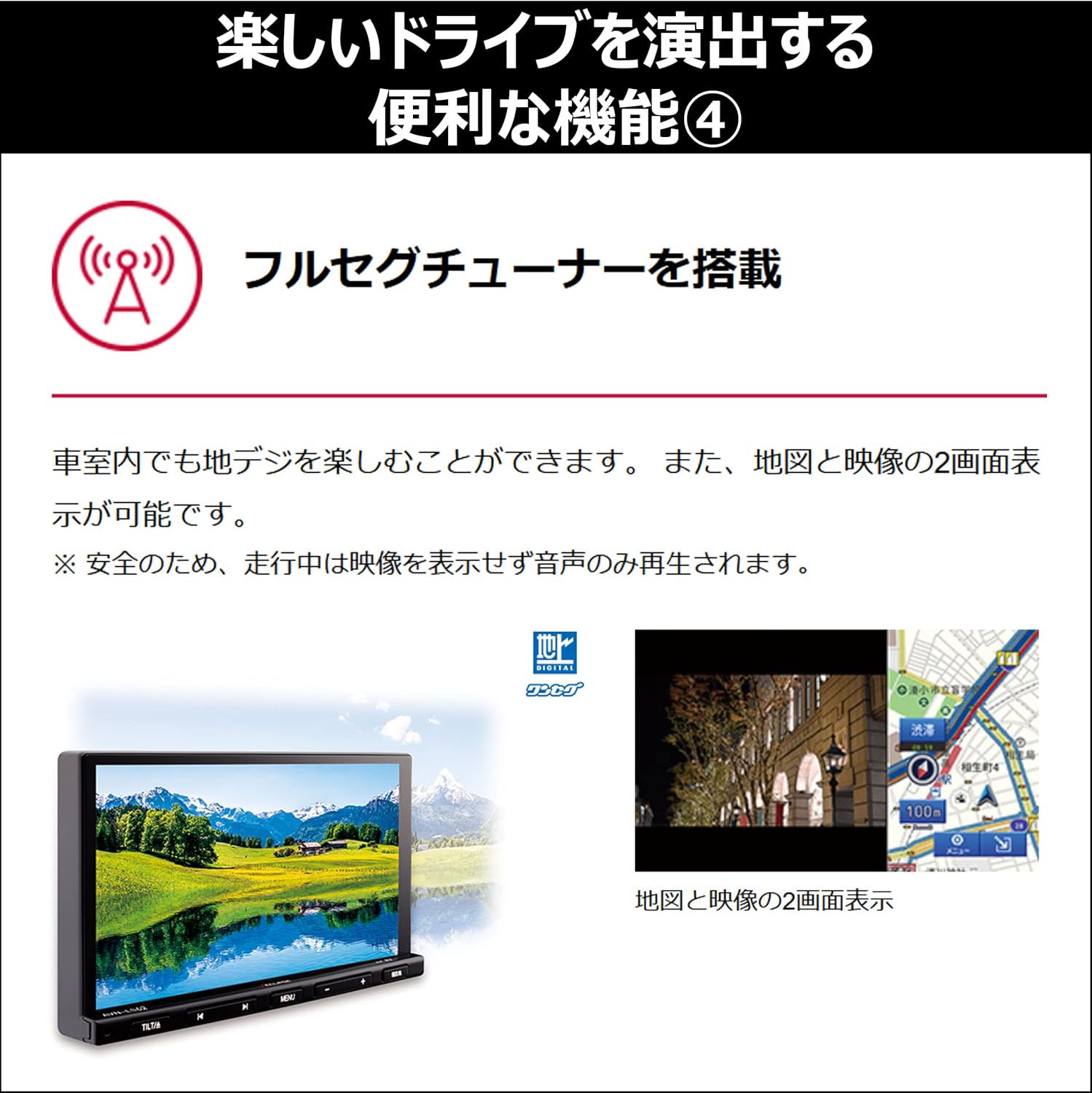
Figure 4: Split-screen view showing digital TV and navigation simultaneously.
System Performance
The AVN-LS02 is equipped with a quad-core CPU for smooth and responsive operation.
- Multitasking: The powerful processor enables seamless switching between applications and efficient handling of multiple functions simultaneously.
- Responsive Interface: Experience quick loading times and fluid interactions with the touchscreen interface.

Figure 5: Internal view highlighting the quad-core CPU for enhanced performance.
Maintenance
Regular maintenance ensures the longevity and optimal performance of your navigation system.
- Screen Cleaning: Use a soft, lint-free cloth specifically designed for electronics screens. Gently wipe the display to remove dust and fingerprints. Avoid abrasive cleaners or harsh chemicals.
- Unit Cleaning: Wipe the exterior of the unit with a soft, dry cloth. Do not allow liquids to enter the unit.
- Software Updates: Periodically check the manufacturer's website for available software or map updates to ensure your system has the latest features and data.
Troubleshooting
If you encounter issues with your AVN-LS02, refer to the following common solutions:
- No Power: Check the power connections and the vehicle's fuse box. Ensure the ignition is on.
- No GPS Signal: Verify that the GPS antenna is properly connected and has a clear view of the sky. Move the vehicle to an open area if necessary.
- No Audio: Check the volume settings, ensure the mute function is not active, and verify speaker connections.
- Bluetooth Pairing Issues: Ensure Bluetooth is enabled on both the AVN-LS02 and your device. Delete previous pairings and attempt to re-pair.
- Screen Unresponsive: Try restarting the unit. If the issue persists, a factory reset (refer to the full manual for instructions) might be necessary, but note this will erase personal settings.
For persistent issues, contact customer support or a qualified service technician.
Specifications
| Feature | Detail |
|---|---|
| Brand | ECLIPSE (Denso Ten) |
| Model Number | AVN-LS02 |
| Screen Size | 7 inches |
| Display Type | LCD, Color Screen |
| Memory Storage Capacity | 32 GB |
| Special Features | VICS/VICS WIDE, Full Seg Tuner |
| Connectivity Technology | Bluetooth |
| Human Interface Input | Buttons, Touchscreen |
| Product Dimensions | 26.2 x 33.5 x 20 cm |
| Item Weight | 4.01 kg |
Warranty and Support
For warranty information, please refer to the warranty card included with your product or visit the official ECLIPSE (Denso Ten) website. For technical support, product inquiries, or service, please contact your authorized dealer or the manufacturer's customer service department.
Keep your purchase receipt as proof of purchase for warranty claims.


