
1. Product Overview
This ORIA wireless thermometer system provides accurate temperature monitoring for refrigerators, freezers, and ambient indoor/outdoor environments. It features a main display unit and two remote sensors, allowing simultaneous display of three temperature readings. Key functions include audible alarms for temperature deviations, Min/Max record, and switchable Celsius/Fahrenheit units.
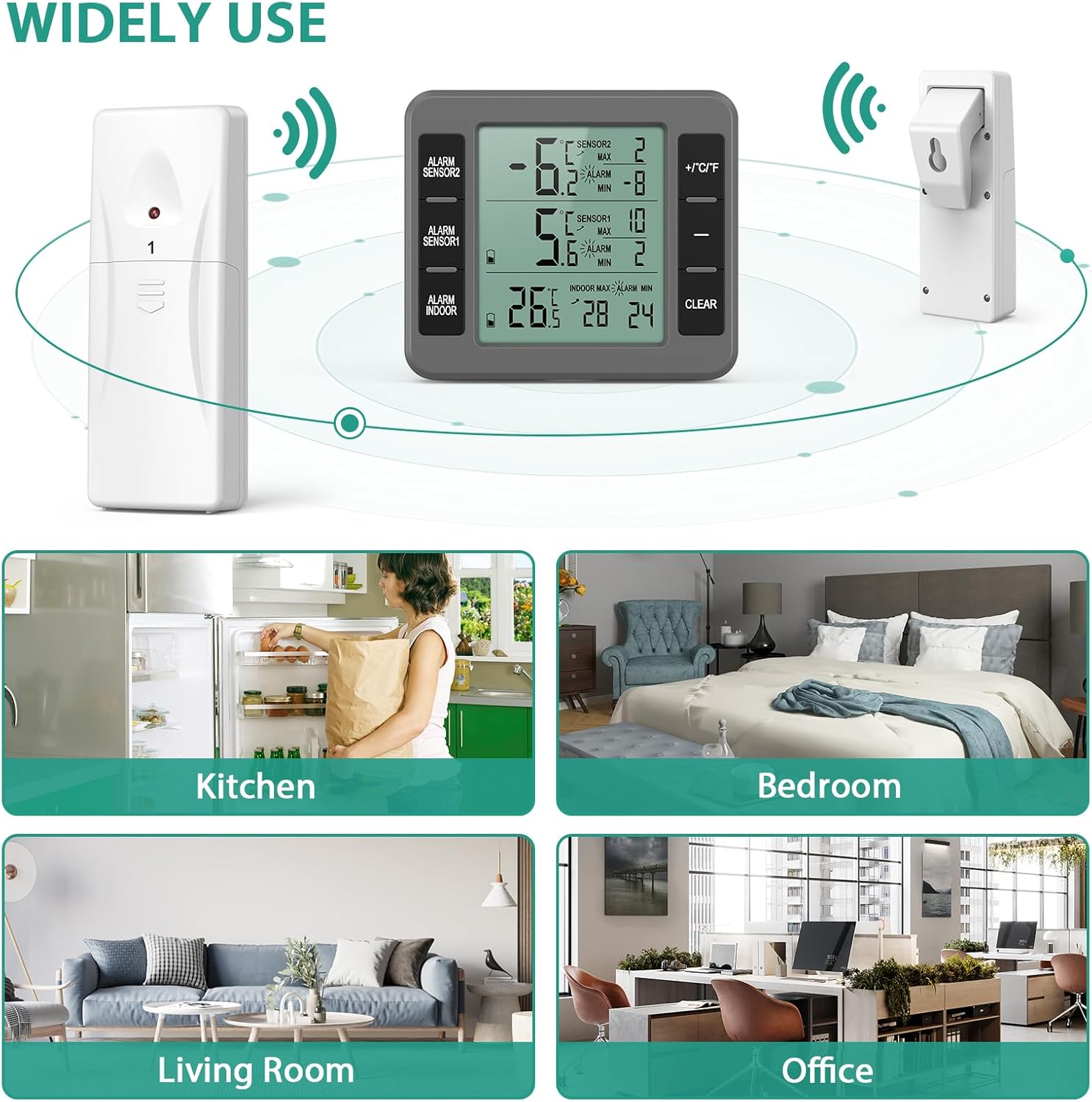
Image: The main display unit and two remote sensors, illustrating their versatile use in different environments such as kitchens, bedrooms, living rooms, and offices.
2. What's Included
- 1 x Main Display Unit
- 2 x Wireless Remote Sensors
- 1 x User Manual
Note: Batteries are not included. The main unit requires 2 x AAA batteries, and each remote sensor requires 2 x AA batteries.
3. Specifications
| Feature | Detail |
|---|---|
| Brand | ORIA |
| Model Number | KEU-WA50GR |
| Color | Grey |
| Product Dimensions (L x W x H) | 7.87 x 0.03 x 0.03 cm |
| Item Weight | 210 g |
| Special Feature | Large Display |
| Exterior Material | Plastic |
| Display Type | Digital |
| Connectivity Technology | Radio Frequency (Wireless) |
| Indoor Temperature Range | -10°C to 60°C (14°F to 140°F) |
| Outdoor Temperature Range | -40°C to 60°C (-40°F to 140°F) |
| Transmission Range | 30 meters / 98.4 feet (open air) |
| Temperature Precision | ±2°F (±1°C) |
| Sensor Update Rate | Sensor 1: 57s, Sensor 2: 67s |
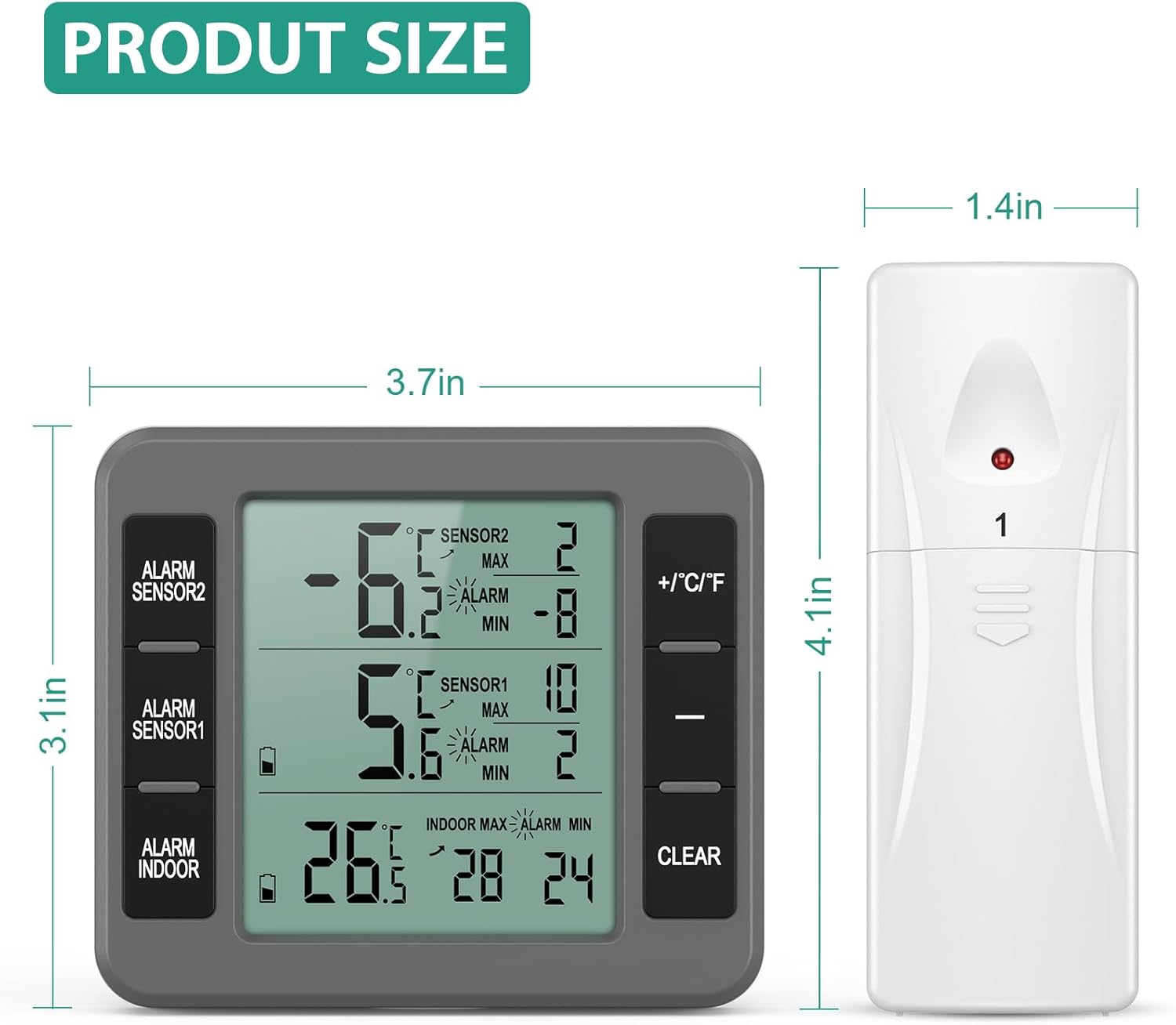
Image: Product dimensions for both the main unit and the remote sensors.
4. Setup
4.1 Battery Installation
- Open the battery compartment on the back of the main display unit. Insert 2 x AAA batteries, observing the correct polarity (+/-).
- Open the battery compartment on each of the two remote sensors. Insert 2 x AA batteries into each sensor, observing the correct polarity (+/-).
- Close all battery compartments securely. The main unit and sensors should automatically power on and attempt to pair.

Image: Illustration of battery placement for the main unit and both remote sensors.
4.2 Sensor Placement
Place the remote sensors in the desired locations, such as inside your refrigerator, freezer, or outdoors. Ensure they are within the 30-meter (98.4 feet) transmission range of the main unit and avoid placing them near large metal objects that could interfere with the signal.

Image: Remote sensors positioned inside a refrigerator, demonstrating typical placement for monitoring internal temperatures.
5. Operating Instructions
5.1 Display Overview
The main display unit shows three temperature readings simultaneously: indoor temperature (from the main unit itself) and temperatures from Sensor 1 and Sensor 2. It also displays Min/Max records for each sensor and alarm indicators.

Image: Detailed view of the main display unit, highlighting various indicators and controls such as sensor readings, Min/Max values, and control buttons.
5.2 Switching Temperature Units (°C/°F)
Press the "+/°C/°F" button on the right side of the main unit to switch between Celsius (°C) and Fahrenheit (°F) temperature displays.

Image: The main unit's display, illustrating the temperature ranges and the button for switching between Celsius and Fahrenheit.
5.3 Setting Temperature Alarms
- Press the "ALARM SENSOR1", "ALARM SENSOR2", or "ALARM INDOOR" button to select the sensor for which you want to set an alarm.
- Use the "+" and "-" buttons to adjust the maximum (MAX) and minimum (MIN) temperature thresholds for the selected sensor.
- Once set, if the temperature from that sensor goes above the MAX or below the MIN threshold, the main unit will emit an audible alarm.

Image: The display unit showing the alarm feature, with a bell icon and text indicating manual setting of maximum and minimum alarm values.
5.4 Min/Max Temperature Record
The thermometer automatically records the highest (MAX) and lowest (MIN) temperatures detected by each sensor since the last reset. To view these records, simply observe the display. To clear the Min/Max records, press the "CLEAR" button.
Video: A short demonstration showcasing the ORIA thermometer's features, including the large LCD display, alarm settings, and Celsius/Fahrenheit switching, as well as the Min/Max record function.
6. Placement Options
The main display unit offers multiple placement options for your convenience:
- Standing: Use the integrated kickstand on the back to place it on a table or countertop.
- Hanging: Utilize the hanging hole on the back to mount it on a wall.
- Magnetic: The unit features magnets on the back, allowing it to be attached to metallic surfaces like a refrigerator door.

Image: The rear view of the main unit, detailing its features for installation, alongside examples of standing, hanging, and magnetic placement.

Image: Visual representation of the three versatile placement options for the main display unit.
7. Maintenance
7.1 Cleaning
Wipe the thermometer and sensors with a soft, damp cloth. Do not use abrasive cleaners or immerse the units in water.
7.2 Battery Replacement
When the display becomes dim or the units stop responding, replace the batteries. Follow the battery installation steps in Section 4.1.
8. Troubleshooting
- No Display: Ensure batteries are correctly installed and have sufficient charge. Replace if necessary.
- Inaccurate Readings: Verify that sensors are placed in appropriate locations, away from direct heat sources or extreme cold that could affect their accuracy. Check battery levels.
- No Signal from Remote Sensors: Ensure sensors are within the 30-meter transmission range. Check for obstructions like thick walls or large metal appliances. Replace sensor batteries if needed.
- Alarm Not Functioning: Check that the alarm thresholds (MAX/MIN) are correctly set for the desired sensor. Ensure the alarm function is enabled.
9. Warranty & Support
ORIA is committed to providing quality products and customer satisfaction. This product comes with:
- 2 Year Warranty
- 90 Days Free Replacements
- 30 Days Free Returns
- 24/7 Customer Support
- Lifetime Technical Assistance
For any inquiries or support, please refer to the contact information provided with your purchase or visit the official ORIA website.