
1. Introduction
The ADJ Encore LP7IP is a robust, IP65-rated outdoor LED Par fixture designed for versatile lighting applications. It features 7 x 20-Watt RGBL (Red, Green, Blue, Lime) Quad LEDs, offering a wide range of color mixing capabilities and linear color temperature control. This manual provides essential information for the safe and efficient operation of your Encore LP7IP.

Image: Front view of the ADJ Encore LP7IP LED Par Can Wash Light, showcasing its seven RGBL LEDs.
Key Features:
- Light Source: 7 x 20-Watt Quad RGBL LEDs (4-IN-1: Red, Green, Blue & Lime).
- IP65 Outdoor Rating: Protection against rain, snow, and dust.
- Linear Color Temperature Control (2700K to 6500K).
- Preset Color Temperatures (2700K, 3200K, 4000K, 5600K and 6500K).
- 16-Bit Fine Color Control (Red, Green, Blue & Lime).
- 64 built-in Color Macros.
- 10-degree beam angle for wide washes.
2. Safety Instructions
To ensure safe operation, please read and understand all instructions in this manual before installing or operating this device. Keep this manual for future reference.
- Electrical Safety: Always disconnect from main power before servicing or cleaning. Ensure the power source matches the required voltage. Use a grounded power cord.
- Environmental Conditions: This fixture is IP65 rated for outdoor use, protecting against dust and water jets. However, avoid submerging the unit. Ensure all protective caps for power and DMX connections are securely fastened when used outdoors.
- Mounting: Always secure the fixture with a safety cable when mounting overhead. Ensure the mounting surface or structure can support the weight of the fixture.
- Temperature: Do not operate the device in temperatures exceeding 104°F (40°C). Ensure adequate ventilation around the fixture.
- Eye Safety: Avoid direct eye exposure to the light source.
- Servicing: Refer all servicing to qualified service personnel. Do not attempt to repair the unit yourself.
3. Setup
3.1 Unpacking
Carefully unpack the fixture and check for any damage during shipping. Ensure all components are present. If any damage is found or parts are missing, contact your dealer immediately.
3.2 Mounting
The Encore LP7IP comes with a dual-yoke bracket for flexible mounting. It can be hung from a truss, mounted on a wall, or placed on the floor. Always use appropriate clamps and safety cables when suspending the fixture.

Image: The ADJ Encore LP7IP LED Par Can Wash Light shown with its adjustable dual-yoke mounting bracket.
3.3 Power Connection
Connect the supplied IP65-rated power cable to the "POWER IN" port on the rear of the fixture. The fixture supports power linking via the "POWER OUT" port to connect multiple units. Ensure the total current draw does not exceed the maximum specified for the power output.
3.4 DMX Connection
For DMX control, connect a DMX cable from your DMX controller to the "DMX IN" port on the fixture. Use the "DMX OUT" port to daisy-chain to other DMX fixtures. Ensure all IP65 protective caps are securely tightened when used in outdoor environments.
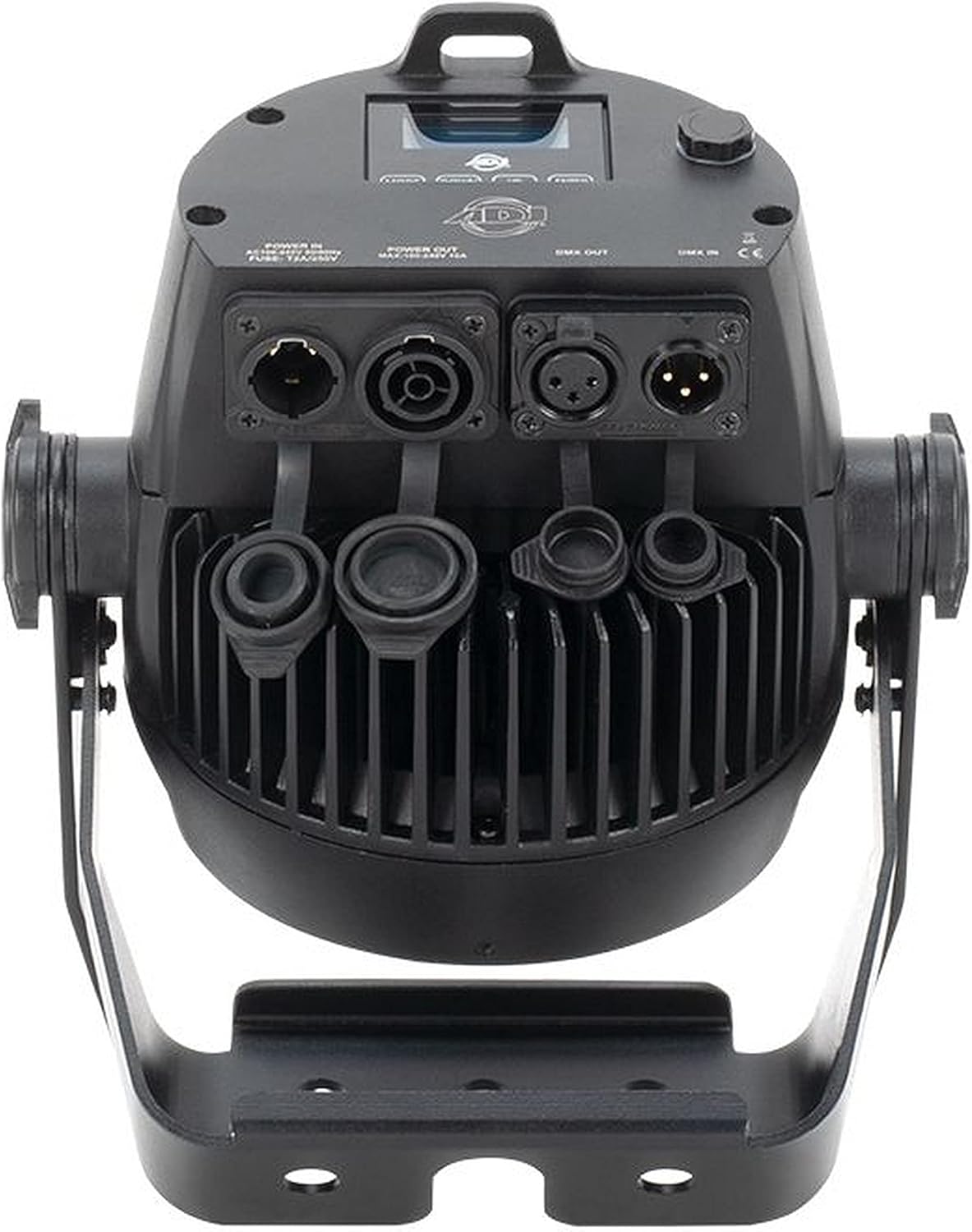
Image: Detailed rear view of the ADJ Encore LP7IP LED Par Can Wash Light with protective caps removed, showing powerCON and DMX input/output ports.

Image: Detailed rear view of the ADJ Encore LP7IP LED Par Can Wash Light with protective caps in place, securing the powerCON and DMX input/output ports for IP65 rating.
4. Operating
4.1 Control Panel Overview
The fixture is equipped with a 4-button control panel and a digital display for menu navigation and setting adjustments.
Image: Rear view of the ADJ Encore LP7IP LED Par Can Wash Light, displaying the control panel, power input/output, and DMX connections.
- MODE: Cycles through main menu options.
- UP: Navigates up through menu options or increases parameter values.
- DOWN: Navigates down through menu options or decreases parameter values.
- ENTER: Confirms selection or enters a sub-menu.
4.2 DMX Control
The Encore LP7IP can be controlled via DMX512 protocol. Set the DMX address and select the desired DMX channel mode through the control panel. Refer to the DMX channel chart (typically found in a separate DMX manual or appendix) for specific channel functions.
4.3 Standalone Operation
The fixture offers several standalone modes for operation without an external DMX controller.
- Static Color Mode: Select from a range of pre-mixed static colors.
- Color Macro Mode: Access 64 built-in color macros for quick color selection.
- Dimmer Mode: Adjust the overall intensity of the light output.
- Color Temperature Mode: Adjust the white balance from 2700K to 6500K.

Image: Example of the ADJ Encore LP7IP LED Par Can Wash Light producing a warm, focused beam of light on a stage.
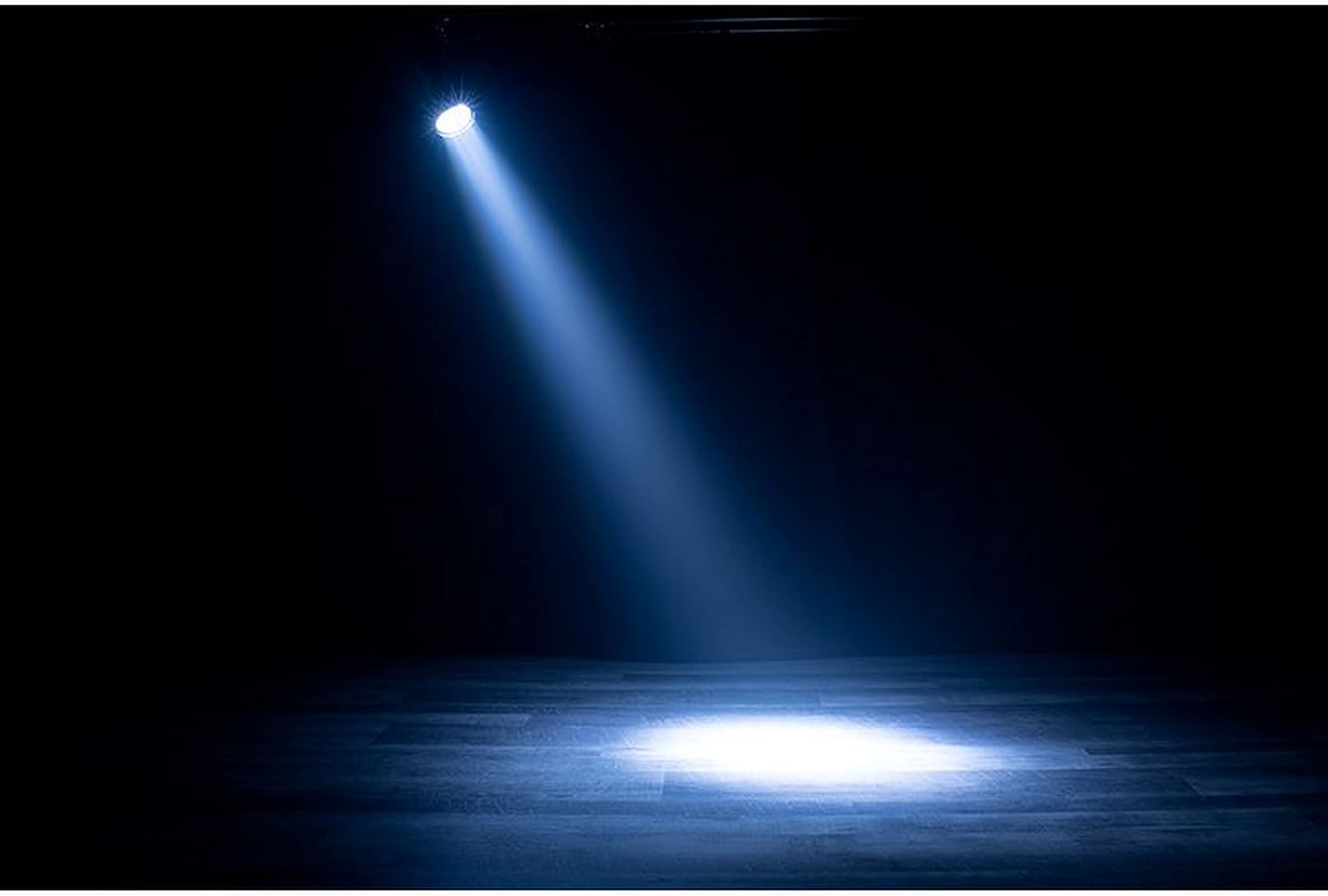
Image: Example of the ADJ Encore LP7IP LED Par Can Wash Light producing a cool, focused beam of light on a stage.
5. Maintenance
5.1 Cleaning
Regular cleaning of the optical lenses and housing is recommended to maintain optimal light output and prevent overheating. Use a soft, lint-free cloth and a mild glass cleaning solution. Avoid abrasive materials.
5.2 Storage
When not in use, store the fixture in a dry, dust-free environment, preferably in its original packaging or a suitable flight case to protect it from damage.
5.3 Fuse Replacement
If the fixture does not power on, check the fuse located near the power input. Disconnect power before attempting to replace the fuse. Use only a fuse of the same type and rating (T2A/250V).
6. Troubleshooting
This section addresses common issues you may encounter. If a problem persists, contact ADJ customer support.
| Problem | Possible Cause | Solution |
|---|---|---|
| Fixture does not power on. | No power, faulty cable, blown fuse. | Check power connection, test cable, replace fuse (see Section 5.3). |
| No light output. | Dimmer at 0%, DMX signal issue, fixture in blackout mode. | Increase dimmer setting, check DMX connections and controller, verify fixture mode. |
| Incorrect DMX control. | Incorrect DMX address, wrong DMX mode, faulty DMX cable. | Verify DMX address and mode settings, test DMX cable, ensure DMX terminator is used if needed. |
| Fixture overheating. | Blocked ventilation, high ambient temperature. | Ensure clear airflow around the fixture, operate within specified temperature range. |
7. Specifications
| Feature | Detail |
|---|---|
| Model | ENC327 |
| Light Source | 7 x 20W RGBL (Red, Green, Blue, Lime) LEDs |
| Beam Angle | 10 degrees |
| Color Temperature Control | 2700K to 6500K (Linear) |
| Color Control | 16-Bit Fine Color Control |
| Color Macros | 64 built-in |
| IP Rating | IP65 (Dust and Water Resistant) |
| Power Source | Corded Electric |
| Input Voltage | AC 100-240V, 50/60Hz |
| Fuse | T2A/250V |
| Item Weight | 10.5 Pounds (4.76 kg) |
| Product Dimensions | 6.3 x 9.53 x 8.66 inches (160 x 242 x 220 mm) |
| Manufacturer | ADJ Products |
| UPC | 818651029734 |
8. Warranty and Support
ADJ Products provides a limited warranty for its products. For detailed warranty information, please refer to the warranty card included with your product or visit the official ADJ website. For technical support, service, or to purchase replacement parts, please contact ADJ customer service directly. Ensure you have your model number (ENC327) and serial number available when contacting support.
ADJ Products, LLC
www.adj.com


