
Introduction
The T-SUNUS Double Sided Solar Address Sign is an innovative, solar-powered solution designed to clearly display your house numbers for enhanced visibility, especially during nighttime. Featuring dual solar panels and two selectable lighting modes (cool white and warm white), this sign is ideal for driveways, yards, and street-side placement. Its durable construction ensures reliable performance in various weather conditions.
Safety Information
- Ensure the solar panel is placed in direct sunlight for optimal charging. Avoid shaded areas.
- Do not attempt to disassemble or modify the product, as this may void the warranty and cause damage.
- Keep the product away from open flames or extreme heat sources.
- Handle the components with care during assembly to prevent damage.
- The ground stake is designed for soil insertion. Do not force it into hard or rocky ground to prevent breakage.
Package Contents
Please verify that all items listed below are included in your package:
- 1 x Solar Address Sign Unit
- 4 Sets of Numbers (0-9)
- 2 Sets of Characters (A-E)
- 2 x Numbers Fixed Cardboard (for alignment)
- 1 x Screw Sets (for optional wall mounting, not applicable for this model)
- 1 x User Manual
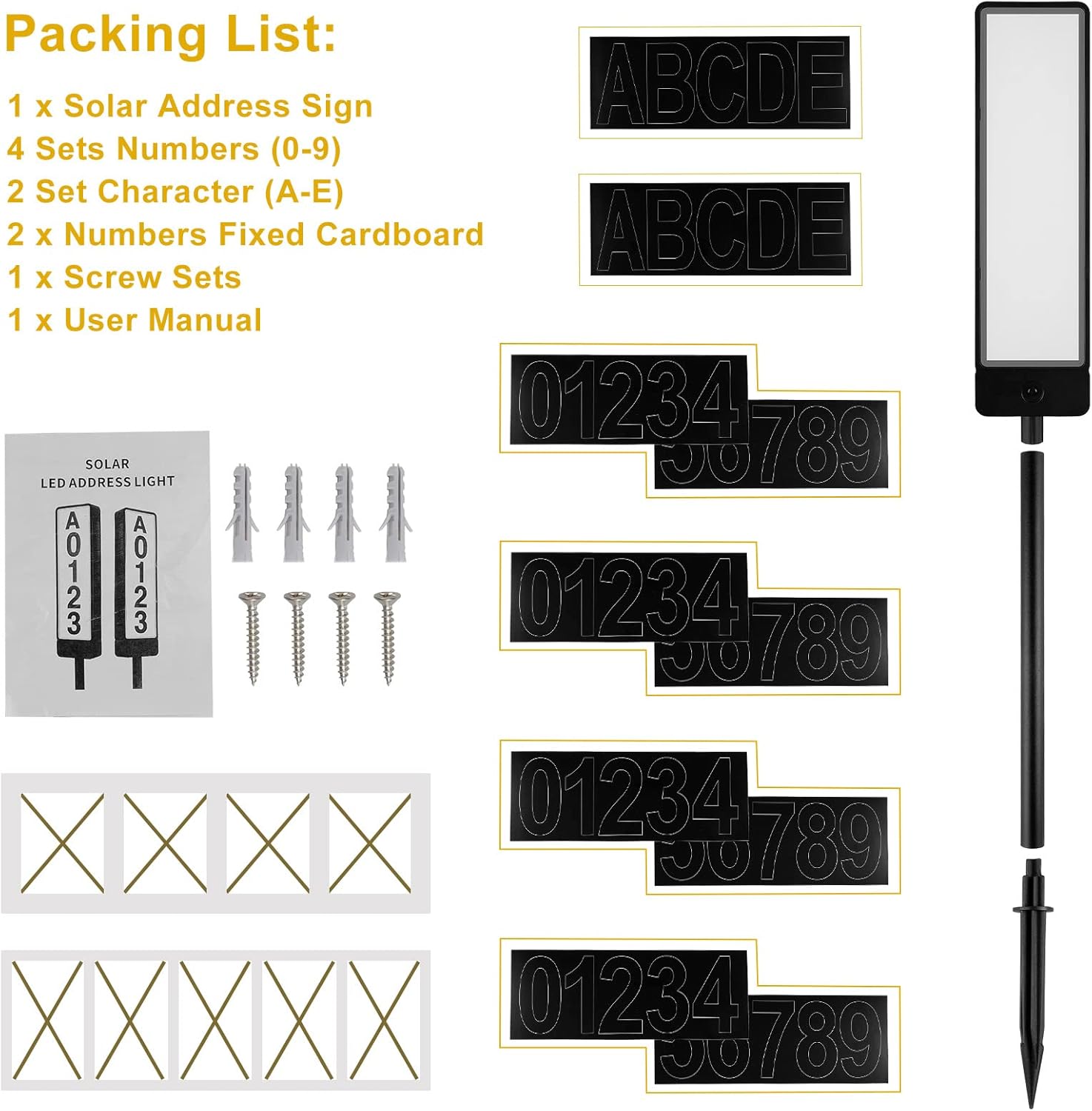
Image: Package contents showing the solar address sign, number/letter stickers, and accessories.
Product Overview
The T-SUNUS Double Sided Solar Address Sign consists of the main lighted plaque, a mounting pole, and a ground stake. The plaque features dual solar panels on its sides for efficient charging and a discreet ON/OFF and color mode switch at the bottom.
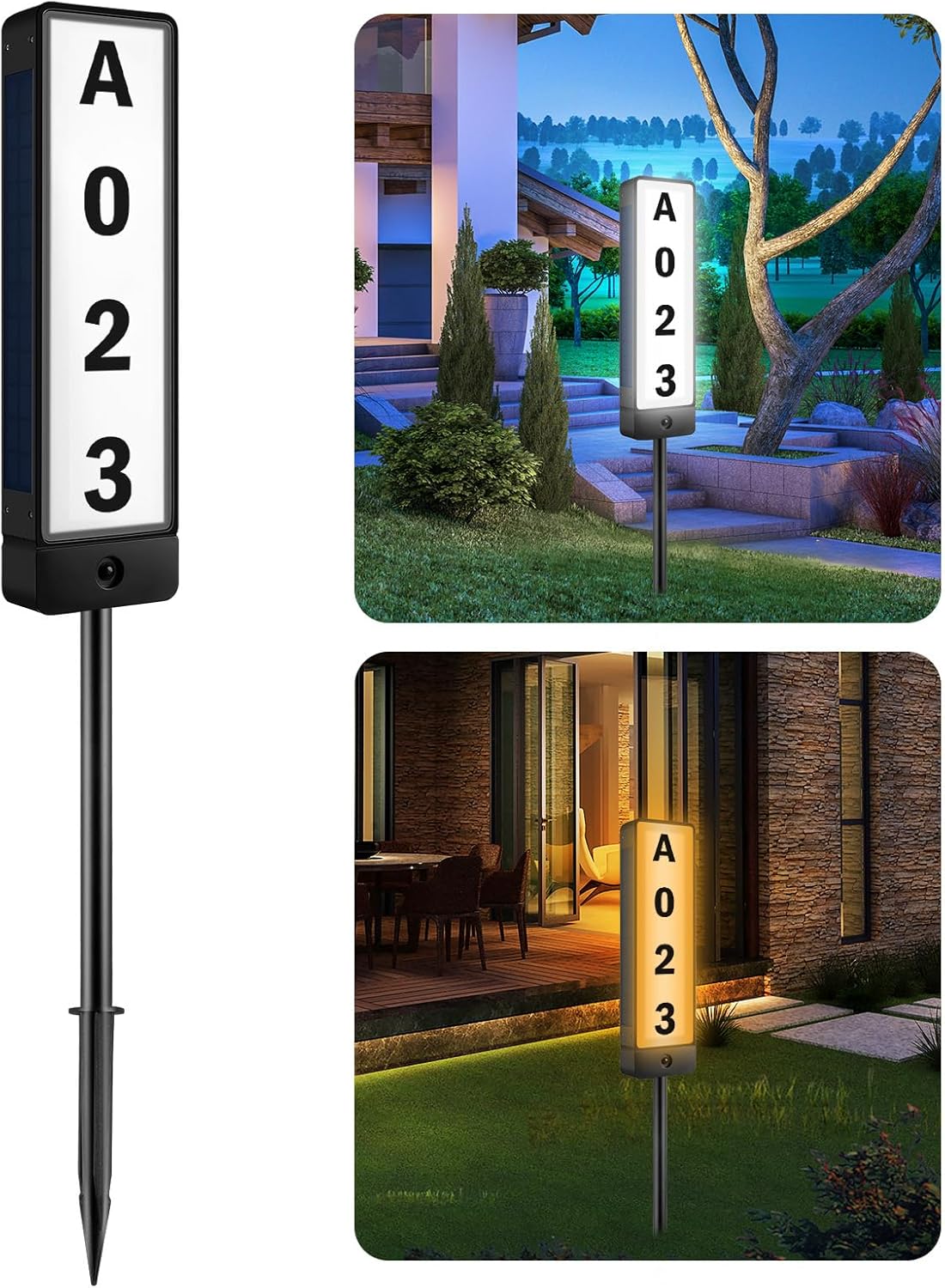
Image: The assembled solar address sign.
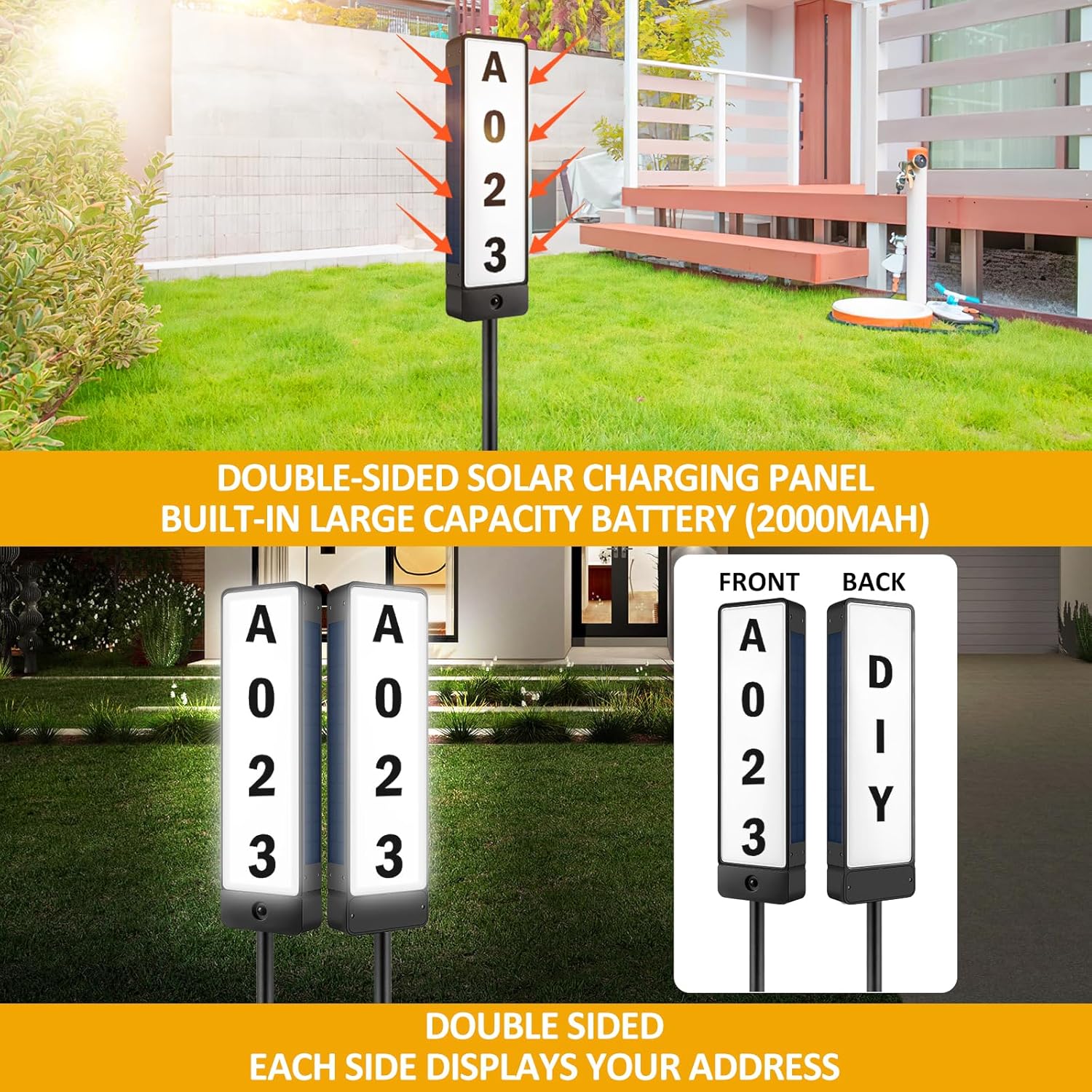
Image: The double-sided design of the address sign, allowing visibility from two directions.
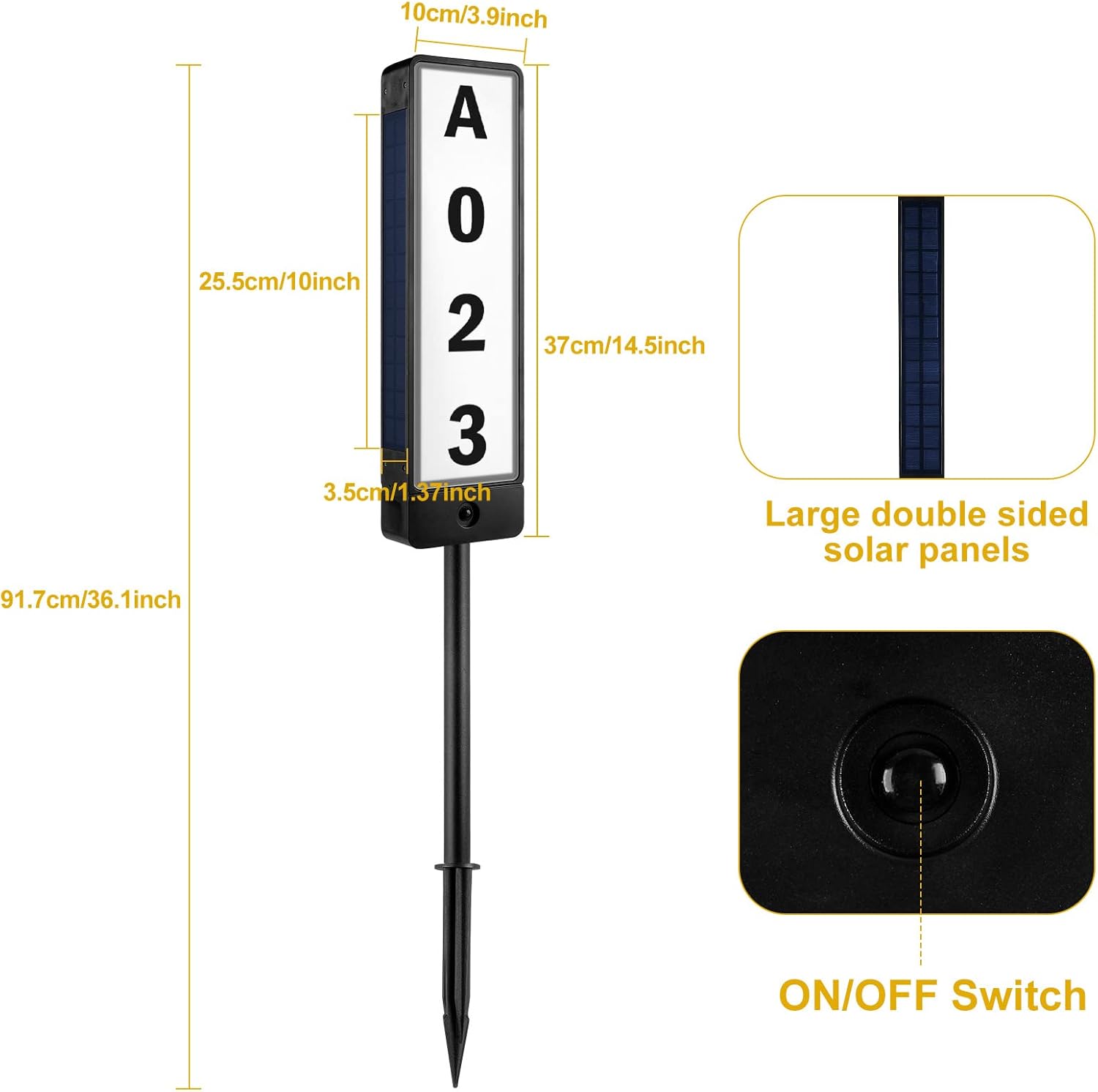
Image: Product dimensions and location of the ON/OFF switch.
Setup
Follow these steps to set up your T-SUNUS Double Sided Solar Address Sign:
- Apply Numbers/Letters: Carefully peel and paste the desired numbers and letters onto the address plaque. Use the provided cardboard guides to ensure proper alignment and spacing. Ensure both sides of the plaque display your address clearly.
- Assemble Pole: Connect the sections of the mounting pole together.
- Attach Plaque to Pole: Securely connect the address plaque to the top of the assembled pole.
- Insert Ground Stake: Attach the ground stake to the bottom of the pole.
- Choose Location: Select a location in your yard or driveway that receives direct sunlight for at least 6-8 hours daily to ensure optimal charging.
- Install Sign: Firmly insert the ground stake into the soil. Ensure the sign is stable and upright.
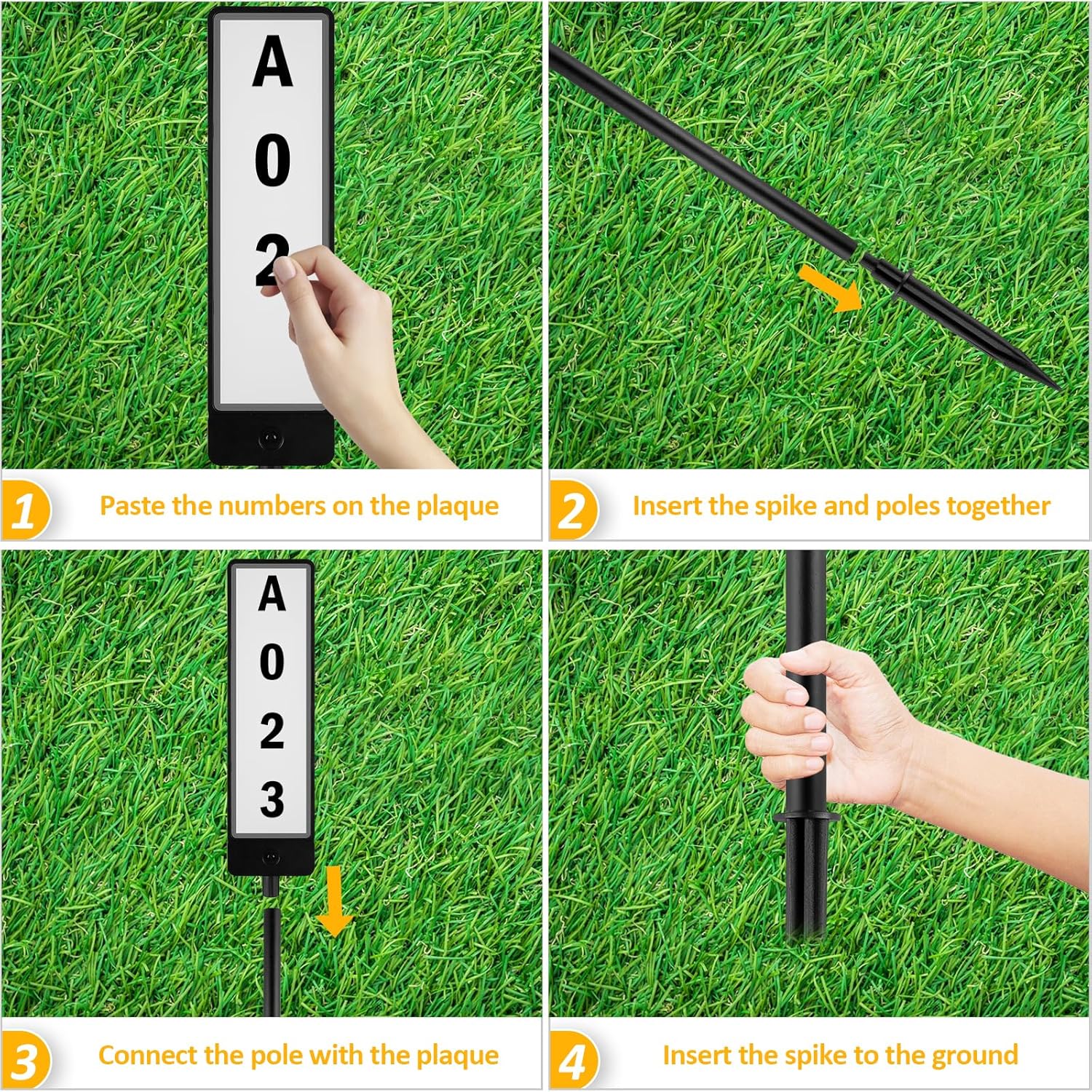
Image: Step-by-step installation process.
Operating Instructions
The T-SUNUS Solar Address Sign is designed for automatic operation once properly set up.
Initial Activation
- Before first use, locate the ON/OFF switch at the bottom of the address plaque. Press the button to turn the unit ON.
- Allow the sign to charge in direct sunlight for at least 6-8 hours before its first night of use.
Automatic Operation
- The sign features a light sensor that automatically detects ambient light levels.
- It will automatically turn on at dusk and turn off at dawn, provided there is sufficient charge.
- A full charge typically provides 10-12 hours of illumination.
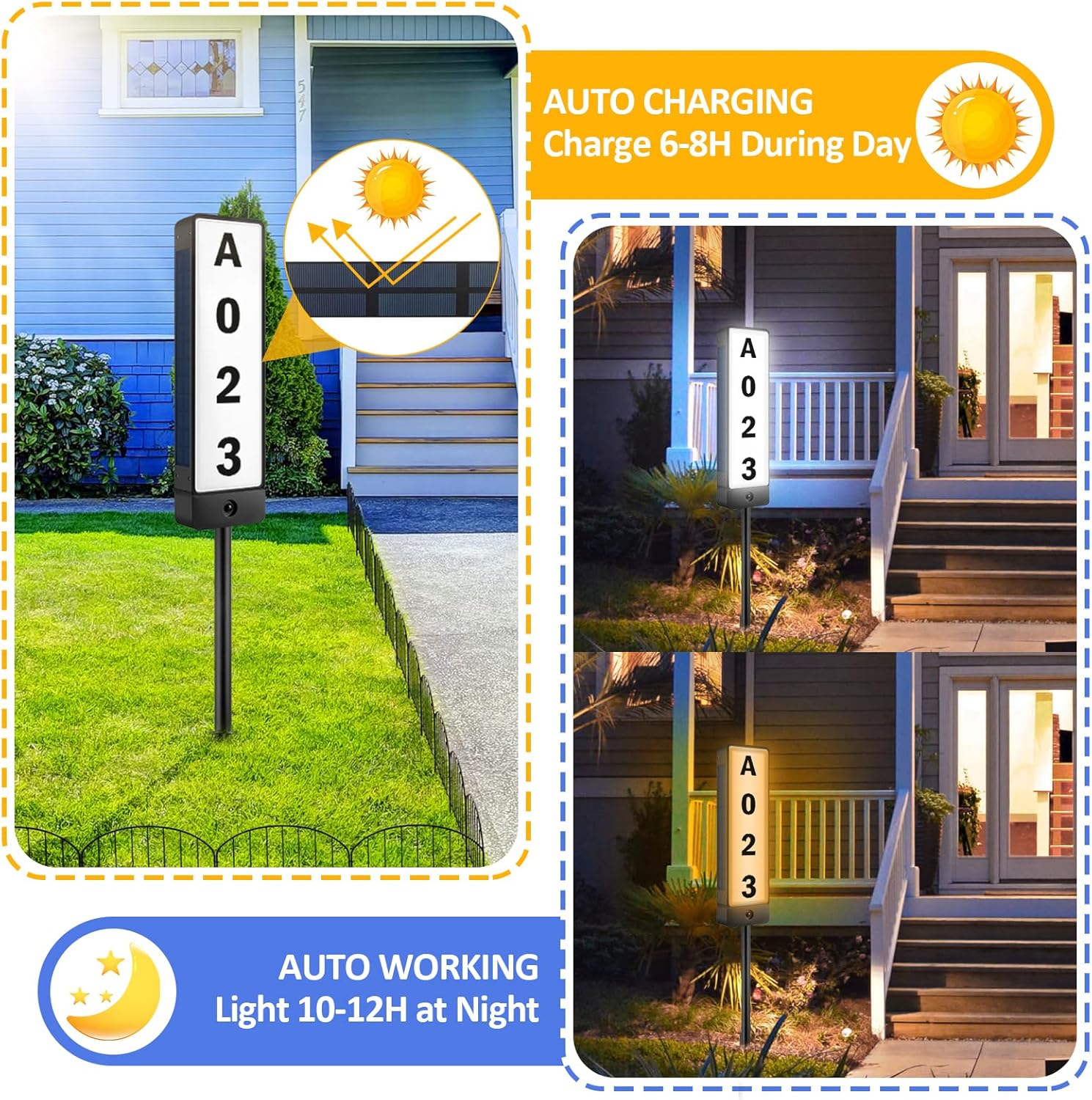
Image: Auto-charging and auto-working functionality.
Changing Light Modes
The sign offers two lighting modes: 6000K Cool White and 3000K Warm White.
- To switch between modes, press the ON/OFF & Color Mode Switch located at the bottom of the plaque.
- Press once for Cool White (6000K).
- Press again for Warm White (3000K).
- Press a third time to turn the unit OFF.
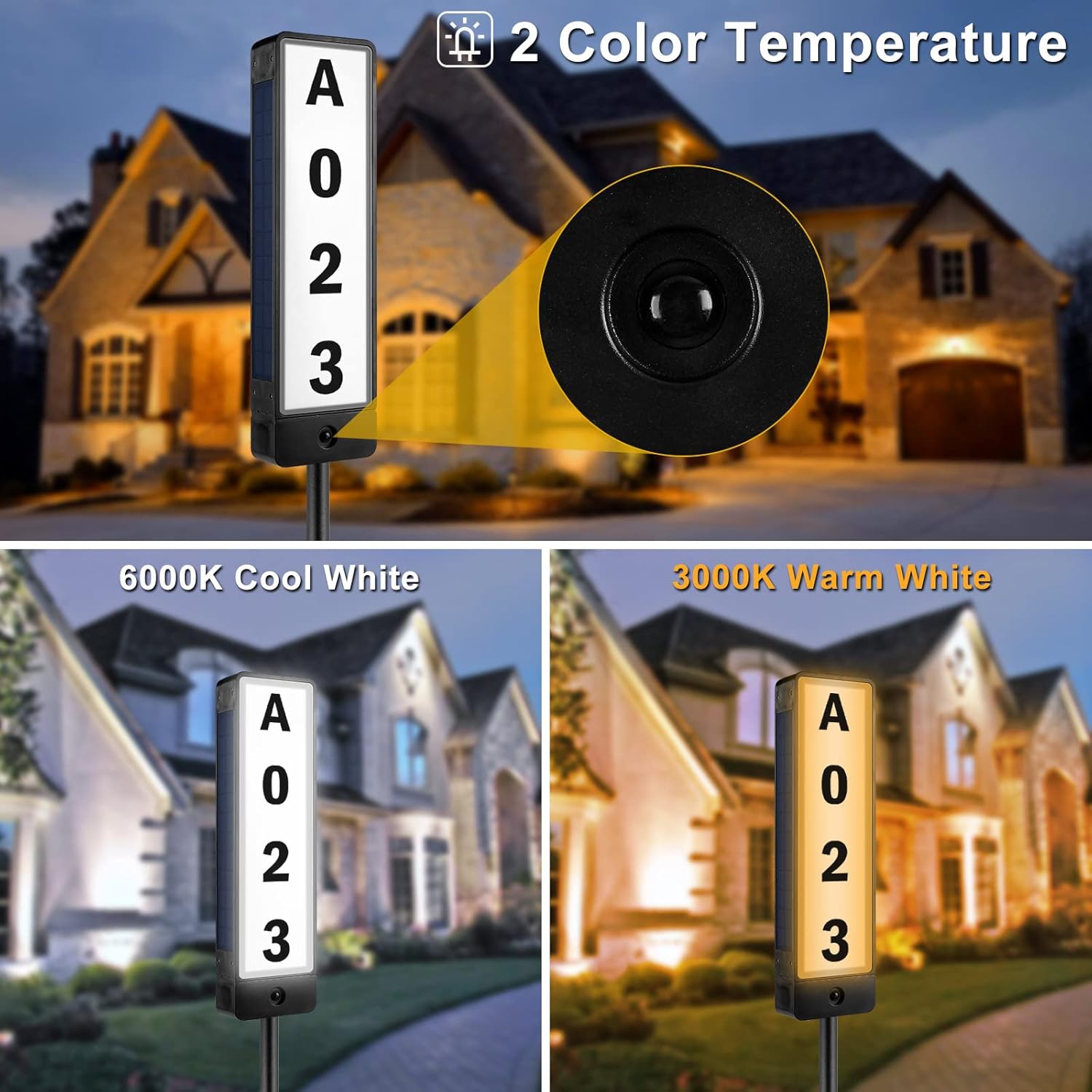
Image: Two color temperature options: Cool White and Warm White.
Maintenance
Proper maintenance ensures the longevity and optimal performance of your solar address sign.
Cleaning
- Regularly wipe the solar panels with a soft, damp cloth to remove dust, dirt, or debris. A clean solar panel ensures efficient charging.
- Clean the address plaque surface as needed to maintain number visibility.
Optimal Placement
- Ensure the sign remains in a location that receives maximum direct sunlight throughout the day.
- Avoid placing the sign under trees, eaves, or other structures that may cast shadows on the solar panels.
- Keep the area around the sign clear of tall grass, leaves, or other obstructions that could block sunlight or obscure the numbers.
Durability Features
The T-SUNUS Solar Address Sign is built to withstand various environmental conditions:
- IP65 Waterproof: Designed to resist water jets and dust, suitable for outdoor use in rain.
- Heat Resistant: Maintains performance in high temperatures.
- Windproof: Sturdy construction to resist strong winds.
- Anti-Freeze: Operates effectively in cold weather conditions.
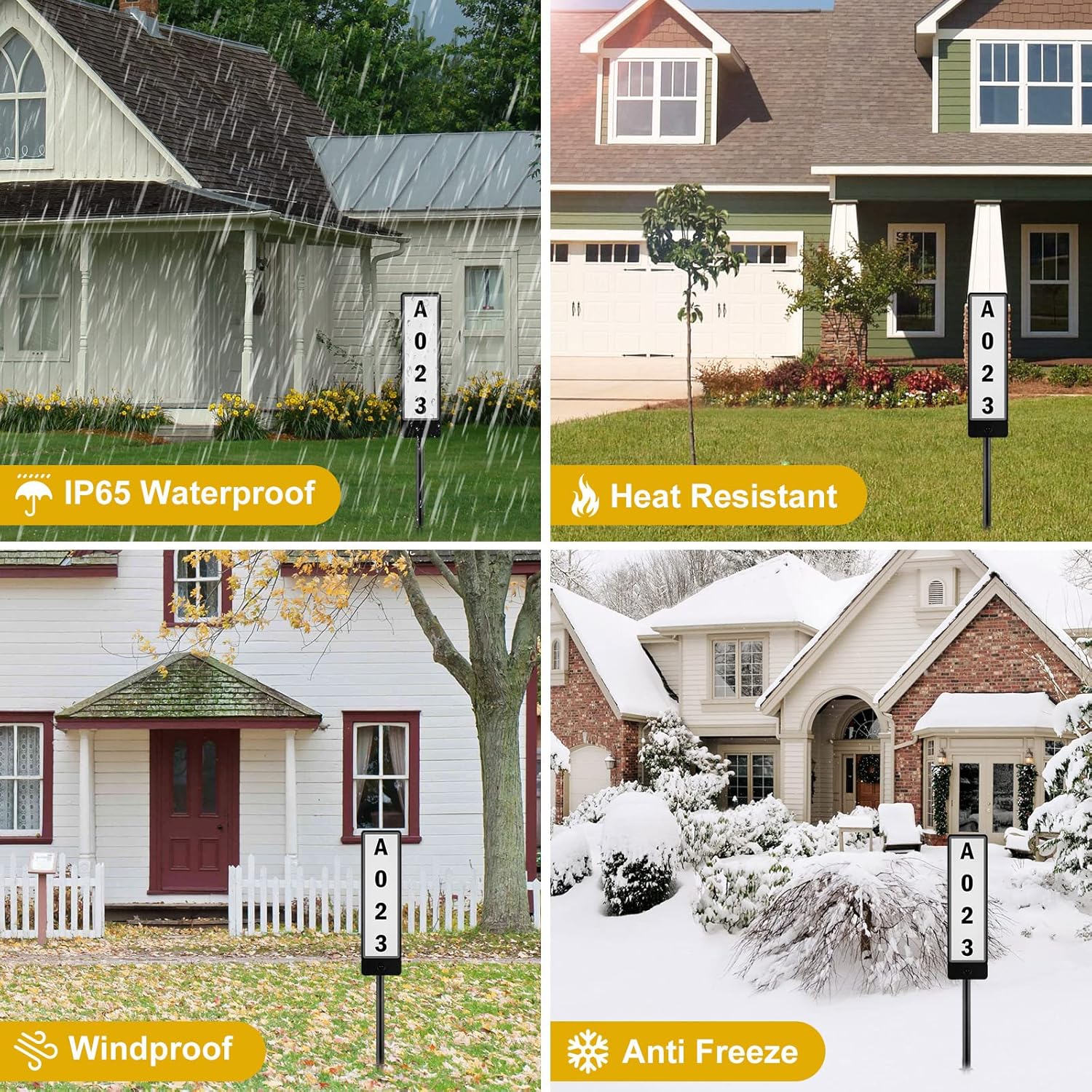
Image: Product durability in various weather conditions.
Troubleshooting
If you encounter issues with your T-SUNUS Solar Address Sign, please refer to the following common problems and solutions:
| Problem | Possible Cause | Solution |
|---|---|---|
| Sign does not light up at night. | 1. ON/OFF switch is OFF. 2. Insufficient sunlight for charging. 3. Solar panel is dirty or obstructed. | 1. Ensure the switch is in the ON position. 2. Relocate the sign to an area with direct sunlight for 6-8 hours daily. 3. Clean the solar panels with a soft, damp cloth. |
| Light is dim or lasts only a short time. | 1. Insufficient charging due to cloudy weather or shade. 2. Solar panel is dirty. | 1. Allow more time for charging in direct sunlight. Performance may vary with weather. 2. Clean the solar panels. |
| Numbers are not clearly visible. | 1. Stickers are misaligned or peeling. 2. Plaque surface is dirty. | 1. Reapply or adjust the number/letter stickers. Ensure they are pressed firmly. 2. Clean the surface of the address plaque. |
| Sign is unstable or leaning. | 1. Ground stake not fully inserted. 2. Soft or uneven ground. | 1. Push the ground stake deeper into the soil. 2. Choose a firmer, level spot for installation. |
Specifications
| Feature | Detail |
|---|---|
| Model Number | TS-G6704-V2 |
| Product Dimensions | 36.1 x 3.94 x 0.01 inches |
| Item Weight | 1.94 pounds |
| Material | Acrylonitrile Butadiene Styrene, Aluminum, Metal |
| Mounting Type | Pole Mount |
| Light Type | LED |
| Light Color Temperature | 6000K Cool White, 3000K Warm White |
| Orientation | Dual-sided |
| Waterproof Rating | IP65 |
Warranty and Support
For warranty information or technical support regarding your T-SUNUS Double Sided Solar Address Sign, please contact T-SUNUS customer service directly. Refer to the contact information provided on the product packaging or the official T-SUNUS website.