
Anten GA300-24W Smart LED Ceiling Light User Manual
Model: GA300-24W
Introduction
This manual provides instructions for the installation, operation, and maintenance of your Anten GA300-24W Smart LED Ceiling Light. Please read this manual thoroughly before installation and use, and retain it for future reference.
Product Features
- Smart Control: Compatible with Wi-Fi for control via a dedicated application.
- Voice Control: Integrates with Amazon Alexa and Google Assistant for hands-free operation.
- Color Changing: Offers 16 million RGB backlight colors and adjustable white light (3000K-6500K).
- Dimmable: Adjustable brightness from 5% to 100%.
- Timer and Schedule Function: Program on/off times according to your daily routine.
- Memory Function: Retains the last used settings (color and brightness) upon power cycle.
- Group Control: Manage multiple lights simultaneously or individually through the application.
- Energy Efficient: 24W LED equivalent to a 60W traditional fluorescent lamp, saving over 85% energy.
- High Quality: Features a premium PMMA plastic lampshade and LED chips for 2400 lumens (main light) + 400 lumens (RGB backlight).
Installation Instructions
Warning: Ensure the main power supply is switched off before beginning installation to prevent electric shock.
1. Prepare for Installation: Turn off the power at the circuit breaker. Ensure all necessary tools are available (screwdriver, wire strippers, etc.).

Image: Mounting bracket installation. Secure the mounting bracket to the ceiling using appropriate screws.
2. Connect Wiring: Connect the household electrical wires to the ceiling light's wires. Typically, this involves connecting live to live, neutral to neutral, and ground to ground (if applicable). Use wire connectors to ensure secure connections.

Image: Wire connection. Connect the light's wires to the household wiring using wire nuts.
3. Attach Light Fixture: Carefully push the connected wires into the ceiling box. Align the light fixture with the mounting bracket and twist or secure it into place according to the design.

Image: Attaching the light fixture. Secure the light fixture to the installed mounting bracket.
4. Restore Power: Once the light is securely installed, restore power at the circuit breaker.
Operating Instructions
Initial Power On
After installation and restoring power, the light will turn on. It will typically default to a standard white light setting. To access smart features, proceed with app setup.
App Control Setup
1. Download App: Download the "Smart Life" application from your smartphone's app store (iOS or Android).
2. Register/Log In: Create an account or log in to the Smart Life app.
3. Add Device: In the app, tap the "+" icon to add a new device. Select "Lighting" or "Ceiling Light" from the device list.
4. Pairing Mode: Follow the in-app instructions to put the light into pairing mode. This usually involves turning the light off and on a few times until it blinks rapidly.
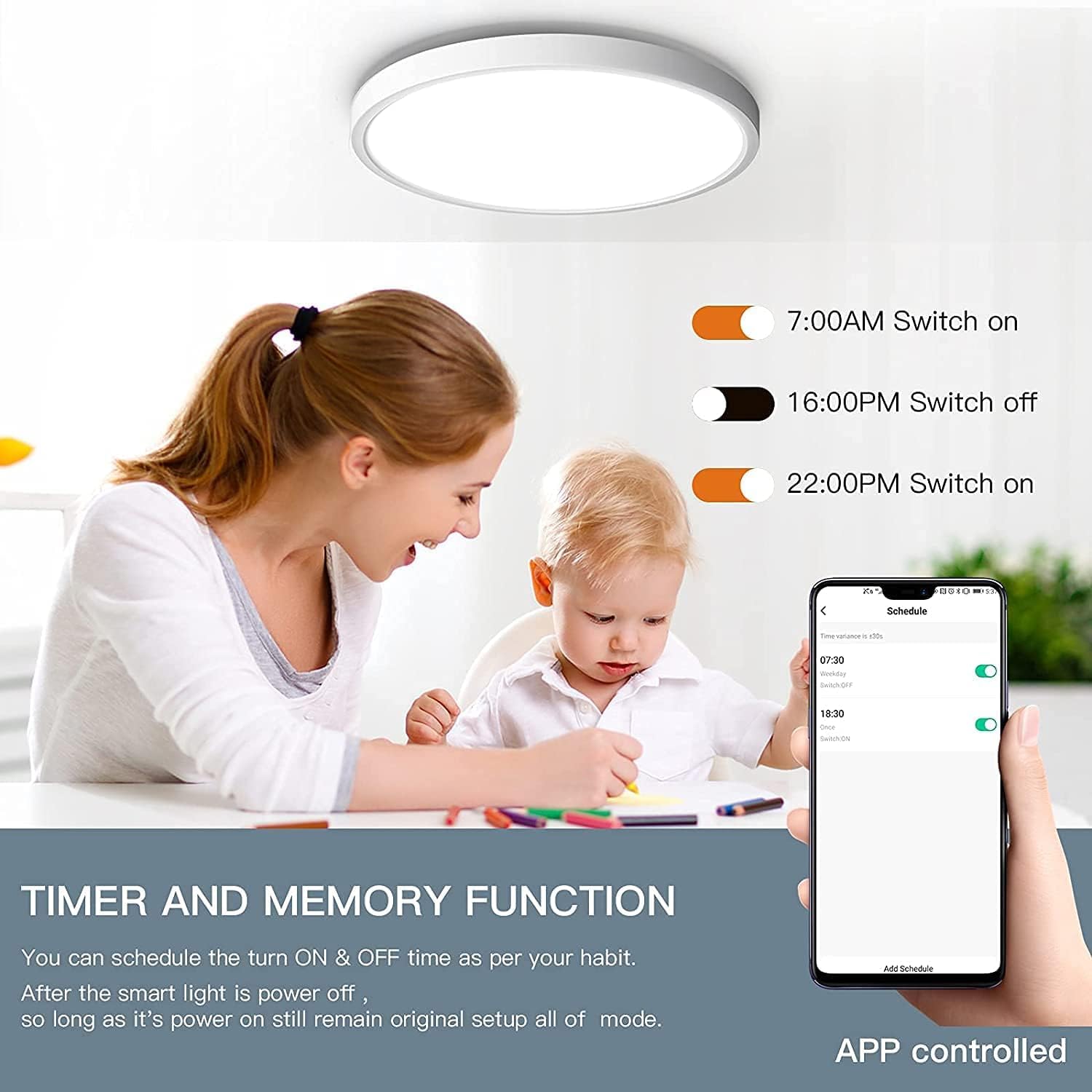
Image: Smart Life app interface for scheduling. The app allows for scheduling and other smart controls.
5. Connect to Wi-Fi: Ensure your phone is connected to a 2.4GHz Wi-Fi network. Enter your Wi-Fi password in the app to connect the light.
6. Control: Once connected, you can control the light's brightness, color temperature, RGB colors, and set schedules via the app.

Image: App interface for color and scene selection. The app provides a color wheel and preset scene modes.
Voice Control (Alexa/Google Assistant)
1. Link Account: In the Alexa or Google Home app, navigate to "Skills & Games" (Alexa) or "Works with Google" (Google Home) and search for "Smart Life". Link your Smart Life account.
2. Discover Devices: Once linked, ask Alexa or Google Assistant to "Discover devices".
3. Voice Commands: You can now control your light using voice commands. Examples:
- "Alexa, turn on the ceiling light."
- "Hey Google, set the ceiling light to yellow."
- "Alexa, dim the ceiling light to 50%."
- "Hey Google, change the ceiling light to warm white."

Image: Voice control demonstration. A child uses voice commands with an Alexa device to change the light color.
Timer and Schedule Function
Use the Smart Life app to set specific times for the light to turn on or off. This feature allows for automated lighting based on your daily routine.
Group Control
If you have multiple Anten smart lights, the Smart Life app allows you to group them together for simultaneous control or manage them individually to create different lighting zones.

Image: Group control interface. The app displays different rooms, allowing individual or group control of lights.
Maintenance
To maintain your Anten Smart LED Ceiling Light, ensure the power is off before cleaning. Use a soft, dry cloth to wipe the surface. Avoid abrasive cleaners or solvents that may damage the finish or electrical components.
Troubleshooting
| Issue | Possible Cause | Solution |
|---|---|---|
| Light does not turn on. | No power supply; loose wiring; faulty switch. | Check circuit breaker. Ensure wires are securely connected. Test the wall switch. |
| Cannot connect to Wi-Fi/App. | Incorrect Wi-Fi password; 5GHz Wi-Fi network; light not in pairing mode; router too far. | Verify Wi-Fi password. Ensure you are on a 2.4GHz network. Re-enter pairing mode (turn off/on several times). Move router closer or use a Wi-Fi extender. |
| Voice control not working. | Smart Life account not linked; device not discovered; incorrect commands. | Ensure Smart Life is linked in Alexa/Google Home app. Ask assistant to "Discover devices". Use correct voice commands as listed in the app. |
| Light flickers at low brightness. | Minimum dimming threshold reached or compatibility issue. | Increase brightness slightly above the minimum setting. If issue persists, contact support. |
Specifications
| Feature | Detail |
|---|---|
| Model Number | GA300-24W |
| Dimensions (L x W x H) | 30 x 30 x 3.4 cm |
| Weight | 1.08 Kilograms |
| Brand | Anten |
| Mounting Type | Ceiling Mount |
| Number of Light Sources | 1 |
| Voltage | 240 Volts |
| Power Consumption | 24 Watts |
| Bulb Base | E27 (Note: Integrated LED, not a replaceable bulb) |
| Water Resistance Level | Not waterproof |
| Color Temperature Range | 3000K-6500K (Adjustable White) |
| Luminous Flux | 2400 lumens (main light) + 400 lumens (RGB backlight) |
| Energy Efficiency Class | F (as per EU energy label) |
| EPREL Product Page | View EPREL Data |
Warranty and Support
For warranty information or technical support, please refer to the retailer's policy or contact Anten customer service directly. Keep your purchase receipt for warranty claims.