
HTC HTC TWS3
HTC True Wireless Bluetooth Earbuds 2 Instruction Manual
Model: HTC TWS3
Introduction
Thank you for choosing the HTC True Wireless Bluetooth Earbuds 2. This manual provides detailed instructions on how to set up, operate, and maintain your earbuds to ensure optimal performance and longevity. Please read this manual carefully before using the product.
What's in the Box
- 1x Charging case
- 1x USB Type-C cable
- 1x Quick Start Guide
- 2x True Wireless Earbuds (Left and Right)
- 2x pairs of rubber tips (large and small) - Note: A medium pair is likely pre-installed.
Product Overview
Familiarize yourself with the components of your HTC True Wireless Bluetooth Earbuds 2 and their charging case.

Image: The HTC True Wireless Earbuds 2, with one earbud outside the open charging case, showing the charging contacts and indicator light.
The charging case features a USB-C port for charging and an LED indicator to show charging status. Each earbud has touch-sensitive surfaces for control and charging contacts at the bottom.
Setup
1. Charging the Earbuds and Case
Before first use, ensure both the earbuds and the charging case are fully charged.
- Place the earbuds into the charging case. Ensure they are correctly seated; the indicator lights on the earbuds should illuminate, indicating charging.
- Connect the USB Type-C cable to the charging port on the case and the other end to a USB power source (e.g., computer, wall adapter).
- The charging case's indicator light will show charging status. A full charge for the case provides up to 3 additional charges for the earbuds, extending total playtime to 32 hours.

Image: The HTC True Wireless Earbuds 2 in their charging case, illustrating the long battery life performance with up to 8 hours listening time per charge and 32 hours total with the 500mAh charging case.
2. Pairing with a Device
The earbuds utilize Bluetooth 5.1 for fast and stable connections.
- Open the charging case. The earbuds will automatically enter pairing mode.
- On your device (smartphone, tablet, laptop), enable Bluetooth.
- Search for "HTC TWS3" or "HTC True Wireless Earbuds 2" in the list of available Bluetooth devices.
- Select the earbuds to connect. Once connected, you will hear a confirmation tone.

Image: The HTC True Wireless Earbuds 2 and their charging case positioned near a smartphone, demonstrating the quick and easy pairing process facilitated by the latest Bluetooth 5.1 chipset.
The earbuds can be used individually or together. For optimal stereo sound, use both earbuds. They maintain a stable connection up to 10 meters (32 feet) from your device.
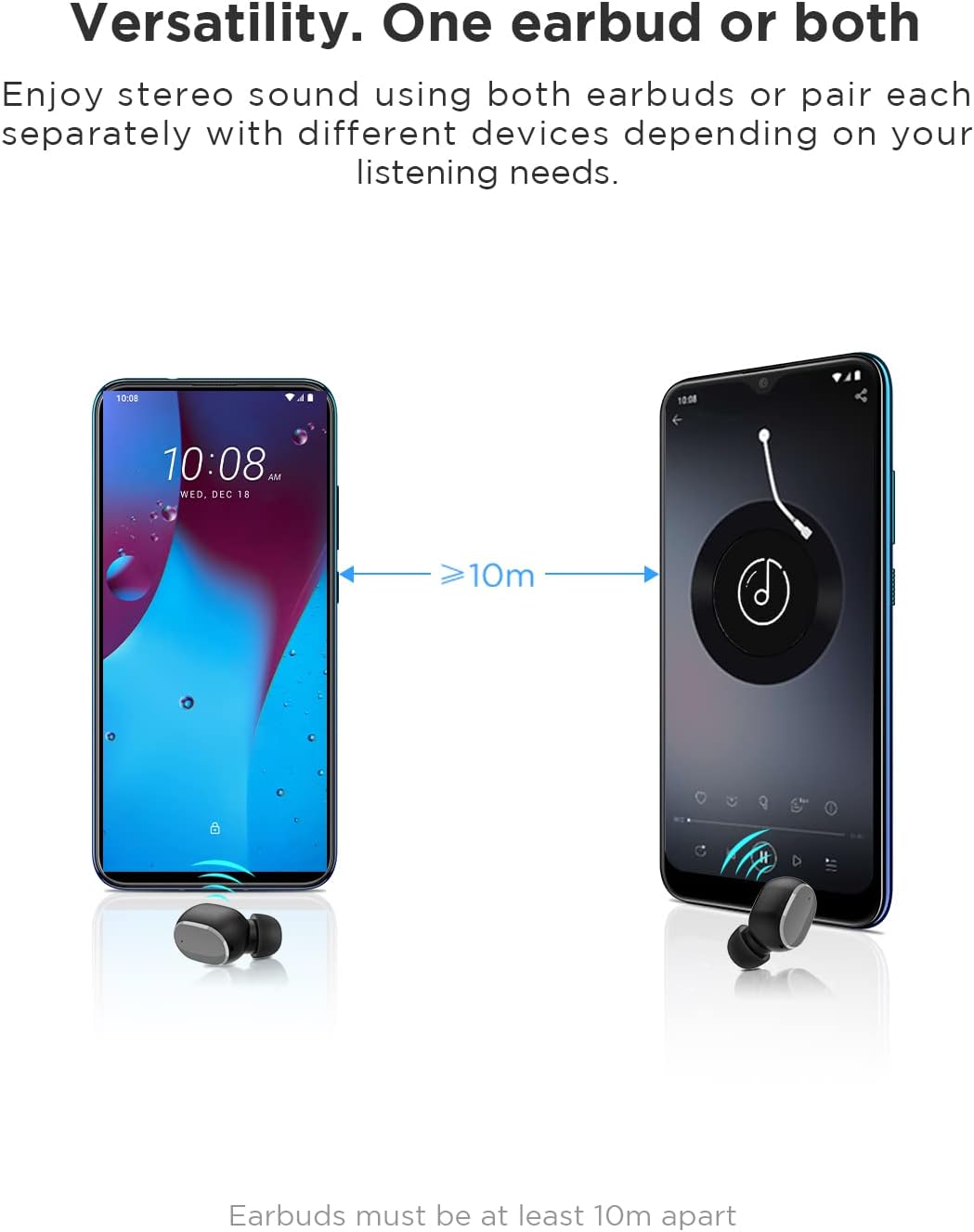
Image: An illustration showing two smartphones and earbuds, emphasizing the versatility of using one or both earbuds and the effective operating range of at least 10 meters.
Operating Instructions
The HTC True Wireless Bluetooth Earbuds 2 feature intuitive touch controls for various functions.

Image: A detailed diagram illustrating the simple touch controls for the HTC True Wireless Earbuds 2, including commands for play/pause, track navigation, call management, voice assistant, and volume control.
| Action | Function |
|---|---|
| Tap either earbud once | Play / Pause music, Answer / End call |
| Tap the left earbud twice | Increase Volume |
| Tap the right earbud twice | Decrease Volume |
| Tap either earbud three times | Activate Voice Assistant |
| Tap and hold the left earbud for 2 seconds | Play Previous Song |
| Tap and hold the right earbud for 2 seconds | Play Next Song |
| Tap and hold either earbud for 2 seconds (during incoming call) | Decline Call |
| Tap either earbud 5 times | Clear pairing / Restore factory settings |
The earbuds are designed for comfortable, long-term wear, weighing only 4.4g per earbud. They come with three different sizes of ear tips to ensure a secure and comfortable fit.

Image: A person comfortably wearing an HTC earbud, accompanied by illustrations highlighting the ergonomic design, skin-friendly material, and the inclusion of three different earplug sizes for optimal fit and comfort.
Maintenance
Cleaning
Regular cleaning helps maintain sound quality and hygiene.
- Use a soft, dry, lint-free cloth to wipe the earbuds and charging case.
- For earwax or debris in the ear tips or speaker mesh, use a small, soft brush or cotton swab. Do not use sharp objects.
- Avoid using abrasive cleaners, alcohol, or chemical solvents.
Storage
When not in use, store the earbuds in their charging case to protect them and keep them charged.
- Store in a cool, dry place, away from extreme temperatures and direct sunlight.
- Avoid storing in dusty or dirty environments.
Water Resistance (IPX5)
The HTC True Wireless Bluetooth Earbuds 2 are rated IPX5 water-resistant, meaning they can withstand a sustained, low-pressure water jet spray. This makes them suitable for workouts and light rain.
- Do not submerge the earbuds in water.
- The charging case is not water-resistant. Keep it dry.
- Ensure earbuds are dry before placing them back into the charging case to prevent damage.
Troubleshooting
If you encounter issues with your earbuds, refer to the following common solutions:
| Problem | Solution |
|---|---|
| Earbuds not pairing with device |
|
| Only one earbud has sound |
|
| Earbuds not charging |
|
| Poor sound quality or disconnections |
|
Specifications
Detailed technical specifications for the HTC True Wireless Bluetooth Earbuds 2.
| Feature | Detail |
|---|---|
| Model Name | TWS 2 (HTC TWS3) |
| Connectivity Technology | Wireless (Bluetooth 5.1) |
| Headphones Jack | USB (for charging case) |
| Control Type | Touch, Volume Control |
| Water Resistance Level | IPX5 (Earbuds) |
| Microphone Format | Built-In, Stereo |
| Play Time (Earbuds) | Up to 8 hours (single charge) |
| Talk Time (Earbuds) | Up to 6 hours (single charge) |
| Total Playtime with Charging Case | Up to 32 hours |
| Charging Case Battery Capacity | 500mAh |
| Earbud Weight (Single) | 4.4g |
| Maximum Operating Distance | 32 Feet (approx. 10 meters) |
| Compatible Devices | Android, Laptops, iPhone |
| Material | Plastic |
| Product Dimensions | 4.34 x 4.34 x 3.45 cm; 160 g (overall package) |
Safety Information
Please observe the following safety guidelines for safe and effective use:
- Do not disassemble, repair, or modify the product. This may cause fire, electric shock, or complete damage to the product.
- Keep the product away from extreme temperatures, direct sunlight, and high humidity.
- Avoid dropping or subjecting the product to strong impacts.
- Do not use the earbuds at excessively high volumes for prolonged periods, as this may cause hearing damage.
- Keep out of reach of children and pets.
- Dispose of the product and its batteries responsibly according to local regulations.
Customer Support
For further assistance or inquiries, please contact HTC customer support through their official channels. Refer to the product packaging or the official HTC website for contact information.
Note: Specific warranty details are not provided in this manual. Please refer to your purchase documentation or the manufacturer's website for warranty information.
Related documentsHTC TWS3


Ask a question about this manual
Ask about setup, troubleshooting, compatibility, parts, safety, or missing instructions. Manuals+ will review the question and use this page’s manual context to help answer it.