
1. Introduction
The EWA A109mini is a compact and portable Bluetooth speaker designed to deliver powerful, high-quality audio. Its small size makes it ideal for travel and outdoor activities, while its versatile features, including Bluetooth connectivity, TF card support, and a remote shutter function, enhance your listening and photography experience. This manual provides detailed instructions for setting up, operating, maintaining, and troubleshooting your EWA A109mini speaker.
2. Safety Information
Please read and understand all safety instructions before using this product. Failure to follow these instructions may result in electric shock, fire, or serious injury.
- Do not expose the speaker to extreme temperatures, humidity, or direct sunlight.
- Avoid dropping or subjecting the speaker to strong impacts.
- Do not disassemble, repair, or modify the speaker yourself. Refer all servicing to qualified personnel.
- Keep the speaker away from water and other liquids. Although it is rated as waterproof, prolonged submersion or exposure to high-pressure water jets should be avoided.
- Use only the provided Micro USB cable for charging.
- Do not operate the speaker at excessively high volumes for extended periods, as this may cause hearing damage.
- Keep out of reach of children.
3. Package Contents
Verify that all items are present in your package:
- EWA A109mini Bluetooth Speaker x1
- Micro USB Cable x1
- User Manual x1

Image: The EWA A109mini speaker nestled within its compact green protective case, viewed from the top.
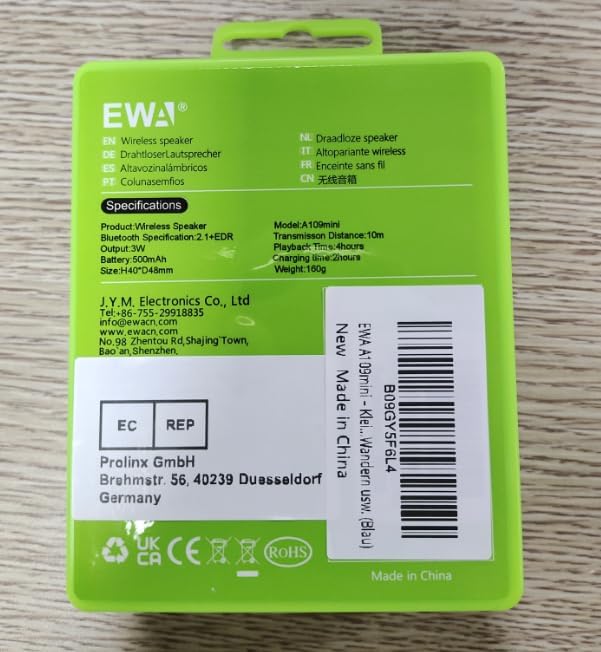
Image: The rear of the EWA A109mini speaker's green case, displaying product specifications and various regulatory compliance marks.
4. Product Overview
Familiarize yourself with the components and controls of your EWA A109mini speaker.

Image: A close-up view of the EWA A109mini Bluetooth speaker, highlighting the multi-functional control button with a finger indicating its location.
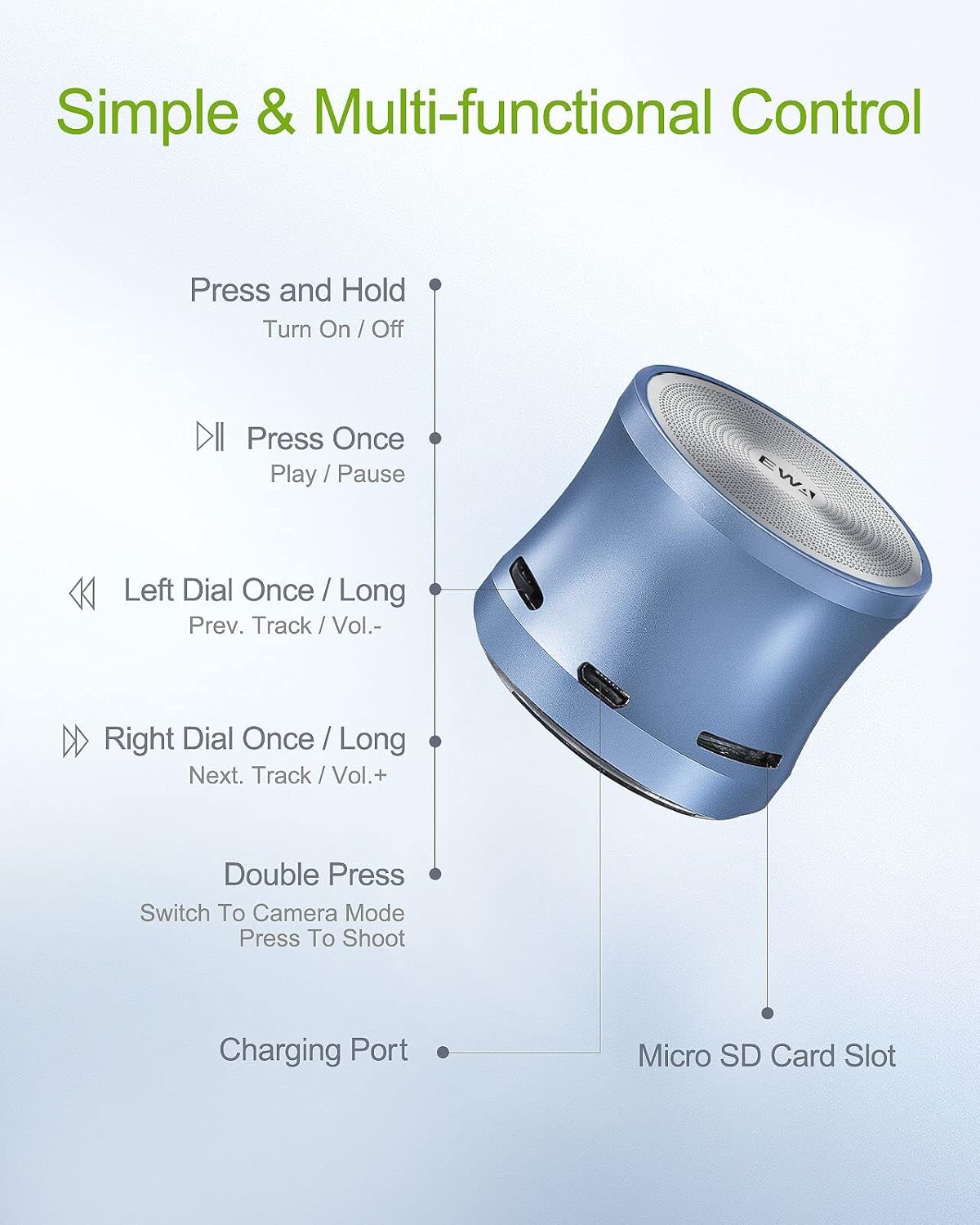
Image: A detailed diagram illustrating the various functions of the multi-functional control button, the Micro USB charging port, and the Micro SD card slot on the EWA A109mini speaker.
Controls and Ports:
- Multi-functional Control Button: Located on the side of the speaker, this button manages power, playback, volume, track selection, and camera mode.
- Charging Port: Micro USB port for charging the speaker's internal battery.
- Micro SD Card Slot: For playing audio directly from a TF (Micro SD) card.
5. Setup
5.1 Charging the Speaker
Before first use, fully charge the speaker. Connect the provided Micro USB cable to the speaker's charging port and the other end to a USB power adapter (not included) or a computer's USB port. The indicator light will show charging status (refer to the speaker's LED indicator behavior for specific details, typically red for charging and off/blue for fully charged).
5.2 Powering On/Off
- To Power On: Press and hold the multi-functional control button for approximately 3 seconds until you hear an audible prompt and the indicator light illuminates.
- To Power Off: Press and hold the multi-functional control button for approximately 3 seconds until you hear an audible prompt and the indicator light turns off.
5.3 Bluetooth Pairing
The EWA A109mini speaker will automatically enter Bluetooth pairing mode when powered on for the first time or if no device is connected.
- Ensure the speaker is powered on and in pairing mode (indicator light typically blinks blue).
- On your device (smartphone, tablet, etc.), enable Bluetooth and search for available devices.
- Select "EWA A109mini" from the list of found devices.
- Once paired, the speaker will provide an audible confirmation, and the indicator light will turn solid blue.
The speaker will automatically attempt to reconnect to the last paired device when powered on, if that device is within range and has Bluetooth enabled.

Image: The EWA A109mini speaker positioned next to a smartphone displaying a Bluetooth connection icon, with a Micro SD card visibly inserted into the speaker's slot, demonstrating its dual playback capabilities.
5.4 TF Card Playback
The speaker supports Micro SD (TF) cards up to 32GB for direct audio playback.
- Insert a Micro SD card with audio files (e.g., MP3, WAV) into the Micro SD card slot.
- The speaker will automatically switch to TF card mode and begin playing music.
- Use the multi-functional control button to manage playback (see Operation section).
6. Operation
6.1 Basic Playback Controls
All playback functions are controlled via the single multi-functional button:
- Play/Pause: Press the button once.
- Next Track: Dial the button to the right once.
- Previous Track: Dial the button to the left once.
- Volume Up: Dial the button to the right and hold.
- Volume Down: Dial the button to the left and hold.
6.2 Remote Shutter Mode
The EWA A109mini can act as a remote shutter for your smartphone camera.
- Ensure the speaker is paired with your smartphone via Bluetooth.
- Double-press the multi-functional control button to switch to camera mode.
- Open your smartphone's camera application.
- Press the multi-functional control button once to trigger the camera shutter.

Image: The EWA A109mini speaker in the foreground, with a finger pressing its button, demonstrating its use as a remote shutter to capture a group photo on a smartphone in the background.
7. Maintenance
7.1 Cleaning
To maintain the appearance and functionality of your speaker:
- Wipe the exterior with a soft, dry, lint-free cloth.
- Do not use abrasive cleaners, solvents, or strong chemicals.
- Ensure no liquid enters the ports or speaker grille.
7.2 Storage
When not in use for extended periods:
- Store the speaker in a cool, dry place, away from direct sunlight and extreme temperatures.
- Charge the battery to approximately 50% before storing to prolong battery life. Recharge every few months if stored for very long periods.
7.3 Battery Care
The speaker contains a built-in rechargeable Lithium Polymer battery. To maximize its lifespan:
- Avoid fully discharging the battery frequently.
- Do not expose the speaker to temperatures above 60°C (140°F).
- If the speaker will not be used for a long time, charge it periodically to prevent deep discharge.
8. Troubleshooting
If you encounter issues with your EWA A109mini speaker, refer to the following common problems and solutions:
| Problem | Possible Cause | Solution |
|---|---|---|
| Speaker does not power on. | Battery is depleted. | Charge the speaker using the provided Micro USB cable. |
| Cannot pair with Bluetooth device. | Speaker is not in pairing mode; Bluetooth is off on device; Device is out of range. | Ensure speaker is powered on and indicator light is blinking blue. Turn on Bluetooth on your device. Move device closer to the speaker (within 10 meters). |
| No sound or low volume. | Volume too low on speaker or device; Speaker not connected. | Increase volume on both the speaker and your connected device. Ensure the speaker is properly paired. |
| TF card not recognized. | Card inserted incorrectly; Card corrupted; Unsupported file format. | Reinsert the TF card correctly. Try a different TF card. Ensure audio files are in supported formats (e.g., MP3, WAV). |
| Poor sound quality/distortion. | Device too far from speaker; Obstructions; Low battery. | Move device closer to speaker. Remove any obstructions between speaker and device. Charge the speaker. |
If the problem persists after trying these solutions, please contact customer support.
9. Specifications
Detailed technical specifications for the EWA A109mini Bluetooth Speaker:
| Feature | Specification |
|---|---|
| Model Name | A109mini |
| Material | Metal |
| Speaker Type | Portable Bluetooth Speaker |
| Special Feature | Portable |
| Recommended Uses | Indoor/Outdoor |
| Compatible Devices | Smartphone, Tablet |
| Product Dimensions (D x W x H) | 1.89" x 1.89" x 1.58" (48mm x 48mm x 40mm) |
| Item Weight | 4.2 ounces (120 Grams) |
| Waterproof Rating | TRUE (Water-resistant, not for submersion) |
| Bluetooth Range | Up to 10 meters (33 feet) |
| Power Source | Battery Powered (1 Lithium Polymer battery required) |
| Speaker Maximum Output Power | 3 Watts |
| Connectivity Technology | Bluetooth |
| Audio Output Mode | Stereo |
| Charging Port | Micro USB |
| Battery Playtime | Up to 5 hours (up to 8 hours at 50% volume) |
10. Warranty and Support
Your EWA A109mini Bluetooth Speaker comes with a 1-year warranty and a 30-day satisfaction guarantee.
For any questions, technical support, or warranty claims, please refer to the contact information provided in your product packaging or reach out to EWA customer service. We are committed to ensuring your satisfaction and will respond to inquiries within 24 hours.


