
QFX PBX-8008SM
QFX PBX-8008SM TWS Bluetooth Portable Speaker User Manual
Model: PBX-8008SM
Introduction
Thank you for purchasing the QFX PBX-8008SM TWS Bluetooth Portable Speaker. This manual provides essential information for the safe and efficient operation of your speaker. Please read it thoroughly before use and retain it for future reference.
The PBX-8008SM is a versatile portable audio system featuring dual 8-inch woofers, Bluetooth connectivity, True Wireless Stereo (TWS) pairing, LED party lights, and a rechargeable battery. It includes a wired microphone and a speaker stand for enhanced usability.
Safety Information
- Do not expose the unit to extreme temperatures, humidity, or direct sunlight.
- Keep the speaker away from water or other liquids.
- Do not attempt to disassemble or modify the speaker. Refer all servicing to qualified personnel.
- Use only the specified charging adapter.
- Ensure proper ventilation around the speaker during operation.
- Avoid placing heavy objects on the speaker.
What's in the Box
Verify that all items are present upon unboxing:
- QFX PBX-8008SM Portable Speaker
- Wired Microphone
- Speaker Stand
- AC Adapter (USB 5V)

Image: The QFX PBX-8008SM speaker, a wired microphone, and a speaker stand, representing the contents of the product package.
Product Overview: Controls and Ports
Familiarize yourself with the control panel and various input/output ports on your speaker.
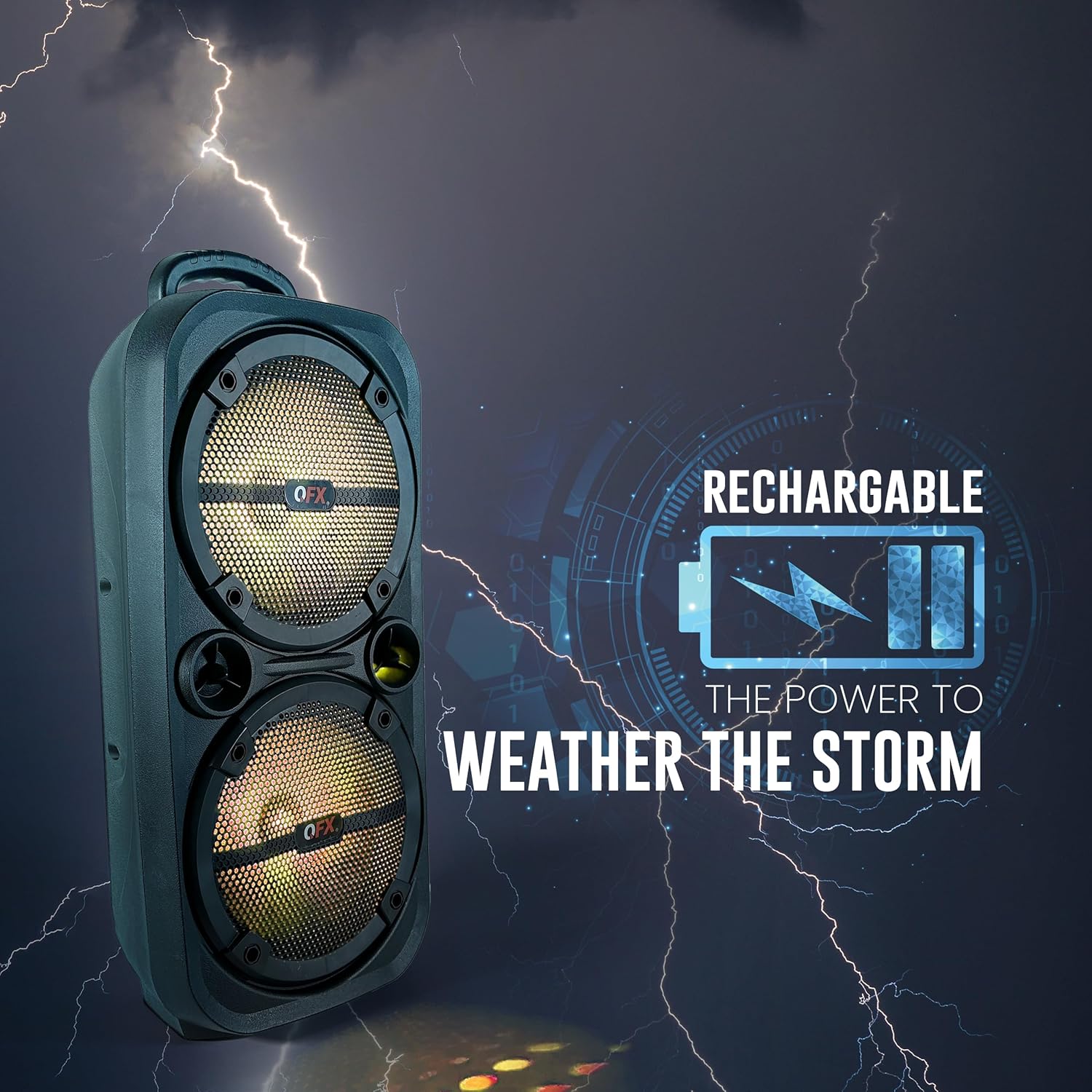
Image: Detailed view of the speaker's rear control panel, highlighting the Volume Control, AUX Input, USB Port, Microphone Input, and True Wireless Stereo (TWS) functionality.
- Volume Control: Rotary knob to adjust the master volume.
- Power Switch: ON/OFF switch for the speaker.
- Mode Button: Cycles through input modes (Bluetooth, AUX, USB, FM Radio).
- LED Switch: Toggles the LED party lights.
- Previous/Next Buttons: Navigates tracks in Bluetooth/USB mode, or stations in FM mode.
- Play/Pause Button: Controls playback. Long press for TWS pairing.
- AUX Input: 3.5mm jack for connecting external audio devices.
- USB Port: For USB drive playback.
- MIC Input: 6.35mm jack for connecting the wired microphone.
- DC 5V Input: Charging port for the speaker.
Setup
1. Charging the Speaker
Before first use, fully charge the speaker. Connect the provided AC adapter to the DC 5V input port on the speaker and plug it into a power outlet. The charge indicator LED will illuminate during charging and turn off when fully charged.
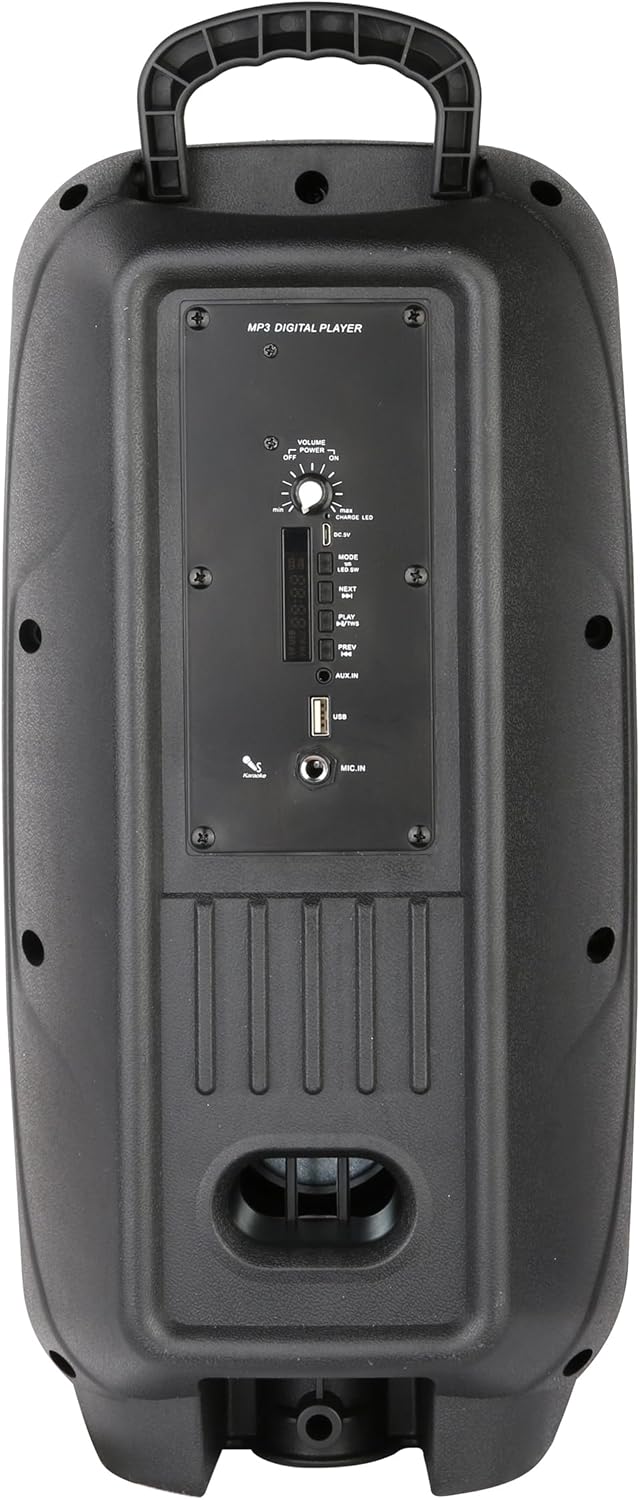
Image: The speaker next to an icon representing a rechargeable battery, emphasizing its portable and rechargeable nature.
2. Assembling the Speaker Stand
The speaker comes with a collapsible stand for optimal sound projection. Extend the legs of the stand and secure them firmly. Place the speaker onto the top pole of the stand, ensuring it is stable.

Image: The QFX PBX-8008SM speaker positioned next to its included microphone and speaker stand.
3. Connecting the Microphone
Insert the microphone cable into the "MIC IN" port on the speaker's control panel.
Operating Instructions
1. Power On/Off
Flip the Power Switch to the "ON" position to turn on the speaker. Flip it to "OFF" to power down.
2. Bluetooth Pairing
- Turn on the speaker. It will automatically enter Bluetooth pairing mode, indicated by a flashing LED.
- Enable Bluetooth on your mobile device and search for "QFX PBX-8008SM".
- Select the speaker from the list to connect. A confirmation tone will sound upon successful pairing.
3. True Wireless Stereo (TWS) Function
The TWS function allows you to pair two PBX-8008SM speakers for a true stereo sound experience.
- Ensure both speakers are powered on and in Bluetooth mode, but not connected to any device.
- On one of the speakers (this will be the master speaker), long press the "Play/Pause" button. It will emit a pairing tone.
- The two speakers will automatically connect to each other. A confirmation tone will sound once TWS pairing is successful.
- Now, connect your mobile device to the master speaker via Bluetooth as described in step 2. Audio will play through both speakers in stereo.

Image: An illustration demonstrating the True Wireless Stereo (TWS) feature, showing two speakers wirelessly connected for an immersive audio experience.
4. AUX Input
Connect an external audio device (e.g., smartphone, MP3 player) to the "AUX IN" port using a 3.5mm audio cable. The speaker will automatically switch to AUX mode, or you can press the "Mode" button to select AUX.
5. USB Playback
Insert a USB flash drive containing MP3 audio files into the "USB" port. The speaker will automatically switch to USB mode and begin playing the first track. Use the "Previous/Next" and "Play/Pause" buttons to control playback.
6. FM Radio
Press the "Mode" button until "FM" is displayed. Long press the "Play/Pause" button to auto-scan and save available FM stations. Use the "Previous/Next" buttons to navigate between saved stations.
7. LED Party Lights
Press the "LED SW" button to toggle the integrated LED party lights on or off.

Image: The speaker displaying its colorful LED party lights, designed to enhance the atmosphere of events.
Maintenance
- Cleaning: Use a soft, dry cloth to clean the exterior of the speaker. Do not use abrasive cleaners or solvents.
- Storage: When not in use for extended periods, store the speaker in a cool, dry place, away from direct sunlight and extreme temperatures.
- Battery Care: To prolong battery life, avoid fully discharging the battery frequently. Charge the speaker regularly, even if not in use.
Troubleshooting
| Problem | Possible Cause | Solution |
|---|---|---|
| No power | Battery is depleted; Power switch is OFF. | Charge the speaker; Ensure power switch is ON. |
| No sound | Volume too low; Incorrect input mode; Device not connected. | Increase volume; Press MODE button to select correct input; Reconnect device. |
| Bluetooth not connecting | Speaker not in pairing mode; Device Bluetooth OFF; Speaker too far. | Ensure speaker is in Bluetooth mode; Turn on device Bluetooth; Move device closer to speaker (within 30 ft). |
| TWS pairing failed | Speakers already connected to a device; Incorrect pairing procedure. | Disconnect speakers from any devices; Follow TWS pairing steps carefully. |
| Microphone not working | Microphone not fully plugged in; Microphone volume too low. | Ensure microphone is securely plugged into MIC IN port; Adjust microphone volume. |
Specifications
| Feature | Detail |
|---|---|
| Model Number | PBX-8008SM |
| Speaker Type | Portable Bluetooth PA System |
| Woofer Size | Dual 8 inches |
| Connectivity | Bluetooth, AUX (3.5mm), USB, FM Radio |
| Special Features | True Wireless Stereo (TWS), LED Party Lights, Microphone Input |
| Power Source | Rechargeable Lithium Ion Battery, AC Adapter (USB 5V) |
| Dimensions (L x W x H) | 9.76 x 7.91 x 20.2 inches |
| Item Weight | 6.94 pounds |
| Included Accessories | Wired Microphone, Speaker Stand, AC Adapter |

Image: The speaker shown with its approximate dimensions: 19.7 inches in height, 9.7 inches in width, and 7.4 inches in depth.
Warranty and Support
For warranty information or technical support, please refer to the official QFX website or contact their customer service directly. You can also find additional resources and a downloadable PDF user manual at the following link:
Download Official User Manual (PDF)
For more information about QFX products, visit the official QFX store on Amazon:
Related documentsPBX-8008SM


Ask a question about this manual
Ask about setup, troubleshooting, compatibility, parts, safety, or missing instructions. Manuals+ will review the question and use this page’s manual context to help answer it.