
1. Introduction
The AMBITFUL KN-21C is a 21-inch (53cm) dimmable bi-color LED ring light designed for various applications including photography, videography, makeup artistry, and live streaming. It features adjustable color temperature from 3000K to 6000K and brightness control from 0% to 100%. This manual provides detailed instructions for the proper setup, operation, and maintenance of your ring light.
2. Package Contents
Please verify that all components listed below are included in your package. If any items are missing or damaged, please contact customer support.
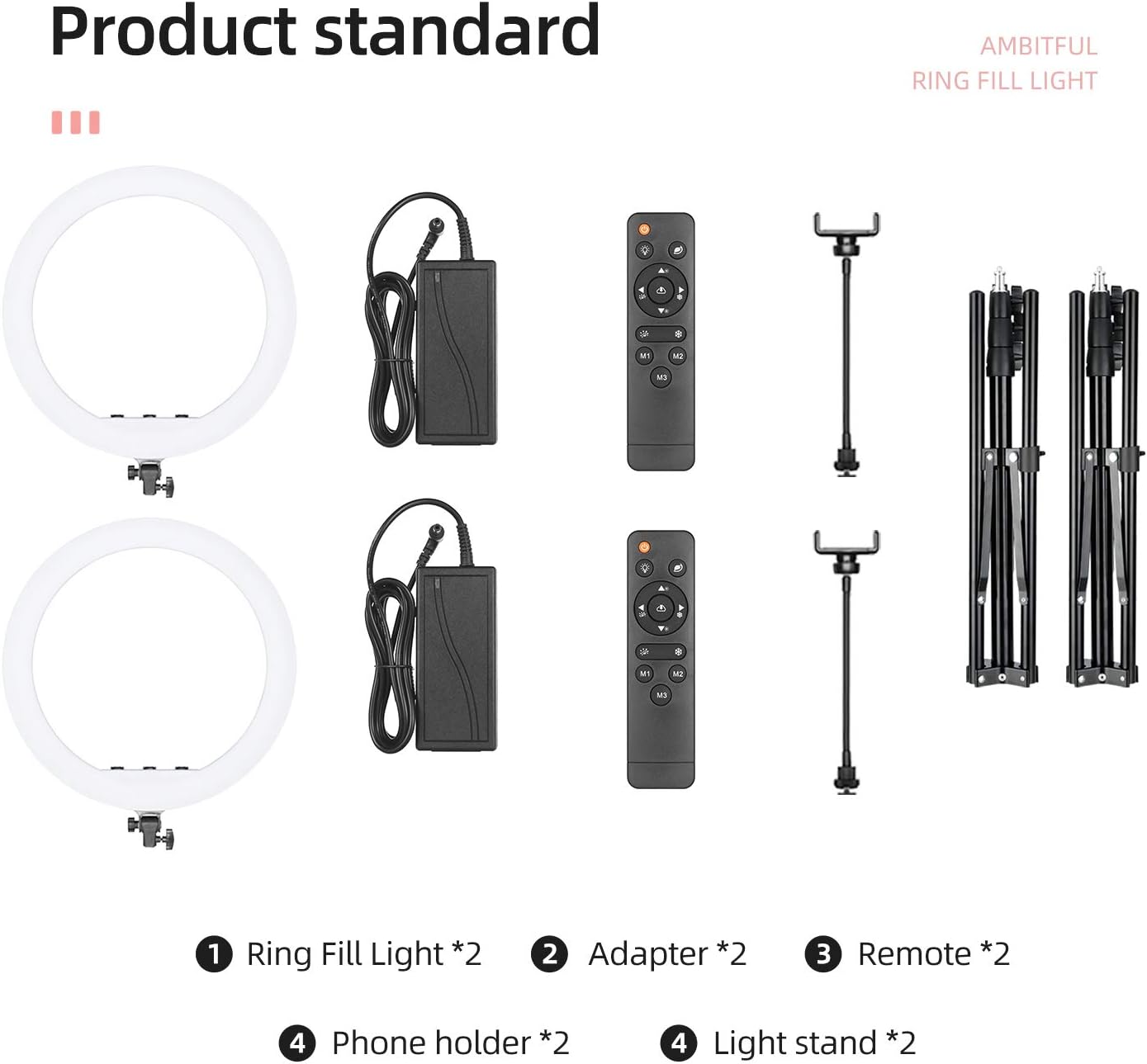
Figure 2.1: Package Contents Overview. This image displays the complete set of items included with the AMBITFUL KN-21C ring light kit.
- LED Ring Light Body (21-inch / 53cm) x 2
- Tripod / Light Stand (adjustable 20-inch to 75-inch / 50cm to 190cm) x 2
- Power Adapter x 2
- IR Remote Control x 2
- Flexible Phone Holder x 2
- Instruction Manual x 1
3. Setup Instructions
3.1. Assembling the Light Stand
- Unfold the legs of the tripod light stand until they are fully extended and stable.
- Extend the telescopic sections of the stand to your desired height. Secure each section by tightening the locking knobs clockwise.
3.2. Mounting the Ring Light
- Locate the mounting screw on top of the light stand.
- Align the mounting hole at the base of the ring light with the screw on the stand.
- Gently screw the ring light onto the stand until it is securely fastened. Do not overtighten.
3.3. Installing Phone Holders
- The ring light features multiple mounting points for phone holders. Choose a suitable position.
- Screw the flexible phone holder arm into the designated mounting hole on the ring light.
- Adjust the flexible arm and the phone clamp to your preferred angle and orientation. The phone holder is compatible with smartphones and tablets ranging from 4.5 to 7.8 inches (115mm to 200mm) in width.
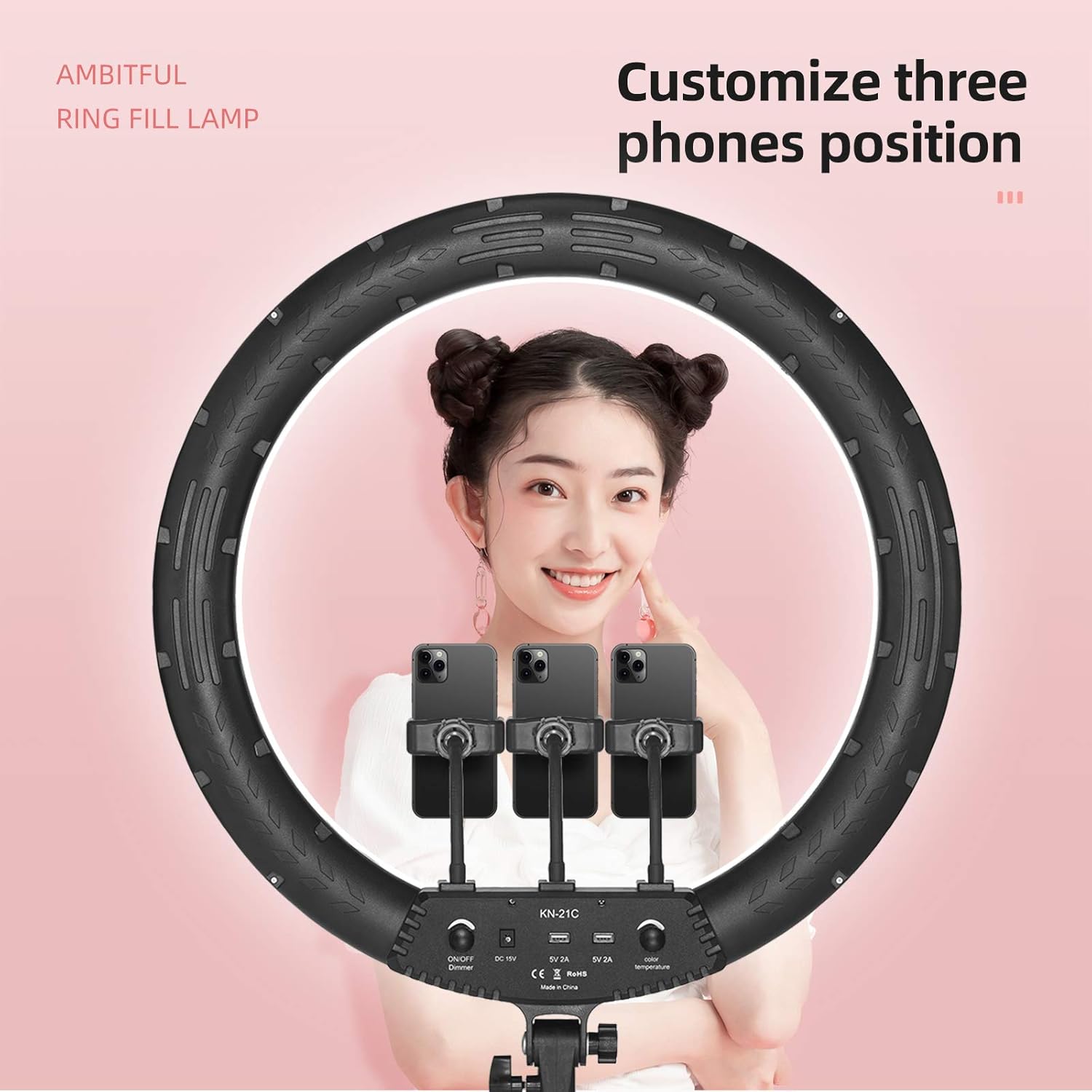
Figure 3.1: Multiple Phone Mounting Positions. This image illustrates how up to three smartphones can be mounted simultaneously on the ring light for diverse shooting setups.
3.4. Connecting Power
- Connect the power adapter cable to the DC 15V input port on the back of the ring light.
- Plug the power adapter into a standard electrical outlet.
4. Operating Instructions
4.1. Power On/Off
To power on or off the ring light, use the 'ON/OFF' button located on the control panel at the bottom of the ring light or the power button on the IR remote control.
4.2. Adjusting Brightness
The brightness can be adjusted from 0% to 100% using two methods:
- Control Knob: Rotate the 'Brightness' knob on the ring light's control panel.
- Remote Control: Use the '+' and '-' buttons on the IR remote control to increase or decrease brightness.
4.3. Adjusting Color Temperature
The color temperature can be adjusted from 3000K (warm light) to 6000K (cold white light) using two methods:
- Control Knob: Rotate the 'Color Temperature' knob on the ring light's control panel.
- Remote Control: Use the 'Color Temp' buttons on the IR remote control to cycle through different color temperatures or fine-tune.

Figure 4.1: Bi-Color Temperature Adjustment. This image illustrates the range of color temperatures available, from cool white to warm yellow light.
4.4. Using the Remote Control
The included IR remote control allows for convenient adjustment of the ring light's settings from a distance of up to 2.5 meters (98 inches).
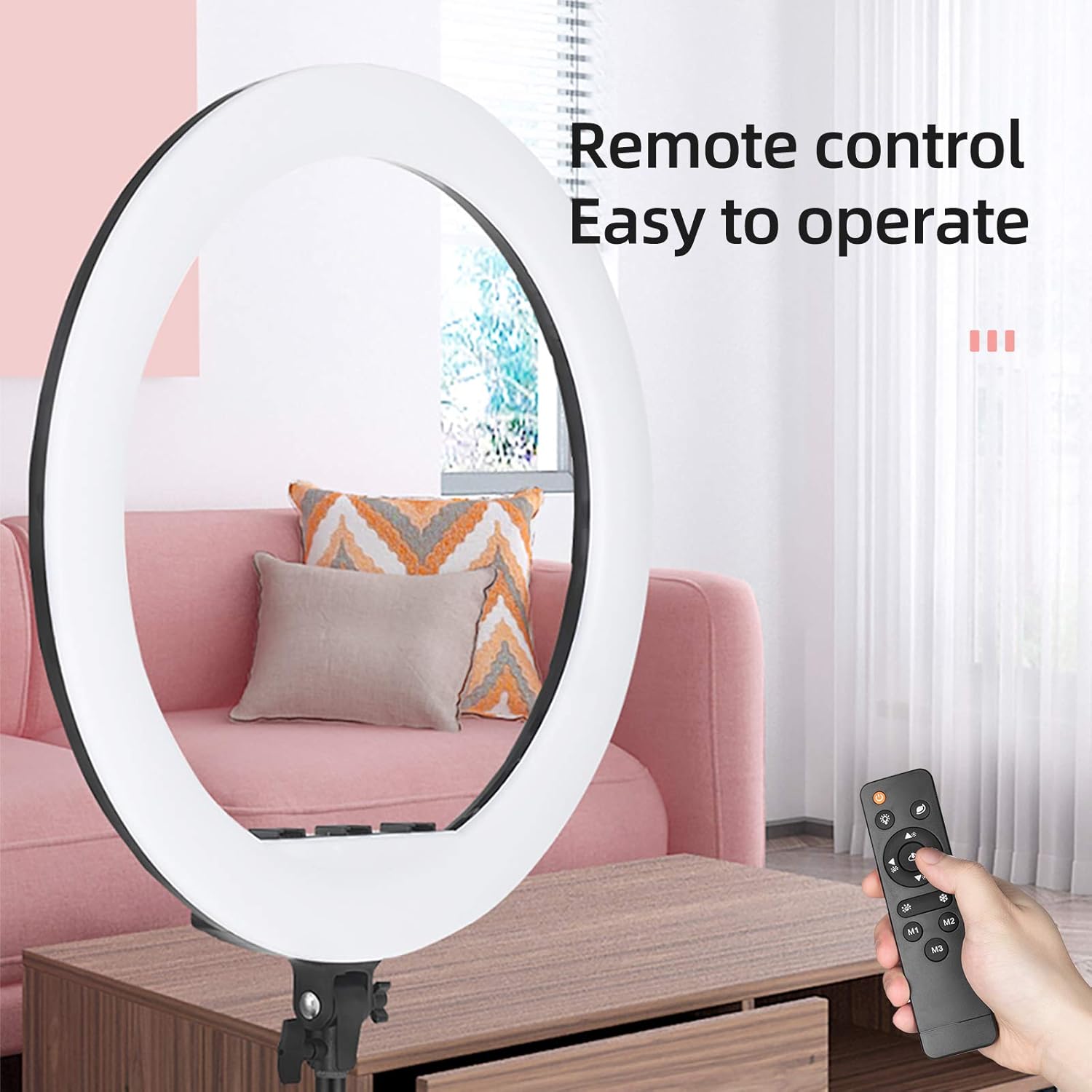
Figure 4.2: Remote Control Operation. The remote control provides wireless access to the light's functions.
- Power Button: Turns the light on or off.
- Brightness Buttons (+/-): Adjusts the light intensity.
- Color Temperature Buttons: Changes the color temperature.
- M1/M2/M3 Buttons: Preset modes for quick access to specific brightness and color temperature combinations. Refer to the remote's specific markings for details on each preset.
4.5. Phone Charging Feature
The ring light is equipped with a USB output port (5V 2A) on the back. This allows you to charge your smartphone or other USB-powered devices directly from the ring light while in use, ensuring your device remains powered during extended shooting sessions.
5. Key Features
- 21-inch Large Aperture: The 21-inch (53cm) diameter provides a wide and even light distribution, ideal for soft, shadow-free illumination.
- Bi-Color Dimmable LED: Features 416 LED beads with adjustable color temperature from 3000K to 6000K and brightness from 0% to 100%, allowing for versatile lighting effects without the need for color filters.
- IR Remote Control: Offers convenient wireless control over brightness and color temperature settings from a distance.
- Integrated USB Charging Port: Provides a 5V 2A USB output to charge mobile devices during use.
- Flexible Phone Holders: Supports multiple phone mounts for diverse shooting angles and multi-device setups.

Figure 5.1: Large Aperture Comparison. This image demonstrates the significant size of the 21-inch ring light, ensuring broad and even light coverage.
6. Maintenance
- Cleaning: Use a soft, dry cloth to wipe the surface of the ring light and stand. Do not use abrasive cleaners or solvents.
- Storage: When not in use, disassemble the ring light and stand, and store them in a dry, cool place away from direct sunlight and moisture.
- Cable Care: Avoid bending or crimping the power cable excessively. Always grasp the plug, not the cable, when disconnecting from an outlet.
7. Troubleshooting
| Problem | Possible Cause | Solution |
|---|---|---|
| Ring light does not turn on. | Power cable not connected properly. Power outlet malfunction. | Ensure the power adapter is securely connected to both the ring light and a working electrical outlet. Test the outlet with another device. |
| Remote control is not working. | Remote battery is low or depleted. Obstruction between remote and light. Remote too far from light. | Replace the remote control battery. Ensure a clear line of sight to the ring light's IR receiver. Operate the remote within 2.5 meters of the light. |
| Brightness or color temperature cannot be adjusted. | Control knobs or remote buttons are stuck. | Check if the knobs move freely. If using the remote, ensure it is working (see above). Try adjusting directly via the control panel on the light. |
| Phone is not charging via USB port. | USB cable is faulty. Device requires more power than 5V 2A. | Try a different USB cable. Ensure your device is compatible with 5V 2A charging. |
8. Specifications
| Feature | Specification |
|---|---|
| Model Name | KN-21C |
| Screen Size / Diameter | 21 Inches (53 cm) |
| LED Beads Quantity | 416 pcs |
| Color Temperature | 3000K - 6000K (Bi-Color) |
| Brightness Adjustment | 0% - 100% |
| Connectivity Technology | Infrared (for remote control) |
| Hardware Interface | USB (output for charging) |
| USB Output | 5V 2A |
| Light Stand Adjustable Range | 20-inch to 75-inch (50cm to 190cm) |
| Compatible Phone Holder Width | 4.5-inch to 7.8-inch (115mm to 200mm) |
| Item Weight | 5.6 Kilograms (approximate, for the kit) |
| Water Resistance Level | Not Water Resistant |
9. Safety Information
- Do not expose the ring light to rain or moisture to prevent electric shock.
- Do not disassemble or modify the product. Unauthorized modifications may void the warranty and pose safety risks.
- Keep the product away from flammable materials.
- Ensure the light stand is stable before mounting the ring light and any devices.
- Avoid looking directly into the LED lights for extended periods, as this may cause eye strain.
- Unplug the power adapter from the outlet when not in use or during cleaning.
10. Warranty and Support
For warranty information, technical support, or any questions regarding your AMBITFUL KN-21C LED Ring Light, please refer to the contact information provided with your purchase or visit the official AMBITFUL website. Our customer service team is available to assist you with any inquiries.

