
1. Introduction
Thank you for choosing Konnek Stein True Wireless Earbuds. This manual provides essential information for setting up, operating, and maintaining your earbuds. Please read it thoroughly before use to ensure optimal performance and longevity of your device.
2. Safety Information
- Do not expose the earbuds or charging case to extreme temperatures, direct sunlight, or fire.
- Avoid dropping or applying excessive force to the device.
- Keep the device away from water and liquids, except for the IPX4 rated splash resistance. Do not submerge.
- Use only the provided charging cable or a certified USB-C cable for charging.
- Listening at high volume levels for extended periods can cause hearing damage. Adjust volume to a safe level.
- Keep out of reach of children.
3. Product Overview
The Konnek Stein True Wireless Earbuds offer a seamless audio experience with active noise cancellation and a portable charging case.
Package Contents:
- Konnek Stein True Wireless Earbuds (Left and Right)
- Charging Case
- USB-C Charging Cable
- Eartips (S, M, L sizes)
- User Manual
Component Diagram:

Image 1: The Konnek Stein True Wireless Earbuds are shown alongside their open charging case. The earbuds are black, sleek, and designed for in-ear fit, with the charging case also in black, featuring charging contacts for each earbud.
4. Setup
4.1 Charging the Earbuds and Case
Before first use, fully charge the earbuds and the charging case.
- Place the earbuds into the charging case. Ensure they are correctly seated in their respective slots (L for left, R for right).
- Connect the USB-C charging cable to the charging port on the case and the other end to a USB power source (e.g., wall adapter, computer).
- The indicator lights on the case will show charging status. Once fully charged, the lights will indicate completion or turn off.
A single full charge provides over 5 hours of music playtime. The portable charging case can recharge the earbuds approximately 4 times, offering up to 24 hours of total playtime.

Image 2: This image illustrates the extended battery life of the earbuds and charging case. It highlights '24 hours Ultra Long Playtime' with a charging time of 1.5 hours and the ability for the case to provide 2.5 additional charges to the earbuds.
4.2 Pairing with Your Device
The earbuds feature one-step automatic pairing.
- Open the charging case. The earbuds will automatically enter pairing mode.
- On your device (smartphone, tablet, laptop), enable Bluetooth.
- Search for available Bluetooth devices and select "Konnek Stein [Model Name/Number]" (e.g., "Konnek Stein 01") from the list.
- Once connected, a voice prompt will confirm successful pairing.
For subsequent uses, the earbuds will automatically connect to the last paired device when the case is opened, provided Bluetooth is enabled on your device.
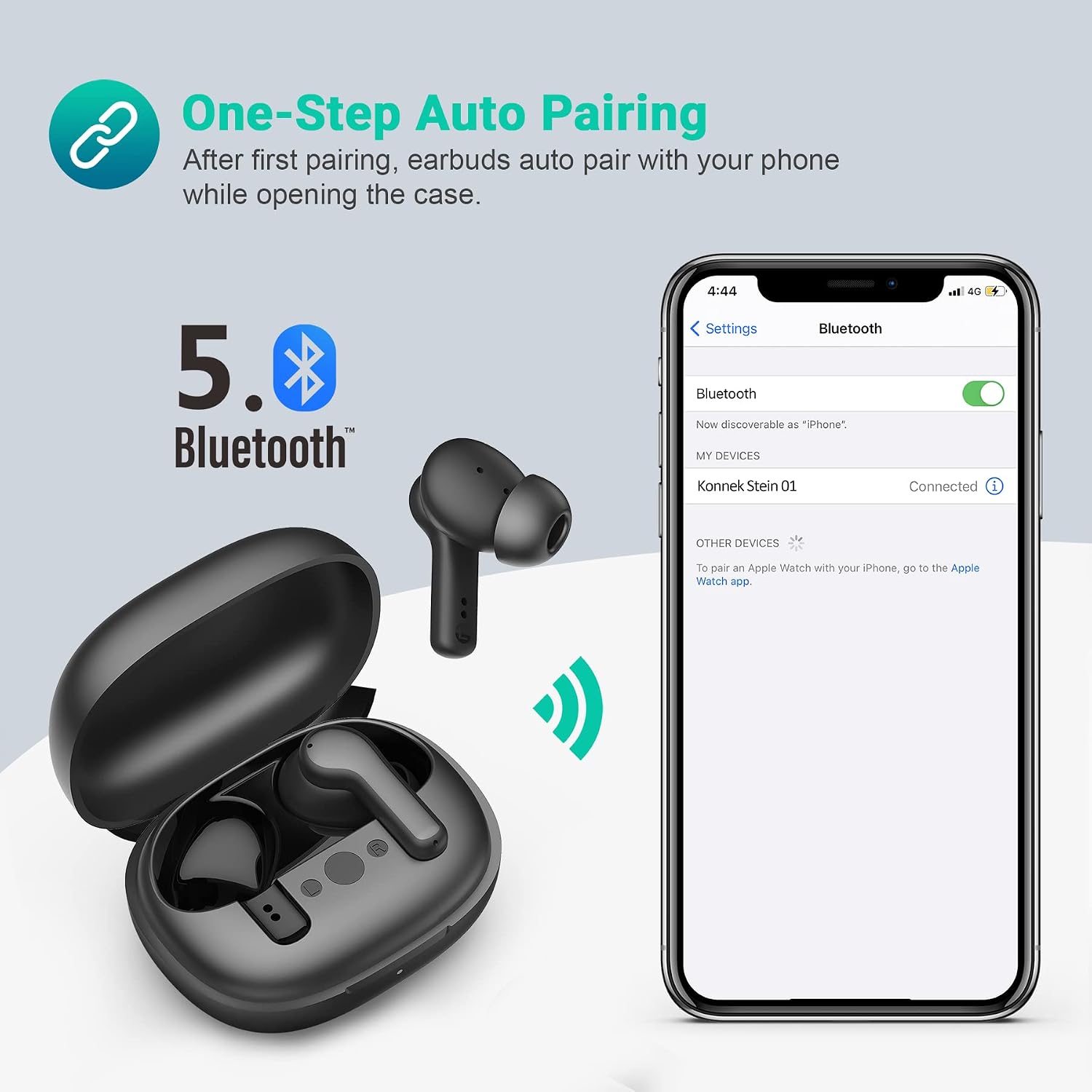
Image 3: A smartphone screen displays the Bluetooth settings, showing 'Konnek Stein 01' as a connected device, illustrating the one-step auto-pairing process for the earbuds.

Image 4: This image shows the earbuds and charging case next to a laptop, with icons for Android, Apple, and Windows, indicating broad compatibility with various operating systems.
4.3 Wearing the Earbuds
Select the appropriate ear tip size (S, M, L) for a comfortable and secure fit. The ergonomic design ensures stability during use.
- Gently insert the earbud into your ear canal.
- Rotate the earbud slightly until it feels snug and comfortable.

Image 5: A person is shown wearing one earbud while holding a smartphone, illustrating the comfortable fit and the 'Dual Mode Listening' feature, allowing use of either one or both earbuds.
5. Operating the Earbuds
The earbuds feature touch controls for various functions.
5.1 Touch Control Functions
Refer to the diagram below for touch control areas and functions:

Image 6: A diagram highlights the 'Smart Touch Control' area on an earbud, indicating where users can tap to control music and calls.
- Play/Pause: Single tap on either earbud.
- Next Track: Double tap on the right earbud.
- Previous Track: Double tap on the left earbud.
- Answer/End Call: Single tap on either earbud during an incoming call.
- Reject Call: Press and hold either earbud for 2 seconds during an incoming call.
- Activate Voice Assistant (Siri/Google Assistant): Triple tap on either earbud.
- Active Noise Cancellation (ANC) On/Off: Press and hold the touch area for 2 seconds.
5.2 Active Noise Cancellation (ANC)
The earbuds feature an active noise cancellation mode that reduces up to 90% of background noise. To toggle ANC on or off, press and hold the touch area on either earbud for 2 seconds. A voice prompt will confirm the change in mode.
5.3 Call Functions
The built-in microphone allows for clear calls. Use the touch controls to manage incoming and outgoing calls.
5.4 Dual Mode Listening
You can use either the left or right earbud independently for music or calls, or use both earbuds together for a stereo experience.
6. Maintenance
6.1 Cleaning
- Regularly clean the earbuds and charging case with a soft, dry, lint-free cloth.
- Remove ear tips and clean them with mild soap and water, then dry thoroughly before reattaching.
- Ensure charging contacts on both earbuds and case are clean and free of debris.
6.2 Water Resistance
The earbuds are IPX4 waterproof, meaning they are resistant to splashing water from any direction. This makes them suitable for daily exercise and light rain. They are not designed for swimming or submersion in water.

Image 7: This image shows the earbuds partially submerged in water with bubbles, emphasizing their 'IPX4 Sweatproof & Waterproof' rating, indicating protection against splashes and sweat.
6.3 Storage
When not in use, store the earbuds in their charging case to protect them and keep them charged. Store the case in a cool, dry place away from extreme temperatures.
7. Troubleshooting
If you encounter issues, try the following solutions:
- Earbuds not pairing: Ensure both earbuds are in the charging case, then open the case to initiate pairing. Check your device's Bluetooth settings and try reconnecting.
- No sound from one earbud: Place both earbuds back into the charging case, close it, then open it again. Ensure both earbuds are charged.
- Charging issues: Verify the USB-C cable is securely connected to both the case and the power source. Try a different cable or power adapter. Ensure charging contacts are clean.
- Poor sound quality: Ensure earbuds are properly seated in your ears. Try different sized ear tips. Clean any debris from the earbud speakers. Ensure your device is within the Bluetooth range (up to 10 meters).
- Earbuds not responding to touch controls: Ensure your finger is making proper contact with the touch area. Try cleaning the touch sensor.
If problems persist, refer to the support section for further assistance.
8. Specifications
| Model Name | ePRO-AE01-BK-KS-US |
| Brand | Konnek Stein |
| Connectivity Technology | Wireless (Bluetooth 5.1) |
| Noise Control | Active Noise Cancellation |
| Ear Placement | In Ear |
| Form Factor | In Ear |
| Charging Case Battery | 500mAh |
| Playtime (Single Charge) | Up to 5 hours |
| Total Playtime (with Case) | Up to 24 hours |
| Water Resistance Level | IPX4 (Water Resistant) |
| Control Method | Touch |
| Item Weight | 1.76 ounces |
| Product Dimensions | 2.28 x 1.77 x 1.15 inches |
| UPC | 810090220253 |
9. Warranty and Support
Konnek Stein products are designed for reliability and performance. For warranty information and customer support, please refer to the documentation included with your purchase or visit the official Konnek Stein website. Please have your model number (ePRO-AE01-BK-KS-US) and proof of purchase ready when contacting support.
