
Introduction
The Glosen Key Organizer Lock Box provides a secure and organized solution for storing your keys. Designed for wall-mounting, this robust cabinet features a combination lock for easy access by authorized individuals. It is ideal for various settings including homes, offices, and commercial establishments, ensuring your keys are always safe and readily available.
Product Features
- Secure Storage: Versatile and sturdy design to keep your keys safe.
- Key Organization: Includes 24 key tags for easy organization and identification of your keys.
- Combination Lock: Allows setting a unique up to 6-digit combination for secure access.
- Easy Installation: Wall-mounted design with included screws and wall anchors for quick setup.
- Wide Application: Suitable for homes, offices, apartment buildings, car dealerships, and more.
- Premium Quality: Constructed from an aluminum frame and engineered slabs for durability.
Setup
1. Unboxing and Inspection
Carefully remove all components from the packaging. Verify that all parts are present: the key box, 24 key tags, 2 screws, and 2 wall anchors. Inspect the unit for any signs of damage.
2. Battery Installation
The lock box requires three AAA batteries (not included). Locate the battery compartment, typically on the inside of the door or behind the lock mechanism. Insert the batteries, ensuring correct polarity. Close the compartment securely.

Figure 1: Electronic lock and battery compartment area. Note: Two AAA batteries recommended (not included).
3. Wall Mounting
- Choose a suitable wall location. Ensure the surface is stable and can support the weight of the key box and its contents.
- Mark the positions for the two mounting screws using the pre-drilled holes on the back of the key box as a template.
- Drill pilot holes at the marked positions. If mounting into drywall, insert the provided wall anchors.
- Align the key box with the drilled holes and secure it to the wall using the provided screws. Ensure it is firmly attached.
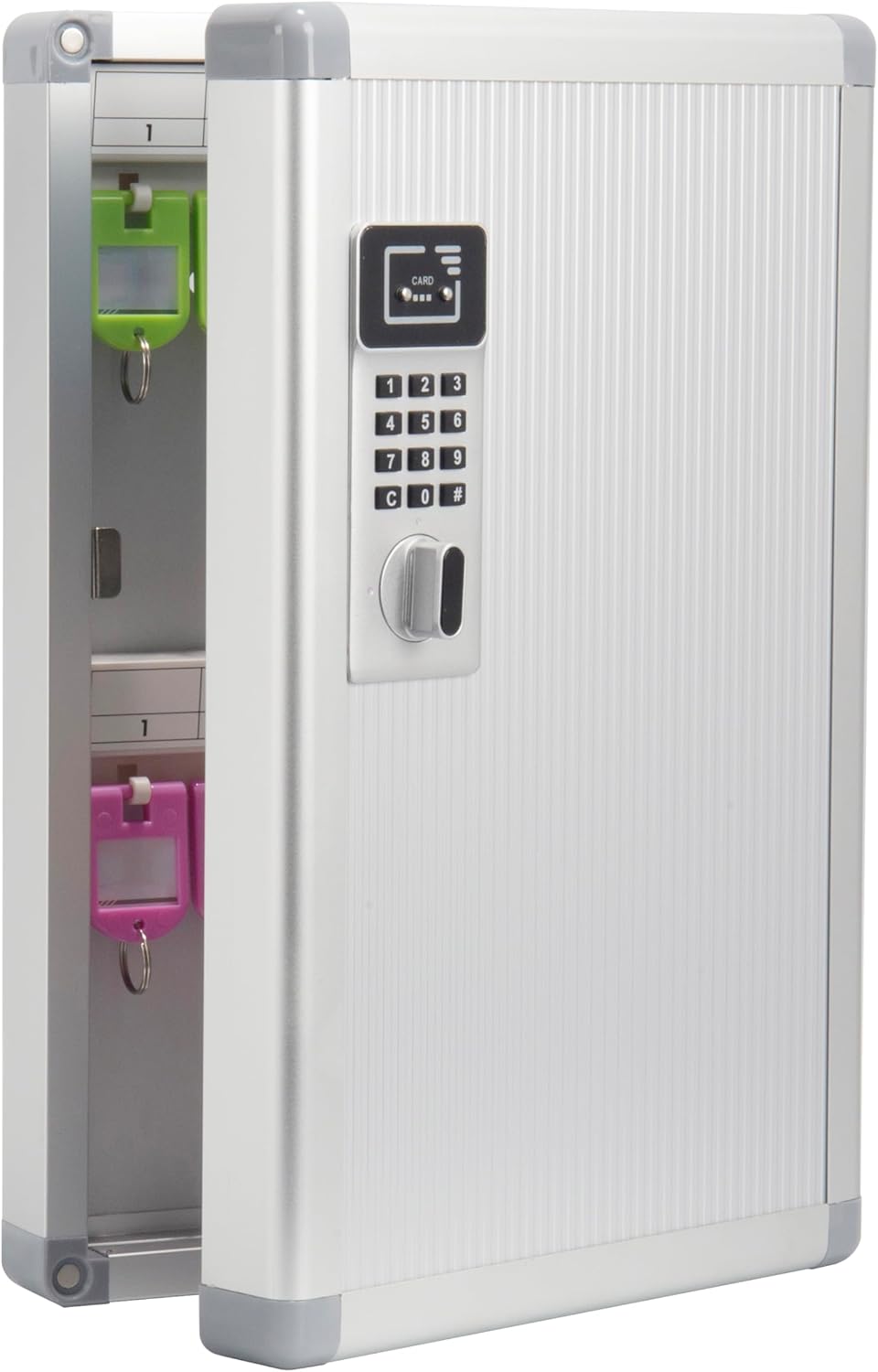
Figure 2: Glosen Key Organizer Lock Box securely mounted on a wall.
Operating Instructions
1. Setting Your Combination Code
Refer to the detailed instructions provided in the included manual for programming your unique 6-digit combination code. This process typically involves pressing a reset button inside the box, entering your new code, and confirming it.
2. Opening the Lock Box
- Using the Combination: Enter your programmed 6-digit code on the keypad. The lock will emit an audible signal, and the handle can then be turned to open the door.
- Using the Proximity Card (if applicable): If your model includes proximity card functionality, simply wave the card over the designated sensor area on the lock. The lock will open after an audible signal.
- Using the Security Key: In case of forgotten password or dead batteries, use the provided security key to manually open the lock box. Insert the key into the keyhole and turn. Keep this key in a safe, accessible location outside the lock box.
Figure 3: Methods for opening the Glosen Key Organizer Lock Box.
3. Closing and Locking the Box
To close the box, simply push the door shut. The magnetic closure will hold it in place. The lock box will automatically re-lock after a few seconds, indicated by an audible beep. No need to re-enter the code to lock it.
4. Organizing Keys with Tags
The key box comes with 24 colored key tags. Each tag has a removable insert where you can write labels for easy identification of your keys. Attach your keys to the rings on these tags and hang them on the designated hooks inside the cabinet.

Figure 4: Organized keys inside the Glosen Key Organizer Lock Box.
Maintenance
1. Battery Replacement
When the batteries are low, the lock box may emit a warning signal or fail to operate. Replace all three AAA batteries promptly to ensure continuous functionality. Follow the battery installation steps outlined in the Setup section.
2. General Care
Clean the exterior of the key box with a soft, damp cloth. Avoid using abrasive cleaners or solvents that could damage the finish. Ensure the interior remains dry and free of debris.
Troubleshooting
- Lock Box Not Opening with Code:
- Ensure batteries are not depleted. Replace if necessary.
- Verify the correct combination code is being entered.
- If batteries are dead, use a 9V battery to temporarily power the unit by touching it to the designated contacts on the keypad, then enter your code.
- Use the security key as a backup.
- Door Not Closing/Locking Properly:
- Check for any obstructions preventing the door from closing fully.
- Ensure the lock mechanism is clear of debris.
Specifications
| Brand | Glosen |
| Model Number | M9024 |
| Product Dimensions | 8.46"W x 2.55"D x 13"H |
| Lock Type | Electronic (Combination) |
| Color | Silver |
| Material | Engineered Wood, Aluminum, Acrylonitrile Butadiene Styrene (ABS) |
| Mounting Type | Wall Mount |
| Item Weight | 2.42 Pounds |
| Included Components | Key Box, 24 Key Tags, Screws, Wall Anchors |
Important Safety Information
The key box is equipped with a security key to open it in situations such as dead batteries or forgotten passwords. There is only one such key; please keep it in a safe and memorable place outside the lock box. This product is recommended for indoor use only.
Warranty and Support
For detailed warranty information and customer support, please refer to the official Glosen website or contact their customer service department. A comprehensive Instructions for Use (IFU) document is also available for download here.
