
Introduction
Thank you for choosing the Victoper Headlamp. This super bright, rechargeable LED headlamp is designed for various outdoor activities, providing powerful illumination and versatile lighting options. This manual provides detailed instructions on its features, setup, operation, and maintenance to ensure optimal performance and longevity of your device.

Image: The Victoper Headlamp, showcasing its design with an adjustable strap and the multi-LED light array.
Product Features
- Super Bright Illumination: Equipped with 18,000 lumens, featuring 4 advanced XPE lamp beads, 2 T6 lamp beads, and 2 COB lamp beads for powerful and wide-ranging light.
- Long-lasting Battery: High-quality battery provides 7 to 8 hours of use on a full charge, with a fast charging time of 4 to 4.5 hours.
- 8 Lighting Modes: Two independent switches control various lighting combinations, including main lights, auxiliary lights, all lights on, flashing, strong white COB, weak white COB, bright red COB, and flashing red COB.
- 90° Adjustable Head: The lamp head can be rotated 90 degrees to direct light precisely where needed.
- IPX5 Waterproof Rating: Designed to withstand splashes and rain, ensuring reliable performance even in wet conditions.
- Comfortable and Lightweight Design: Features super adjustable straps for maximum comfort and a balanced fit, suitable for various head sizes.
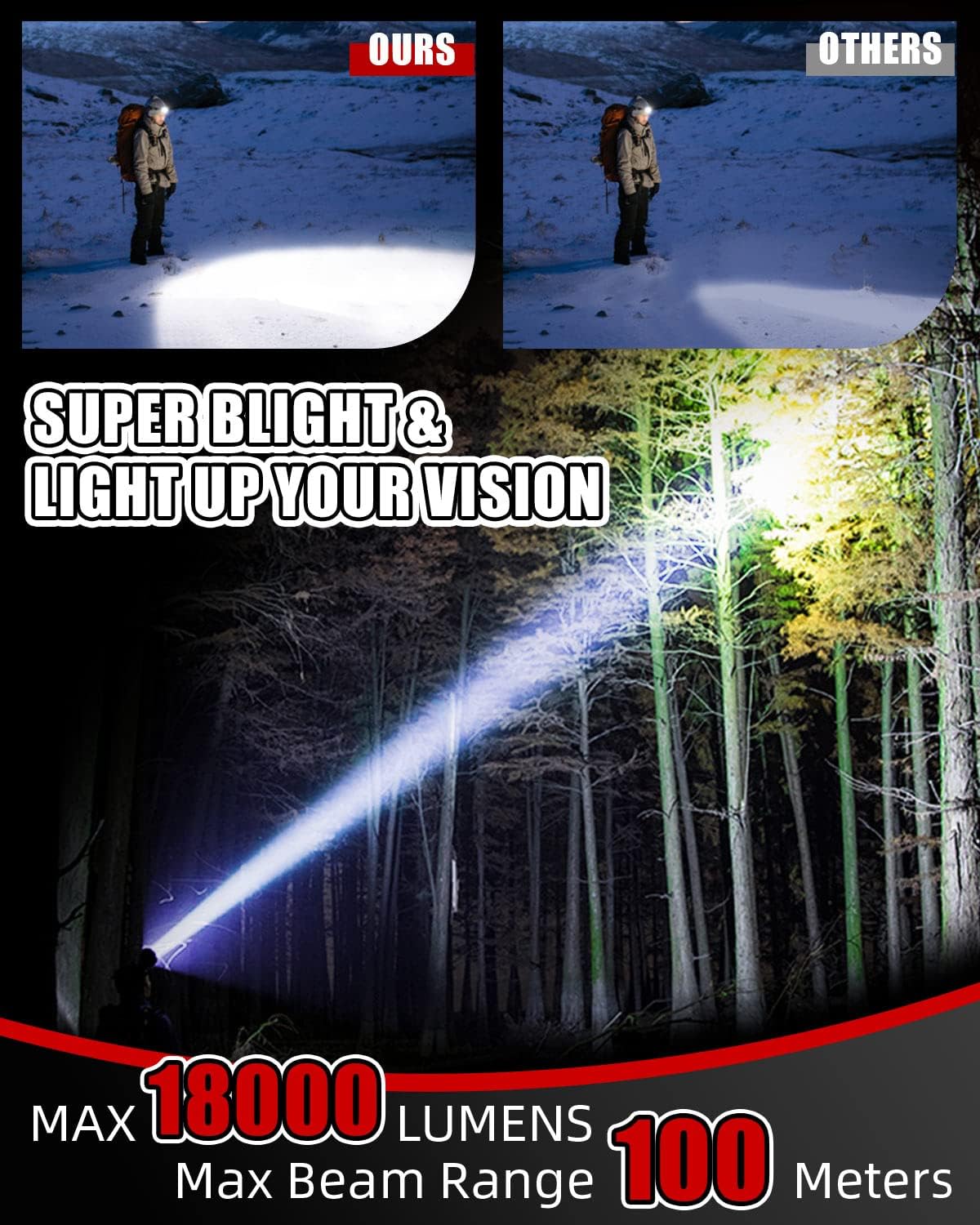
Image: Illustration demonstrating the headlamp's powerful 18,000 lumens output and a maximum beam range of 100 meters.

Image: The headlamp covered in water droplets, highlighting its IPX5 waterproof, snowproof, dirtproof, and shockproof capabilities.
Setup
1. Charging the Headlamp
Before first use, fully charge the headlamp. Locate the charging port, typically covered by a rubber flap for protection. Connect the provided USB charging cable to the headlamp and a suitable USB power source (e.g., wall adapter, power bank, computer USB port). The charging indicator light will show the charging status. A full charge takes approximately 4 to 4.5 hours.

Image: A close-up view of the headlamp's charging port, showing the signal light and power indicator, with a green LED indicating charging status.
2. Adjusting the Headband
The headlamp features adjustable elastic straps for a comfortable and secure fit. Place the headlamp on your head and use the adjustable buckles to tighten or loosen the straps until it fits snugly without being too tight. Ensure the light unit is centered on your forehead.

Image: A detailed view of the headlamp, highlighting the adjustable loop buckle for strap adjustment and the location of the switch button.
Operating Instructions
The Victoper Headlamp is equipped with two independent switches to control its various lighting modes.
1. Power On/Off
Press either the Right Switch or the Left Switch once to turn on the headlamp. Press and hold either switch for a few seconds to turn off the headlamp.
2. Switching Modes
The headlamp offers 8 distinct lighting modes, accessible via the two switches:
- Right Switch: Cycles through the primary white light modes. Each press changes the mode in the following sequence:
- 2 Main Lights (T6)
- 4 Auxiliary Lights (XPE)
- All Lights On (2 T6 + 4 XPE)
- All Lights Flashing
- Left Switch: Cycles through the COB (Chip-on-Board) light modes, including white and red light options:
- 2 COB Strong White Light
- 2 COB Weak White Light
- 2 COB Bright Red Light
- 2 COB Flashing Red Light
You can use both switches independently to achieve different lighting combinations or to quickly access your desired mode.

Image: A visual guide to the 8 different lighting modes available, showing how each combination of LEDs illuminates.

Image: A person wearing the headlamp, accompanied by a diagram illustrating the 90-degree adjustable head feature, allowing for precise light direction.
Maintenance
1. Cleaning
To clean the headlamp, gently wipe the exterior with a soft, damp cloth. Do not use abrasive cleaners or solvents, as these can damage the surface or internal components. Ensure the charging port cover is securely closed before cleaning to prevent water ingress.
2. Storage
When not in use for extended periods, store the headlamp in a cool, dry place away from direct sunlight and extreme temperatures. It is recommended to charge the battery every 3-6 months to maintain its health and prevent deep discharge.
3. Battery Care
The headlamp uses a built-in Lithium-polymer battery. Avoid completely draining the battery frequently, as this can reduce its lifespan. Always use the provided charging cable and a compatible USB power source. Do not attempt to replace the battery yourself.
Troubleshooting
- Headlamp does not turn on:
- Ensure the battery is charged. Connect it to a power source and check the charging indicator.
- Press and hold the power button for a few seconds to ensure it's not just a quick press.
- Light is dim or flickers:
- The battery might be low. Recharge the headlamp fully.
- Ensure the lens is clean and free from dirt or debris.
- Battery life is shorter than expected:
- Operating in higher brightness modes consumes more power. Try using lower brightness settings for longer runtime.
- Ensure the headlamp is fully charged before use.
- Extreme cold temperatures can temporarily reduce battery performance.
- Charging indicator does not light up:
- Check if the charging cable is securely connected to both the headlamp and the power source.
- Try a different USB port or power adapter.
- Ensure the charging port is clean and free of obstructions.
Specifications
| Feature | Specification |
|---|---|
| Brand | Victoper |
| Manufacturer | Victoper |
| Item Model Number | C8000-NEW |
| Product Dimensions (L x W x H) | 5 x 6 x 7 cm |
| Item Weight | 280 Grams |
| Color | Red |
| Material | Aluminum |
| Components Included | Battery |
| Voltage | 3.7 Volts |
| Power Source | Battery Powered |
| Light Source Type | LED |
| Luminous Flux | 18000 lm |
| Battery Type | Lithium-polymer (1 required, not included) |
| Waterproof Rating | IPX5 |