
1. Introduction
This manual provides comprehensive instructions for the safe and efficient use, assembly, maintenance, and troubleshooting of your MAXXMEE 02026 Cordless Handheld Vacuum Cleaner. Please read this manual thoroughly before first use and retain it for future reference.
Package Contents
- MAXXMEE 02026 Main Vacuum Unit
- Extension Tube
- Motorized Floor Brush
- Crevice Tool
- Brush Tool
- Wall Mount Bracket
- Power Adapter/Charger
- Instruction Manual

Image 1.1: The MAXXMEE 02026 Cordless Handheld Vacuum Cleaner in its full stick configuration.
2. Important Safety Instructions
WARNING: To reduce the risk of fire, electric shock, or injury, read all instructions before using this appliance.
- This appliance is for household use only. Do not use outdoors or on wet surfaces.
- Do not allow children to operate the vacuum. Close supervision is necessary when used near children.
- Do not pick up flammable or combustible liquids, such as gasoline, or use in areas where they may be present.
- Do not pick up anything that is burning or smoking, such as cigarettes, matches, or hot ashes.
- Do not use without the dust cup and filter in place.
- Turn off the appliance before connecting or disconnecting the motorized brush, extension tube, or other accessories.
- Use only as described in this manual. Use only manufacturer's recommended attachments.
- Do not handle the charger or appliance with wet hands.
- Do not pull or carry by cord, use cord as a handle, close a door on cord, or pull cord around sharp edges or corners. Keep cord away from heated surfaces.
- Do not use a damaged charger or appliance. If the appliance is not working as it should, has been dropped, damaged, left outdoors, or dropped into water, return it to a service center.
- Always turn off the appliance before performing any maintenance or cleaning.
- Store the appliance indoors in a cool, dry place.
3. Setup and Initial Charging
3.1 Assembly
- Attach the Extension Tube: Align the main vacuum unit with the extension tube and push until it clicks into place.
- Attach the Floor Brush: Align the motorized floor brush with the other end of the extension tube and push until it clicks into place.
- Attach Accessories (Handheld Mode): For handheld use, attach the crevice tool or brush tool directly to the main vacuum unit.

Image 3.1: The main vacuum unit configured with the crevice tool for handheld cleaning.

Image 3.2: The main vacuum unit configured with the brush tool for handheld cleaning.
3.2 Initial Charging
Before first use, fully charge the vacuum cleaner. Connect the power adapter to the charging port on the main vacuum unit and plug it into a wall outlet. The charging indicator light will illuminate. A full charge typically takes approximately 3-4 hours. The vacuum has a runtime of up to 25 minutes on a full charge.
3.3 Wall Mount Installation
The included wall mount bracket allows for convenient storage. Choose a suitable location near a power outlet. Mark the drilling points, drill holes, insert wall plugs, and secure the bracket with screws. Ensure the bracket is firmly attached before hanging the vacuum.

Image 3.3: The MAXXMEE 02026 vacuum cleaner stored on its wall mount bracket.
4. Operating Instructions
4.1 Powering On/Off
Press the power button located on the handle to turn the vacuum cleaner on. Press it again to turn it off.
4.2 Using the Vacuum
- Stick Vacuum Mode: For cleaning floors, attach the extension tube and motorized floor brush. The floor brush is effective on various surfaces, including carpets and hard floors.
- Handheld Vacuum Mode: For cleaning furniture, car interiors, or hard-to-reach areas, detach the extension tube and attach the crevice tool or brush tool directly to the main unit.

Image 4.1: Demonstrating the MAXXMEE 02026 in stick vacuum mode cleaning a wooden floor.
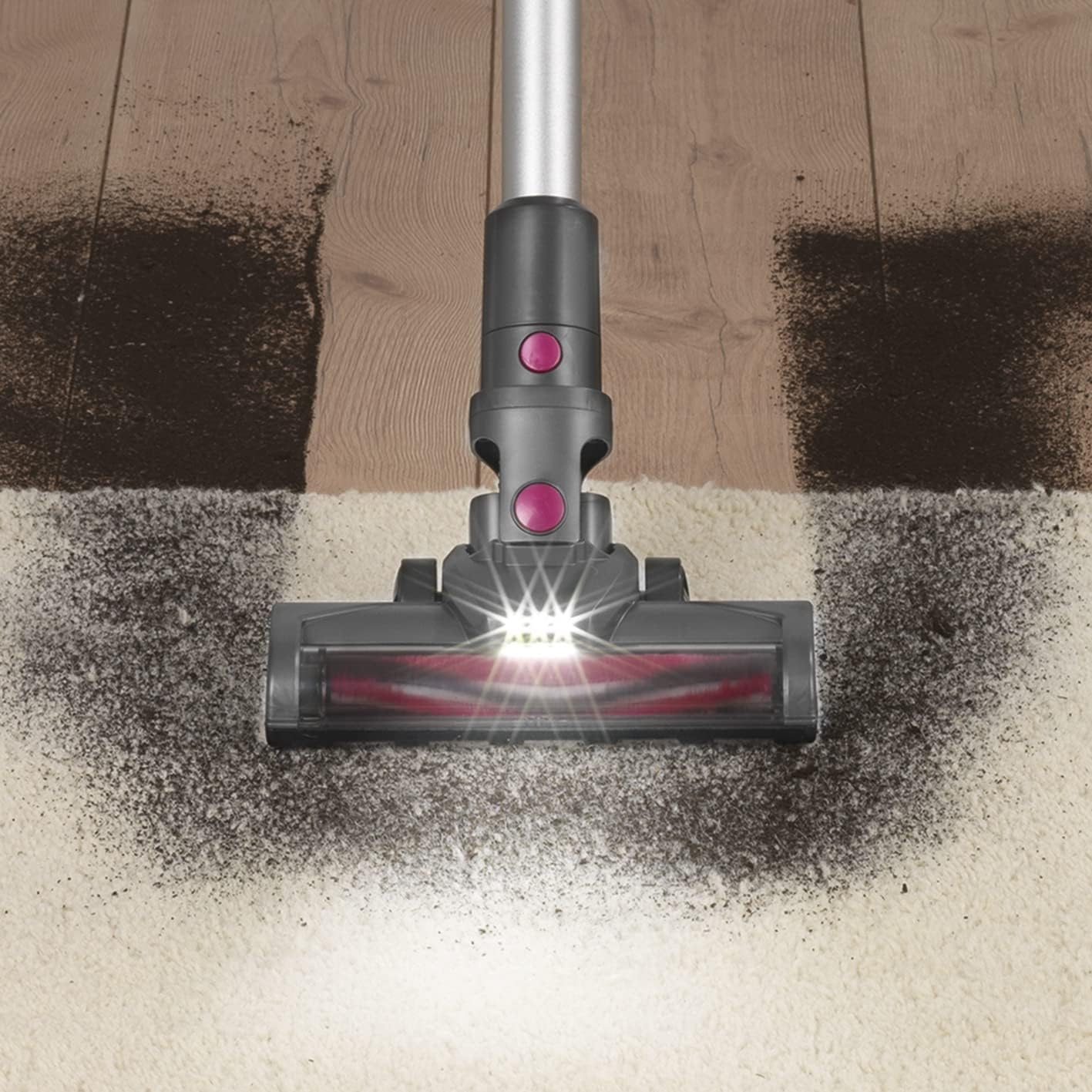
Image 4.2: The motorized floor brush with integrated LED lights illuminating dirt on a carpet surface.
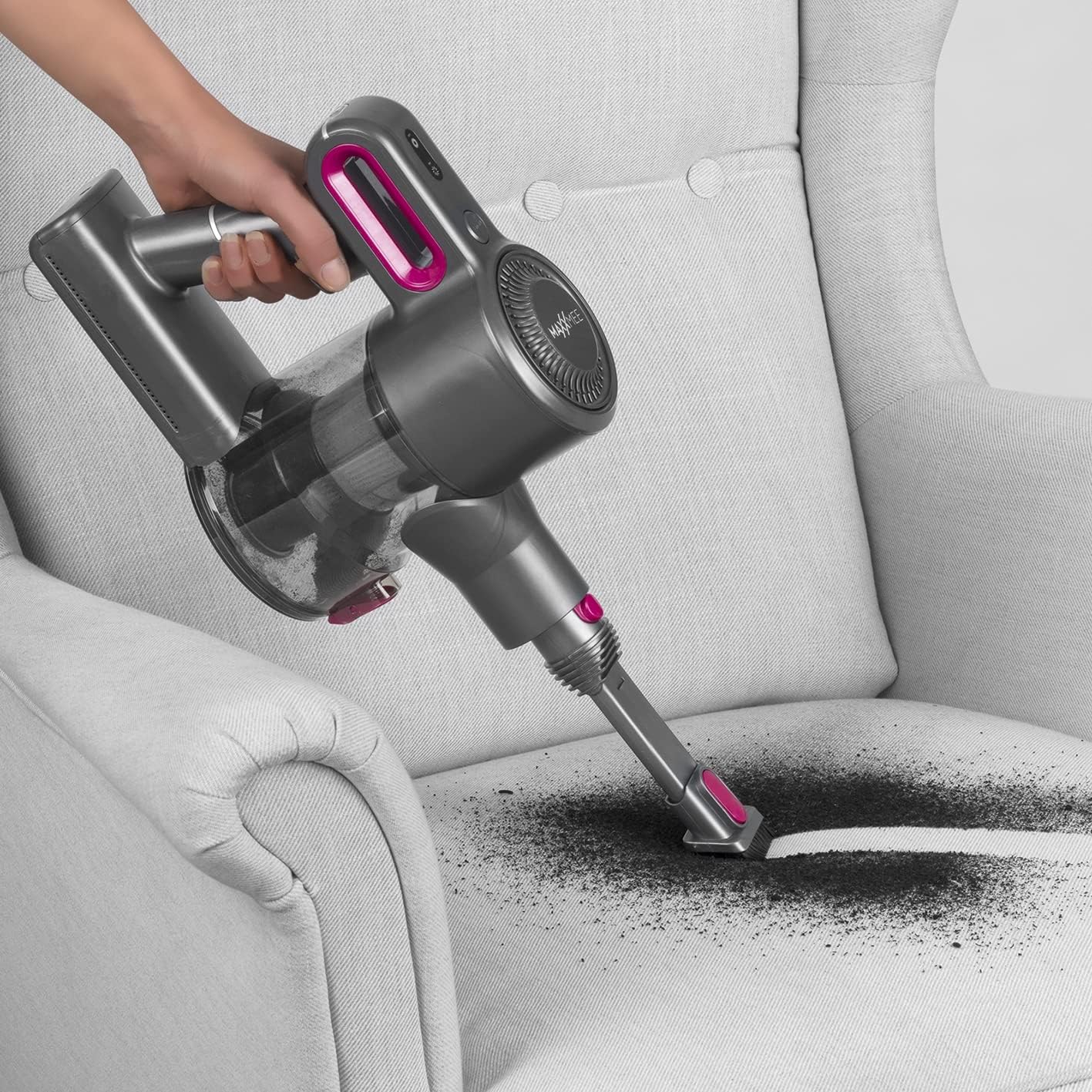
Image 4.3: The MAXXMEE 02026 used in handheld mode to clean an armchair.
5. Maintenance and Cleaning
Regular maintenance ensures optimal performance and extends the lifespan of your vacuum cleaner. Always turn off and unplug the vacuum before performing any maintenance.
5.1 Emptying the Dust Cup
When the dust cup is full, or suction power decreases, it's time to empty it. Press the dust cup release button, detach the dust cup, and empty its contents into a waste bin. Reattach the dust cup securely.
5.2 Cleaning the Filter
The vacuum uses a cartridge filter. Remove the filter from the dust cup. Tap it gently to remove loose dirt. For a more thorough cleaning, rinse the filter under cold running water. Ensure the filter is completely dry before reinserting it into the dust cup. Do not use the vacuum with a wet filter.
5.3 Cleaning the Motorized Floor Brush
Periodically check the motorized floor brush for tangled hair or debris. To clean, detach the brush from the extension tube. Use scissors or a brush to remove any obstructions from the brush roll. Reattach the brush securely.
5.4 General Cleaning
Wipe the exterior of the vacuum cleaner with a soft, damp cloth. Do not use abrasive cleaners or solvents.
6. Troubleshooting
| Problem | Possible Cause | Solution |
|---|---|---|
| Vacuum does not turn on. | Battery is depleted. | Charge the battery fully. |
| Power button not pressed correctly. | Ensure the power button is pressed firmly. | |
| Low suction power. | Dust cup is full. | Empty the dust cup. |
| Filter is clogged. | Clean or replace the filter. | |
| Obstruction in nozzle, tube, or brush. | Check and clear any blockages. | |
| Motorized brush not rotating. | Brush roll is tangled with hair or debris. | Clean the brush roll. |
| Brush attachment not securely connected. | Ensure the brush is clicked into place. |
7. Product Specifications
| Brand | MAXXMEE |
| Model Number | 02026 |
| Color | Grey with Blue/Pink Accents |
| Product Dimensions (L x W x H) | 19.3 x 12.8 x 38 cm |
| Item Weight | 3.33 Kilograms (3330 Grams) |
| Power | 150 Watts |
| Voltage | 22.2 Volts |
| Noise Level | 75 Decibels |
| Runtime | Up to 25 minutes |
| Dust Collection | Bagless (Dust Cup) |
| Filter Type | Cartridge Filter |
| Surface Recommendation | Multi-surface (including Carpet) |
| Power Source | Battery Powered (Cordless) |
| Components Included | Main Unit, Extension Tube, Motorized Floor Brush, Crevice Tool, Brush Tool, Wall Mount, Power Adapter |
8. Warranty and Support
Information regarding warranty coverage and customer support is typically provided with your purchase documentation or on the manufacturer's official website. Please refer to these resources for details on warranty periods, terms, and how to contact customer service for assistance.
For further support or to inquire about spare parts, please visit the official MAXXMEE website or contact your retailer.


