Introduction
This manual provides comprehensive instructions for the installation, operation, and maintenance of your JouSecu 8CH Home Security Camera System. This system is designed to provide reliable 24/7 surveillance for your property, offering advanced features such as 1080P HD recording, customizable motion detection, and remote access capabilities.

Image: The JouSecu 8CH Home Security Camera System, featuring the DVR unit and four surveillance cameras, along with a 1TB hard drive.
What's in the Box
Verify that all components listed below are included in your package:

Image: A visual representation of all items included in the JouSecu security system package, such as the DVR, cameras, cables, power supplies, and accessories.
- 1 x 8CH DVR (with 1TB Hard Drive pre-installed)
- 4 x Cameras (Bullet and/or Dome type, depending on package)
- 1 x USB Mouse
- 4 x 60ft BNC Cables
- 1 x 1 to 4 Power Splitter
- 2 x 12V 2A Power Supply
- 1 x Network Cable
- 4 x Mounting Screw Bags
- 1 x Remote Control
- 1 x HDMI Cable
- 1 x Instruction Manual (this document)
Setup Guide
1. Initial DVR and Camera Connection
Connect the cameras to the DVR using the provided BNC+DC cables. Ensure secure connections for both video and power. Connect the DVR to a monitor using the HDMI or VGA output, and connect the USB mouse for navigation.
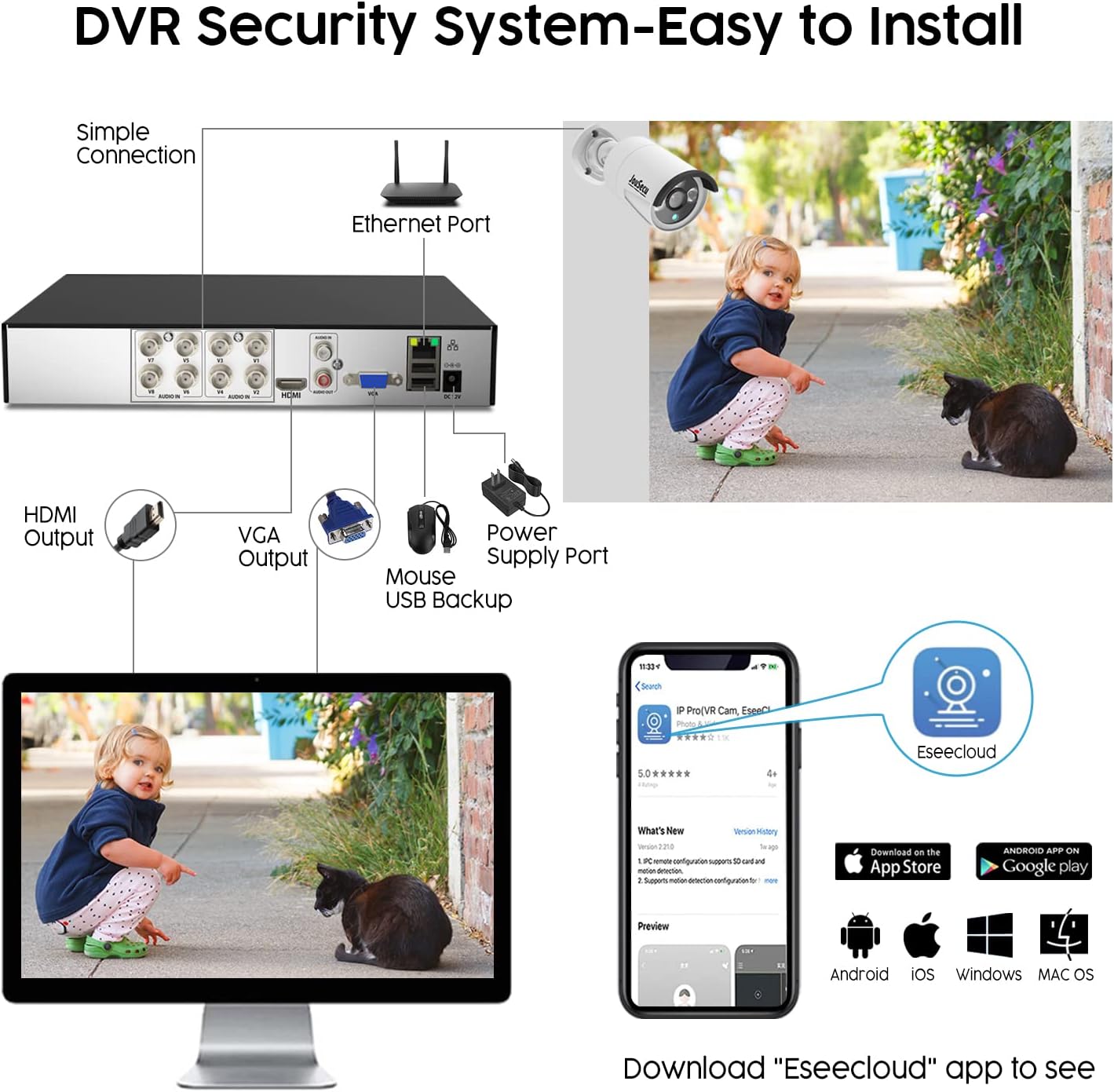
Image: A detailed diagram illustrating the connections for the DVR, including HDMI, VGA, USB, and Ethernet ports, alongside instructions for downloading the Eseecloud app.
2. Network Connection
For remote viewing, connect the DVR to your router using the provided Ethernet cable. This will enable internet access for the system.
3. App Download and Setup (Eseecloud)
Download the "Eseecloud" app from the Google Play Store or Apple App Store. This free smart app allows you to access and control your surveillance system remotely via your smartphone or PC.
Video: An official JouSecu video demonstrating the features of the Wired DVR Security Camera System, including remote access via the Eseecloud app and motion detection alerts.
Operating Instructions
1. Live View and Playback
Once connected, you can view live feeds from all cameras on your monitor or via the Eseecloud app. The system supports continuous recording to the pre-installed 1TB HDD. You can also playback recorded footage at any time.

Image: A visual comparison demonstrating the clarity difference between 720P and 1080P resolution, highlighting the superior detail of the 1080P security cameras.

Image: Illustration of the smart playback feature, showing how recorded 1080P HD video can be reviewed on a smartphone.
2. Recording Modes
The system offers flexible recording options:
- Manual Recording: Start and stop recording manually.
- Scheduled Recording: Set specific times for continuous recording.
- Motion Detection Recording: Records only when motion is detected, saving storage space.
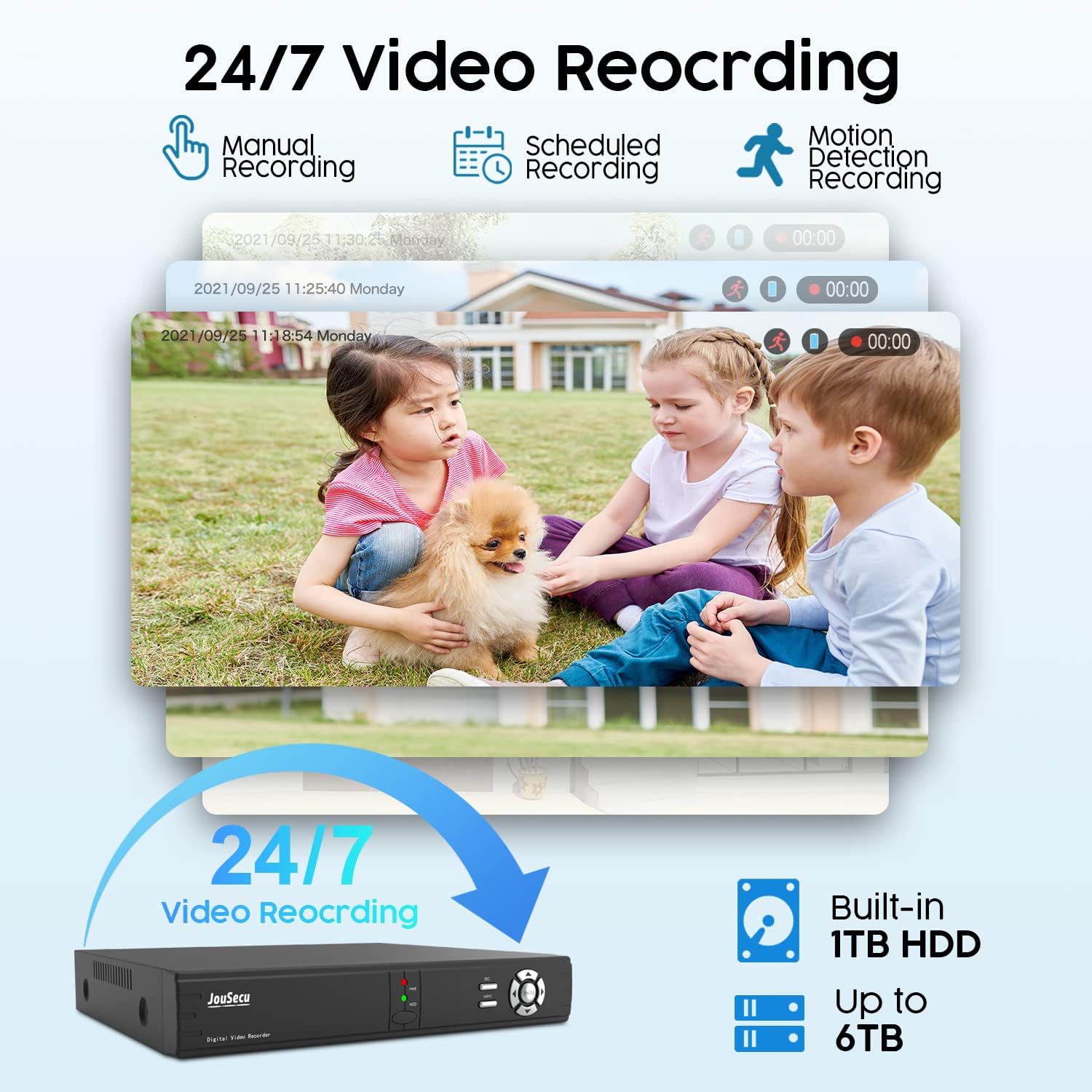
Image: Overview of 24/7 video recording capabilities, highlighting the built-in 1TB HDD and expandable storage up to 6TB, with various recording modes.
3. Customizable Motion Detection
You can define specific motion detection zones for each camera to minimize false alarms. Instant notifications will be pushed to your smartphone via the "Eseecloud" App when unexpected movements are detected.

Image: A visual demonstrating how to customize motion detection zones within the camera's view, showing a person being detected and an instant alert on a smartphone.
4. Indoor/Outdoor Camera Placement
The bullet cameras feature an IP66 waterproof rating, making them suitable for outdoor use. Dome cameras, typically with plastic housing, are ideal for indoor environments.
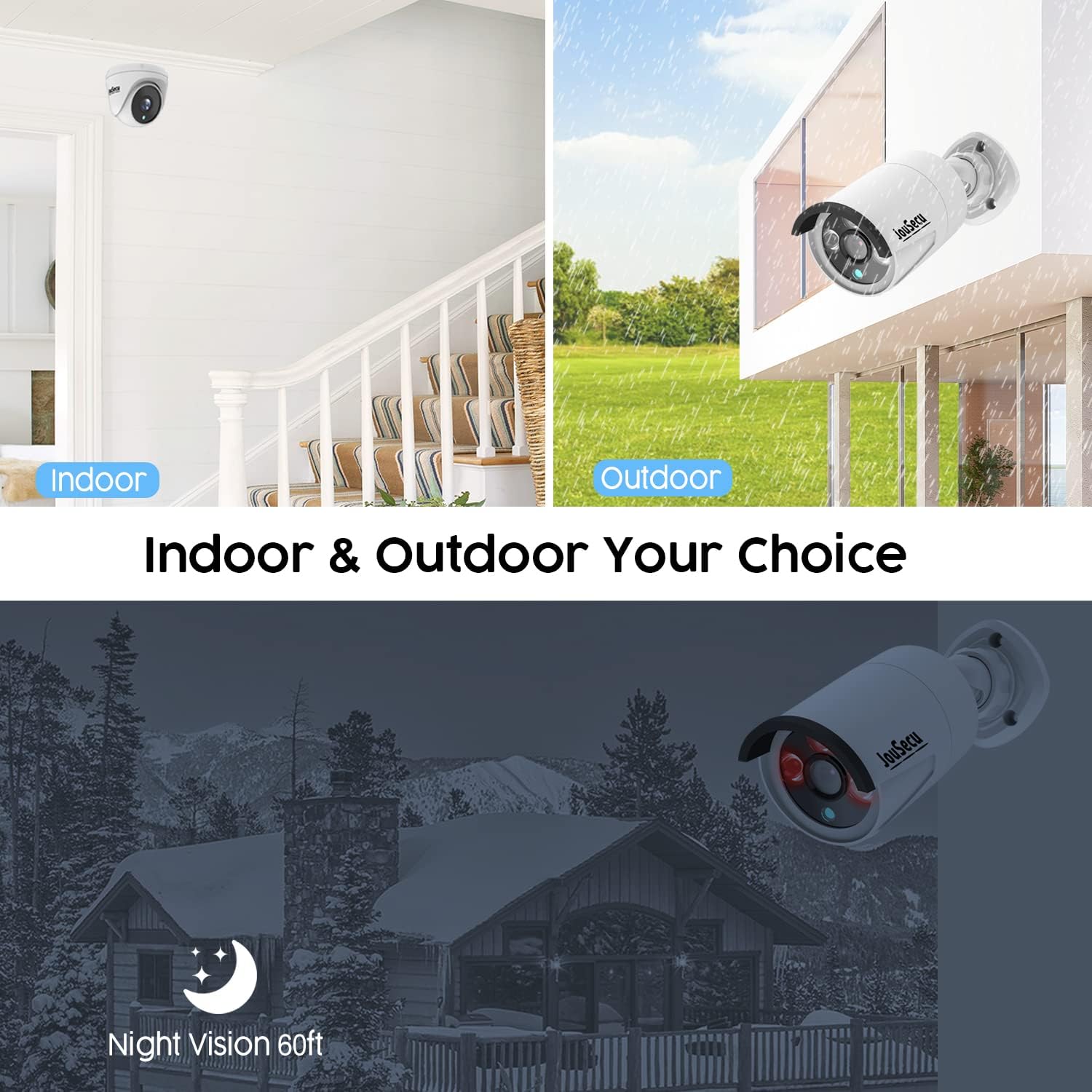
Image: Illustrates the versatility of the cameras for both indoor and outdoor installation, also highlighting the 60ft night vision capability.
Maintenance
- Regular Cleaning: Periodically clean camera lenses and housings to ensure clear image quality. For outdoor cameras, gently wipe away dirt and debris.
- Hard Drive Management: The 1TB HDD provides ample storage. The system is configured to overwrite the oldest records automatically when the HDD is full. You can expand storage up to 6TB if needed.
- Software Updates: Check the Eseecloud app or JouSecu website for any available firmware or software updates to ensure optimal performance and security.
Troubleshooting
| Problem | Solution |
|---|---|
| Too many alerts on the app. |
|
| Camera keeps jumping from normal to night vision. | This could indicate a faulty camera or channel. Try swapping the camera with another working one to isolate the issue. Contact support if the problem persists. |
| No remote view via app/PC. | Ensure the DVR is connected to the internet via the Ethernet port. Verify network settings on the DVR and app. Check your router's internet connection. |
Specifications
| Feature | Detail |
|---|---|
| Brand | JouSecu |
| Model Number | DVR-D2341+4C1T |
| Connectivity Technology | BNC+DC |
| Video Capture Resolution | 1080p |
| Special Features | Motion Sensor, Night Vision |
| Number of Channels | 8 |
| Memory Storage Capacity | 1 TB (expandable up to 6TB) |
| Power Source | AC/DC |
| Item Dimensions L x W x H | 15 x 7.2 x 10.4 inches |
| Compatible Devices | Cameras, Smartphones |
| Signal Format | Analog |
| Night Vision Range | 60 Feet |
| Frame Rate | 30 FPS |
| Recording Mode | HD video |
| Optical Sensor Technology | CMOS |
| Video Input | BNC |
| UPC | 619011992060 |
Warranty and Support
JouSecu is committed to providing high-quality products and excellent customer service. This product comes with a manufacturer's warranty. For specific warranty details, please refer to the warranty card included in your package or contact JouSecu customer support.
We offer life-long after-sales support and services to all customers. If you encounter any issues or have questions regarding your security system, please do not hesitate to contact our support team. You can find contact information on the JouSecu official website or through the Eseecloud app.
For additional resources and FAQs, please visit the JouSecu Store on Amazon.


