
1. Introduction
1.1 Product Overview
The JBL Flip 6 is a portable Bluetooth speaker designed to deliver powerful sound with deep bass. It features a 2-way speaker system, including a racetrack-shaped woofer, a separate tweeter, and dual passive radiators for enhanced audio clarity and bass response. The speaker is built for durability with IP67 waterproof and dustproof ratings, making it suitable for various environments. It offers up to 12 hours of playtime on a single charge and supports JBL PartyBoost for connecting multiple compatible speakers.

Figure 1.1: The JBL Flip 6 Portable Bluetooth Speaker, showcasing its cylindrical design and JBL logo.

Figure 1.2: Internal component diagram of the JBL Flip 6, highlighting the dual passive radiators, racetrack-shaped driver, and tweeter for bold sound and deep bass.

Figure 1.3: The JBL Flip 6 in use, emphasizing its portable design and 12-hour playtime, suitable for outdoor activities.
1.2 What's in the Box
Upon unboxing your JBL Flip 6, verify that all components are present:
- 1 x JBL Flip 6 Portable Bluetooth Speaker
- 1 x Type-C to Type-A charging cable
- Quick Start Guide
- Safety Sheet
- Warranty Card
2. Setup
2.1 Charging the Speaker
Before initial use, fully charge your JBL Flip 6. The speaker is powered by a Lithium Polymer battery. Use the provided Type-C to Type-A charging cable to connect the speaker to a compatible USB power source. A full charge typically takes approximately 2.5 hours.

Figure 2.1: Side panel of the JBL Flip 6, illustrating the power button, Bluetooth pairing button, volume controls, and the USB-C charging port.
2.2 Bluetooth Pairing
To connect your JBL Flip 6 to a Bluetooth-enabled device:
- Power on the JBL Flip 6 by pressing the power button.
- Press the Bluetooth button on the speaker. The LED indicator will flash, indicating it is in pairing mode.
- On your device (smartphone, tablet, laptop), navigate to the Bluetooth settings and select "JBL Flip 6" from the list of available devices.
- Once connected, the LED indicator on the speaker will turn solid, and a confirmation sound will play.
The Bluetooth range is approximately 10 meters (33 feet).
3. Operating the Speaker
3.1 Basic Controls
The JBL Flip 6 features intuitive touch controls for managing playback and volume:
- Power Button: Press to turn the speaker on or off.
- Bluetooth Button: Press to enter Bluetooth pairing mode.
- Volume Up/Down: Press the '+' or '-' buttons to adjust the volume.
- Play/Pause: (Typically integrated with the JBL logo or a dedicated button, refer to Quick Start Guide for exact location) Press once to play or pause audio.
- Skip Track: (Typically integrated with the JBL logo or a dedicated button) Double-press to skip to the next track.
3.2 JBL PartyBoost
JBL PartyBoost allows you to connect multiple JBL PartyBoost-compatible speakers for an enhanced audio experience. You can pair two speakers for stereo sound or link several speakers to amplify the sound across a larger area.
- Ensure both JBL Flip 6 speakers (or other PartyBoost-compatible JBL speakers) are powered on.
- Press the PartyBoost button on the first speaker.
- Press the PartyBoost button on the second speaker.
- The speakers will connect automatically. For stereo mode, use the JBL Portable app to assign left and right channels.

Figure 3.1: The JBL Flip 6 positioned outdoors on a wooden post, demonstrating its portability and suitability for various environments like a beach.
4. Maintenance
4.1 Waterproof and Dustproof Care
The JBL Flip 6 is rated IP67 waterproof and dustproof, meaning it can be submerged in up to one meter of water for up to 30 minutes and is protected against dust ingress. To maintain its integrity:
- Ensure the charging port cover is securely closed before exposing the speaker to water or dust.
- After exposure to water, especially saltwater or chlorinated water, rinse the speaker with fresh water and allow it to air dry completely before charging.
- Avoid exposing the speaker to extreme temperatures or harsh chemicals.
- Do not attempt to charge the speaker if the charging port is wet.

Figure 4.1: The JBL Flip 6 positioned by a swimming pool, demonstrating its fully waterproof and dustproof IP67 rating.
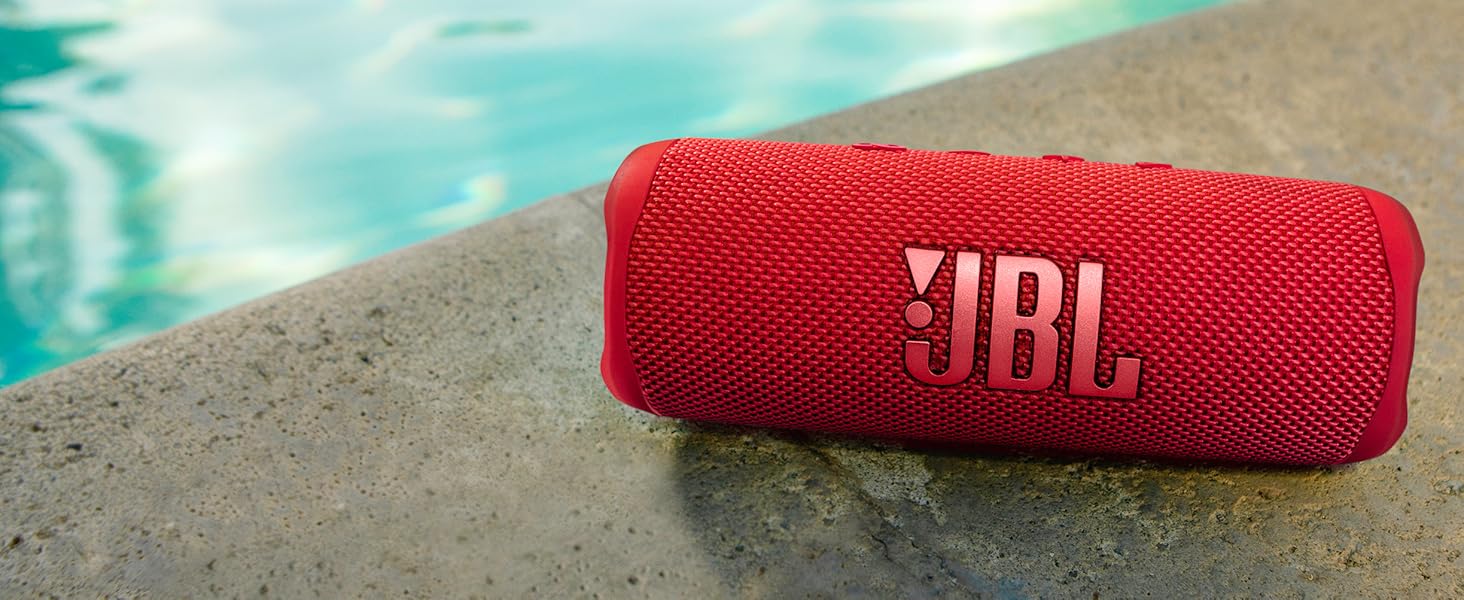
Figure 4.2: The JBL Flip 6 in shallow water, illustrating its robust waterproof design for use in aquatic environments.
5. Troubleshooting
If you encounter issues with your JBL Flip 6, refer to the following common troubleshooting steps:
- No Power: Ensure the speaker is charged. Connect it to a power source using the provided cable.
- Cannot Pair via Bluetooth:
- Ensure the speaker is in Bluetooth pairing mode (flashing LED).
- Turn off and on your device's Bluetooth.
- Move the speaker closer to your device (within 10 meters).
- Clear previous Bluetooth connections on your device and try pairing again.
- No Sound:
- Check the volume levels on both the speaker and your connected device.
- Ensure the speaker is properly paired via Bluetooth.
- Try playing audio from a different application or device.
- PartyBoost Not Connecting:
- Ensure both speakers are PartyBoost-compatible and powered on.
- Press the PartyBoost button on both speakers within a few seconds of each other.
- Update the firmware of your speakers using the JBL Portable app.
For further assistance, consult the Quick Start Guide or contact JBL customer support.
6. Specifications
The following table outlines the key technical specifications for the JBL Flip 6 Portable Bluetooth Speaker:
| Feature | Specification |
|---|---|
| Model Name | Flip 6 |
| Brand | JBL |
| Connectivity Technology | Bluetooth |
| Wireless Communication Technology | Bluetooth |
| Bluetooth Range | 10 Meters |
| Speaker Type | Portable Speaker |
| Audio Output Mode | Stereo |
| Speaker Maximum Output Power | 30 Watts |
| Frequency Response | 20000 Hz |
| Signal-to-Noise Ratio | 80 dB |
| Woofer Diameter | 7.62 Centimeters |
| Tweeter Diameter | 25.4 Millimeters |
| Power Source | Battery Powered |
| Battery Type | Lithium Polymer |
| Battery Capacity | 4800 |
| Charging Time | 2.5 Hours |
| Playtime | Up to 12 Hours |
| Water Resistance Level | IP67 Waterproof and Dustproof |
| Product Dimensions | 2.8"D x 7"W x 2.6"H |
| Item Weight | 1.21 Pounds |
| Control Method | Touch |
| Included Components | Speaker, USB-C Charging Cable, Quick Start Guide, Safety Sheet, Warranty Card |
7. Warranty and Support
7.1 Warranty Information
The JBL Flip 6 comes with a limited warranty. Please refer to the included Warranty Card for specific terms, conditions, and registration details. Retain your proof of purchase for warranty claims.
7.2 Customer Support
For additional support, frequently asked questions, or to download the full user manual, please visit the official JBL website or contact their customer service department. Contact information can typically be found on the Safety Sheet or Warranty Card included with your product.
8. Important Safety Information
Always adhere to the safety guidelines provided in the included Safety Sheet to ensure safe operation and longevity of your JBL Flip 6 speaker. This includes information regarding battery safety, proper disposal, and environmental considerations.
9. Video Resources
No official seller-created instructional videos were found in the provided product data. For visual guides and tutorials, please check the official JBL support channels or website.


