
1. Introduction
Thank you for choosing the Rulefiss Wireless Earbuds i30. These earbuds are designed to provide a high-quality audio experience with features tailored for active lifestyles, including secure earhooks, IP7 waterproofing, and intuitive touch controls. This manual will guide you through the setup, operation, and maintenance of your new earbuds to ensure optimal performance and longevity.
2. Package Contents
- Rulefiss Wireless Earbuds (L/R)
- Charging Case
- USB-C Charging Cable
- Ear Tips (S/M/L)
- User Manual
3. Product Overview
The Rulefiss i30 earbuds feature an ergonomic earhook design for a secure fit during physical activity, along with a compact charging case that provides extended battery life.

Image: The Rulefiss Wireless Earbuds i30, showcasing both earbuds with their earhooks and the open charging case. The earbuds feature green LED indicators, and the case has battery indicator lights.
4. Key Features
- Superior Hi-Fi Stereo Sound Quality: Experience rich bass, clear tenor, and ethereal treble with CVC 8.0 noise cancellation for balanced and natural sound. The built-in microphone ensures clear call quality without interruptions.

Image: An exploded diagram illustrating the internal components of the earbud, highlighting the speaker and sound-producing elements to demonstrate Hi-Fi stereo and deep bass capabilities.
- Comfortable Earhook Design For Sports: Adjustable and secure-fit silicone earhooks ensure the earbuds remain firmly in place during sports, running, and other activities. Includes three pairs of spare ear caps (L/M/S) for a customized, comfortable fit during extended wear.
- One Step Pairing and Wide Compatibility: Earbuds automatically pair with your smart device after the initial connection when removed from the charging case. Compatible with smartphones running iOS 9.0/Android 5.0 or above, and all Bluetooth 4.0 or above devices, including mobile phones, tablets, PCs, and laptops.
- Bluetooth 5.1 and Smart Touch Control: Equipped with the latest Bluetooth 5.1 chip for a clearer, faster, and smoother connection. High-sensitivity touch sensors allow for easy control of calls (answer/hang up), music playback (play/pause, adjust volume, switch songs), and voice assistant activation (Siri).

Image: A man wearing the Rulefiss i30 earbud, with overlaid icons illustrating various smart touch control functions such as modulation, switching songs, answering calls, and activating Siri.
- 40H Playtime and IP7 Waterproof: Enjoy 6-8 hours of playtime on a single charge, extended to 40 hours with the 400mAh compact Type-C charging case. Constructed with an IP7 waterproof standard, these sport headphones are resistant to sweat and rain, making them suitable for gym, running, and daily exercise.

Image: The Rulefiss Wireless Earbuds i30 in their charging case, with text indicating '8H Earbud Playtime', '32H With Charging Case', and '1H Earbud Charging Time', emphasizing the extended battery life.
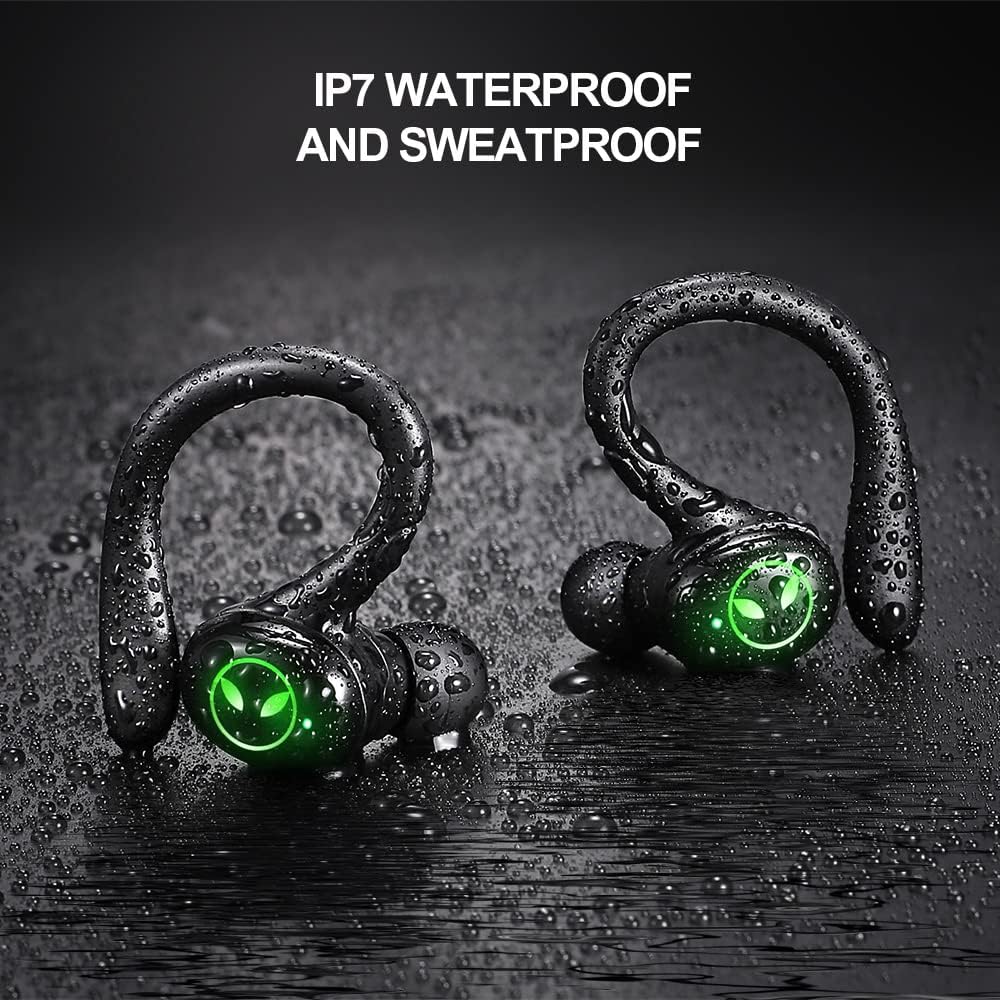
Image: Two Rulefiss Wireless Earbuds i30, covered in water droplets, illustrating their IP7 waterproof and sweatproof capabilities against a dark background.
5. Setup Guide
5.1 Initial Charging
- Before first use, ensure to remove the protective plastic film from the charging contacts on both earbuds.
- Place both earbuds into the charging case.
- Connect the USB-C charging cable to the charging port on the case and plug the other end into a USB power adapter (not included).
- The indicator lights on the charging case will illuminate to show charging status. Allow the earbuds and case to fully charge before first use.
5.2 Pairing with Your Device
- Ensure Bluetooth is enabled on your smartphone or other device.
- Open the charging case and take out both earbuds. They will automatically power on and enter pairing mode.
- On your device, search for Bluetooth devices and select "Rulefiss i30" from the list.
- Once connected, you will hear a confirmation prompt, and the earbud indicator lights will turn off or flash slowly.
- For subsequent uses, the earbuds will automatically connect to the last paired device when removed from the case.
6. Operating Instructions
6.1 Wearing the Earbuds
Identify the left (L) and right (R) earbuds. Gently insert each earbud into your ear canal and rotate it slightly to ensure the earhook sits comfortably and securely over your ear. Adjust the earhook for a snug fit.
6.2 Touch Control Functions
The Rulefiss i30 earbuds feature sensitive touch controls on the outer surface of each earbud.
| Function | Action |
|---|---|
| Play/Pause Music | Single tap on either earbud |
| Volume Up | Tap and hold right earbud |
| Volume Down | Tap and hold left earbud |
| Next Song | Double tap right earbud |
| Previous Song | Double tap left earbud |
| Answer/End Call | Single tap on either earbud |
| Reject Call | Tap and hold on either earbud |
| Activate Voice Assistant (Siri/Google Assistant) | Triple tap on either earbud |
7. Maintenance and Care
7.1 Cleaning
- Regularly clean the earbuds and charging case with a soft, dry, lint-free cloth.
- Do not use abrasive cleaners, alcohol, or chemical solvents.
- Clean the charging contacts on both the earbuds and the case to ensure proper charging.
7.2 Water Resistance (IP7)
The Rulefiss i30 earbuds are IP7 waterproof, meaning they can withstand immersion in water up to 1 meter for 30 minutes. They are resistant to sweat and rain. However, they are not designed for swimming or prolonged submersion. Ensure earbuds are dry before placing them back into the charging case to prevent damage.
7.3 Storage
When not in use, store the earbuds in their charging case to protect them from dust and physical damage. Store in a cool, dry place away from extreme temperatures.
8. Troubleshooting
| Problem | Possible Solution |
|---|---|
| Earbuds not pairing with device |
|
| Only one earbud working |
|
| Earbuds not charging |
|
| Low volume or poor sound quality |
|
9. Specifications
| Feature | Detail |
|---|---|
| Model | i30 |
| Bluetooth Version | 5.1 |
| Wireless Range | Standard Bluetooth range (typically up to 10 meters/33 feet) |
| Playtime (Earbuds) | 6-8 hours (single charge) |
| Total Playtime (with Charging Case) | Up to 40 hours |
| Charging Case Battery Capacity | 400mAh |
| Charging Port | Type-C |
| Water Resistance Rating | IP7 |
| Microphone | Built-In |
| Noise Control | CVC 8.0 Noise Cancellation |
| Control Method | Touch |
| Material | Plastic |
| Item Weight | 62 Grams |
| Product Dimensions | 8.38 x 5.75 x 3.25 cm |
10. Warranty and Support
Rulefiss products are designed and manufactured to the highest quality standards. For information regarding warranty coverage, technical support, or customer service, please refer to the contact details provided on the product packaging or visit the official Rulefiss website. Please retain your proof of purchase for warranty claims.
