1. Introduction
The Tilta Mirage Matte Box VND Kit is a lightweight and modular camera accessory designed to enhance your filmmaking capabilities. It offers versatile filter options, including a 95mm variable neutral density (VND) filter, and supports both new 95mm circular filters and traditional 4x5.6 filters. Its modular design makes it ideal for various shooting scenarios, from handheld setups to gimbals and drones. The kit is built with durable aluminum and is designed for ease of use and expandability.
2. What's in the Box
Please verify that all components listed below are included in your Tilta Mirage Matte Box VND Kit:
- Tilta Mirage Matte Box (MB-T16) x 1
- 95mm Variable ND Filter Tray for Tilta Mirage (MB-T16-VND) x 1
- 15mm LWS Support for Tilta Mirage (MB-T16-LS) x 1
- Nucleus Nano Motor Adapter for Tilta Mirage (MB-TM-NMA) x 1
- Advanced Soft Carrying Case for Tilta Mirage (MB-T16-SCC-A) x 1
- 82/77/72/67mm Adapter Rings

Figure 1: All components included in the Tilta Mirage Matte Box VND Kit.
3. Setup
3.1 Attaching the Matte Box to Your Lens
The Tilta Mirage Matte Box can be clamped directly onto cine lenses with a 95mm front diameter. For DSLR and mirrorless lenses, use the included 82/77/72/67mm adapter rings to match your lens's filter thread size to the 95mm matte box opening.

Figure 2: The Tilta Mirage Matte Box attached to a camera lens.
3.2 Installing Filters
The matte box supports both new 95mm circular filters and 4x5.6 filters. To install a filter, simply slide it into the designated slot until it locks into place. The new insert filter design makes filter changes quick and efficient.
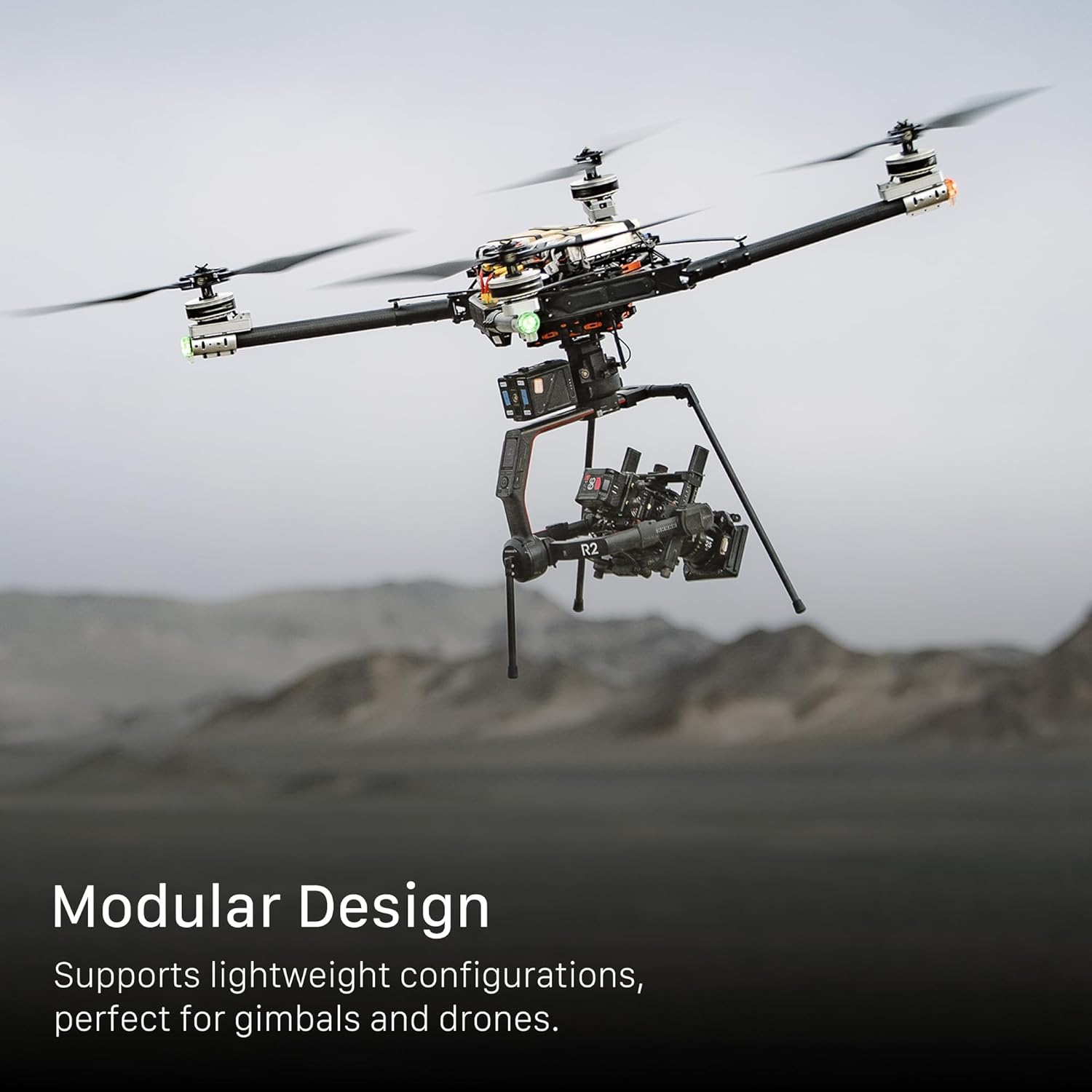
Figure 3: Easy filter installation with the slide and lock mechanism.
3.3 Optional 15mm LWS Support
For added stability, especially with heavier setups, attach the 15mm LWS Support to your camera rig and then to the matte box. This provides robust support and prevents strain on your lens mount.
4. Operating Instructions
4.1 Using the Variable ND Filter
The included 95mm Variable ND Filter Tray offers 0.3 to 2.7 stops of gradual adjustment, allowing precise control over exposure without compromising natural color rendition. The VND can be adjusted manually via the integrated knob on the matte box.

Figure 4: Adjusting the Variable ND Filter on the Tilta Mirage Matte Box.
4.2 Filter Compatibility and Stacking
The Tilta Mirage supports a wide range of 95mm circular filters, including streak filters, pro-mist filters, and more. You can also stack multiple 95mm circular filters by purchasing additional trays and frames. The matte box also accommodates standard 4x5.6 filters.

Figure 5: Explore various creative effects with Tilta Mirage 95mm circular filters.
4.3 Optional Motorized Control
For advanced control, the Nucleus Nano Motor Adapter allows you to remotely control the VND filter wirelessly using Tilta Nucleus hand units. This is particularly useful for dynamic shooting environments or when precise adjustments are needed without touching the camera.

Figure 6: Wireless control of the VND filter for seamless adjustments.
4.4 Modular Design and Versatility
The modular design supports lightweight configurations, making it perfect for gimbals and drones. You can easily switch between different hoods or use the matte box without a hood depending on your shooting scenario. The aerodynamically designed front hood minimizes wind drag during car shots and drone shots.
Figure 7: The Tilta Mirage Matte Box's modularity supports various camera setups, including drones.
4.5 Official Product Videos
Introducing the Tilta Mirage Motorized VND Matte Box
This video provides a comprehensive introduction to the Tilta Mirage Motorized VND Matte Box, highlighting its key features and benefits for filmmakers.
Take your filmmaking to the next level with Tilta Mirage
Discover how the Tilta Mirage can elevate your filmmaking with its versatile design and advanced functionalities, showcased in various production scenarios.
Tilta Mirage 95mm Effect Filter Showcase
This video demonstrates the creative possibilities of the Tilta Mirage 95mm effect filters, showing how they can transform your footage.
5. Maintenance
To ensure the longevity and optimal performance of your Tilta Mirage Matte Box VND Kit, follow these maintenance guidelines:
- Cleaning: Regularly wipe down the matte box body and filters with a soft, lint-free cloth. For filters, use a specialized lens cleaning solution and cloth to avoid scratches or smudges.
- Storage: When not in use, store the matte box and all its components in the provided Advanced Soft Carrying Case. This protects them from dust, moisture, and physical damage.
- Handling: Always handle the filters by their edges to prevent fingerprints on the glass. Avoid dropping the matte box or subjecting it to harsh impacts.
6. Troubleshooting
If you encounter any issues with your Tilta Mirage Matte Box VND Kit, please refer to the common problems and solutions below:
- Vignetting: If you observe dark corners in your footage, especially with wider lenses, ensure the matte box is properly aligned and that no accessories are obstructing the lens's field of view. The Golden Ratio Design helps minimize vignetting with lenses wider than 18mm.
- Color Cast with VND: Some variable ND filters may introduce a slight color cast, particularly at their maximum density settings. This is a common characteristic of VND filters. If precise color accuracy is critical, consider using fixed ND filters or adjusting color balance in post-production.
- Filter Sticking/Difficulty Inserting: Ensure the filter slots are clean and free of debris. Gently slide the filter in, ensuring it's aligned correctly. Do not force the filter.
- Motorized VND Not Responding: Check the battery level of the Nucleus Nano Motor and ensure it's securely attached to the matte box. Verify that the wireless connection with your hand unit is established.
7. Specifications
| Feature | Detail |
|---|---|
| Brand | Tilta |
| Model Number | MB-T16-A |
| Product Dimensions | 11.7 x 9.4 x 4.7 inches |
| Item Weight | 3.83 pounds |
| Material | Aluminum |
| Photo Filter Size | 95 Millimeters |
| Photo Filter Effect Type | Variable Neutral Density |
| Water Resistance Level | Not Water Resistant |
| Date First Available | September 15, 2021 |
8. Warranty & Support
For warranty information, technical support, or to purchase additional accessories, please visit the official Tilta Store or refer to the user guide PDF.
- Official User Guide (PDF): Download User Guide
- Tilta Brand Store: Visit Tilta Store


