
Beech Lane BL-117-C
Beech Lane RV Fridge Fan Instruction Manual
Model: BL-117-C / 856152008803
Brand: Beech Lane
1. Product Overview
The Beech Lane RV Fridge Fan is designed to efficiently circulate cold air within your RV refrigerator, promoting consistent cooling and helping to prevent food spoilage. It features a high-power 3,000 RPM motor and durable construction, ensuring reliable performance. This battery-powered fan is an essential accessory for any RV owner looking to optimize their refrigerator's efficiency.

Image: The Beech Lane RV Fridge Fan, a compact white unit with a top fan grill and a red on/off switch on the side.

Image: The RV Fridge Fan placed inside an RV refrigerator, circulating air around food items like lettuce and bell peppers.
2. Safety Information
- Ensure the fan is placed on a stable, flat surface within the refrigerator.
- Do not immerse the fan in water or any other liquid.
- Keep out of reach of children and pets.
- Use only the specified battery type (2 D batteries). Do not mix old and new batteries, or different types of batteries.
- Remove batteries if the fan will not be used for an extended period to prevent leakage.
- Do not attempt to disassemble or repair the fan yourself. Contact customer support for assistance.
3. Package Contents
Upon opening your package, you should find the following item:
- Beech Lane RV Fridge Fan (1 unit)
Note: 2 D batteries are required for operation and are not included in the package.
4. Specifications
| Feature | Detail |
|---|---|
| Brand | Beech Lane |
| Model Number | BL-117-C / 856152008803 |
| Color | Natural |
| Power Source | Battery Powered (2 x D batteries, not included) |
| Motor Speed | 3,000 RPM |
| Number of Blades | 4 |
| Recommended Use | RV Fridge Air Circulation |
| Item Weight | 6.4 Ounces |
| Dimensions (Package) | 3.78 x 3.31 x 3.23 inches |
5. Setup and Installation
- Open Battery Compartment: Gently remove the top grill of the fan to access the battery compartment.

Image: A hand holding the fan with the top grill removed, showing the battery compartment ready for D batteries.
- Insert Batteries: Insert two (2) D batteries into the compartment, ensuring correct polarity (+/-) as indicated inside the compartment.
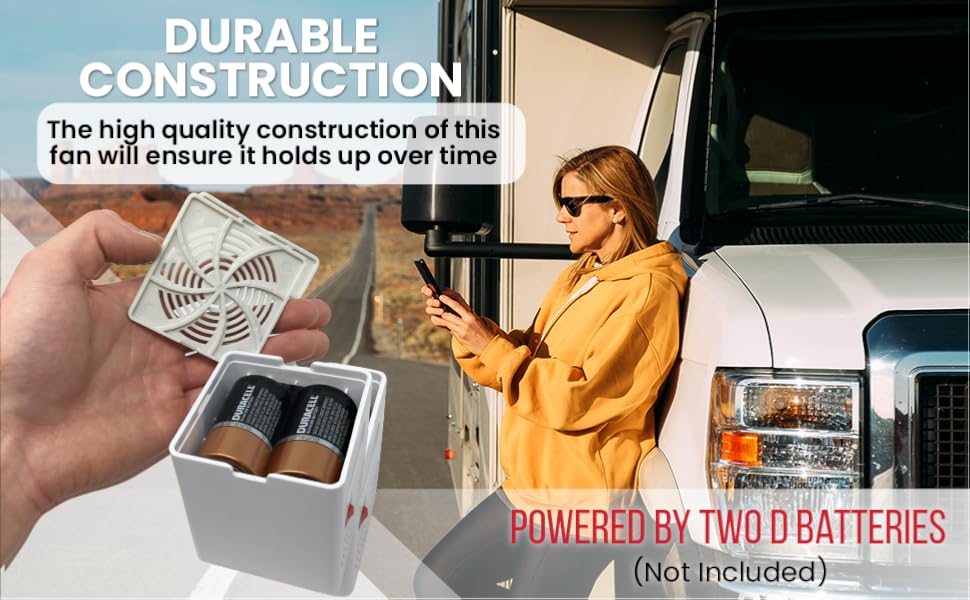
Image: The fan with the top cover removed, showing two D batteries inserted into the compartment. The text "Powered By Two D Batteries (Not Included)" is visible.
- Close Compartment: Replace the top grill securely.
- Placement: Place the fan inside your RV refrigerator, ideally on a shelf where it can best circulate air. The fan's design with multiple side vents and a proprietary spiderweb top ensures optimal airflow.
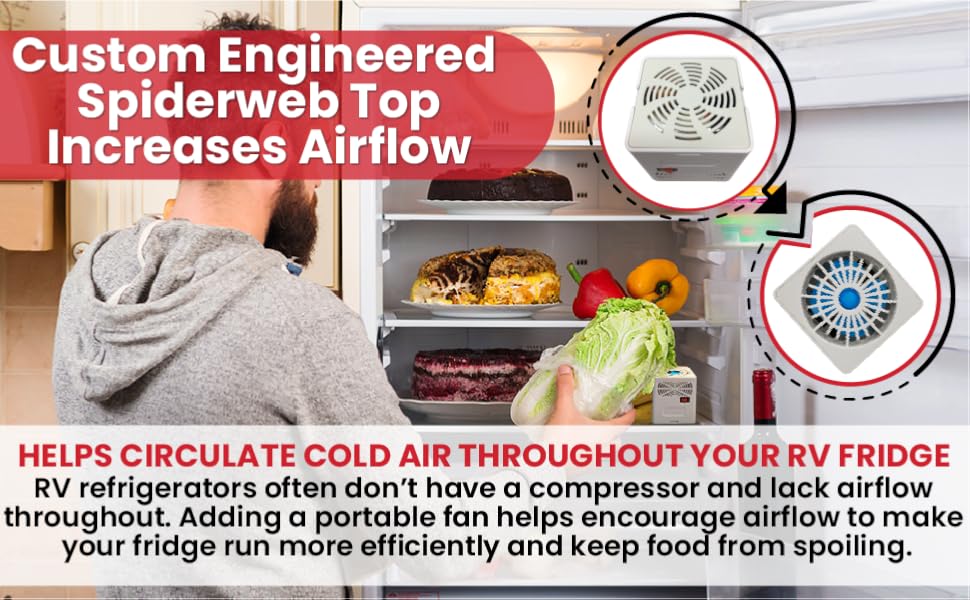
Image: Close-up of the fan's top grill, highlighting the "Custom Engineered Spiderweb Top" and side vents designed for increased airflow.
6. Operating Instructions
The Beech Lane RV Fridge Fan is designed for simple operation:
- Turning On: Locate the red on/off switch on the side of the fan. Push the switch to the "ON" position to start the fan.
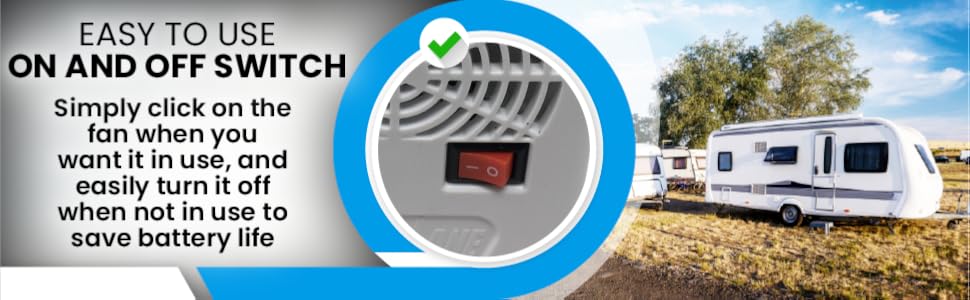
Image: A close-up of the fan's side, showing the red easy-to-use on/off switch.
- Turning Off: To conserve battery life, push the switch to the "OFF" position when the fan is not needed.
The fan operates at a high speed of 3,000 RPM to ensure effective air circulation.
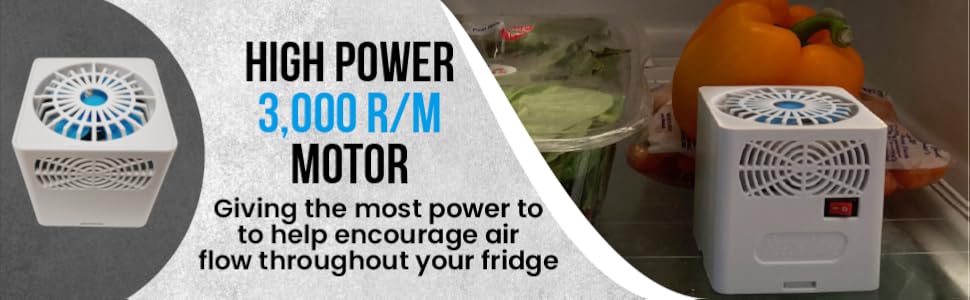
Image: The fan with text highlighting its "High Power 3,000 R/M Motor" for enhanced airflow.
7. Maintenance
- Cleaning: Periodically wipe the exterior of the fan with a soft, damp cloth. Do not use abrasive cleaners or immerse the unit in water.
- Battery Replacement: Replace batteries when you notice a decrease in fan speed or performance. Always replace both D batteries at the same time.
- Storage: If storing the fan for an extended period, remove the batteries to prevent potential leakage and damage to the unit. Store in a cool, dry place.
8. Troubleshooting
| Problem | Possible Cause | Solution |
|---|---|---|
| Fan does not turn on. |
|
|
| Fan runs slowly or weakly. |
|
|
| Fan is noisy. |
|
|
9. Warranty and Support
The Beech Lane RV Fridge Fan comes with a Lifetime Manufacturer Warranty. If the fan ever stops working properly or is damaged, it is covered for free no-hassle product replacement.

Image: Graphic indicating "Lifetime Manufacturer Coverage" and "USA Based Company & Product Support".
For any questions, concerns, or to claim your warranty, please contact Beech Lane customer service. Our USA-based customer service team is dedicated to providing the best support possible.
Contact Information:
- Website: Visit the Beech Lane Store on Amazon
- Email: [Refer to product packaging or official website for direct email]
- Phone: [Refer to product packaging or official website for direct phone number]
Ask a question about this manual
Ask about setup, troubleshooting, compatibility, parts, safety, or missing instructions. Manuals+ will review the question and use this page’s manual context to help answer it.