
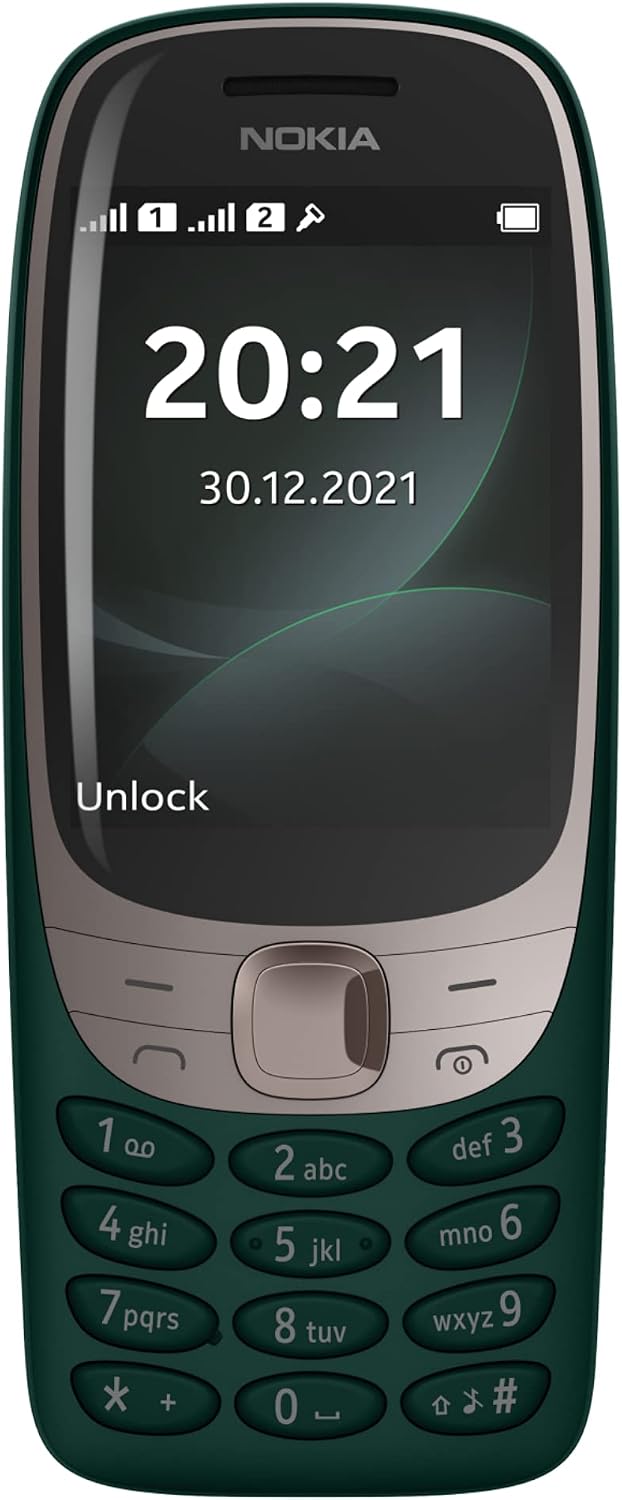
1. Setup
1.1 Package Contents
Ensure your package contains the following items:
- Nokia 6310 TA-1400 Mobile Phone
- Battery (Lithium Ion)
- Charger
- Quick Start Guide
1.2 Inserting the SIM Card and Battery
To begin using your phone, you must first insert the SIM card(s) and the battery.
- Power off the phone and disconnect any charger.
- Carefully remove the back cover of the phone.
- If present, remove the battery.
- Insert the SIM card(s) into the designated slot(s) with the gold contacts facing down. This phone supports Dual SIM functionality.
- Insert the battery, aligning the contacts.
- Replace the back cover until it clicks into place.

Image: Rear view of the Nokia 6310 in green, highlighting the camera lens and LED flash.
1.3 Charging the Battery
Before first use, fully charge the battery.
- Connect the charger to a power outlet.
- Plug the charger cable into the phone's charging port.
- The battery indicator on the screen will show charging status.
- Once fully charged, disconnect the charger.
2. Operating Instructions
2.1 Power On/Off
- To power on: Press and hold the Power key (red button) until the phone vibrates and the Nokia logo appears.
- To power off: Press and hold the Power key, then select 'Power off' from the options.
2.2 Making Calls
- From the home screen, enter the phone number using the keypad.
- Press the Call key (green button) to initiate the call.
- To end a call, press the End key (red button).
2.3 Sending Messages
- Go to Menu > Messages > Create message.
- Type your message using the keypad.
- Enter the recipient's phone number or select from contacts.
- Select 'Send'.
2.4 Using the Camera
The Nokia 6310 features a rear camera with flash.
- Go to Menu > Camera.
- Frame your shot using the screen.
- Press the center navigation key to take a photo.

Image: Angled front view of the Nokia 6310 in green, showcasing the curved display and tactile keypad.
2.5 FM Radio
The phone includes a wireless FM radio.
- Go to Menu > Radio.
- Select 'Auto tune' to find available stations.
- Use the navigation keys to change stations or adjust volume.
2.6 Playing Snake
The classic Snake game is pre-loaded on your device.
- Go to Menu > Games > Snake.
- Use the navigation keys to control the snake.
3. Care and Maintenance
- Cleaning: Use a soft, dry cloth to clean the phone's surface. Avoid liquid cleaners.
- Storage: Store the phone in a cool, dry place away from direct sunlight and extreme temperatures.
- Battery Care: Do not expose the battery to extreme temperatures or dispose of it in fire. Use only approved chargers.
- Water Resistance: This phone is not water-resistant. Avoid exposure to moisture.
4. Troubleshooting Common Issues
| Problem | Solution |
|---|---|
| Phone does not power on | Ensure the battery is correctly inserted and charged. Try charging the phone for at least 30 minutes. |
| Cannot make or receive calls | Check if the SIM card is properly inserted. Verify that you have network coverage. Contact your service provider if the issue persists. |
| Battery drains quickly | Reduce screen brightness. Close unused applications. Ensure the battery is not old or damaged. |
| Keypad not responding | Restart the phone. Ensure no physical obstruction is affecting the keys. |
5. Technical Specifications
| Feature | Detail |
|---|---|
| Model Name | NOKIA 6310 |
| Brand | Nokia |
| Operating System | Nokia Series 30+ |
| Screen Size | 2.8 Inches |
| Resolution | 720p |
| Refresh Rate | 70 Hz |
| CPU Model | A-Series |
| CPU Speed | 1.1 GHz |
| RAM Memory Installed | 0.02 GB |
| Memory Storage Capacity | 32 GB (expandable via microSD, not included) |
| Batteries | 1 Lithium Ion battery (included) |
| Product Dimensions | 13.6 x 5.6 x 1.4 cm |
| Weight | 100 g |
6. Warranty and Support
6.1 Warranty Information
Your Nokia 6310 TA-1400 mobile phone is covered by a limited manufacturer's warranty. Please refer to the warranty card included in your product packaging for specific terms, conditions, and duration of coverage. Keep your proof of purchase for warranty claims.
6.2 Support
For further assistance, technical support, or service inquiries, please visit the official Nokia support website or contact their customer service. Contact details can typically be found on the Nokia website or in your product documentation.


