
le-idea IDEA31
le-idea IDEA31 Professional Drone Instruction Manual
Model: IDEA31
Introduction
This manual provides comprehensive instructions for the safe operation, setup, and maintenance of your le-idea IDEA31 Professional Drone. Please read this manual thoroughly before operating the drone to ensure proper use and to prevent damage or injury.
Safety Guidelines
- The drone is not recommended for children under 14 years old.
- Always operate the drone in a clear, open area. Avoid flying indoors, near electrical pylons, large trees, buildings, or other obstacles.
- Ensure both the drone battery and the remote control are fully charged before each flight to prevent unexpected power loss during operation.
- After gyroscope and compass calibration, wait 1 to 2 minutes for the drone to acquire satellite signals. This ensures accurate GPS positioning and prevents loss of control.
- For any questions or issues during use, please contact customer support.
Package Contents
Verify that all components are present in the package:
- le-idea IDEA31 Drone
- Remote Control
- Modular Battery (7.4V 1600mAh)
- USB Charging Cable
- Spare Propellers
- Screwdriver
- User Manual
- Carrying Case

Image: Contents of the le-idea IDEA31 drone package, including the drone, remote control, battery, charging cable, spare propellers, screwdriver, and carrying case.
Setup Guide
1. Unfolding the Drone
Gently unfold the drone arms until they lock into position. The foldable design makes the drone compact for transport.

Image: The le-idea IDEA31 drone in its folded state, ready for transport or storage.
2. Battery Installation and Charging
- Insert the modular battery into the designated compartment on the drone until it clicks securely.
- To charge, remove the battery and connect it to the USB charging cable. Connect the cable to a suitable USB power source (e.g., computer, USB wall adapter).
- Ensure the battery is fully charged before each flight. A full charge provides approximately 20 minutes of flight time.
3. Remote Control Setup
- Install the required batteries (not specified in JSON, assuming standard AA/AAA) into the remote control.
- Power on the remote control.
- Download the official le-idea drone application on your smartphone for FPV viewing and advanced control features.
4. Pairing the Drone and Remote Control
- Place the drone on a flat, level surface.
- Power on the drone.
- Power on the remote control.
- Follow the pairing instructions in the app or the remote control's indicator lights to establish a connection.
5. Calibration
- Perform gyroscope calibration as instructed by the app or manual.
- Perform compass calibration as instructed by the app or manual.
- Wait 1-2 minutes for GPS signal acquisition after calibration, especially for outdoor flights.
Operating Instructions
Flight Controls
Refer to the remote control diagram in your physical manual for specific joystick and button functions. Basic controls include:
- Take-off/Landing: One-key take-off and landing functions simplify initial flight.
- Altitude Hold: The optical flow positioning sensor assists in maintaining a stable hover, even indoors.
- Directional Control: Use joysticks to control ascent/descent, forward/backward, and left/right movement.

Image: The le-idea IDEA31 drone demonstrating stable indoor flight using optical flow positioning.
Advanced Flight Features
- GPS Positioning: The advanced GPS function tracks the drone's specific position, ensuring safe flight and automatic return-to-home capabilities.
- Optical Flow Positioning: Integrated sensor provides real-time optical flow information for precise hovering.
- Headless Mode: In Headless Mode, the drone's orientation is relative to the pilot, simplifying control regardless of the drone's front direction.
- One-Key Return: Initiates an automatic return to the take-off point. This feature also activates for Low Power Return, WiFi Disconnection Auto Return, and Remote Disconnection Auto Return.
- Surround Mode: The drone can orbit a designated point of interest.
- Waypoint Mode: Plan a flight path by setting multiple waypoints on the map within the app.
- Gesture Photo/Video: Use specific hand gestures to trigger photo or video recording.

Image: Illustration of the drone's GPS satellite precise positioning and intelligent anti-lost system, highlighting features like One Key Return and Low Power Return.
Camera Operation
The IDEA31 drone is equipped with a 1080P HD camera for high-definition footage and FPV live video streaming.
- Resolution: 1080P HD video recording and still image capture.
- Field of View: 120° wide-angle lens.
- Adjustable Angle: The camera angle can be adjusted by 90° via the remote control or app.
- FPV Transmission: Utilizes 5GHz WiFi for advanced signal transmission, providing FPV (First Person View) up to 250 meters.

Image: Examples of UHD aerial photography captured by the le-idea IDEA31 drone, showcasing various outdoor scenes.
Maintenance
- Cleaning: Use a soft, dry cloth to clean the drone body and camera lens. Avoid using harsh chemicals.
- Propeller Inspection: Regularly check propellers for any damage (cracks, bends). Replace damaged propellers immediately using the provided spare parts and screwdriver.
- Battery Care: Store batteries in a cool, dry place. Do not overcharge or over-discharge. If storing for extended periods, charge to approximately 50-60%.
- Motor Care: The drone features brushless motors, which require less maintenance compared to brushed motors and offer a longer lifespan. Keep them free from dust and debris.
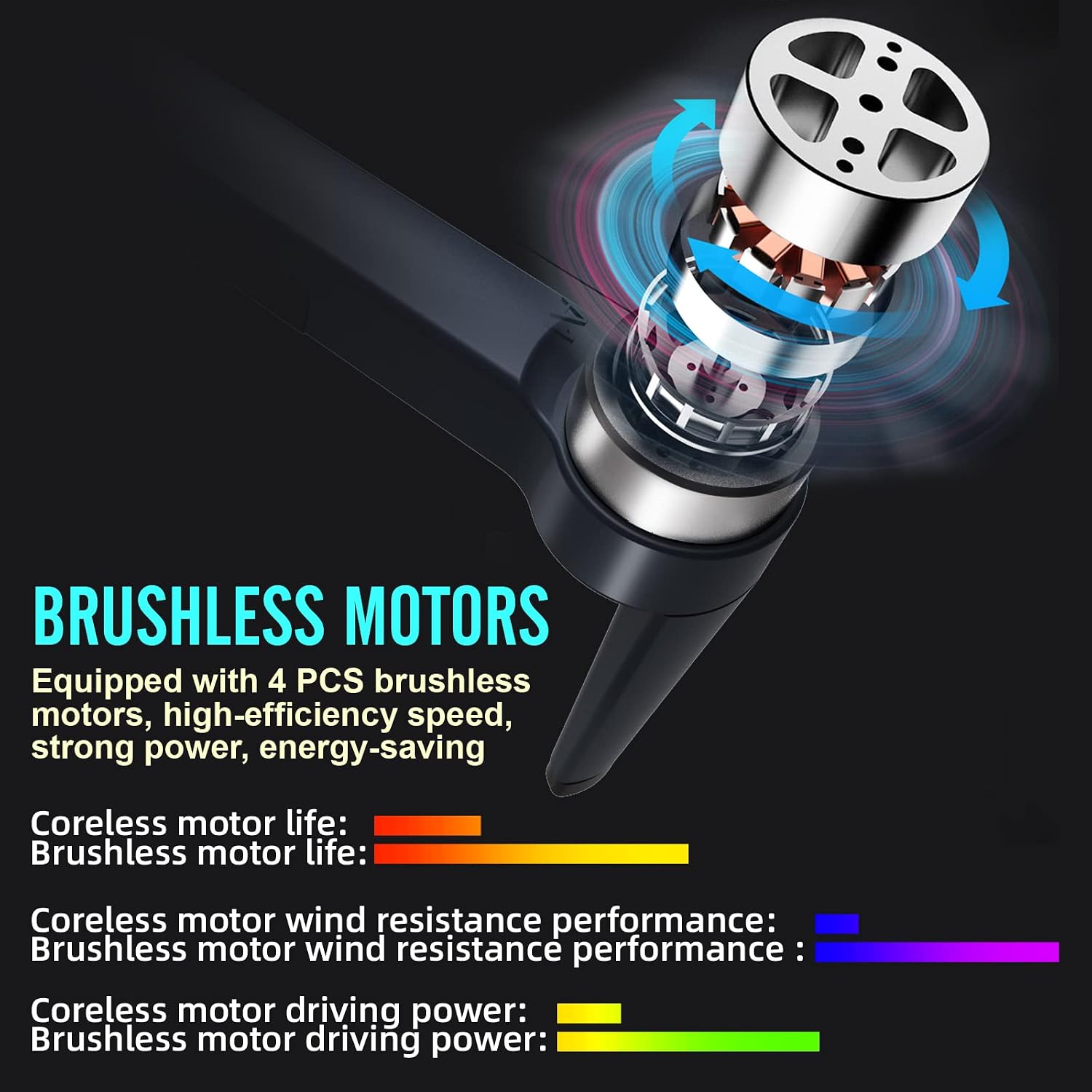
Image: A close-up view of the drone's brushless motors, highlighting their high efficiency and durability.
Troubleshooting
| Problem | Possible Cause | Solution |
|---|---|---|
| Drone does not power on. | Battery not charged or improperly installed. | Ensure battery is fully charged and correctly inserted. |
| Drone loses connection with remote. | Out of range, interference, or low remote battery. | Fly within operational range (up to 250m for FPV, 500m remote control). Check remote battery. Re-pair if necessary. |
| Unstable flight or drifting. | Improper calibration, strong winds, or damaged propellers. | Perform gyroscope and compass calibration. Avoid flying in strong winds. Inspect and replace damaged propellers. |
| Poor camera image quality or no FPV feed. | Weak WiFi signal, dirty lens, or app issue. | Ensure strong 5GHz WiFi connection. Clean camera lens. Restart app and drone. |
| GPS not locking or inaccurate positioning. | Insufficient satellite signals, flying indoors, or interference. | Fly in an open outdoor area. Wait 1-2 minutes after calibration for GPS lock. Avoid areas with high interference. |
Specifications
| Feature | Detail |
|---|---|
| Model | IDEA31 |
| Brand | le-idea |
| Dimensions (L x W x H) | 23 x 18.4 x 6 cm |
| Item Weight | 237 grams |
| Camera Resolution | 1080P HD (Video & Still) |
| Effective Still Resolution | 2.1 Megapixels |
| Video Capture Format | MP4 |
| Camera Adjustable Angle | 90° |
| Field of View | 120° |
| Connectivity Technology | 5GHz Wi-Fi |
| Battery Type | 7.4V 1600mAh Modular Battery |
| Flight Time | Approximately 20 minutes |
| Motor Type | Brushless Motors |
| Remote Control Range | Up to 500 meters (specific range for FPV is 250m) |
| Age Range (Description) | Adult |
Warranty and Support
Warranty Information
le-idea provides a 3-month product replacement service if the product does not appear to have been damaged by human error. This warranty covers manufacturing defects and malfunctions under normal use.
Customer Support
If you encounter any issues with your drone, have questions regarding its operation, or require assistance, please do not hesitate to contact our after-sales support team. We are committed to providing a satisfactory experience.
For detailed usage videos or further assistance, please reach out to our customer service.
Related documentsIDEA31

Ask a question about this manual
Ask about setup, troubleshooting, compatibility, parts, safety, or missing instructions. Manuals+ will review the question and use this page’s manual context to help answer it.