
Denon AHC830NCWWT
Denon AH-C830NCW Active Noise Cancelling Earbuds User Manual
This manual provides comprehensive instructions for the setup, operation, and maintenance of your Denon AH-C830NCW True Wireless In-Ear Headphones. Designed for exceptional sound clarity and an active lifestyle, these earbuds feature Active Noise Cancellation, long battery life, and a durable, sweat-resistant design.
1. Getting Started: Setup
1.1 What's in the Box
- Pair of Denon AH-C830NCW Earbuds
- Charging Case
- Silicone Ear Tips (Sizes: Small, Medium, Large)
- 8-inch USB-C to USB-A Charging Cable
- Documentation (this manual)
1.2 Initial Charging
Before first use, fully charge your Denon AH-C830NCW earbuds and their charging case. Place the earbuds into the charging case. Connect the supplied USB-C cable to the charging case and a USB power source. The indicator light on the case will show charging status. A full charge provides up to 6 hours of continuous music playback for the earbuds, with the charging case extending total listening time to up to 24 hours.

Image: Denon AH-C830NCW earbuds in their charging case, highlighting the extended battery life.
1.3 Pairing with Your Device
The AH-C830NCW earbuds are designed for effortless connectivity. To pair:
- Ensure the earbuds are fully charged.
- Open the charging case. The earbuds will automatically enter pairing mode.
- On your smartphone, tablet, or other Bluetooth-enabled device, go to the Bluetooth settings and select "Denon AH-C830NCW" from the list of available devices.
- For Android users, Google Fast Pair simplifies this process, allowing for quick and convenient pairing.
- The earbuds can connect to up to eight Bluetooth devices.

Image: The Denon AH-C830NCW white earbuds resting in their open charging case, indicating they are ready to be paired with a device.
1.4 Achieving the Perfect Fit
A secure and comfortable fit is crucial for optimal sound quality and noise cancellation. The AH-C830NCW comes with three sizes of silicone ear tips (Small, Medium, Large). Experiment with each size to find the one that creates a snug seal in your ear canal. The earbuds have undergone extensive ear canal simulations to ensure an ergonomic shape for maximum comfort during extended listening sessions.
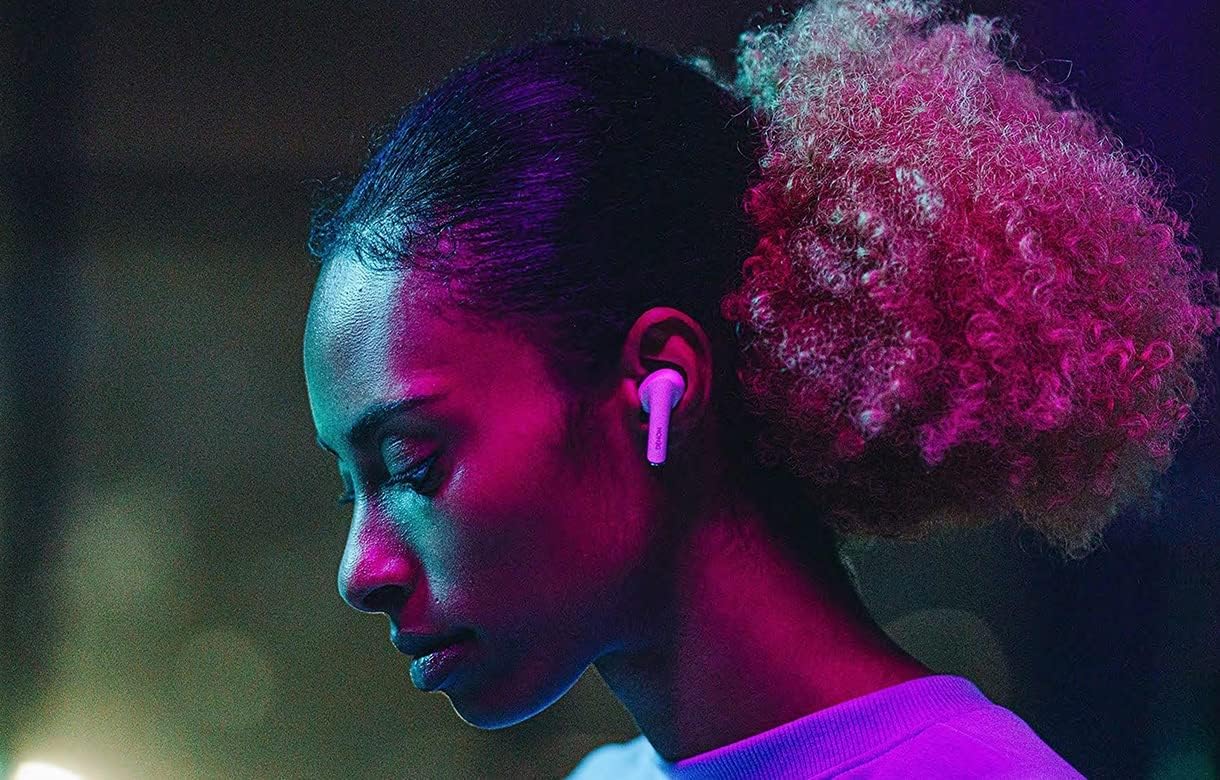
Image: A person wearing a Denon AH-C830NCW earbud, showcasing how the earbud fits comfortably and securely in the ear.
2. Operating Your Earbuds
2.1 Touch Controls
The Denon AH-C830NCW earbuds feature intuitive touch controls for managing your audio and calls. Specific gestures (taps, long presses) on the earbud's surface allow you to control playback, volume, calls, and noise cancellation modes. Refer to the quick start guide for detailed touch control mappings.
2.2 Active Noise Cancellation (ANC)
The advanced Active Noise Cancellation technology uses dual microphones per earbud to effectively reduce ambient noise, providing a more immersive listening experience. This feature is ideal for noisy environments, allowing you to focus on your music or calls without distraction.

Image: An internal view of a Denon AH-C830NCW earbud, demonstrating the sophisticated components responsible for active noise cancellation.
2.3 Transparency Mode
For situations where you need to be aware of your surroundings, the Transparency Mode allows you to partially disable noise canceling. This feature lets outside voices and sounds reach your ears, enhancing safety and convenience without needing to remove your earbuds.
2.4 Enhanced Call Clarity
Equipped with three built-in microphones and a sophisticated noise reduction system, these earbuds ensure superior voice quality for both audio and video calls. Features like adaptive equalization, echo cancellation, and noise-dependent volume control work together to provide clear communication even in challenging environments.

Image: A detailed view of the Denon AH-C830NCW earbud, emphasizing the microphone placement for clear call quality.
3. Maintenance and Care
3.1 Cleaning Your Earbuds
To maintain optimal performance and hygiene, regularly clean your earbuds and charging case. Use a soft, dry, lint-free cloth to wipe down the surfaces. For the ear tips, you may gently remove them and clean with a mild soap solution, then rinse and dry thoroughly before reattaching.
3.2 Water and Sweat Resistance
The Denon AH-C830NCW earbuds are IPX4 rated for water and sweat resistance. This means they are protected against splashing water from any direction. While they are suitable for workouts and light rain, they are not designed for submersion in water. Avoid exposing them to excessive moisture or harsh chemicals.

Image: Two black Denon AH-C830NCW earbuds, illustrating their robust design and IPX4 water resistance, suitable for active use.
3.3 Storage
When not in use, always store your earbuds in their charging case. This protects them from damage and ensures they remain charged for your next use. Store the case in a cool, dry place away from direct sunlight and extreme temperatures.

Image: The Denon AH-C830NCW white earbuds securely placed in their charging case, emphasizing the multi-use carrying case for storage and charging.
4. Troubleshooting
If you encounter any issues with your Denon AH-C830NCW earbuds, please refer to the following common solutions:
- No Sound/Poor Sound Quality:
- Ensure earbuds are fully charged.
- Check Bluetooth connection and ensure earbuds are selected as the audio output device.
- Try re-pairing the earbuds with your device.
- Clean ear tips and earbud grilles to remove any debris.
- Adjust earbud fit to ensure a proper seal.
- Earbuds Not Pairing:
- Ensure earbuds are in pairing mode (open the case).
- Turn off and on Bluetooth on your device.
- Forget the device in your Bluetooth settings and try pairing again.
- Ensure no other devices are actively connected to the earbuds.
- Charging Issues:
- Ensure the USB-C cable is securely connected to both the case and the power source.
- Try a different USB port or power adapter.
- Clean the charging contacts on both the earbuds and inside the case.
- Active Noise Cancellation Not Working:
- Ensure the ANC feature is activated via touch controls.
- Check the earbud fit; a poor seal can significantly reduce ANC effectiveness.
If the problem persists, please contact Denon customer support for further assistance.
5. Specifications
| Feature | Specification |
|---|---|
| Model Name | AH-C830NCW White |
| Connectivity Technology | Wireless |
| Wireless Communication Technology | Bluetooth |
| Bluetooth Version | 5.0 |
| Noise Control | Active Noise Cancellation |
| Ear Placement | In Ear |
| Form Factor | In Ear |
| Control Method | Touch |
| Control Type | Media Control |
| Battery Life (Earbuds) | Up to 6 Hours |
| Total Battery Life (with Case) | Up to 24 Hours |
| Charging Time (Case) | 3 Hours |
| Water Resistance Level | IPX4 (Water Resistant) |
| Frequency Range | 20 Hz - 20,000 Hz |
| Item Weight | 53.6 Grams (1.89 ounces) |
| Material | Plastic |
| Included Components | Silicone ear tips (S, M, L), Charging Case, Documentation, 8" USB-C to USB-A Cable, Pair of headphones |
| Compatible Devices | Smartphones, Tablets, and other Bluetooth-enabled devices |
| Manufacturer | Denon |
| Color | White |
6. Warranty and Support
Denon products are built with quality and reliability in mind. For information regarding your product's warranty, please refer to the warranty card included in your product packaging or visit the official Denon website.
For technical support, frequently asked questions, or to register your product, please visit the official Denon support page or contact their customer service directly.
You can find more information and products from Denon by visiting the Denon Store on Amazon.
Related documentsAHC830NCWWT


Ask a question about this manual
Ask about setup, troubleshooting, compatibility, parts, safety, or missing instructions. Manuals+ will review the question and use this page’s manual context to help answer it.