
Introduction
The Afomida Dinosaur Discovery Play Tent (Model ZP-01) provides an engaging play space for children. This manual contains essential information for the safe assembly, operation, and maintenance of the play tent. Please read these instructions carefully before use and retain them for future reference.
Safety Information
- The tent is constructed with strong and safe fiberglass poles and durable 210D Oxford fabric.
- This product meets applicable toy safety standards.
- Features mesh windows for ventilation and to allow for parental supervision.
- Recommended for children aged 0-12 years. Adult supervision is advised during play.
- Keep away from open flames and heat sources.
- Do not allow children to climb on the tent structure.

Image: The play tent highlighting its safe, durable, breathable, and easy-to-clean features.
Package Contents
Please verify that all the following items are included in your package:
- 1 x Dinosaur Discovery Play Tent fabric
- Set of foldable fiberglass tent poles
- 1 x Projector torch toy (batteries not included)
- 2 x Dinosaur-themed image dials (for projector)
- 1 x Ocean-themed image dial (for projector, 24 images total)
- 1 x Zippered carry case
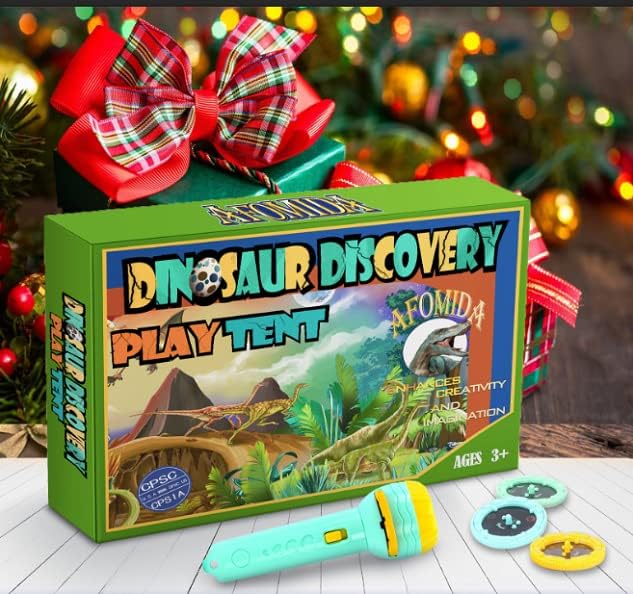
Image: The product packaging box, projector torch, and image discs.
Setup Instructions
Assembly of the play tent is designed to be quick and tool-free.
- Carefully unpack the tent fabric and the fiberglass poles from the zippered carry case.
- Unfold the tent fabric completely on a clean, flat surface.
- Assemble the fiberglass poles by connecting the individual sections. Ensure each section clicks securely into place.
- Locate the designated fabric sleeves on the tent and gently insert the assembled poles into them.
- Once all poles are inserted, secure them to form the tent's conical structure. The tent will pop up into shape.
Image: Close-up view of the tent's mesh window, providing ventilation.
Operating Instructions (Projector Torch)
The included projector torch allows children to project dinosaur and ocean-themed images.
- Open the battery compartment on the projector torch and insert the required batteries (not included), observing correct polarity.
- Select one of the image dials (dinosaur or ocean theme).
- Insert the chosen image dial into the designated slot on the projector torch.
- Turn on the torch. Point the torch at a flat, light-colored surface, such as the inside wall of the tent or a room wall, preferably in a dimly lit environment.
- Rotate the image dial to cycle through the different images.

Image: The play tent with the carry tote and a display of projector image discs.
Care and Maintenance
- Cleaning: The 210D Oxford fabric is designed for easy cleaning. For minor spills or dirt, wipe the tent fabric with a damp cloth and a small amount of mild soap. Do not machine wash or tumble dry. Allow to air dry completely before storage.
- Storage: To store the tent, carefully disassemble the fiberglass poles and fold the tent fabric flat. Place all components back into the provided zippered carry case. Store in a cool, dry place away from direct sunlight to prolong the product's lifespan.
Troubleshooting
- Tent not standing upright: Ensure all fiberglass poles are fully assembled and securely connected. Verify that each pole is correctly inserted into its designated fabric sleeve and that the tent fabric is fully extended.
- Projector torch not working: Check that fresh batteries are correctly inserted into the projector torch, observing the polarity markings. Ensure the chosen image dial is properly seated in the torch's slot.
Specifications
| Model Number | ZP-01 |
| Dimensions (Assembled) | 103.1 cm (Length) x 103.1 cm (Width) x 135.1 cm (Height) |
| Weight | Approximately 1.16 kg (2.55 lbs) |
| Material | Fiberglass poles, 210D Oxford fabric |
| Recommended Age | 0-12 years |
| Assembly | Required (tool-free) |
| GTIN | 647726726908 |

Image: The play tent with its approximate dimensions indicated.
Warranty and Support
The manufacturer offers a replacement policy for this product. For any issues, questions, or to inquire about a replacement, please contact Afomida customer support through your purchase platform or the official Afomida website. Please have your model number (ZP-01) and proof of purchase available when contacting support.