1. Introduction
Thank you for purchasing the SUPNIU A21 Portable Bluetooth Speaker. This manual provides essential information for setting up, operating, and maintaining your device. Please read it thoroughly before use to ensure optimal performance and longevity.
Package Contents
- 1 x SUPNIU A21 Bluetooth Speaker
- 1 x Remote Control (requires 2 AAA batteries, not included)
- 1 x AUX Cable
- 1 x USB Charging Cable
- 1 x User Manual
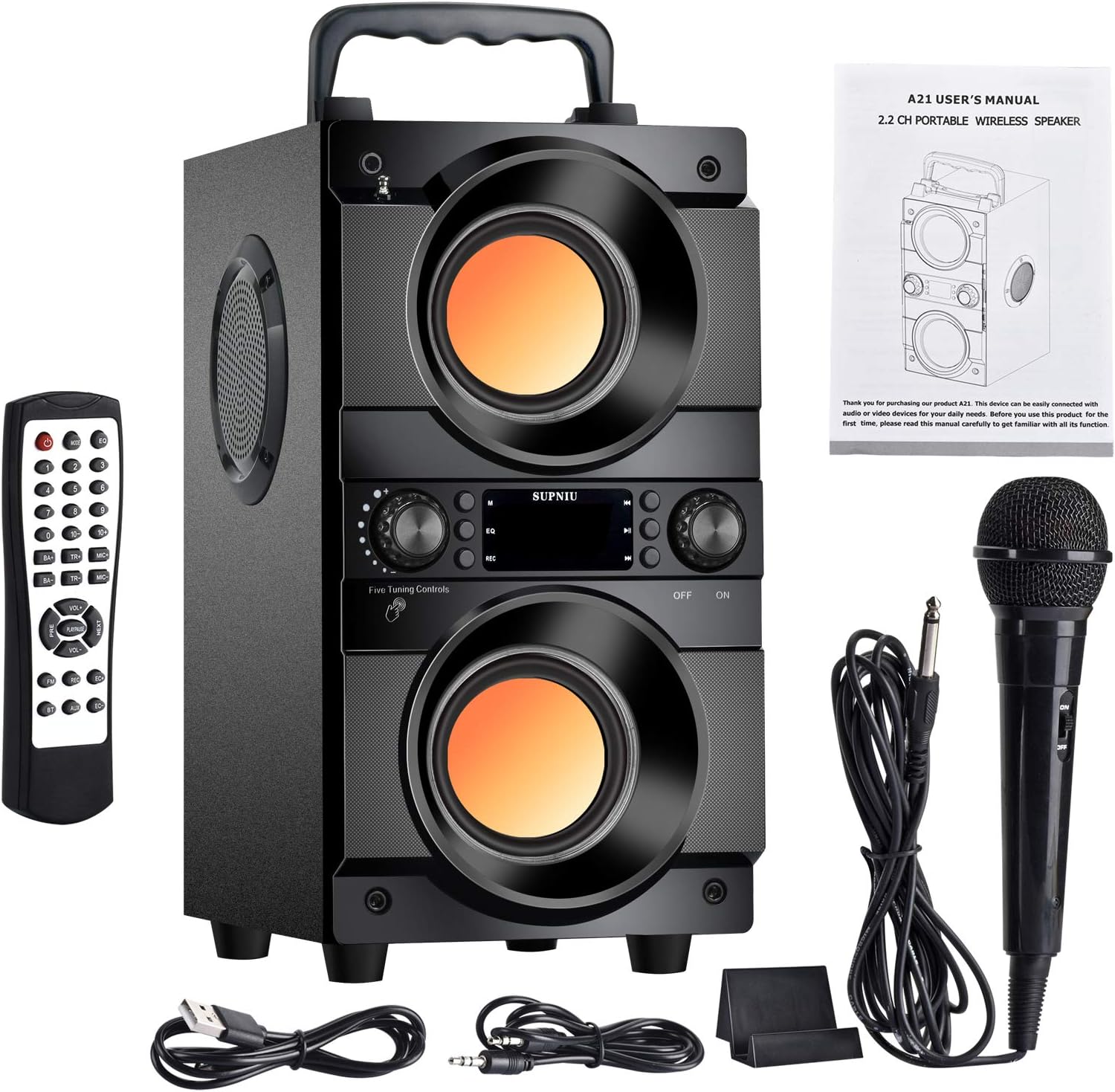
Image 1.1: Contents of the SUPNIU A21 speaker package, including the speaker, remote control, AUX cable, USB cable, and user manual.
2. Product Overview
The SUPNIU A21 is a powerful 60W portable wireless speaker designed for versatile audio playback. It features Bluetooth 5.0 connectivity, dual heavy bass drivers, FM radio, and multiple input options.
Key Features
- Integrated Bluetooth 5.0 for wireless streaming up to 100 feet.
- 60W powerful audio output with dual bass guidance tube design.
- Supports TF/SD card, USB drive, AUX line-in, and FM radio playback.
- Digital display and smart remote control for easy operation.
- Microphone connection support for karaoke.
- Built-in 8000mAh battery for 6-10 hours of playtime.
- Colorful LED lights for enhanced ambiance.

Image 2.1: Overview of the SUPNIU A21 speaker highlighting its Bluetooth 5.0 and AUX port, 4000mAh battery (as depicted in the image), and various tuning controls. Dimensions are also indicated.

Image 2.2: Diagram illustrating the internal structure of the SUPNIU A21 speaker, showing its two woofers and two tweeters for a 360-degree stereo effect.
3. Setup and First Use
Charging the Speaker
Before first use, fully charge the speaker. Connect the supplied USB charging cable to the speaker's DC 5V input port and the other end to a USB power adapter (not included) or a computer USB port. The charging indicator will show the charging status.
- Charging Time: Approximately 2 hours for a full charge.
- Battery Life: 6-10 hours depending on volume and usage.
Powering On/Off
Locate the power switch on the speaker. Slide it to the "ON" position to power on the device. Slide it to the "OFF" position to power off.
Remote Control Setup
Insert 2 AAA batteries (not included) into the remote control according to the polarity markings.

Image 3.1: The SUPNIU A21 speaker shown alongside its remote control, illustrating the primary components for operation.
4. Operating Instructions
Bluetooth Mode
- Power on the speaker. It will automatically enter Bluetooth pairing mode, indicated by a flashing "BLUE" on the digital display.
- Enable Bluetooth on your smartphone, tablet, or other Bluetooth-enabled device.
- Search for "A21" in the list of available devices and select it to pair.
- Once successfully paired, the speaker will emit a confirmation tone, and "BLUE" will stop flashing.
- You can now play audio from your device through the speaker.
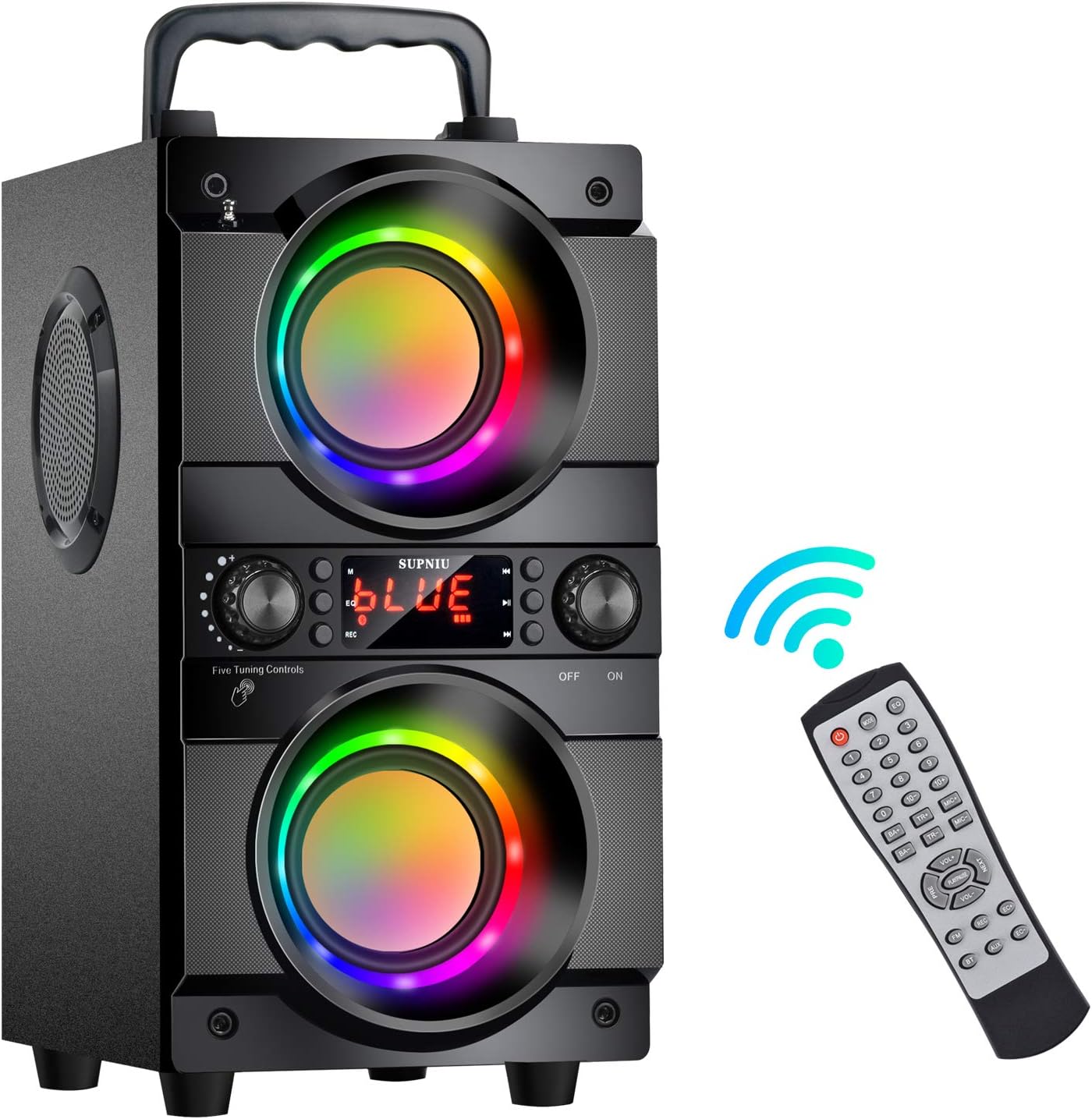
Image 4.1: The SUPNIU A21 speaker demonstrating its Bluetooth connectivity with the remote control, indicating wireless operation.
FM Radio Mode
- Press the "Mode" button on the speaker or remote control to switch to FM radio mode.
- Press and hold the "Play/Pause" button to initiate an automatic scan for available FM stations. The speaker will save detected stations.
- Use the "Previous" and "Next" buttons to navigate through saved stations.

Image 4.2: The SUPNIU A21 speaker in an outdoor setting, highlighting its portability and FM radio function with colorful lights.
USB/TF Card Playback
Insert a USB flash drive or TF/SD card into the respective slot. The speaker will automatically detect the media and begin playing audio files. Use the control buttons on the speaker or remote for playback control.
AUX Input Mode
Connect an external audio device (e.g., MP3 player, computer) to the speaker's 3.5mm AUX input port using the supplied AUX cable. The speaker will automatically switch to AUX mode or can be selected using the "Mode" button.
Microphone and Karaoke Function
Connect a microphone (not included) to the microphone input port. Adjust microphone volume and echo using the dedicated controls on the speaker or remote control for karaoke use.
Sound Equalization (EQ)
The speaker features EQ sound effects to optimize audio for different music genres. Use the EQ button on the remote control to cycle through available sound modes.

Image 4.3: The SUPNIU A21 speaker demonstrating its EQ sound effects feature, suitable for various music genres like Country, Classical, Jazz, Popular, Rock, and Normal music.
5. Maintenance and Care
- Keep the speaker away from water and excessive moisture, despite its waterproof rating, to prevent damage.
- Clean the speaker with a soft, dry cloth. Do not use abrasive cleaners or solvents.
- Avoid exposing the speaker to extreme temperatures or direct sunlight for prolonged periods.
- Store the speaker in a cool, dry place when not in use for extended periods.
- Ensure the remote control batteries are removed if the remote will not be used for a long time to prevent leakage.
6. Troubleshooting
| Problem | Possible Cause | Solution |
|---|---|---|
| Speaker does not power on. | Low battery; Power switch is OFF. | Charge the speaker; Slide power switch to ON. |
| Cannot pair via Bluetooth. | Speaker not in pairing mode; Device Bluetooth is off; Speaker too far from device. | Ensure speaker is in Bluetooth mode (flashing "BLUE"); Turn on device Bluetooth; Move device closer to speaker (within 100ft). |
| No sound from speaker. | Volume too low; Incorrect input mode; Audio source paused/muted. | Increase volume on speaker and device; Select correct input mode (Bluetooth, AUX, USB, TF); Check audio source playback. |
| Remote control not working. | Batteries are dead or incorrectly inserted; Obstruction between remote and speaker. | Replace batteries and check polarity; Ensure clear line of sight to speaker's IR receiver. |
| Poor FM radio reception. | Weak signal; Speaker location. | Adjust speaker position; Extend antenna if available. |
7. Specifications
| Feature | Detail |
|---|---|
| Product Type | Portable Bluetooth Speaker |
| Model Number | A21 |
| Speaker Output Power | 60W (20W * 2 + 10W * 2) |
| Driver Size | 3" x 4 |
| Frequency Response | 80 Hz - 20 KHz |
| Input Voltage | DC 5V |
| Product Dimensions (L x W x H) | 15P x 21l x 29H cm (6 x 8.3 x 11.8 inches) |
| Product Weight | 3.05 Kilograms |
| Playtime | Approx. 6-10 hours (volume dependent) |
| Battery Capacity | 8000mAh Lithium-ion |
| Charging Time | Approx. 2 hours |
| Bluetooth Version | 5.0 |
| Wireless Range | Up to 100 feet (30 meters) |
| Connectivity | Bluetooth, USB, AUX, TF/SD Card |
| Special Features | USB Port, Bass Boost, Integrated Microphone Support, FM Radio, EQ |
| Waterproof | Yes |
8. Warranty and Support
This product comes with a standard manufacturer's warranty. Please refer to the warranty card included in your package for specific terms and conditions. For technical support or customer service inquiries, please contact SUPNIU customer support through the retailer's platform or the contact information provided on the product packaging.
Note: The remote control requires 2 AAA batteries, which are not included in the package.