
1. Introduction
Thank you for choosing the DEXTER 1500W SDS Plus Hammer Drill. This manual provides essential information for the safe and effective operation, maintenance, and troubleshooting of your new tool. Please read this manual thoroughly before first use and keep it for future reference.

Figure 1: The DEXTER 1500W SDS Plus Hammer Drill, showcasing its robust design and ergonomic features.
2. Safety Instructions
Always follow basic safety precautions when using electrical tools to reduce the risk of fire, electric shock, and personal injury.
- Work Area Safety: Keep your work area clean and well-lit. Do not operate power tools in explosive atmospheres, such as in the presence of flammable liquids, gases, or dust.
- Electrical Safety: Power tool plugs must match the outlet. Never modify the plug in any way. Avoid body contact with earthed or grounded surfaces.
- Personal Safety: Always wear eye protection, hearing protection, and suitable work gloves. Dress properly; do not wear loose clothing or jewelry.
- Tool Use and Care: Do not force the power tool. Use the correct power tool for your application. Disconnect the plug from the power source before making any adjustments, changing accessories, or storing power tools.
3. Product Overview and Components
Familiarize yourself with the various parts of your DEXTER Hammer Drill and its included accessories.
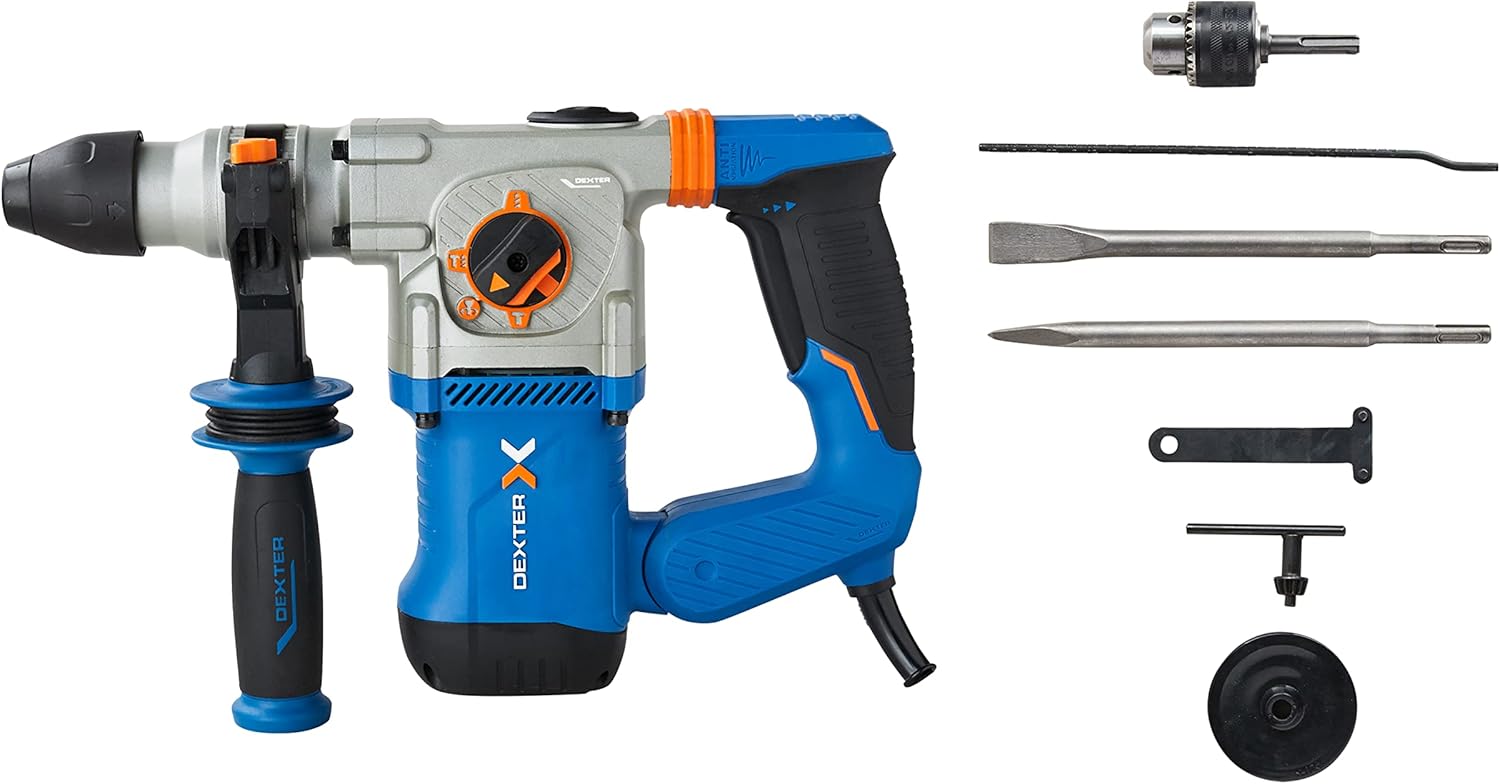
Figure 2: The hammer drill along with its standard accessories, including the SDS Plus chuck, pointed chisel, flat chisel, side handle, key, and depth gauge.
Key Components:
- SDS Plus Chuck: For quick and secure bit changes.
- Mode Selector Switch: Allows selection between drilling, hammer drilling, chiseling, and chiseling with free accessory adjustment.
- Variable Speed Trigger: For precise control over drilling and chiseling speed.
- Anti-Vibration Handles: Designed to absorb shocks and reduce user fatigue.
- Side Handle: Provides additional grip and control during operation.
- Depth Gauge: For setting precise drilling depths.
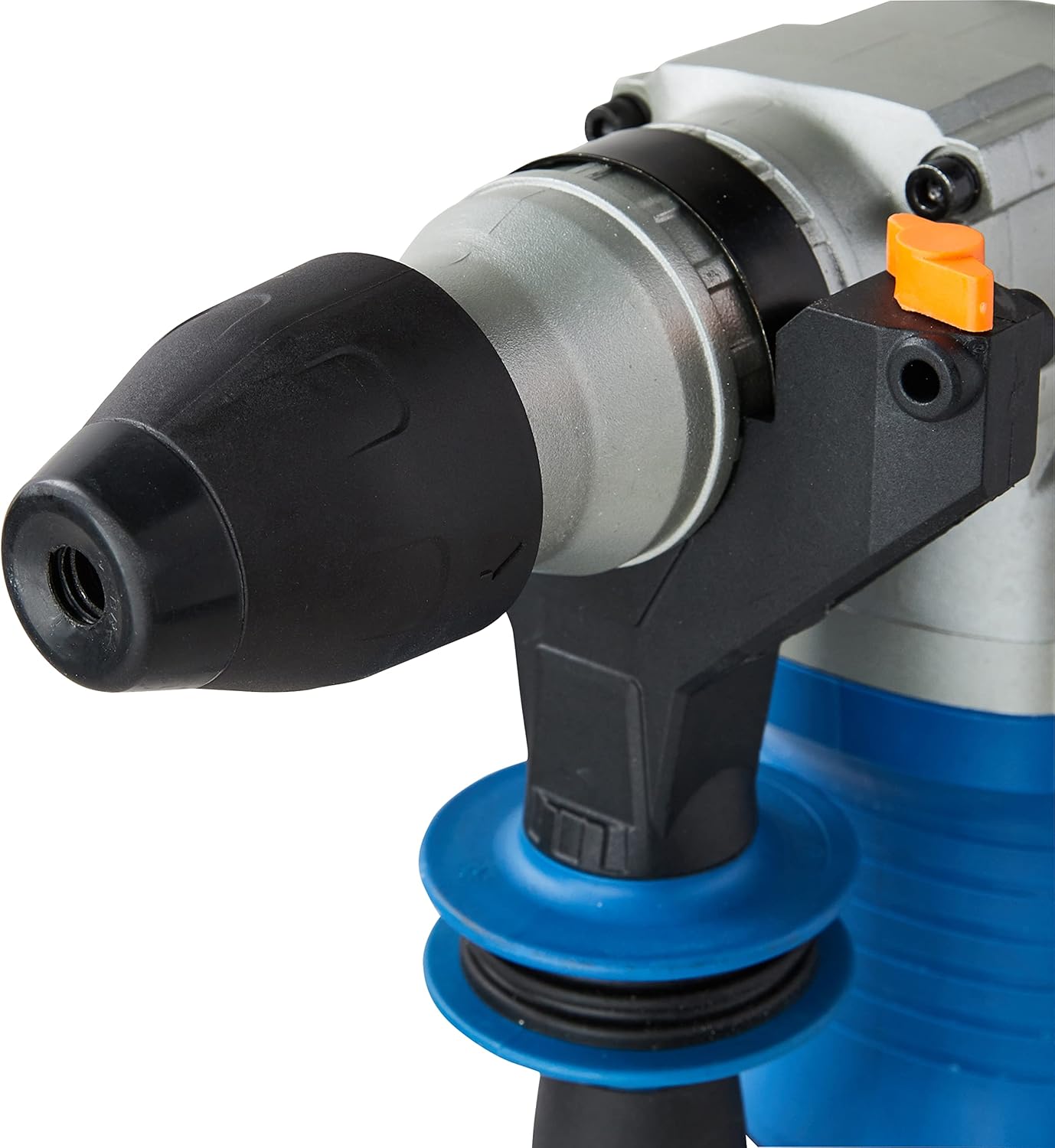
Figure 3: Detailed view of the SDS Plus chuck, designed for quick and secure bit insertion.

Figure 4: Close-up of the mode selector switch, indicating the different operational modes of the hammer drill.

Figure 5: View of the anti-vibration handle, highlighting its design for improved user comfort and reduced fatigue.
4. Setup
4.1 Attaching the Side Handle
- Loosen the side handle by rotating it counter-clockwise.
- Slide the handle onto the front of the tool until it is in the desired position.
- Rotate the handle clockwise to tighten and secure it.
4.2 Inserting and Removing SDS Plus Bits
- Clean the shank of the SDS Plus bit.
- Insert the bit into the chuck until it clicks into place. Pull on the bit to ensure it is securely locked.
- To remove, pull back the chuck collar and pull the bit out.
4.3 Attaching the Key Chuck (for standard drill bits)
For drilling with standard, non-SDS bits (e.g., for wood or metal), attach the included key chuck adapter to the SDS Plus chuck.
- Insert the key chuck adapter into the SDS Plus chuck as described in 4.2.
- Insert the desired standard drill bit into the key chuck.
- Tighten the key chuck using the provided chuck key to secure the bit.
4.4 Setting the Depth Gauge
- Insert the depth gauge into the hole on the side handle.
- Adjust the gauge to the desired drilling depth.
- Tighten the side handle to secure the depth gauge in place.
5. Operating
Your DEXTER Hammer Drill offers four primary functions for various applications.
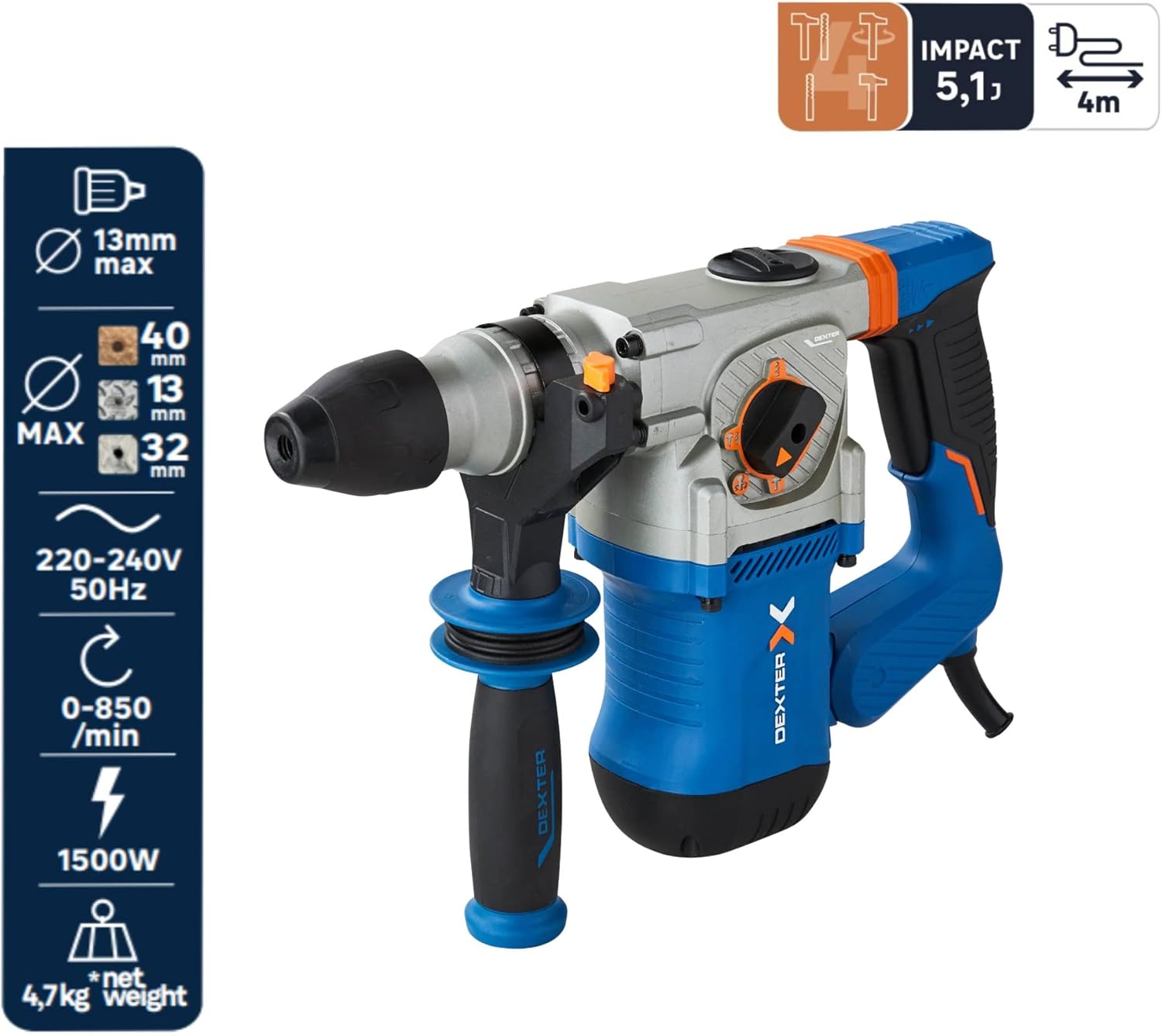
Figure 6: Overview of the hammer drill's capabilities, including maximum drilling diameters and power specifications.
5.1 Selecting Operating Mode
Rotate the mode selector switch to choose the appropriate function:
- Drilling Mode (Drill Bit Symbol): For drilling in wood (up to 40mm) and metal (up to 13mm). Use with the key chuck and standard drill bits.
- Hammer Drilling Mode (Drill Bit + Hammer Symbol): For drilling in concrete or brick (up to 26mm). Use with SDS Plus drill bits.
- Chiseling Mode (Hammer Symbol): For chiseling applications, such as breaking concrete or removing tiles. The accessory is fixed in position.
- Chiseling with Free Accessory Adjustment (Hammer + Rotating Arrow Symbol): Allows the chisel to rotate freely, useful for adjusting the angle when removing tiles or similar tasks.
5.2 Variable Speed Control
The trigger features variable speed control. Press the trigger lightly for lower speeds and press harder for higher speeds. This allows for precise control depending on the material and application.
5.3 Continuous Operation
For extended use, the tool can be set to continuous operation. Press the trigger and then engage the lock-on button (if present, typically on the handle). To disengage, press the trigger again.
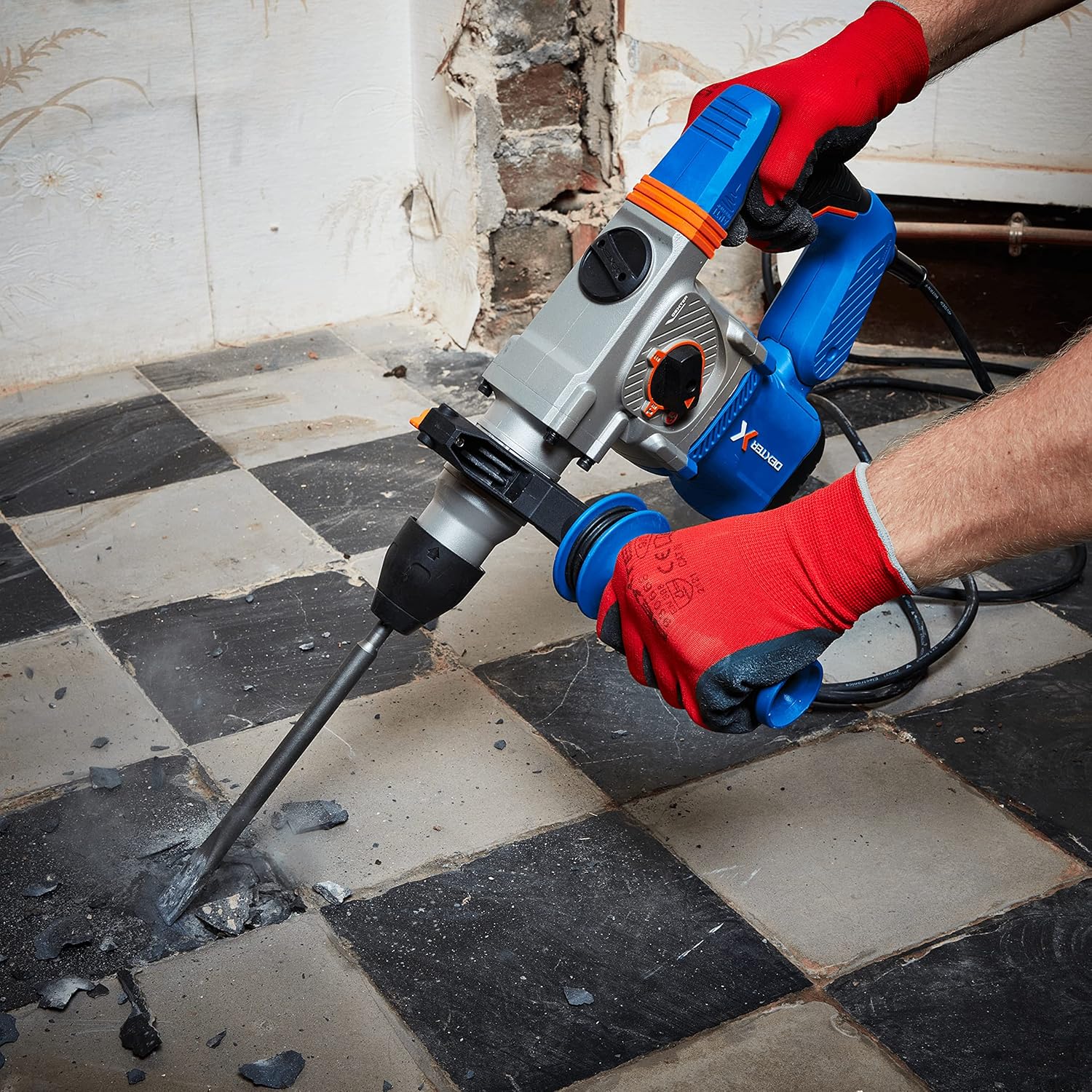
Figure 7: The hammer drill being used to chisel and break up a concrete floor, demonstrating its power in demolition tasks.

Figure 8: An operator using the hammer drill to efficiently remove floor tiles, utilizing the chiseling function.

Figure 9: The hammer drill in action, drilling into a brick wall, showcasing its capability for masonry work.
6. Maintenance
Regular maintenance ensures the longevity and optimal performance of your tool.
- Cleaning: After each use, clean the tool with a soft, damp cloth. Do not use harsh chemicals or abrasive cleaners. Keep ventilation openings clear of dust and debris.
- Chuck Maintenance: Periodically clean and lightly lubricate the SDS Plus chuck to ensure smooth bit insertion and removal.
- Carbon Brushes: If the tool experiences reduced power or excessive sparking, the carbon brushes may need inspection or replacement. This should ideally be done by a qualified service technician.
- Storage: Store the tool in a dry, secure place out of reach of children.
7. Troubleshooting
Below are common issues and their potential solutions.
| Problem | Possible Cause | Solution |
|---|---|---|
| Tool does not start | No power supply; Faulty power cord/plug | Check power outlet and connections; Inspect power cord for damage. |
| Reduced power/performance | Worn carbon brushes; Overload; Incorrect mode selection | Have carbon brushes checked/replaced; Reduce load; Ensure correct mode is selected. |
| Bit not locking in chuck | Chuck dirty; Bit shank damaged | Clean chuck and bit shank; Use a new bit if damaged. |
| Excessive vibration | Damaged bit; Internal issue | Replace bit; If problem persists, seek professional service. |
8. Specifications
| Feature | Specification |
|---|---|
| Model Number | 3276007131802 |
| Power Input | 1500 W |
| Impact Energy | 5.1 Joules |
| Max. Impact Rate | 4500 bpm |
| No-Load Speed | 0-850 rpm |
| Chuck Type | SDS Plus |
| Drilling Capacity (Wood) | 40 mm |
| Drilling Capacity (Metal) | 13 mm |
| Drilling Capacity (Concrete/Brick) | 26 mm |
| Voltage | 230 V |
| Product Dimensions | 12 x 12 x 32 cm |
| Item Weight | 8.2 kg |
| Cable Length | 4 m |
9. Warranty and Support
DEXTER products are manufactured to high-quality standards. For warranty information, please refer to the warranty card included with your purchase or contact DEXTER customer support. Keep your proof of purchase for any warranty claims.
For technical assistance, spare parts, or service, please contact your local DEXTER authorized service center or visit the official DEXTER website for contact details.
