
1. Introduction
This manual provides essential information for the safe and effective use of your UpBright 6.8V AC/DC Adapter. This adapter is specifically designed to provide power for and charge compatible devices, such as the HART HFSD01 4V Lithium-Ion rechargeable screwdriver. Please read these instructions thoroughly before use and retain them for future reference.
2. Product Overview
The UpBright AC/DC Adapter is a reliable power supply unit featuring a wide input voltage range (100-240VAC) for global compatibility. It incorporates essential safety protections including Over Voltage Protection (OVP), Over Current Protection (OCP), and Short Circuit Protection (SCP) to safeguard your devices.

Figure 1: Front view of the UpBright 6.8V AC/DC Adapter, showing the brand name, input specifications, and the output cable with connector.

Figure 2: Back view of the UpBright 6.8V AC/DC Adapter, displaying regulatory marks and detailed electrical specifications.

Figure 3: The UpBright 6.8V AC/DC Adapter with its output cable neatly coiled, illustrating its compact design.
3. Setup
To set up your UpBright AC/DC Adapter for use, follow these steps:
- Verify Compatibility: Ensure your device, such as the HART HFSD01 4V Lithium-Ion screwdriver, requires a 6.8V DC input with a maximum current draw of 200mA. The adapter is designed for devices requiring 6.8VDC 0.2A.
- Connect to Device: Insert the adapter's output connector securely into the charging port of your compatible device.
- Connect to Power Outlet: Plug the adapter's AC input prongs into a standard wall outlet (100-240VAC, 50/60Hz).
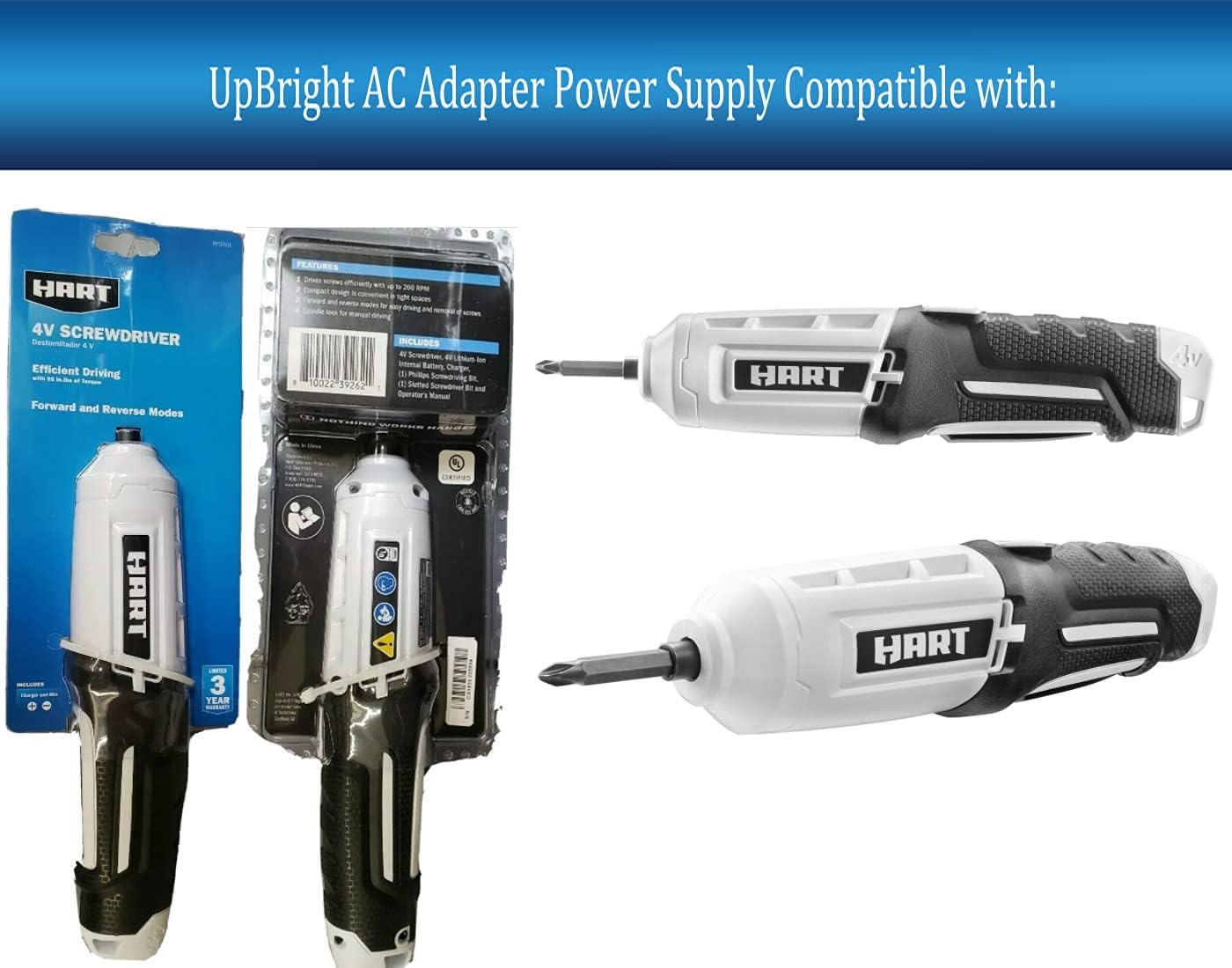
Figure 4: The UpBright AC/DC Adapter displayed alongside the HART 4V Screwdriver and its packaging, indicating compatibility.
4. Operating Instructions
Once properly connected, the adapter will begin supplying power to your device. For charging applications, the charging indicator on your device (if available) will typically illuminate or change status to indicate charging is in progress. Refer to your device's manual for specific charging indicators and times.
- Always ensure the adapter is fully inserted into both the wall outlet and the device.
- Do not force the connector into the device's port.
- Disconnect the adapter from the wall outlet when not in use for extended periods.
5. Maintenance
Proper maintenance ensures the longevity and safe operation of your adapter:
- Cleaning: Disconnect the adapter from all power sources before cleaning. Use a dry, soft cloth to wipe the exterior. Do not use liquid cleaners or solvents.
- Storage: Store the adapter in a cool, dry place away from direct sunlight and extreme temperatures. Avoid tightly coiling the cable to prevent damage.
- Inspection: Periodically inspect the adapter and cable for any signs of damage, such as frayed wires, bent prongs, or cracks in the casing. If damage is observed, discontinue use immediately.
6. Troubleshooting
If you encounter issues with your UpBright AC/DC Adapter, consider the following:
- No Power Output:
- Ensure the adapter is securely plugged into a functional wall outlet.
- Verify the device is correctly connected to the adapter.
- Test the wall outlet with another device to confirm it has power.
- Device Not Charging/Powering:
- Confirm the adapter's output specifications (6.8V, 200mA) match your device's requirements. Incompatible voltage or current can prevent proper operation or cause damage.
- Check the device's charging port for obstructions or damage.
- Ensure the device's battery is not completely depleted or faulty.
- Adapter Overheating:
- Unplug the adapter immediately.
- Ensure adequate ventilation around the adapter. Do not cover it.
- If overheating persists, discontinue use and contact support.
If these steps do not resolve the issue, please refer to the Warranty and Support section.
7. Specifications
| Feature | Specification |
|---|---|
| Brand | UPBRIGHT |
| Item Model Number | HART HFSD01 Power Supply |
| Input Voltage | 100-240VAC, 50/60Hz |
| Output Voltage | 6.8V DC |
| Output Current | 200mA (0.2A) |
| Wattage | 1.36 watts |
| Connector Type | Proprietary |
| Compatible Devices | HART HFSD01 4V DC Lithium-Ion battery and Hart Consumer Products # 720217010 |
| Special Features | Over Voltage Protection (OVP), Over Current Protection (OCP), Short Circuit Protection (SCP) |
| Product Dimensions | 3 x 2 x 1 inches |
| Item Weight | 2.08 ounces |
| Included Components | UpBright New Global AC / DC Adapter |
8. Warranty and Support
Your UpBright AC/DC Adapter comes with a commitment to quality and customer satisfaction.
- Refund Policy: UpBright offers a 30-day refund period from the date of purchase.
- Exchange Policy: A 24-month exchange policy is provided for units found to be in great working condition.
For warranty claims or technical support, please refer to the contact information provided with your purchase or visit the official UpBright website.

Figure 5: An illustration of various international outlet adapters (AU, EU, UK) and a representation of the UpBright Limited Warranty Certificate, indicating global compatibility and product assurance.
