
Introduction
This manual provides essential information for the safe and effective use of your UpBright 5V AC/DC Adapter. This adapter is designed to provide power and charge the 3.6V Lithium-Ion battery of the Arrow Fastener T50DCD Cordless Electric Staple Gun. Please read this manual thoroughly before using the product.
Important Safety Information
- Voltage Compatibility: The adapter supports a worldwide input voltage range of 100-240VAC, 50/60Hz. Ensure your wall outlet voltage is within this range.
- Connector Type: This adapter features a barrel plug tip. It is NOT compatible with USB connectors. Verify the charging port of your device matches this connector type before use.
- Protection Features: The adapter includes Over Voltage Protection (OVP), Over Current Protection (OCP), and Short Circuit Protection (SCP) to safeguard your device.
- Battery Condition: Rechargeable batteries have a limited lifespan, typically 1 to 3 years. An old or faulty battery may not accept a charge, which is not an issue with the charger itself.
- Environmental Conditions: Do not expose the adapter to moisture, rain, or extreme temperatures. Use indoors only.
- Handling: Avoid dropping or subjecting the adapter to strong impacts. Do not attempt to open or repair the adapter.
Package Contents
- 1 x UpBright 5V AC/DC Adapter with Barrel Plug Tip
Setup
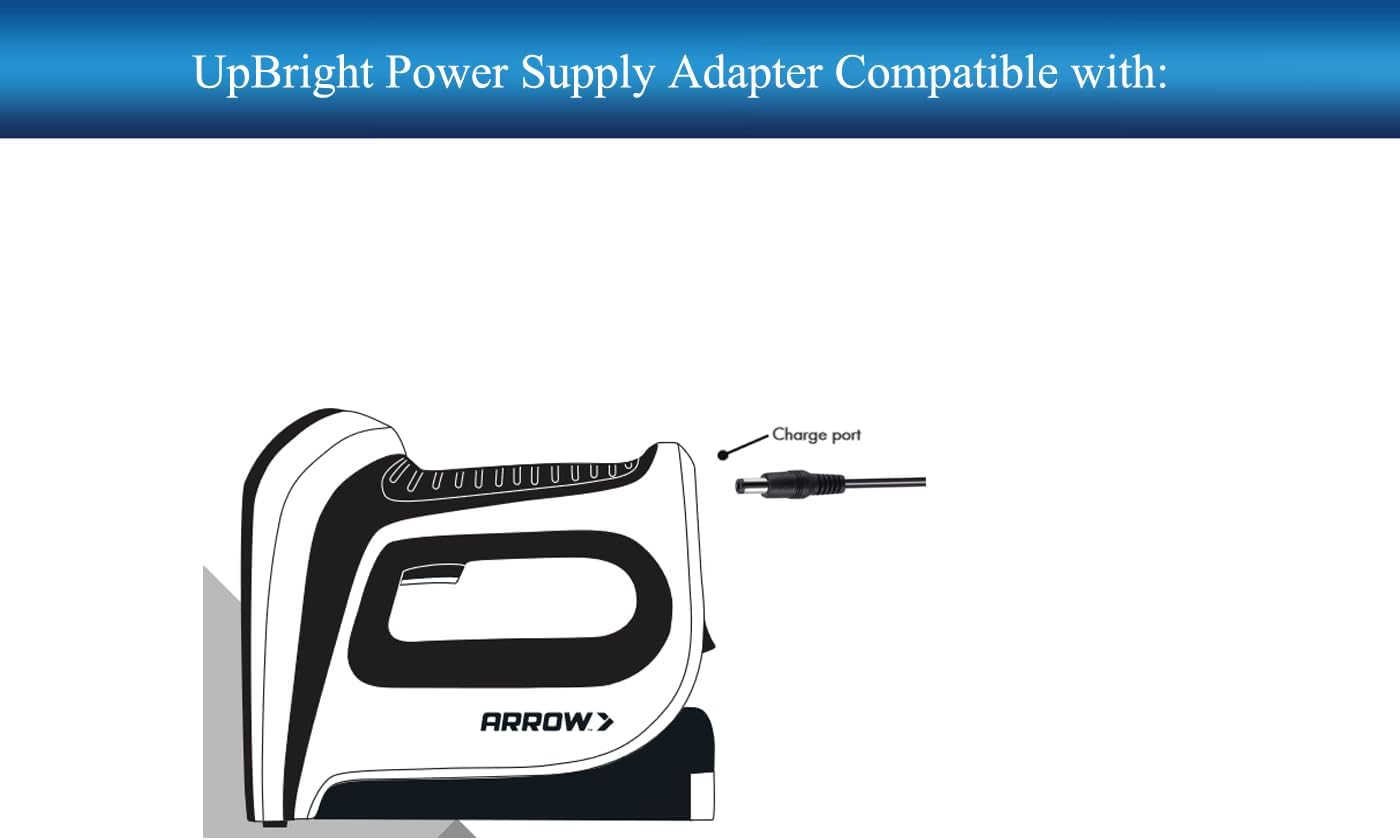
- Identify the Charge Port: Locate the charge port on your Arrow Fastener T50DCD Cordless Electric Staple Gun. It should be a circular port designed for a barrel plug.
- Connect the Adapter: Carefully insert the barrel plug tip of the UpBright AC/DC Adapter into the charge port of your stapler. Ensure a snug fit.
- Plug into Power Outlet: Insert the adapter's prongs into a standard wall power outlet.

Operating Instructions
Once the adapter is properly connected to the stapler and plugged into a live wall outlet, the stapler's battery will begin charging. The UpBright adapter itself does not have an indicator light. Refer to your Arrow Fastener T50DCD stapler's user manual for information regarding its charging indicator lights and expected charging times.
Always ensure the stapler is turned off before connecting the charger.

Maintenance
- Cleaning: Disconnect the adapter from the power outlet and the device before cleaning. Use a dry, soft cloth to wipe the adapter. Do not use liquid cleaners or solvents.
- Storage: When not in use, store the adapter in a cool, dry place, away from direct sunlight and moisture. Avoid wrapping the cord too tightly around the adapter.
- Inspection: Periodically inspect the adapter and its cable for any signs of damage, such as cuts, fraying, or bent prongs. If damage is found, discontinue use immediately.
Troubleshooting
- Device Not Charging:
- Ensure the adapter is securely plugged into both the wall outlet and the device.
- Verify the wall outlet is functional by plugging in another appliance.
- Check the device's battery condition. If the battery is old or damaged, it may not accept a charge.
- Adapter Feels Warm: It is normal for the adapter to feel slightly warm during operation. If it becomes excessively hot, disconnect it immediately and contact customer support.
- Incorrect Connector: If the adapter's barrel plug does not fit your device, ensure you have the correct model. This adapter is specifically designed for devices requiring a barrel plug, not a USB connector.
Specifications
| Brand | UpBright |
| Model | Arrow T50DCD Barrel Power Supply |
| Input Voltage | 100-240VAC, 50/60Hz |
| Output Voltage | 5V |
| Output Current | 1A |
| Wattage | 5W |
| Connector Type | Barrel Plug Tip |
| Protection Features | OVP, OCP, SCP |
| Dimensions | 10.16 x 7.62 x 5.08 cm |
| Weight | 59 g |
Warranty Information
This UpBright product comes with a 30-day refund policy and a 24-month exchange warranty. Please retain your proof of purchase for warranty claims.

Customer Support
For any questions, concerns, or technical assistance regarding your UpBright AC/DC Adapter, please contact the seller or manufacturer directly through your purchase platform. Provide your product model number and purchase details for faster service.