
beFree Sound 6910759
beFree Sound 12 Inch Bluetooth Rechargeable Portable PA Party Speaker User Manual
Model: 6910759
1. Introduction
This manual provides essential instructions for the safe and efficient operation of your beFree Sound 12 Inch Bluetooth Rechargeable Portable PA Party Speaker. Please read this manual thoroughly before using the product and retain it for future reference.
The beFree Sound portable PA speaker is designed for versatile audio playback and public address applications, featuring Bluetooth connectivity, various input options, and reactive LED lighting.
2. Safety Information
- Do not expose the speaker to water or excessive moisture. The product is not waterproof.
- Avoid placing the speaker near heat sources or in direct sunlight for extended periods.
- Ensure proper ventilation; do not block any ventilation openings.
- Use only the power adapter supplied by the manufacturer.
- Do not attempt to open or repair the unit yourself. Refer all servicing to qualified personnel.
- Keep out of reach of children.
- Disconnect the power cord during lightning storms or when unused for long periods.
3. Package Contents
Verify that all items are present in the package:
- One beFree Sound 12 Inch Portable PA Speaker
- One Microphone
- One Remote Control
- One User Manual (this document)

4. Product Overview
4.1 Front Panel

- Speaker Grille: Protects the speaker components.
- Reactive LED Lights: Illuminates in various colors, reacting to audio playback.
4.2 Rear Panel Controls and Ports

- AUX Output: 3.5mm jack for connecting to external audio devices.
- USB Slot: For USB flash drives.
- TF Card Slot: For TF (MicroSD) cards.
- Charge Level Indicator: Displays battery status.
- Lights Switch: Toggles the reactive LED lights on/off.
- Microphone Input: 6.35mm jack for connecting the included microphone.
- Antenna: For FM radio reception.
- Volume Control: Adjusts overall speaker volume.
- Mic Volume Control: Adjusts microphone volume.
- Echo Control: Adjusts echo effect for the microphone.
- Treble Control: Adjusts high-frequency audio.
- Bass Control: Adjusts low-frequency audio.
- Power Switch: Turns the speaker on/off.
- DC 12V IN: Power input for charging and operation.
4.3 Other Features
- Extendable Handle: For easy portability.
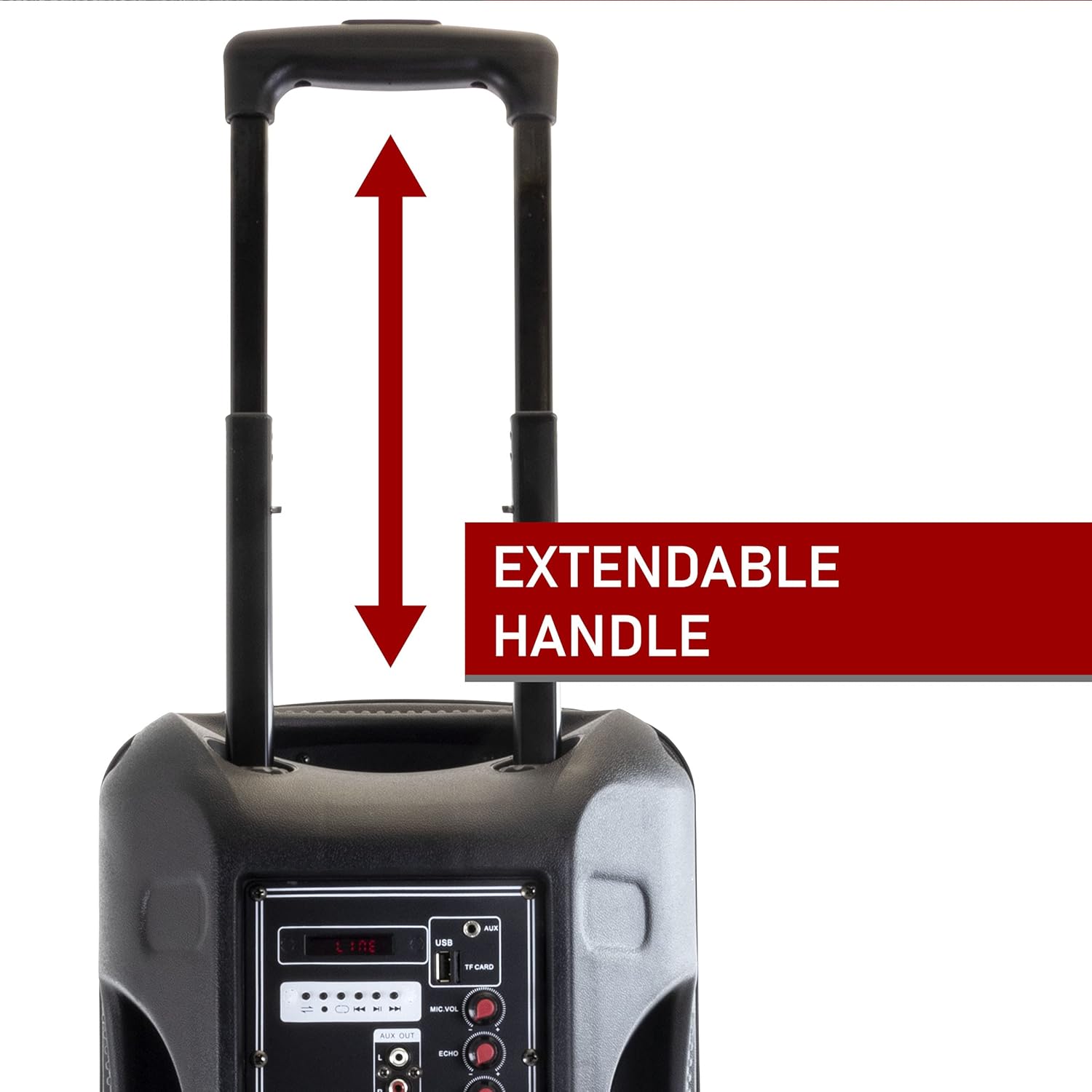
Figure 4.3: Extendable Handle. This image shows the speaker's extendable handle in its extended position, indicating its function for easy transport. - Sturdy Caster Wheels: For convenient movement.

Figure 4.4: Caster Wheels. A close-up view of one of the durable caster wheels located at the bottom of the speaker, designed for smooth mobility. - Molded Side Handle: For additional carrying options.

Figure 4.5: Molded Side Handle. This image provides a detailed look at the ergonomic molded handle on the side of the speaker, offering an alternative grip for lifting or carrying. - Remote Control: For convenient operation from a distance.

Figure 4.6: Remote Control. An image of the compact black remote control, featuring buttons for power, mute, mode selection, volume adjustment, track navigation, and equalizer settings. - Microphone: For public address or karaoke.

Figure 4.7: Included Microphone. A close-up of the black wired microphone, showing its on/off switch and standard design for vocal input.
5. Setup
- Unpacking: Carefully remove all components from the packaging.
- Charging: Before first use, fully charge the speaker. Connect the power adapter to the "DC 12V IN" port on the rear panel and plug it into a power outlet. The charge level indicator will show charging status. A full charge can last up to 3 hours of operation.
- Placement: Place the speaker on a stable, flat surface. Utilize the extendable handle and caster wheels for easy positioning.
- Power On: Flip the Power Switch on the rear panel to the "ON" position.
6. Operating Instructions
6.1 Bluetooth Mode
- Turn on the speaker. The default mode is usually Bluetooth. If not, press the "Mode" button on the speaker or remote until "Bluetooth" is announced or displayed.
- Enable Bluetooth on your mobile device (smartphone, tablet, laptop).
- Search for available devices and select "beFree Sound Speaker" (or similar name) from the list.
- Once paired, you will hear a confirmation sound. You can now play audio wirelessly from your device.
- Control playback (play/pause, next/previous track) and volume using your device or the speaker/remote controls.
6.2 USB/TF Card Mode
- Insert a USB flash drive or TF (MicroSD) card into the respective slot on the rear panel.
- The speaker should automatically switch to USB/TF mode and begin playing audio. If not, press the "Mode" button.
- Use the playback controls (play/pause, next/previous track) on the speaker or remote to manage your music.
6.3 AUX Input Mode
- Connect an external audio device (e.g., MP3 player, CD player) to the "AUX" input port on the rear panel using a 3.5mm audio cable.
- Press the "Mode" button until "AUX" is selected.
- Control playback from your connected device. Adjust volume using both the speaker's volume control and your device's volume.
6.4 FM Radio Mode
- Extend the antenna on the rear panel for better reception.
- Press the "Mode" button until "FM" is selected.
- Press the "Scan" button (often the Play/Pause button) to automatically scan and save available FM stations.
- Use the "Previous/Next Track" buttons to navigate through the saved stations.
6.5 Using the Microphone
- Connect the microphone to the "MIC INPUT" port on the rear panel.
- Ensure the microphone's power switch is in the "ON" position.
- Adjust the "MIC VOL" knob to control the microphone's volume.
- Use the "ECHO" knob to add an echo effect to your voice.
6.6 LED Lights

The speaker features reactive LED lights that illuminate during audio playback. To turn the lights on or off, use the "LIGHTS SWITCH" on the rear panel.
6.7 Equalizer Adjustment
Use the "TREBLE" and "BASS" knobs on the rear panel to fine-tune the audio output to your preference.
7. Maintenance
- Cleaning: Wipe the speaker with a soft, dry cloth. Do not use abrasive cleaners or solvents.
- Storage: When not in use, store the speaker in a cool, dry place, away from direct sunlight and extreme temperatures.
- Battery Care: To prolong battery life, avoid fully discharging the battery frequently. Recharge the speaker regularly, even if not in use for extended periods.
8. Troubleshooting
| Problem | Possible Cause | Solution |
|---|---|---|
| No power | Battery is discharged; Power cable not connected. | Charge the speaker; Ensure power cable is securely connected. |
| No sound | Volume too low; Incorrect input mode; Device not connected properly. | Increase volume; Select correct input mode (Bluetooth, AUX, USB/TF, FM); Reconnect device. |
| Bluetooth pairing failure | Speaker not in pairing mode; Device too far; Interference. | Ensure speaker is in Bluetooth mode; Move device closer (within 10 meters); Restart both devices. |
| Microphone not working | Microphone switch off; MIC VOL too low; Microphone not connected. | Turn on microphone switch; Increase MIC VOL; Ensure microphone is securely plugged in. |
| Poor FM reception | Antenna not extended; Weak signal. | Fully extend the antenna; Try repositioning the speaker. |
9. Specifications
| Feature | Detail |
|---|---|
| Model Number | 6910759 |
| Brand | beFree Sound |
| Speaker Type | Woofer |
| Woofer Diameter | 12 Inches |
| Connectivity Technology | Bluetooth, Auxiliary, RCA, USB |
| Wireless Communication | Bluetooth |
| Bluetooth Range | Up to 10 Meters |
| Power Source | Corded Electric (Rechargeable Battery) |
| Battery Type | 1 Lithium Ion (included) |
| Battery Life (approx.) | Up to 3 hours on a full charge |
| Special Features | Portable, Reactive LED Lights, Equalizer (Treble, Bass) |
| Included Components | Speaker, Microphone, Remote Control, User Manual |
| Dimensions (L x W x H) | 20.5 x 13 x 13 inches |
| Item Weight | 16.3 Pounds |
| Material | Metal (Grille), Plastic (Casing) |
| Color | Black |
| UPC | 840191203640 |
10. Warranty and Support
This beFree Sound product comes with a Limited Warranty. For specific details regarding warranty coverage, duration, and how to obtain service, please refer to the warranty card included with your purchase or contact beFree Sound customer support.
For technical assistance or customer service inquiries, please visit the official beFree Sound website or contact their support channels. Keep your purchase receipt as proof of purchase for warranty claims.
Related documents6910759


Ask a question about this manual
Ask about setup, troubleshooting, compatibility, parts, safety, or missing instructions. Manuals+ will review the question and use this page’s manual context to help answer it.