
TCL S200
TCL S200 True Wireless Earbuds User Manual
Model: S200
1. Introduction
Welcome to your TCL S200 True Wireless Earbuds. This manual provides detailed instructions for the setup, operation, maintenance, and troubleshooting of your device. Please read this manual carefully before use to ensure proper functionality and to maximize your listening experience.
Package Contents
- 1 Pair of TCL S200 Earbuds
- 1 Charging Case
- 1 Type-C Charging Cable
- 1 Quick Guide
- 1 Safety Leaflet (PSI)

Image 1.1: TCL S200 True Wireless Earbuds and Charging Case. The earbuds are white and rest inside an open white charging case, which has a small green indicator light on the front.
2. Important Safety Information
To prevent damage to your device or injury to yourself and others, please observe the following precautions:
- Hearing Safety: Avoid listening at high volume levels for extended periods to prevent hearing damage.
- Water Resistance: The earbuds are waterproof. However, avoid prolonged submersion in water. Ensure the charging port is dry before charging.
- Battery Care: Do not attempt to replace the battery yourself. Do not expose the device to extreme temperatures or direct sunlight. Dispose of batteries according to local regulations.
- Cleaning: Use a soft, dry cloth for cleaning. Avoid using harsh chemicals or abrasive materials.
- Choking Hazard: Keep small parts away from children and pets.
3. Setup
3.1 Charging the Earbuds and Case
Before first use, fully charge the earbuds and the charging case. Use the provided Type-C charging cable to connect the charging case to a power source.
- Place the earbuds into the charging case.
- Connect the Type-C cable to the charging port on the case and to a USB power adapter (not included).
- The indicator light on the charging case will show the charging status.
- A full charge provides up to 23 hours of total playtime with the charging case.
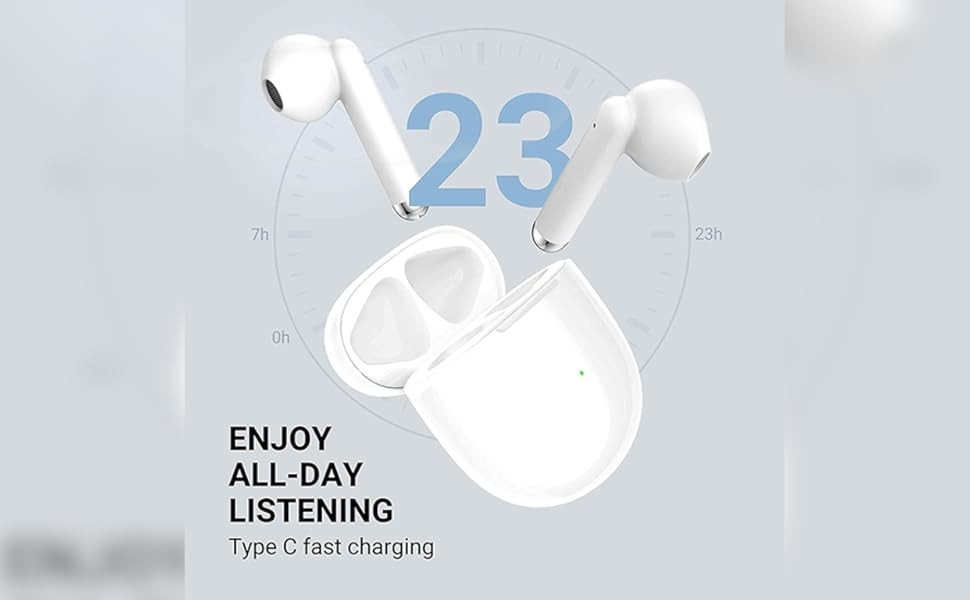
Image 3.1: TCL S200 Earbuds and Charging Case. The image displays the earbuds and case with an overlay indicating '23 hrs' for total listening time, highlighting the battery life.
3.2 Pairing with Your Device
The TCL S200 earbuds support Google Fast Pairing for quick connection with compatible Android devices and standard Bluetooth 5.0 pairing for other devices.
- Initial Pairing: Open the charging case. The earbuds will automatically enter pairing mode.
- Google Fast Pairing: If you have a compatible Android device, a pop-up notification will appear on your screen. Tap to connect.
- Manual Bluetooth Pairing:
- On your device, go to Bluetooth settings.
- Select "TCL S200" from the list of available devices.
- Once connected, you will hear an audio prompt.
- Reconnection: The earbuds will automatically reconnect to the last paired device when taken out of the case.

Image 3.2: Fast and Reliable Connection. A person is shown holding a smartphone, with the TCL S200 earbuds and charging case nearby, illustrating the quick pairing process.
4. Operating the Earbuds
4.1 Wearing the Earbuds
For optimal sound quality and comfort, ensure the earbuds are properly seated in your ears. The semi-in-ear design provides a lightweight and ergonomic fit.
- Identify the left (L) and right (R) earbuds.
- Gently insert each earbud into your ear canal and rotate slightly until it feels secure and comfortable.
- The earbuds feature Smart Wearing Detection, which automatically pauses music when an earbud is removed and resumes when put back in.

Image 4.1: Comfortable & Secure Fit. A man is shown wearing a TCL S200 earbud, with diagrams illustrating the auto-pause function when earbuds are taken off and auto-play when put on.
4.2 Touch Controls
The TCL S200 earbuds feature intuitive touch controls for managing audio playback, calls, and voice assistant activation.
- Music Playback: Tap the earbud surface to play/pause music. (Specific tap patterns for next/previous track are not detailed in provided data, refer to Quick Guide for full details).
- Call Management: Tap to answer/end calls. (Specific tap patterns for reject/switch calls are not detailed in provided data, refer to Quick Guide for full details).
- Voice Assistant: Activate your device's voice assistant with a specific tap gesture.

Image 4.2: Hassle-Free Touch Control. A man is shown wearing a TCL S200 earbud, with text highlighting the ease of controlling functions with simple touches.
4.3 Call Quality
The earbuds are equipped with Echo Noise Cancellation (ENC) technology and dual beamforming microphones to enhance voice clarity during hands-free calls, even in noisy environments.
4.4 Audio Performance
Experience clear and balanced sound with the 12mm dynamic drivers and liquid crystal polymer diaphragm, designed for high precision and sensitivity across a frequency range of 15 - 22K Hz.
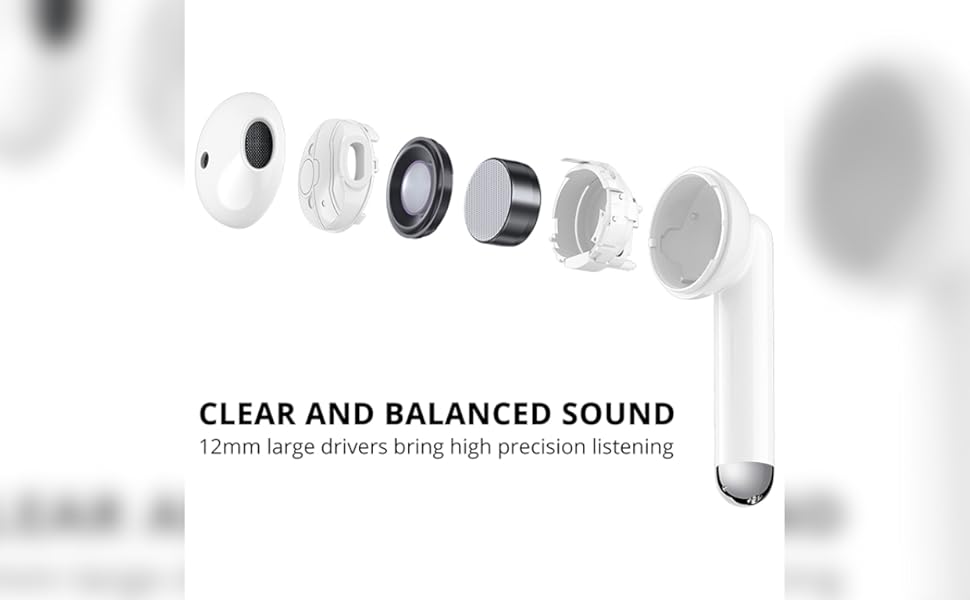
Image 4.3: Clear and Balanced Sound. An exploded diagram of a TCL S200 earbud highlights its internal components, including the 12mm driver, emphasizing high precision listening.
5. Maintenance
5.1 Cleaning
- Regularly clean the earbuds and charging case with a soft, dry, lint-free cloth.
- Do not use liquids or spray cleaners.
- Ensure charging contacts on both earbuds and case are clean and free of debris.
5.2 Storage
- When not in use, store the earbuds in their charging case to protect them and keep them charged.
- Store the device in a cool, dry place, away from extreme temperatures and direct sunlight.
6. Troubleshooting
If you encounter issues with your TCL S200 earbuds, refer to the following common solutions:
| Problem | Possible Cause | Solution |
|---|---|---|
| Earbuds not pairing | Bluetooth off, earbuds not in pairing mode, device already connected to another earbud. | Ensure Bluetooth is on. Place earbuds in case, close, then open to re-enter pairing mode. Forget device on your phone and re-pair. |
| No sound or poor sound quality | Low battery, improper fit, volume too low, connection issues. | Charge earbuds. Adjust fit in ear. Increase volume on device. Reconnect earbuds. |
| Poor call quality (mic issues) | Microphone obstructed, noisy environment, weak signal. | Ensure earbuds are properly worn. Move to a quieter environment. Check phone's signal strength. |
| Earbuds not charging | Charging contacts dirty, cable faulty, power source issue. | Clean charging contacts on earbuds and case. Try a different Type-C cable or power source. |
| Touch controls unresponsive | Dirty sensor, temporary software glitch. | Clean the touch surface of the earbuds. Place earbuds back in case, close, then reopen to reset. |
| One earbud drains faster | Uneven usage, one earbud acting as primary. | This can be normal depending on usage patterns. Ensure both earbuds are fully charged before use. |
7. Specifications
| Feature | Detail |
|---|---|
| Model Name | TCL S200 |
| Connectivity Technology | Bluetooth 5.0, Wireless |
| Audio Driver Size | 12 Millimetres |
| Frequency Range | 15 - 22K Hz |
| Impedance | 32 Ohm |
| Microphone | Yes, with Echo Noise Cancellation (ENC) |
| Control Method | Touch, Voice Control |
| Water Resistance Level | Waterproof |
| Charging Port | Type-C |
| Battery Type | Lithium Ion (included) |
| Special Features | Freely Use Either Earbud, Google Fast Pairing, Smart Wearing Detection, Speed Charge |
| Item Weight | 750 g (total package weight) |
| Product Dimensions | 21.5 x 17.5 x 7.5 cm |
8. Warranty and Support
8.1 Warranty Information
The TCL S200 True Wireless Earbuds come with a 1-year warranty against manufacturing defects. This warranty does not cover physical damage or water damage caused by misuse or accidents.
Please retain your proof of purchase for warranty claims.
8.2 Customer Support
For further assistance, technical support, or warranty claims, please contact TCL customer service through their official website or the contact information provided in your product packaging.
Related documentsS200


Ask a question about this manual
Ask about setup, troubleshooting, compatibility, parts, safety, or missing instructions. Manuals+ will review the question and use this page’s manual context to help answer it.