
BOSS Katana-50 Gen 3
BOSS Katana-50 Gen 3 50-Watt 1x12-Inch Guitar Combo Amplifier User Manual
Brand: BOSS | Model: Katana-50 Gen 3
Introduction
This manual provides essential information for the safe and effective operation of your BOSS Katana-50 Gen 3 50-Watt 1x12-Inch Guitar Combo Amplifier. Please read it thoroughly before use and retain it for future reference.

Image: The BOSS Katana-50 Gen 3 amplifier, a black combo unit with a 12-inch speaker, shown alongside an instrument cable and guitar picks. This bundle provides immediate playability.
Setup
- Unpacking: Carefully remove the amplifier and all accessories from the packaging. Ensure all components are present: BOSS Katana-50 Gen 3 amplifier, power cord, instrument cable, and guitar picks.
- Placement: Place the amplifier on a stable, level surface. Ensure adequate ventilation around the unit. Avoid placing it near heat sources or in direct sunlight.
- Power Connection: Connect the supplied power cord to the AC IN jack on the rear panel of the amplifier and then to a suitable AC outlet.
- Instrument Connection: Connect your guitar to the INPUT jack on the front panel using the provided instrument cable.
- Power On: Flip the POWER switch to the ON position. The power indicator will illuminate.
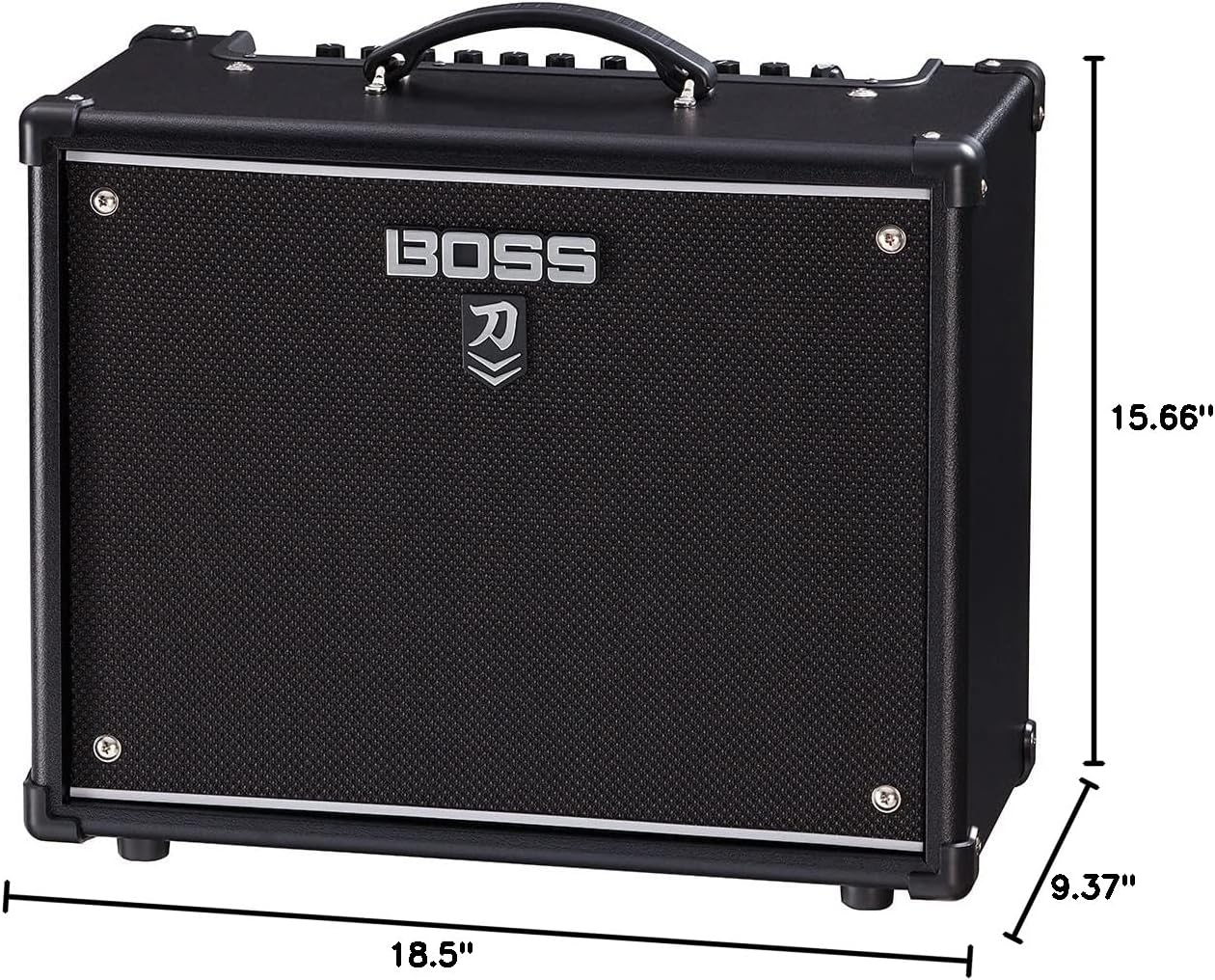
Image: The rear panel of the BOSS Katana-50 Gen 3 amplifier, highlighting the AC IN power input, speaker output, MIDI, effect loop, and line out connections. This view is crucial for proper setup and integration with other equipment.
Operating Instructions
Front Panel Controls

Image: A detailed view of the amplifier's control panel, showing knobs for Amplifier Type, Gain, Volume, Equalizer (Bass, Middle, Treble), Effects (Booster/Mod, Delay/FX, Reverb), Tone Setting, Presence, Master, Power Control, and Power switch. This panel allows for comprehensive sound shaping.
- INPUT Jack: Connect your guitar here.
- AMPLIFIER Section:
- AMP TYPE Knob: Select from various amp characters (Brown, Lead, Crunch, Clean, Acoustic, Pushed).
- GAIN Knob: Adjust the input gain level.
- VOLUME Knob: Adjust the overall volume of the selected amp type.
- EQUALIZER Section:
- BASS Knob: Adjust low frequencies.
- MIDDLE Knob: Adjust mid frequencies.
- TREBLE Knob: Adjust high frequencies.
- EFFECTS Section:
- BOOSTER/MOD Knob: Select and adjust booster or modulation effects.
- DELAY/FX Knob: Select and adjust delay or other effects.
- REVERB Knob: Select and adjust reverb types.
- TAP Button: Tap to set the delay time.
- TONE SETTING Section:
- CH1/CH2 Buttons: Store and recall your favorite tone settings.
- PANEL Button: Revert to the current physical knob settings.
- PRESENCE Knob: Adjust the high-frequency contour.
- MASTER Knob: Control the overall output volume.
- POWER CONTROL Knob: Adjust the amplifier's output wattage (0.5W, 25W, 50W, Standby).
- POWER Switch: Turn the amplifier ON/OFF.
Using Tone Settings
The Katana-50 Gen 3 allows you to save and recall your preferred amp and effect settings. Use the CH1 and CH2 buttons to store and switch between two distinct tone setups. The PANEL button instantly reverts the amplifier to the sound configured by the physical knob positions.
Power Control
The integrated Power Control feature allows you to achieve cranked-amp tones at various volume levels. Select 0.5W for quiet practice, 25W or 50W for louder sessions or performances. The Standby mode mutes the output while keeping the amplifier powered on.
Key Features
- Dynamic and Responsive Tone: The new Pushed amp character provides dynamic, touch-responsive gain, emulating a clean combo driven into harmonic saturation.
- Versatile Power Control: Adjust output wattage from 0.5W to 50W, allowing for optimal tone at any volume level, from bedroom practice to stage performance.
- Classic Katana Modes: Access five simultaneous effect categories (Booster, Mod, FX, Delay, Reverb) with enhanced sound quality and three variations each, totaling 15 unique effects.
- Advanced Sound Shaping: Utilize the BOSS Tone Studio app for detailed amp and effect editing, effect order customization, and overall sound shaping with the three-way Contour control and multiple EQs.
- USB Connectivity: Connect via USB for direct recording and stereo headphone output.
Video: An official BOSS video showcasing the features and sound capabilities of the Katana Gen 3 amplifier series. This video demonstrates the amplifier's versatility across different musical styles and settings.
Specifications
| Feature | Detail |
|---|---|
| Output Power | 50 Watts |
| Speaker | Custom 12-inch Speaker |
| Item Weight | 25.6 pounds |
| Product Dimensions | 9.37 x 18.5 x 15.66 inches |
| Material Type | Copper |
| Connector Type | USB |
| Power Source | Corded Electric |
| Model Number | BOS-KTN-50-2 |
Maintenance
- Cleaning: Use a soft, dry cloth to clean the exterior of the amplifier. Do not use abrasive cleaners or solvents.
- Storage: Store the amplifier in a dry, cool place away from direct sunlight and extreme temperatures.
- Ventilation: Ensure the amplifier's vents are not obstructed to prevent overheating.
- Firmware Updates: Periodically check the BOSS website for firmware updates to ensure optimal performance and access to new features.
Troubleshooting
- No Sound:
- Check if the amplifier is powered on and the power cord is securely connected.
- Ensure your guitar is properly connected to the INPUT jack.
- Verify that the GAIN, VOLUME, and MASTER knobs are not set to zero.
- Check your guitar's volume and tone controls.
- Distorted Sound:
- Reduce the GAIN knob setting.
- Adjust the EQUALIZER (BASS, MIDDLE, TREBLE) knobs.
- Ensure the guitar's output is not too high for the amplifier's input.
- Effects Not Working:
- Verify that the effect knobs (BOOSTER/MOD, DELAY/FX, REVERB) are turned up and the effects are active.
- Check the settings within the BOSS Tone Studio app if you are using custom effects.
Warranty and Support
For warranty information, technical support, or service inquiries, please refer to the official BOSS website or contact your authorized dealer. Keep your purchase receipt as proof of purchase.
Related documentsKatana-50 Gen 3


Ask a question about this manual
Ask about setup, troubleshooting, compatibility, parts, safety, or missing instructions. Manuals+ will review the question and use this page’s manual context to help answer it.