
Introduction
The EPOS H6Pro Closed Acoustic Gaming Headset is engineered for immersive gaming sessions, providing crystal-clear audio and superior voice pickup. Designed for extended comfort, this headset helps you stay focused on your game by minimizing external distractions.
What's in the Box
- Headband
- Cable
- User Manual
- Detachable Microphone
- Ear Cushions

Included accessories: EPOS H6Pro headset, 3.5mm cables, detachable microphone, and user manual.
Setup
Connecting Your Headset
The EPOS H6Pro headset connects via a 3.5mm jack, ensuring broad compatibility across various gaming platforms.
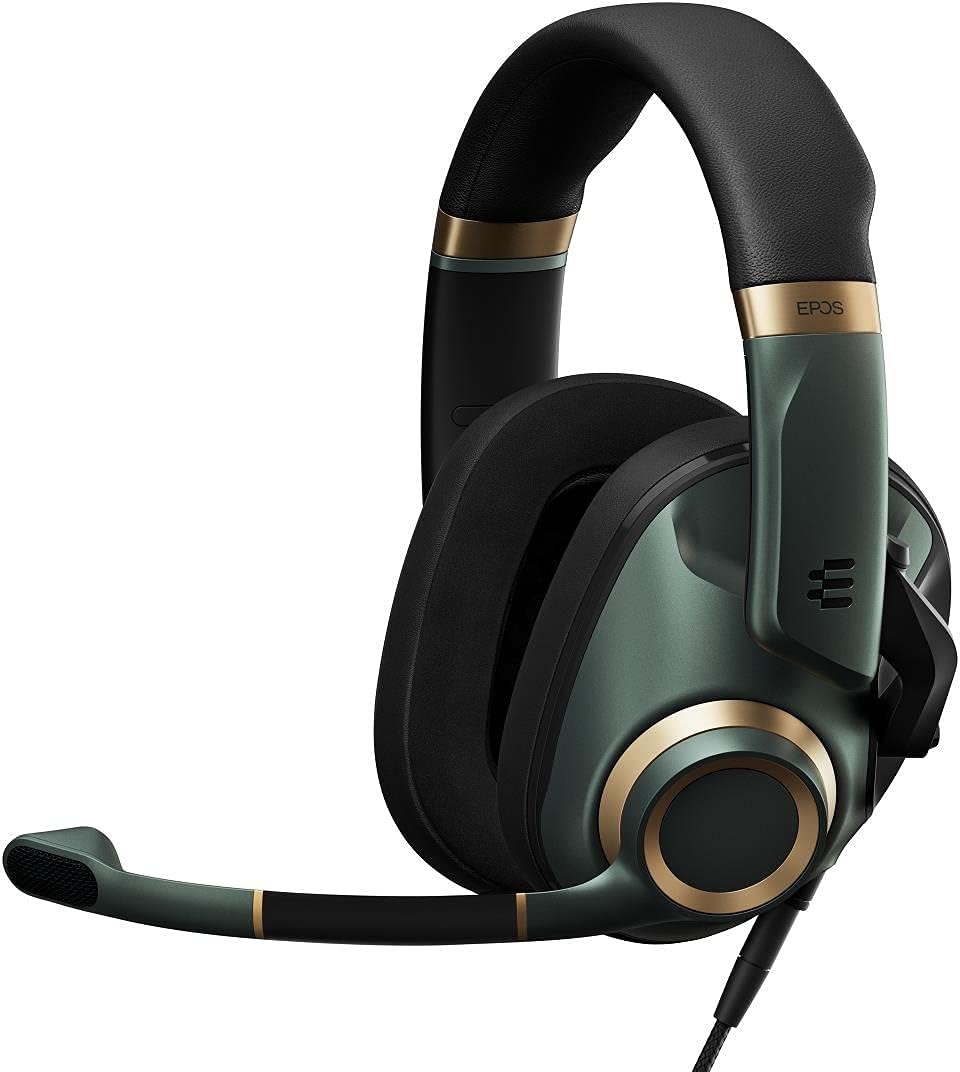
The EPOS H6Pro headset ready for connection.
Detachable Microphone
The headset features a magnetic, detachable boom arm microphone. This allows for easy removal when not needed, transforming the gaming headset into a sleek pair of headphones for other uses.

The detachable microphone and its magnetic connection point.
To mute the microphone, simply lift the boom arm upwards until it clicks into place. Lowering it will unmute the microphone.

Microphone in the muted (upright) position.
Volume Control
An intuitive volume wheel is located on the right earcup for quick and easy audio adjustments during gameplay.
Official product video demonstrating the features of the EPOS H6Pro headset, including its volume control and detachable microphone.
Operating
Audio Performance
The H6Pro features a proprietary high-quality speaker system designed to deliver dynamic sound with exceptional accuracy, allowing you to pick up individual sound cues in games.
A short product video showcasing the EPOS H6Pro headset's design and features.
Noise Isolation
The closed acoustic design, combined with noise-cancelling memory foam ear pads, provides excellent passive noise isolation, allowing you to focus on your game without external distractions.
Comfort and Fit
Designed for long wearing comfort, the headset features a redesigned lightweight headband with increased softness and two-axis hinged ear cups that adapt to your head shape.

The headset's foldable design for easy storage and transport.
Compatibility
The EPOS H6Pro is compatible with a wide range of platforms including Xbox Series X, PS5, Tablet, Nintendo Switch, Mac OSX, PS4, PC / Soft phone, and Xbox One.
Maintenance
To ensure the longevity and optimal performance of your EPOS H6Pro headset, regular cleaning is recommended.
- Ear Cushions: Gently wipe the memory foam ear pads with a soft, damp cloth. Avoid using harsh chemicals or abrasive materials.
- Headband: Clean the headband with a soft, dry cloth.
- Microphone: If the microphone becomes dirty, wipe it with a soft, slightly damp cloth. Ensure it is completely dry before reattaching.
- Cables: Keep cables untangled and avoid sharp bends to prevent damage.
Troubleshooting
No Audio / Low Volume
- Ensure the 3.5mm cable is fully inserted into both the headset and your device.
- Check the volume wheel on the right earcup and ensure it is turned up.
- Verify your device's audio output settings are correctly configured to the headset.
- If using the split PC cable, ensure both audio and microphone jacks are correctly plugged into their respective ports.
Microphone Not Working
- Ensure the detachable microphone is securely attached to the headset.
- Check that the microphone boom arm is lowered (unmuted position).
- Verify your device's microphone input settings are correctly configured to the headset.
- Test the microphone on another device to rule out a device-specific issue.
Specifications
| Feature | Value |
|---|---|
| Brand | EPOS |
| Model Name | H6 Pro Closed |
| Connectivity Technology | Wired |
| Headphones Jack | 3.5 mm Jack |
| Noise Control | Active Noise Cancellation (Passive Noise Isolation from closed-back design) |
| Item Weight | 322 Grams (11.4 ounces) |
| Frequency Range | 20 Hz - 20,000 Hz |
| Impedance | 28 Ohm |
| Material | Memory Foam |
Warranty and Support
This product comes with a standard manufacturer's warranty. For detailed warranty information and support, please refer to the included User Manual (PDF) or visit the official EPOS website.
You can also find the User Guide (PDF) here.


