
Introduction
Thank you for choosing PureGear PureBoom Wired Earbuds. These in-ear stereo headphones are designed for clear audio and convenient communication across a wide range of devices. This manual provides essential information for setup, operation, maintenance, and troubleshooting to ensure optimal performance and longevity of your earbuds.

Image: Overview of PureGear PureBoom wired earbuds, showing the earbud, in-line microphone, and 3.5mm audio jack.
Package Contents
- PureGear PureBoom Wired Earbuds
- Multiple sizes of ear tips (Ear Cushions)

Image: PureBoom earbuds displayed with a selection of ear tips for customized fit.
Setup
1. Selecting Ear Tips
For optimal sound quality and comfort, choose the ear tips that best fit your ears. Experiment with the different sizes provided to find a secure and comfortable seal. A good seal helps improve bass response and noise isolation.
2. Connecting to Your Device
- Identify the 3.5mm audio jack on your device (e.g., smartphone, tablet, laptop, computer).
- Insert the 3.5mm plug of the PureBoom earbuds firmly into the device's audio jack.
- Ensure the connection is secure for uninterrupted audio.

Image: Detailed view of the 3.5mm audio jack for connection.
The PureBoom earbuds are compatible with any device featuring a standard 3.5mm audio port, including Apple iPhone (with adapter, if needed), Android smartphones, iPads, laptops, desktop computers, and more.

Image: A user wearing the earbuds, highlighting their universal compatibility with various devices.
Operating Instructions
Using the In-line Microphone and Control Button
Your PureBoom earbuds feature an integrated in-line microphone and a multi-function control button for convenient management of calls and audio playback.
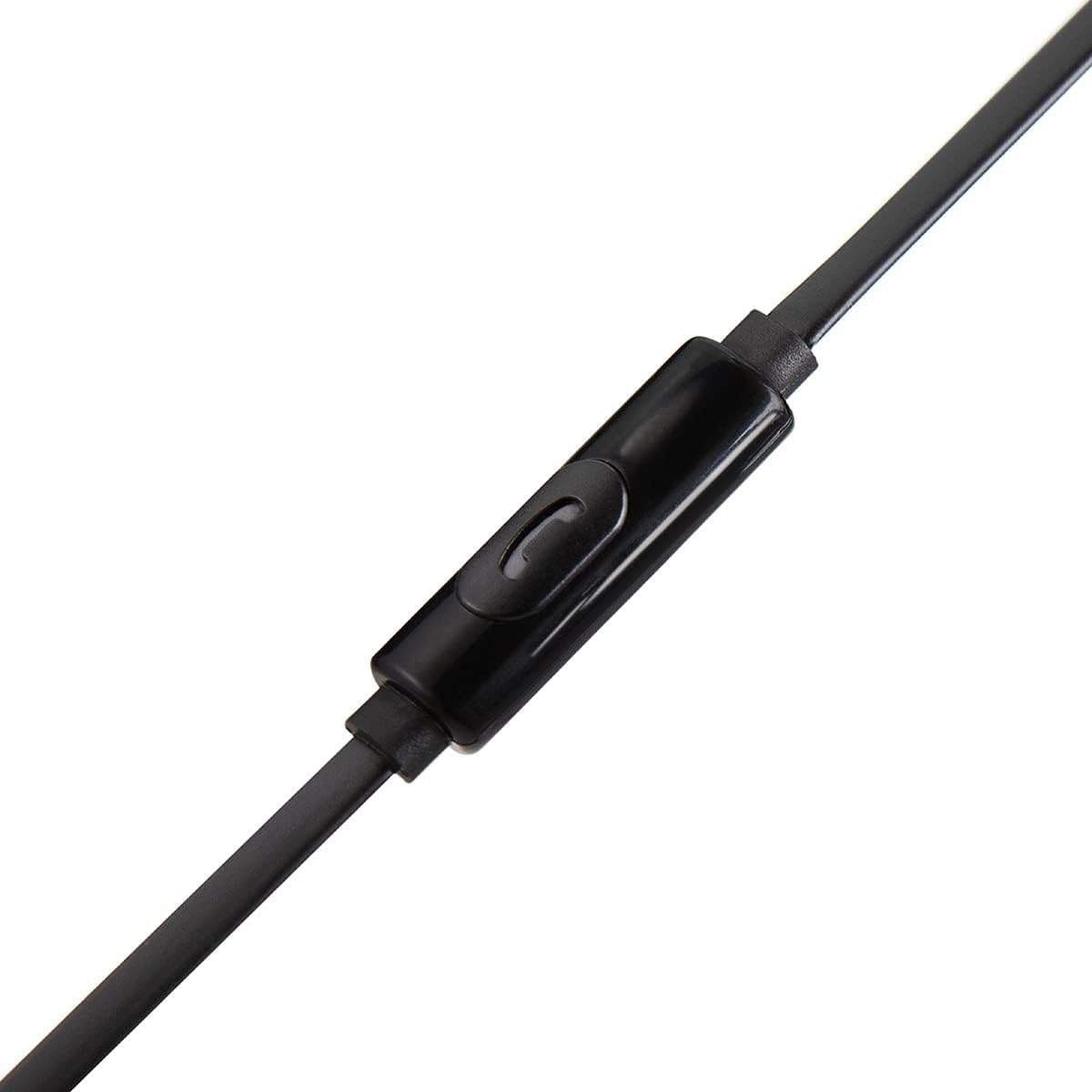
Image: Detailed view of the in-line microphone and control button.
- Play/Pause Audio: Press the control button once.
- Answer/End Call: Press the control button once during an incoming call or an active call.
- Reject Call: Press and hold the control button for approximately 2 seconds during an incoming call.
- Next Track: Press the control button twice quickly.
- Previous Track: Press the control button three times quickly.
The high-grade built-in microphone allows for clear, hands-free communication during calls.
Maintenance and Care
- Cleaning: Gently wipe the earbuds and cable with a soft, dry cloth. Do not use harsh chemicals or abrasive materials. Remove ear tips periodically and clean them with mild soap and water, ensuring they are completely dry before reattaching.
- Storage: When not in use, store your earbuds in a clean, dry place. Avoid extreme temperatures.
- Cable Care: The PureBoom earbuds feature a tangle-free flat cable. While designed for durability, avoid excessive pulling, twisting, or sharp bends to prevent damage.
- Water Resistance: These earbuds are sweat-resistant for sports activities but are not water resistant. Avoid submerging them in water or exposing them to heavy rain.
Troubleshooting
| Problem | Solution |
|---|---|
| No sound or low volume |
|
| Microphone not working |
|
| Earbuds feel uncomfortable or fall out |
|
Specifications
| Feature | Detail |
|---|---|
| Brand | PureGear |
| Model Name | PureBoom InEar_3.5mm_HeadPhone |
| Connectivity Technology | Wired (3.5mm Jack) |
| Ear Placement | In Ear |
| Cable Features | Tangle Free |
| Built-in Microphone | Yes |
| Control Type | Media Control (Single Button) |
| Material | Polycarbonate (PC) |
| Compatibility | Devices with 3.5mm audio port (e.g., iPhone, Android, iPad, Laptops, Computers) |
| Water Resistance Level | Sweat Resistant (Not Water Resistant) |
Warranty Information
PureGear PureBoom Wired Earbuds come with a One Year Warranty from the date of purchase. This warranty covers manufacturing defects. It does not cover damage caused by misuse, accidents, unauthorized modifications, or normal wear and tear. Please retain your proof of purchase for warranty claims.
Support
For further assistance, technical support, or warranty inquiries, please visit the official PureGear website or contact their customer service department. Refer to the packaging or the PureGear website for the most current contact information.
Online Resources: www.pure-gear.com