
Introduction
Thank you for choosing the SJOYBRING Double Din Car Stereo. This manual provides detailed instructions for installation, operation, maintenance, and troubleshooting to ensure optimal performance and user experience. Please read this manual thoroughly before using the product.

Figure 1: SJOYBRING Double Din Car Stereo with included accessories.
What's in the Box
Upon opening the package, please verify that all the following items are included:
- Car stereo
- Remote control
- Camera
- Mounting bracket
- Manual

Figure 2: Contents of the product package.
Key Features
- CarPlay & Android Auto: Compatible with Apple CarPlay and Android Auto for voice control access to phone functions including calls, map navigation, music, and messages.
- HD Full Touch Screen: 7-inch universal size display with 1024*600 resolution, supporting 1080P video playback. Features mirror link for smartphone screen mirroring.
- Clear Call Sound-HD MIC: Built-in noise-cancelling microphone and 3.5mm external mic jack for clear calls in noisy environments.
- Front & Rear Camera Support: Displays rear view camera feed automatically when reversing. Includes a 170-degree ultra-wide angle, waterproof rear camera. (Front camera not included).
- Easy to Install: Standard size (173*98mm) designed to fit most car dash kits.
Setup and Installation
Before installation, please confirm that your dash size, factory wiring harness, and radio antenna adapter are suitable. If not, you may need to purchase additional accessories for your specific car model. The unit is not an Android system.
Dash Compatibility and Wiring
The stereo is designed for a standard 173x98mm opening, commonly found in many dash kits. Refer to the wiring diagram for proper connections.

Figure 3: Dash size compatibility and wiring harness details.
Installation Process
For a visual guide on the installation process, including removal of the factory stereo and wiring connections, please refer to the video below. Ensure all connections are secure and correctly matched according to color and function.
Video 1: Unit Installation Guide. This video demonstrates the steps for removing an existing car stereo and installing the new unit, including wiring harness connections.
Operating Instructions
CarPlay & Android Auto
Connect your smartphone via USB cable to enable Apple CarPlay or Android Auto. This allows for voice control (Siri/Google Assistant) to manage calls, navigation, music, and messages, keeping your focus on the road.

Figure 4: CarPlay and Android Auto functionality.
Video 2: SJOYBRING JOY-D009 CarPlay & Android Auto Function Demo. This video showcases the user interface and features of CarPlay and Android Auto on the stereo.
Bluetooth 5.1 Connectivity
The stereo features Bluetooth 5.1 for stable and fast wireless connections. Pair your smartphone to stream music and make hands-free calls.
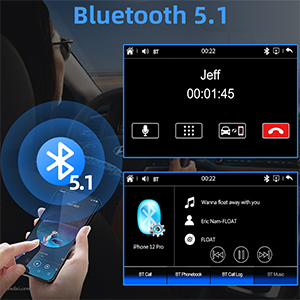
Figure 5: Bluetooth 5.1 for calls and music streaming.
Mirror Link Function
Sync your smartphone screen to the 7-inch HD display via mirror link. This allows you to view content from your phone, such as navigation or videos, directly on the stereo screen.
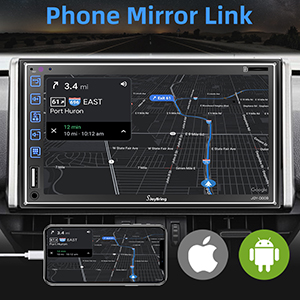
Figure 6: Phone Mirror Link in action.
Audio Features
Experience superior sound quality with upgraded 2.1-channel output, including left, right, and subwoofer outputs, powered by a 60W x 4 amplifier. Utilize the built-in 16-band EQ for customized audio settings.

Figure 7: Audio output connections and EQ settings.
Camera Functionality
The stereo supports both front and rear cameras. The included rear camera provides a 170-degree ultra-wide angle view and is waterproof. It automatically displays the feed on the touch screen when the vehicle is shifted into reverse.
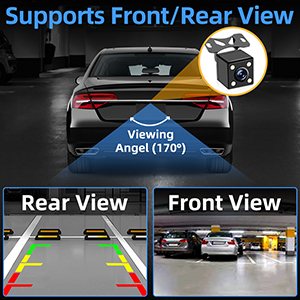
Figure 8: Front and Rear Camera support.
AM/FM Radio
Access your favorite radio stations with the built-in AM/FM tuner. FM frequencies range from 87.5-107.9 MHz, and AM from 530-1710 KHz.
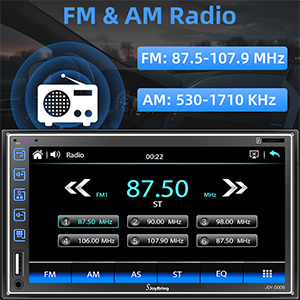
Figure 9: AM/FM Radio interface.
Steering Wheel Control
The stereo supports steering wheel controls, allowing you to manage audio playback and calls without taking your hands off the wheel.
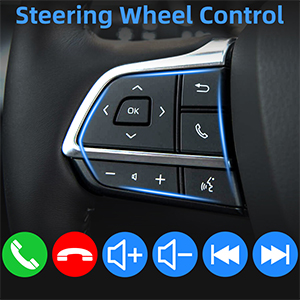
Figure 10: Steering Wheel Control compatibility.
Multimedia Playback
Enjoy 1080P HD video and audio playback via USB port, AUX input, or SD card slot. The unit also supports USB charging for your devices.

Figure 11: Multimedia playback options.
Noise-Cancelling Microphone
The built-in noise-cancelling microphone and external mic jack ensure clear call quality, even in noisy environments, allowing for accurate voice control while driving.
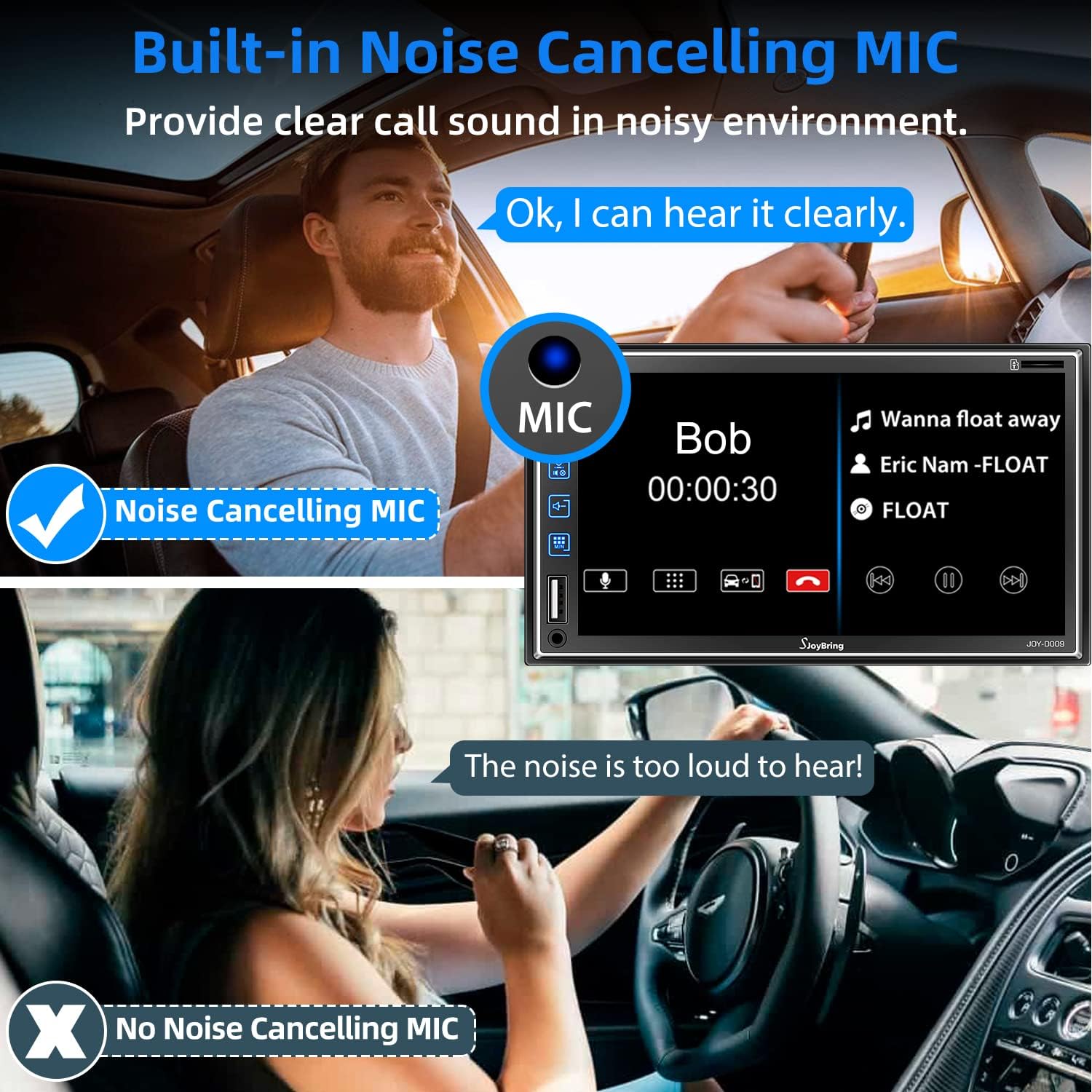
Figure 12: Noise-cancelling microphone feature.
7-Color Backlight
Customize the button backlight color to match your vehicle's interior or your personal preference with 7 available color options.
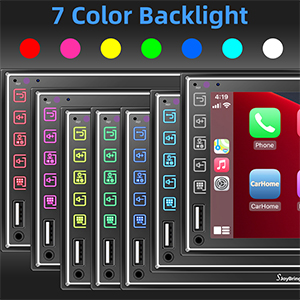
Figure 13: Customizable 7-color backlight.
Maintenance
To ensure the longevity and optimal performance of your SJOYBRING car stereo, follow these maintenance guidelines:
- Cleaning: Use a soft, dry cloth to clean the screen and exterior. Avoid abrasive cleaners or solvents that may damage the surface.
- Temperature: Avoid exposing the unit to extreme temperatures, both hot and cold, as this can affect electronic components.
- Moisture: Keep the unit dry. Moisture can cause internal damage.
- Firmware Updates: Check the manufacturer's website periodically for any available firmware updates to improve performance and add new features.
Troubleshooting
If you encounter issues with your car stereo, refer to the following common troubleshooting steps:
- No Power:
- Check the power connections and fuses.
- Ensure the car's ignition is on.
- No Sound:
- Verify speaker connections are secure.
- Check volume levels and mute settings.
- Ensure the correct audio source is selected.
- Bluetooth Connectivity Issues:
- Ensure Bluetooth is enabled on both the stereo and your phone.
- Delete previous pairings and re-pair the devices.
- Move closer to the stereo to ensure signal strength.
- CarPlay/Android Auto Not Connecting:
- Use the original or a certified USB cable.
- Ensure your phone's operating system is up to date.
- Restart both the phone and the car stereo.
- Rear Camera Not Displaying:
- Check the camera's power and video signal connections.
- Ensure the vehicle is in reverse gear.
If problems persist after attempting these steps, please contact SJOYBRING customer support for further assistance.
Specifications
| Feature | Specification |
|---|---|
| Brand | SJOYBRING |
| Model Number | JOY-D009 |
| Screen Size | 7 Inch |
| Screen Resolution | 1024*600 |
| Video Playback | 1080P Support |
| Bluetooth Version | 5.1 |
| Audio Output Mode | Stereo (2.1 Surround Sound Channel Configuration) |
| EQ | 16-Band |
| Connectivity Technology | Bluetooth, 3.5mm Jack |
| Item Weight | 2.51 pounds |
| Package Dimensions | 9.17 x 6.02 x 5.87 inches |
Warranty and Support
SJOYBRING products typically come with a manufacturer's warranty. Please refer to the warranty card included in your package or visit the official SJOYBRING website for detailed warranty information and terms. For technical support, troubleshooting assistance, or inquiries regarding your product, please contact SJOYBRING customer service through the contact information provided in your product documentation or on the brand's official channels.
You can also visit the SJOYBRING Store on Amazon for more information and support resources.


