
1. Introduction
This manual provides detailed instructions for the TECLAST P33 10.1-inch Android Tablet. Please read this manual thoroughly before using your device to ensure proper operation and to maximize its lifespan.
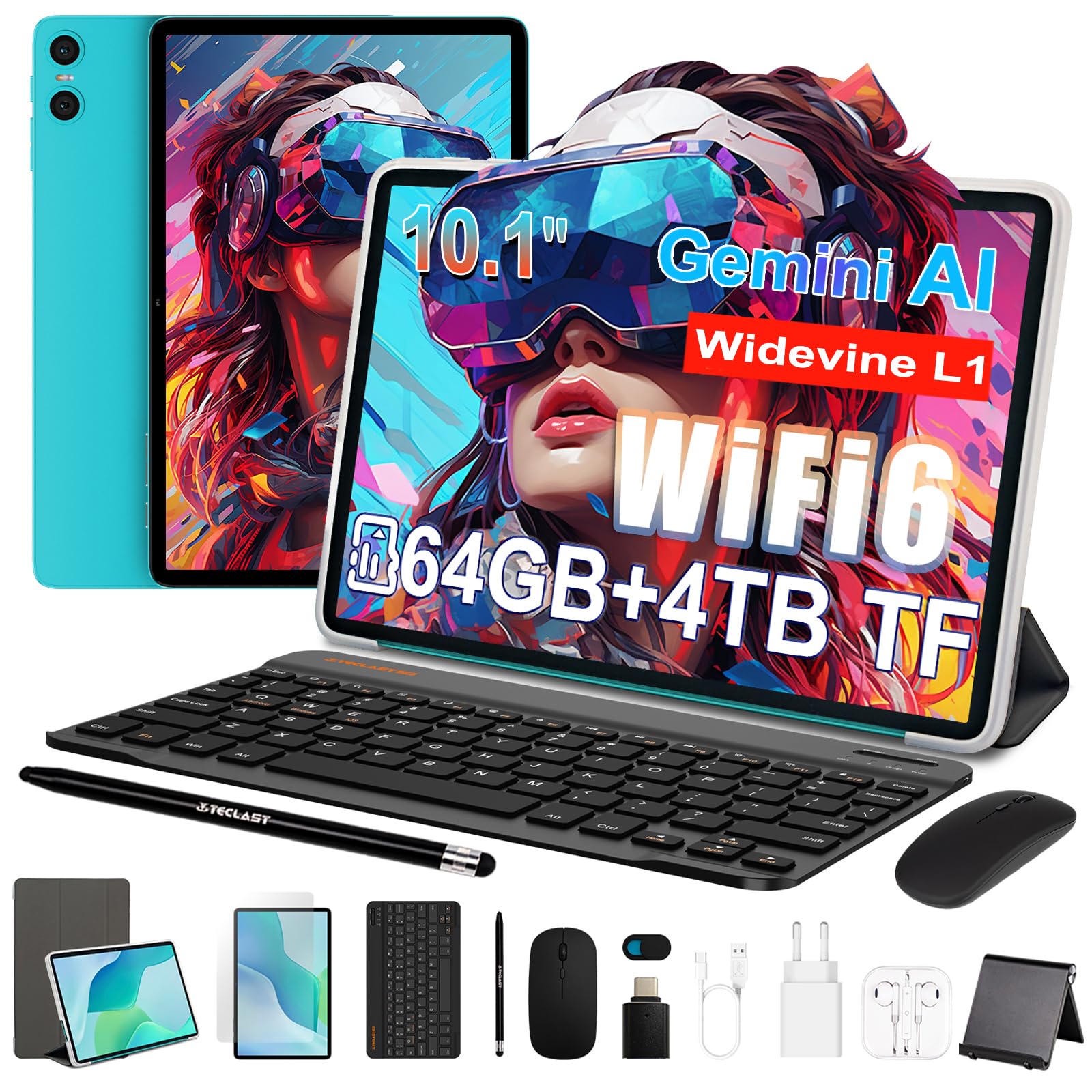
Figure 1: TECLAST P33 10.1-inch Android Tablet
Package Contents
The TECLAST P33 tablet comes with a comprehensive accessory bundle to enhance your user experience. Please verify that all items listed below are included in your package:
- TECLAST P33 Tablet
- Tablet Case
- Protective Film
- Mouse
- Camera Protection Caps
- Bluetooth Keyboard
- 3.5mm Wired Earphones
- Stylus Pen
- Tablet Stand
- OTG Adapter
- Type-C Cable
- Charger
- User Manual

Figure 2: TECLAST P33 Package Contents
2. Setup
2.1 Initial Charging
Before first use, it is recommended to charge the tablet for at least 30 minutes. Use the provided Type-C cable and charger.
- Connect the Type-C cable to the tablet's charging port.
- Connect the other end of the cable to the charger.
- Plug the charger into a power outlet.
- The charging indicator will illuminate.

Figure 3: Charging the TECLAST P33 Tablet
2.2 Powering On/Off
- To Power On: Press and hold the Power button until the TECLAST logo appears on the screen.
- To Power Off: Press and hold the Power button until a power-off menu appears. Select "Power off" and confirm.
- To Restart: From the power-off menu, select "Restart" and confirm.
2.3 Inserting a MicroSD Card
The TECLAST P33 supports MicroSD card expansion up to 4TB.
- Locate the MicroSD card slot on the side of the tablet.
- Use the provided ejector pin to open the card tray.
- Place the MicroSD card into the tray with the gold contacts facing down.
- Gently push the tray back into the slot until it clicks into place.
2.4 Connecting Accessories
The TECLAST P33 comes with several accessories that can be connected via Bluetooth or physical ports.
- Bluetooth Keyboard/Mouse:
- Turn on the Bluetooth keyboard or mouse.
- On the tablet, go to Settings > Connected devices > Bluetooth.
- Enable Bluetooth and scan for available devices.
- Select the keyboard or mouse from the list and follow on-screen pairing instructions.
- 3.5mm Wired Earphones: Plug the earphones into the 3.5mm audio jack on the tablet.
- OTG Adapter: The OTG adapter allows you to connect USB devices (like flash drives) to your tablet. Plug the OTG adapter into the Type-C port, then connect your USB device to the adapter.
3. Operating Instructions
3.1 Display and User Interface
The TECLAST P33 features a 10.1-inch IPS display with a resolution of 1280x800 pixels. It utilizes T-color 3.0 technology for enhanced color and image detail. The tablet runs on Android 15, offering an intuitive user interface.

Figure 4: TECLAST P33 Display Features
3.2 Performance and Storage
Powered by an Allwinner A333 Octa-Core processor (up to 2GHz) and an ARM Mali-G57 GPU, the P33 delivers smooth performance for multitasking, video playback, and light gaming. It includes 9GB RAM (3GB LPDDR4 + 6GB expandable memory) and 64GB of internal storage, expandable up to 4TB via MicroSD card.

Figure 5: Processor and GPU Details

Figure 6: Storage Expansion Capabilities
3.3 Connectivity
The tablet supports dual-band Wi-Fi 6 (2.4G+5G) for faster connection speeds and lower latency. Bluetooth 5.4 is included for connecting wireless peripherals and supports AAC and LDAC codecs for high-fidelity audio.

Figure 7: Wireless Connectivity
3.4 Camera and Audio
The P33 is equipped with a 5MP front camera and a 5MP rear camera, suitable for video calls and capturing everyday moments. It features dual PureSound stereo speakers and an intelligent amplification chip for immersive audio. A 3.5mm audio jack is also available for headphones.

Figure 8: Audio Features
3.5 Battery Life
The 6000mAh battery provides approximately 10-12 hours of online video playback at standard brightness, ensuring extended usage for reading and browsing.
4. Maintenance
4.1 Cleaning the Tablet
- Use a soft, lint-free cloth to clean the screen and body of the tablet.
- For stubborn smudges, slightly dampen the cloth with water or a screen cleaner specifically designed for electronics.
- Avoid using harsh chemicals, abrasive materials, or excessive moisture, as these can damage the device.
4.2 Software Updates
Regularly check for and install software updates to ensure optimal performance, security, and access to new features.
- Go to Settings > System > System update.
- Follow the on-screen instructions to check for and install any available updates.
4.3 Battery Care
- Avoid fully discharging the battery frequently.
- Do not expose the tablet to extreme temperatures (hot or cold).
- Use only the original charger or a certified compatible charger.
5. Troubleshooting
If you encounter issues with your TECLAST P33 tablet, refer to the following common solutions.
| Problem | Solution |
|---|---|
| Tablet does not turn on | Ensure the battery is charged. Connect the charger and try again. If unresponsive, press and hold the power button for 10-15 seconds to force a restart. |
| Slow performance | Close unnecessary background applications. Clear cache regularly. Consider performing a factory reset if the issue persists (back up data first). |
| Wi-Fi connection issues | Restart the tablet and your Wi-Fi router. Forget the network and reconnect. Ensure you are within range of the Wi-Fi signal. |
| Bluetooth device not pairing | Ensure the Bluetooth device is in pairing mode. Turn Bluetooth off and on again on the tablet. Check if the device is already paired with another device. |
| Screen unresponsive | Restart the tablet. If the issue persists, ensure the screen is clean and free of debris. |
For further assistance, please contact TECLAST customer support.
6. Specifications
| Feature | Detail |
|---|---|
| Model Name | TECLAST P33 |
| Display Size | 10.1 Inches |
| Display Resolution | 1280x800 Pixels (IPS LCD) |
| Processor | Allwinner A333 Octa-Core (up to 2 GHz) |
| Graphics Coprocessor | Mali-G57 |
| RAM | 9 GB (3GB LPDDR4 + 6GB expandable) |
| Internal Storage | 64 GB |
| Expandable Storage | Up to 4 TB via MicroSD |
| Operating System | Android 15 |
| Battery Capacity | 6000 mAh (Lithium Polymer) |
| Battery Life (Average) | 10 Hours |
| Rear Camera | 5 MP |
| Front Camera | 5 MP |
| Wi-Fi | 802.11a/b/g/n/ac (Wi-Fi 6, Dual-band 2.4G/5G) |
| Bluetooth | Bluetooth 5.4 |
| Cellular Technology | 5G (SIM card support not explicitly detailed) |
| Ports | 1x USB-C, 1x 3.5mm Audio Jack, MicroSD Slot |
| Dimensions (LxWxT) | Approx. 24 x 16 x 0.8 cm |
| Weight | 535 Grams |
| Special Features | Gemini AI, Stereo Speakers, USB OTG Support, Stylus Support |
7. Warranty and Support
7.1 Product Warranty
The TECLAST P33 tablet is covered by a limited three-year warranty from the date of purchase. This warranty covers manufacturing defects and ensures product quality. Please retain your proof of purchase for warranty claims.
For the first use, it is recommended to charge the tablet for more than 30 minutes before powering it on.
7.2 Customer Support
If you encounter any issues or have questions regarding your TECLAST P33 tablet that are not covered in this manual, please contact TECLAST customer support. Our team is available to assist you and will respond to inquiries within 24 hours.
You can typically find contact information on the official TECLAST website or through the retailer where you purchased the product.


