
Introduction
This manual provides essential information for the safe and effective use of your Superer 90W 65W Laptop AC Power Adapter. Please read these instructions carefully before use and retain them for future reference. This adapter is designed to provide reliable power to compatible Dell Latitude laptops.
Safety Information
For your safety and to ensure proper operation, observe the following guidelines:
- This product is designed and manufactured to nationally recognized standards for high-level electronic safety.
- The adapter features multiple protection mechanisms, including:
- Overheating Protection
- Overvoltage Protection
- Electrostatic Protection
- Short Circuit Protection
- Overcurrent Protection
- Overcharge Protection
- Do not expose the adapter to moisture or extreme temperatures.
- Avoid dropping or subjecting the adapter to strong impacts.
- Do not attempt to disassemble or repair the adapter yourself. Refer to qualified service personnel.
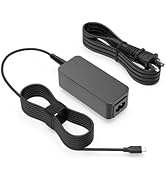
Image: Safety Protection features of the Superer AC Power Adapter.
Package Contents
Verify that your package contains the following items:
- 1 x Superer AC Adapter
- 1 x UL Listed Power Cord
Setup Instructions
- Unpack Components: Carefully remove the AC adapter and power cord from their packaging.
- Connect Power Cord: Insert the power cord firmly into the AC input port of the adapter.
- Connect to Power Outlet: Plug the other end of the power cord into a standard wall electrical outlet (100-240V AC).
- Connect to Laptop: Insert the round output connector of the AC adapter into the charging port of your Dell Latitude laptop. Ensure the connection is secure.

Image: Ensure your laptop has a compatible round charging port.
Operating Instructions
Once properly connected, the adapter will begin charging your laptop. Observe the charging indicator on your laptop to confirm it is receiving power.
- Ensure the adapter is placed in a well-ventilated area during operation to prevent overheating.
- Disconnect the adapter from the laptop and power outlet when not in use for extended periods.

Image: Consistent power supply to your laptop.
Compatibility
This Superer AC Power Adapter is specifically designed for the following Dell Latitude laptop models:
- Dell Latitude 3510 (P101F001, P101F002)
- Dell Latitude 3410 (P129G001, P129G002)
It provides an output of 19.5V 4.62A (90W) and is also compatible with devices requiring 19.5V 3.34A (65W). The input voltage range is 100-240V AC, 50-60Hz.
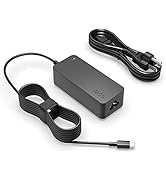
Image: Power output compatibility details.
Maintenance
Proper maintenance helps extend the life of your power adapter:
- Cleaning: Use a soft, dry cloth to clean the adapter. Do not use liquid cleaners or solvents.
- Storage: When not in use, store the adapter in a cool, dry place away from direct sunlight. Avoid tightly winding the cables to prevent damage.
- Cable Care: Do not bend, twist, or crimp the power cord or adapter cable excessively. Avoid placing heavy objects on the cables.
Troubleshooting
If you encounter issues with your adapter, try the following steps:
- No Power/Charging:
- Ensure all connections (wall outlet, adapter, laptop) are secure and fully inserted.
- Try plugging the adapter into a different wall outlet to rule out an issue with the power source.
- Verify that the adapter's specifications (voltage, amperage, wattage) match your laptop's requirements.
- Adapter Overheating:
- Ensure the adapter is placed in an area with good airflow and not covered by objects.
- If overheating persists, disconnect the adapter immediately and contact customer support.
- Loose Connection: If the adapter feels loose in the laptop's charging port, ensure it is the correct connector type and that the port is not damaged.
Specifications
| Feature | Detail |
|---|---|
| Brand | Superer |
| Model Number | ADP195462N |
| Input Voltage | 100-240V AC, 50-60Hz |
| Output Voltage/Current | 19.5V 4.62A (90W) |
| Compatible Output | 19.5V 3.34A (65W) |
| Connector Type | Round |
| Item Weight | 13.7 ounces (approx. 388 grams) |
| Product Dimensions (LxWxH) | 4.21 x 1.85 x 0.2 inches (approx. 10.7 x 4.7 x 0.5 cm) |
| Special Feature | Overcharge Protection |
| Certifications | UL Listed |

Image: Item dimensions of the Superer AC Power Adapter.
Warranty and Support
Superer is committed to providing high-quality products and customer satisfaction.
- Return Policy: This product is eligible for replacement or returns within 30 days of purchase.
- Manufacturer Guarantee: The manufacturer provides an additional 12-month guarantee from the date of purchase.
- For any questions, concerns, or support needs, please contact Superer customer service. Refer to the product packaging or the Superer official website for contact information.

Image: Superer customer support and warranty details.