
Introduction
Welcome to the user manual for your new Generic Smart Watch W007. This guide provides essential information on setting up, operating, maintaining, and troubleshooting your device to ensure optimal performance and a satisfying user experience. Please read this manual thoroughly before using your smart watch.

This image displays the Generic Smart Watch W007, showcasing its rectangular black casing, black silicone strap, and the digital display. The screen shows the time '14:38 PM', date '2014-10-04 Saturday', and icons for phone calls and tools.
Important Safety Information
To ensure safe and proper operation of your Smart Watch W007, please observe the following precautions:
- Do not expose the device to extreme temperatures (hot or cold) or direct sunlight for extended periods.
- Avoid submerging the watch in water. It is not designed for swimming or showering.
- Use only the provided charging cable. Unauthorized chargers may damage the device or pose a safety risk.
- Keep the device away from strong magnetic fields.
- Do not attempt to disassemble or repair the watch yourself. Contact qualified service personnel for assistance.
- Keep out of reach of children.
Package Contents
Please verify that all items are present in your product package:
- Generic Smart Watch W007
- Battery Charging Cable
Setup Guide
1. Charging the Device
Before initial use, fully charge your Smart Watch W007. Connect the provided charging cable to the watch's charging port and plug the other end into a standard USB power adapter (not included) or a computer's USB port. The charging indicator will show the charging status.

This diagram illustrates the USB charging method for the Smart Watch W007. The watch features a dedicated port for connecting the provided charging cable.
2. Powering On/Off
To power on the watch, press and hold the power button located on the side of the device until the screen illuminates. To power off, press and hold the power button again, then select 'Power Off' on the screen.
This diagram highlights the physical ON/OFF switch located on the side of the Smart Watch W007, used for powering the device on or off.
3. Pairing with a Mobile Device
To unlock the full functionality of your Smart Watch W007, pair it with your smartphone via Bluetooth:
- Ensure Bluetooth is enabled on your smartphone.
- On your watch, navigate to the Bluetooth settings and make it discoverable.
- On your smartphone, search for available Bluetooth devices and select 'W007' from the list.
- Confirm the pairing request on both devices.
This diagram indicates the Bluetooth functionality of the Smart Watch W007, essential for pairing with compatible mobile phones.
Operating Instructions
1. Basic Navigation
The Smart Watch W007 features a touchscreen display for navigation. Swipe left, right, up, or down to access different menus and functions. Tap icons to select applications or confirm actions. The physical button typically serves as a power button or a 'back' function depending on the context.
2. Key Features Overview
Your Smart Watch W007 offers a range of functionalities to enhance your daily life:
- Calls: Make and receive calls directly from your wrist when paired with your phone.
- Messages: View incoming messages and notifications.
- Pedometer: Track your daily steps and activity levels.
- Sleep Monitor: Analyze your sleep patterns for better rest.
- Camera: Utilize the built-in 0.3 MP camera for quick photos or control your phone's camera remotely.
- Alarm: Set alarms for reminders.
- Anti-Lost: Helps locate your paired phone if it's out of range.
- BT Music: Control music playback on your paired phone.
- Sedentary Reminder: Prompts you to move after periods of inactivity.
- Sport Assistant: Aids in tracking various sports activities.
This infographic provides a visual overview of the Smart Watch W007's capabilities, such as making calls, sending messages, tracking steps with a pedometer, and monitoring sleep patterns. Other features like ringtone settings, calendar, stopwatch, alarm, anti-lost function, barometer, and BT music control are also depicted.
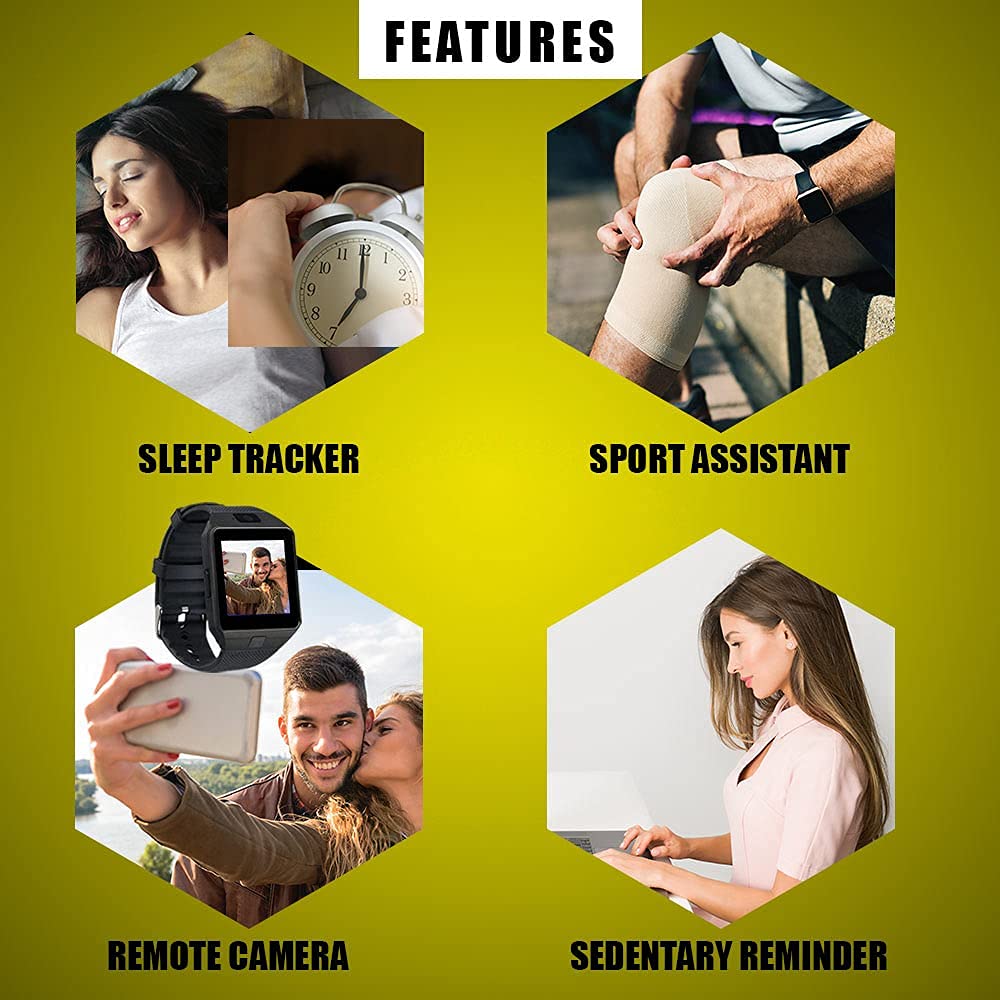
This image highlights four primary features of the Smart Watch W007: Sleep Tracker for monitoring sleep quality, Sport Assistant for fitness activities, Remote Camera control for taking photos from a paired phone, and a Sedentary Reminder to encourage movement.
3. Making and Receiving Calls
Once paired with your smartphone, you can dial numbers directly from the watch's keypad or access your phone's contacts. For incoming calls, the watch will display the caller ID, and you can answer or reject the call from your wrist.
4. Messaging
The watch will display notifications for incoming SMS messages and other app alerts from your paired phone. You can read the messages on the watch screen.
5. Using the Camera
The Smart Watch W007 includes a 0.3 MP camera. To use it, navigate to the camera application on the watch. You can also use the watch as a remote shutter for your smartphone's camera, allowing you to take photos from a distance.
This diagram points out the integrated 0.3 MP camera on the Smart Watch W007, capable of capturing basic photos.
6. Fitness Tracking (Pedometer, Sleep Monitor)
Access the Pedometer application to view your step count, distance, and calories burned. The Sleep Monitor application can be activated before sleep to track your sleep duration and quality. Review your fitness data within the respective applications on the watch.
Maintenance and Care
Proper care will extend the life of your Smart Watch W007:
- Cleaning: Wipe the watch screen and body with a soft, dry cloth. For stubborn smudges, use a slightly damp cloth and immediately dry. Avoid harsh chemicals or abrasive materials.
- Storage: When not in use for extended periods, store the watch in a cool, dry place.
- Battery Care: To maintain battery health, avoid fully discharging the battery frequently. Charge the device when the battery level is low.
- Material: The watch is constructed from 'Other' materials, indicating a blend designed for durability and comfort.
Troubleshooting
If you encounter issues with your Smart Watch W007, refer to the following common problems and solutions:
- Watch not powering on: Ensure the battery is charged. Connect the charging cable and try again.
- Unable to pair with phone: Make sure Bluetooth is enabled on both devices and they are within range. Restart both the watch and the phone, then attempt pairing again.
- Display not responding: Try restarting the watch. If the issue persists, ensure the screen is clean and dry.
- Notifications not appearing: Check your phone's Bluetooth connection and notification settings for the watch. Ensure the companion app (if applicable) has necessary permissions.
- Short battery life: Reduce screen brightness, disable unnecessary features, and ensure background apps are closed on your paired phone.
Product Specifications
| Specification | Detail |
|---|---|
| Brand | Generic |
| Model | W007 |
| Product Dimensions | 10 x 9.8 x 7.4 cm |
| Operating System | Smartwatch |
| Resolution | 240 x 184 |
| Connectivity Technology | Wireless (Bluetooth) |
| Display Type | Digital |
| Camera | 0.3 MP |
| Material | Other |
| ASIN | B09F9JJP1F |
| Date First Available | 2 September 2021 |
Warranty and Support
This product comes with a 1 Month Warranty from the date of purchase. Please retain your proof of purchase for warranty claims.
For technical support, warranty service, or further inquiries, please contact your retailer or refer to the manufacturer's official support channels. Do not attempt to open or repair the device yourself, as this may void your warranty.


