Introduction
Welcome to the Naxa NDS-1536 Portable Bluetooth Party Speaker user manual. This guide provides essential information for setting up, operating, and maintaining your speaker. The NDS-1536 is designed to deliver powerful audio with integrated disco lights, perfect for various entertainment settings, offering features like Bluetooth connectivity, True Wireless Stereo (TWS), microphone input, FM tuner, and media playback from USB and MicroSD cards.
Important Safety Information
WARNING: This product can expose you to chemicals including lead, which is known to the State of California to cause cancer and birth defects or other reproductive harm. For more information go to www.P65Warnings.ca.gov.
- To reduce the risk of electric shock, do not open the unit. Refer servicing to qualified personnel only.
- Do not expose this appliance to rain or moisture.
- Do not place objects filled with liquids, such as vases, on the apparatus.
- Do not block any ventilation openings. Install in accordance with the manufacturer's instructions.
- Protect the power cord from being walked on or pinched.
- Only use attachments/accessories specified by the manufacturer.
- Unplug this apparatus during lightning storms or when unused for long periods of time.
Package Contents
Before use, please ensure all items are present in your package:
- Naxa NDS-1536 Portable Bluetooth Party Speaker
- Wired Microphone
- Remote Control
- Power Adapter
- User Manual (this document)
Controls and Features
This section details the various controls and input/output ports on your NDS-1536 speaker.

Image: Close-up view of the top control panel of the Naxa NDS-1536 Portable Bluetooth Party Speaker. This image highlights the various knobs, buttons, and ports including TF Card slot, USB port, Mic. Vol, Echo, Bass, Treble, Volume, Mode, Play/Pause, Skip buttons, and power switches for the unit and disco light.
Control Panel Overview:
- TF CARD Slot: Insert a TF (MicroSD) card for audio playback.
- USB Port: Connect a USB flash drive for audio playback.
- MIC. VOL Knob: Adjusts the volume of the connected microphone.
- ECHO Knob: Controls the echo effect for the microphone.
- BASS Knob: Adjusts the low-frequency audio output.
- TREBLE Knob: Adjusts the high-frequency audio output.
- VOLUME Knob: Master volume control for the speaker.
- MODE Button: Switches between input modes (Bluetooth, FM, AUX, USB, TF Card).
- Previous/Next Buttons: Navigates tracks or FM radio stations.
- Play/Pause Button: Controls playback for media or FM scan.
- LIGHT ON/OFF Switch: Toggles the disco light feature.
- POWER ON/OFF Switch: Turns the speaker on or off.
- MIC Input: 6.35mm jack for connecting the wired microphone.
- AUX Input: 3.5mm jack for connecting external audio devices.
- DC IN: Power input for charging and operating the speaker.
Setup
Powering On and Charging:
Before first use, fully charge the speaker. Connect the included power adapter to the "DC IN" port on the speaker and plug the other end into a standard wall outlet. The charging indicator will illuminate. Once fully charged, the indicator may change color or turn off, depending on the model.
Initial Power Up:
Flip the "POWER ON/OFF" switch to the "ON" position. The speaker will power on and typically enter Bluetooth pairing mode automatically.
Operating Instructions
Bluetooth Pairing:
- Ensure the speaker is powered on and in Bluetooth mode (indicated by a voice prompt or display). If not, press the "MODE" button until Bluetooth mode is selected.
- Enable Bluetooth on your mobile device (smartphone, tablet, etc.).
- Search for available Bluetooth devices. The speaker will appear as "NAXA NDS-1536" or similar.
- Select "NAXA NDS-1536" to pair. Once connected, you will hear a confirmation sound.
- You can now stream audio wirelessly from your device to the speaker.
True Wireless Stereo (TWS) Function:
The NDS-1536 supports TWS, allowing two NDS-1536 speakers to connect wirelessly for a stereo sound experience.
- Ensure both NDS-1536 speakers are powered on and in Bluetooth mode, but not yet connected to any device.
- On one of the speakers, press and hold the "MODE" button for a few seconds until you hear a pairing sound. This speaker will become the primary unit.
- The two speakers will automatically connect to each other. Once connected, you will hear a confirmation.
- Now, connect your mobile device to the primary speaker via Bluetooth as described in the "Bluetooth Pairing" section. Audio will play in stereo across both speakers.
Using the Microphone:
Connect the included wired microphone to the "MIC Input" jack on the control panel. Adjust the "MIC. VOL" knob to control the microphone's volume and the "ECHO" knob for echo effects.

Image: Individuals enjoying karaoke with the Naxa NDS-1536 Portable Bluetooth Party Speaker. This image demonstrates the speaker's use in a social setting, highlighting its microphone input for vocal performances.
FM Radio:
- Press the "MODE" button to switch to FM Radio mode.
- Press and hold the "Play/Pause" button to automatically scan and save available FM stations.
- Use the "Previous/Next" buttons to navigate between saved stations.
USB/TF Card Playback:
Insert a USB flash drive into the "USB Port" or a TF (MicroSD) card into the "TF CARD Slot". The speaker will automatically switch to the corresponding mode and begin playing audio files (MP3, WAV, etc.) from the storage device.
AUX Input:
Connect an external audio device (e.g., MP3 player, laptop) to the "AUX Input" using a 3.5mm audio cable. Press the "MODE" button to select AUX mode. Audio will play from the connected device.
Disco Light Function:
Toggle the "LIGHT ON/OFF" switch to activate or deactivate the built-in disco lights.
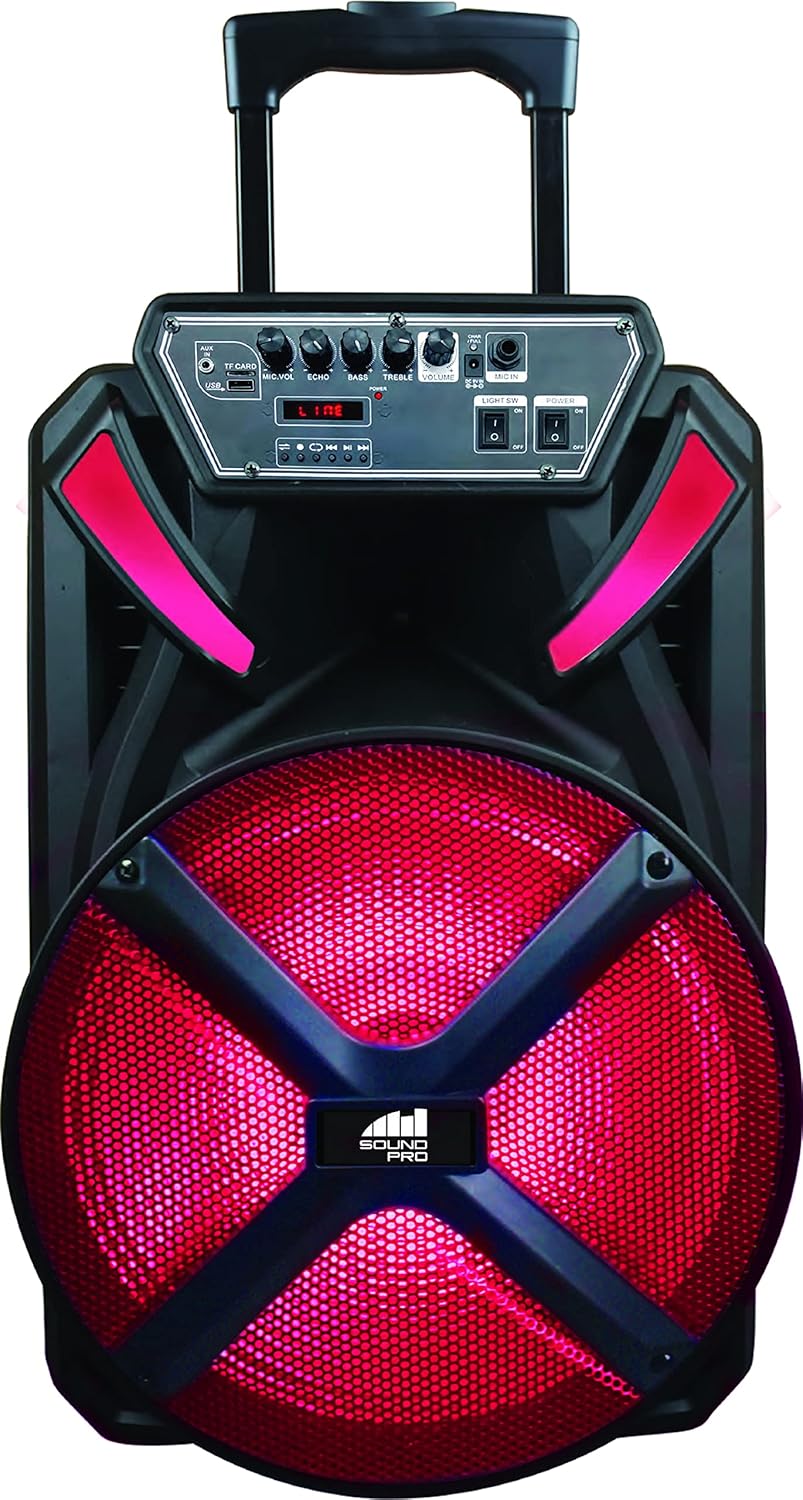
Image: The Naxa NDS-1536 Portable Bluetooth Party Speaker illuminated with its vibrant disco lights. This image showcases the speaker's aesthetic feature, designed to enhance party atmospheres.
Maintenance
- Cleaning: Use a soft, dry cloth to clean the speaker's exterior. Do not use abrasive cleaners or solvents.
- Storage: When not in use for extended periods, store the speaker in a cool, dry place away from direct sunlight and extreme temperatures.
- Battery Care: To prolong battery life, avoid fully discharging the battery frequently. Recharge the speaker regularly, even if not in use.
Troubleshooting
| Problem | Possible Cause | Solution |
|---|---|---|
| No power | Battery is depleted; Power adapter not connected properly. | Charge the speaker; Ensure power adapter is securely connected to both speaker and outlet. |
| No sound | Volume is too low; Incorrect input mode selected; Device not paired (Bluetooth). | Increase volume; Press MODE button to select correct input; Re-pair Bluetooth device. |
| Bluetooth not connecting | Speaker not in pairing mode; Device too far; Interference. | Ensure speaker is in Bluetooth mode; Move device closer; Turn off other Bluetooth devices. |
| Microphone not working | Microphone not fully plugged in; MIC. VOL knob too low. | Ensure microphone is securely plugged into the MIC Input; Increase MIC. VOL. |
Specifications
| Feature | Detail |
|---|---|
| Model Name | NDS-1536 |
| Speaker Type | Subwoofer |
| Speaker Size | 15 Inches |
| Wireless Communication Technology | Bluetooth |
| Bluetooth Range | 33 Feet (10 meters) |
| Connectivity Protocol | Bluetooth, USB |
| Power Source | Corded Electric, Battery |
| Battery Life | Up to 2 Hours (at 50% volume) |
| Included Components | Speaker, Wired microphone, Remote control, Power adapter, User manual |
| Product Dimensions | 11.8"D x 15"W x 24.8"H |
| Item Weight | 14.3 Pounds |
| Color | Black |
| Manufacturer | Naxa Electronics, Inc. |
| Speaker Maximum Output Power | 5000 Watts (PMPO) |
| Frequency Response | 20000 Hz |
| Audio Output Mode | Stereo |
| Compatible Devices | Laptop, MP3 Player, Smartphone, Tablet |
Warranty and Support
This Naxa NDS-1536 Portable Bluetooth Party Speaker comes with a Limited Warranty. Please refer to the warranty card included in your package for specific terms and conditions, including coverage duration and how to obtain service.
For technical support or customer service, please visit the official Naxa Electronics website or contact their customer support line. Keep your purchase receipt as proof of purchase for warranty claims.


