
1. Introduction
This manual provides essential information for the proper installation, operation, and maintenance of your Dexnor Protective Case for iPhone 13 Pro Max. Please read these instructions carefully to ensure optimal performance and protection for your device.
2. Compatibility
This Dexnor protective case is specifically designed for the iPhone 13 Pro Max (6.7 inches). It is not compatible with iPhone 13 Mini, iPhone 13, or iPhone 13 Pro.

Image: Compatibility chart illustrating that the case is designed exclusively for the iPhone 13 Pro Max (6.7 inches).
3. Package Contents
- Dexnor Protective Case (Front Frame with Built-in Screen Protector, Back Cover)
- Instruction Manual (this document)
4. Installation Instructions
Follow these steps to correctly install your Dexnor protective case:
- Separate the Case Components: Gently open the case from the lower right corner to separate the front frame (with the built-in screen protector) from the back cover.
- Clean Your Device: Ensure your iPhone 13 Pro Max screen and back are clean and free of dust or debris before installation.
- Install Front Screen Protector: Carefully place your iPhone into the front frame, ensuring it aligns perfectly with the built-in screen protector.
- Insert into Back Cover: With the phone secured in the front frame, align the front frame with the back cover. Press firmly around all edges to snap the two parts together, ensuring a secure and sealed fit.

Image: The Dexnor protective case disassembled, showing the front frame with integrated screen protector and the back cover.
Image: A hand demonstrating the installation of the phone into the front frame with the built-in screen protector.
Installation Video Guide
Video: A step-by-step guide demonstrating the installation process of the Dexnor iPhone 13 Pro Max protective case.
5. Key Features and Operation
5.1. Built-in Screen Protector
The case includes a touch-sensitive built-in screen protector that safeguards your iPhone's display from scratches and dust. Ensure the screen is clean before installation for optimal touch responsiveness.

Image: Illustration of the case's dual-layer design, featuring a PC+TPU back cover and a hard front frame with an integrated screen protector for comprehensive protection.
5.2. Integrated Kickstand
The case features a built-in kickstand for hands-free viewing. To use, gently pull out the kickstand from the back of the case. It supports both vertical and horizontal orientations for various viewing angles. Push it back into place when not in use.

Image: The case with its integrated kickstand extended, demonstrating its functionality for both vertical and horizontal phone positioning.
5.3. Camera Protection
The case design includes raised edges around the camera module to provide additional protection against scratches and direct impact when the phone is placed on flat surfaces.

Image: A detailed view highlighting the raised protective bezel around the camera lenses of the iPhone 13 Pro Max case.
5.4. Shock Absorption and Grip
Constructed with Thermoplastic Polyurethane (TPU) and Polycarbonate (PC), the case offers military-grade drop protection and shock absorption. The textured sides provide a comfortable and secure grip, reducing the likelihood of accidental drops.
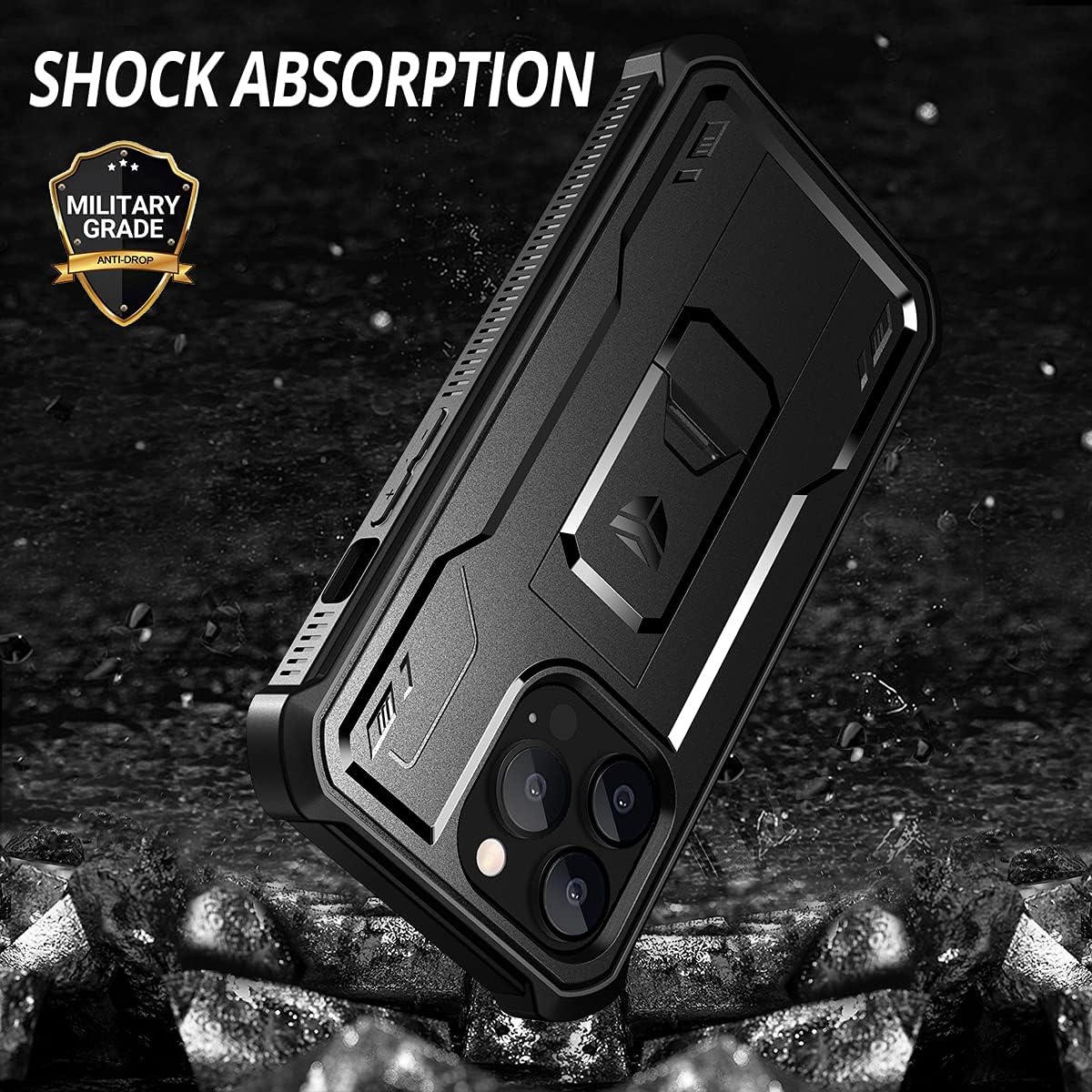
Image: Visual representation of the case's shock absorption capabilities, emphasizing its military-grade anti-drop design.

Image: A hand holding the case, demonstrating its comfortable grip and anti-fingerprint surface.
Image: Diagram illustrating the 0.5mm raised lips designed to protect both the screen and camera from direct contact with surfaces.
6. Maintenance
- Cleaning: Use a soft, damp cloth to clean the case. Avoid harsh chemicals or abrasive materials that could damage the finish or screen protector.
- Inspection: Periodically inspect the case for any signs of wear, cracks, or damage that might compromise its protective capabilities.
- Screen Protector Care: To maintain touch sensitivity and clarity, keep the built-in screen protector clean. If dust accumulates underneath, carefully remove the case, clean both surfaces, and re-install.
7. Troubleshooting
- Reduced Touch Sensitivity: If you experience reduced touch sensitivity, ensure the built-in screen protector is clean and free of air bubbles. Re-installing the case after cleaning your phone's screen may resolve the issue.
- Screen Protector Scratches/Fogging: Over time, the built-in screen protector may show signs of wear or minor scratches. This is normal for protective films. For optimal clarity, ensure regular cleaning.
- Kickstand Not Functioning Properly: Ensure the kickstand is fully extended or retracted. If it feels loose or damaged, avoid forcing it and contact customer support.
8. Specifications
| Feature | Detail |
|---|---|
| Product Dimensions | 6.59 x 2.95 x 0.39 inches |
| Item Weight | 1.6 ounces |
| Material | Thermoplastic Polyurethane (TPU) |
| Compatible Phone Models | iPhone 13 Pro Max |
| Special Features | Camera Protector, Heavy Duty Protection, Built-in Screen Protector, Kickstand |
| Color | Black |
| Manufacturer | Dexnor |
| Date First Available | September 1, 2021 |
9. Warranty and Support
Dexnor provides the following support for this product:
- 30-Day Money Back Guarantee: If you are not satisfied with your purchase, you may be eligible for a refund within 30 days.
- 180-Day Free Replacement: In case of any quality issues with the product, a free replacement may be provided within 180 days of purchase.
For further assistance, product inquiries, or to claim warranty support, please contact Dexnor customer service through the retailer's platform or the official Dexnor website.