
Introduction
The INVZI NVZ469PH is a versatile 9-in-1 USB-C docking station combined with a 100W GaN (Gallium Nitride) multiport charger. This device integrates fast charging capabilities with extensive connectivity options, designed to streamline your workspace and enhance productivity. It supports high-speed data transfer, 4K@60Hz HDMI video output, Gigabit Ethernet, and simultaneous fast charging for up to four devices, including laptops, tablets, and smartphones.
Package Contents
Please verify that all items are present in your package:
- INVZI 9-in-1 Docking Station and GaN USB-C Charger Combo
- 6.6ft (2m) Power Cable
- 1.65ft 10Gbps Data Cable
- UK / AU / EU Universal Adapter Plugs
- Flannel Bag
- User Manual (this document)
Product Overview
The INVZI NVZ469PH features a compact design with multiple ports for various connectivity needs. Familiarize yourself with the port layout and indicators.

Image: Front and side view of the INVZI docking station, highlighting its various ports including 100W PD USB-C, 100W PD/Data USB-C, 30W PD/Data USB-C, Data USB-A, 4K@60Hz HDMI, Ethernet, SD/Micro SD card slots, and a 3.5mm Audio Jack.

Image: A comprehensive view of the INVZI 9-in-1 USB-C Docking Station and 100W GaN Charger, showcasing its compact form factor and multiple connectivity options.
Setup Instructions
Follow these steps to set up your INVZI docking station:
- Power Connection: Connect the provided 6.6ft (2m) power cable to the docking station and then to a wall outlet. You can use the included UK, AU, or EU universal adapter plugs as needed. The device supports two modes of charging: directly plugged into a wall outlet or placed on a desk using the extension cable.
- Connect to Host Device: Use the 1.65ft 10Gbps Data Cable to connect the docking station's designated USB-C PD/Hub port to your laptop, tablet, or smartphone's USB-C port. This connection enables data transfer, video output, and power delivery to your host device.
- Connect Peripherals: Plug your desired peripherals into the corresponding ports on the docking station:
- HDMI: Connect an HDMI cable from the docking station to an external monitor or projector for video output.
- Ethernet: Connect an Ethernet cable to the Gigabit Ethernet port for a stable wired internet connection.
- USB Devices: Plug USB-A or USB-C devices (e.g., external hard drives, keyboards, mice) into the available USB ports.
- SD/TF Cards: Insert SD or Micro SD cards into the respective slots for data access.
- Audio: Connect headphones or speakers to the 3.5mm audio jack.

Image: Illustration of the INVZI docking station being used in both wall-plug and desktop configurations, highlighting its flexible power connection options.
Operating Instructions
The INVZI docking station is designed for plug-and-play functionality. No drivers are typically required for basic operation on most modern operating systems.
Video Output (HDMI)
Connect an HDMI-enabled display to the HDMI port. The docking station supports 4K resolution at 60Hz with HDR for a clear and vibrant visual experience. Your operating system should automatically detect the external display. You may need to adjust display settings (e.g., mirror, extend) in your device's display preferences.

Image: A laptop connected to an external 4K monitor through the INVZI docking station, demonstrating its video output capability.
Charging Multiple Devices
The docking station features multiple USB-C Power Delivery (PD) ports:
- USB-C1 (100W PD): Dedicated port for high-power charging of laptops or other compatible devices.
- USB-C2 (100W PD + Data): Provides 100W power delivery and 5Gbps data transfer.
- USB-C3 (30W PD + Data): Offers 30W power delivery and 5Gbps data transfer, ideal for smartphones and smaller tablets.
You can charge up to four devices simultaneously. The intelligent power distribution ensures optimal charging for each connected device.

Image: The INVZI docking station connected to a wall outlet via an extension cable, simultaneously charging a laptop, tablet, and smartphone, demonstrating its multi-device charging capability.
Data Transfer and Network
Utilize the USB 3.0 ports for high-speed data transfer up to 5Gbps. The SD and Micro SD card slots allow for quick access to media files. The Gigabit Ethernet port provides a stable and fast wired network connection, essential for large file transfers or uninterrupted online activities.
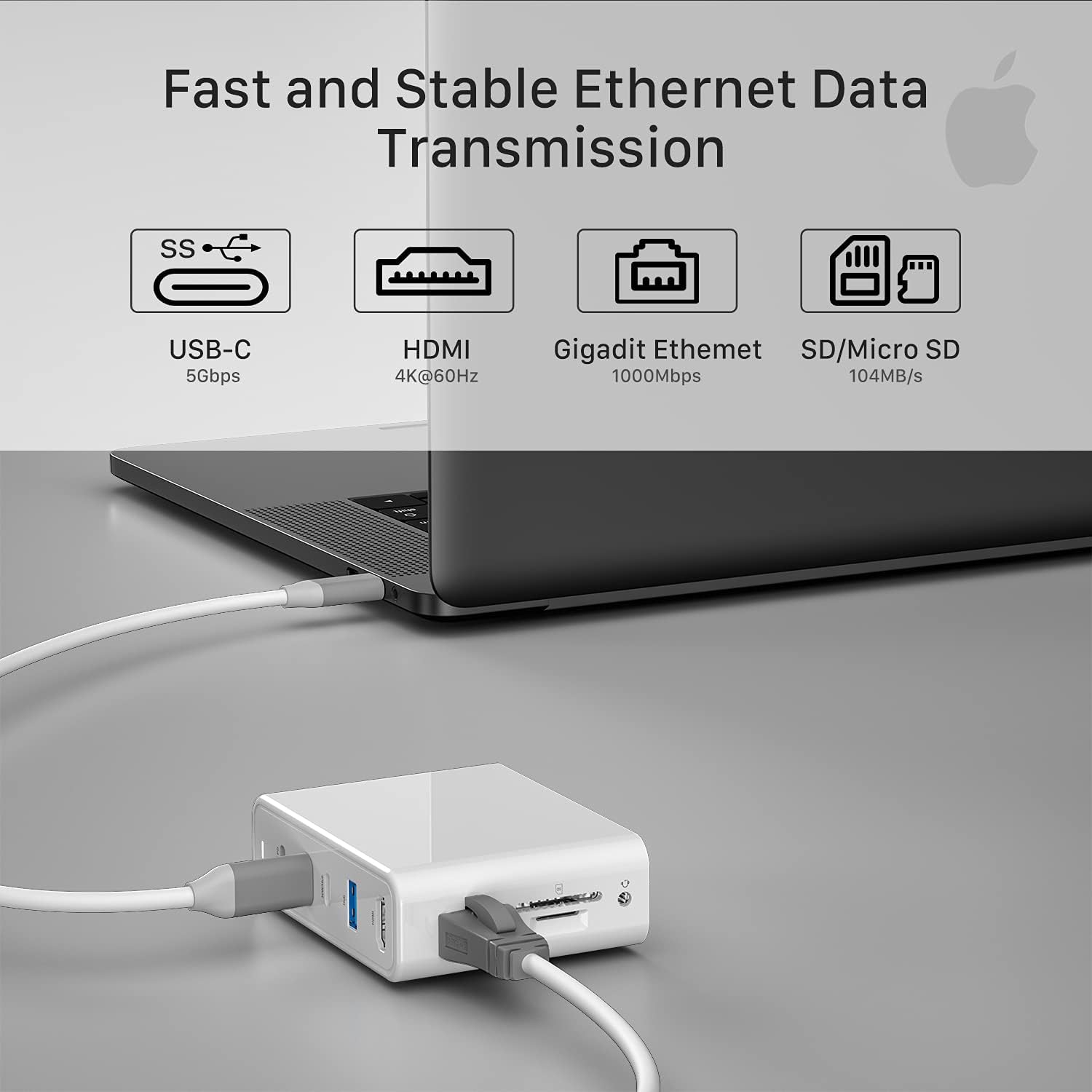
Image: A laptop connected to the INVZI docking station, which in turn is connected to an Ethernet cable and has an SD card inserted, illustrating its data and network capabilities.
Video: This video demonstrates the various features and connectivity options of the INVZI 9-in-1 Docking Station and 100W GaN USB-C Charger, including its ports and how to connect different devices.
Video: A detailed overview of the INVZI 9-in-1 Docking Station and 100W GaN Charger Combo, showcasing its design, port functionality, and ease of use in a modern workspace setup.
Video: This video highlights the key features of the INVZI Docking Station and 100W GaN USB-C Charger Combo, including its compact size, multiple ports, and fast charging capabilities for various devices.
Maintenance
To ensure the longevity and optimal performance of your INVZI docking station, follow these maintenance guidelines:
- Cleaning: Use a soft, dry cloth to clean the exterior of the device. Avoid using liquid cleaners or aerosols, as they may damage the product.
- Storage: Store the device in a cool, dry place away from direct sunlight and extreme temperatures. When traveling, use the provided flannel bag for protection.
- Handling: Avoid dropping the device or subjecting it to strong impacts. Do not attempt to disassemble or repair the unit yourself, as this will void the warranty.
- Ventilation: Ensure proper ventilation around the device during operation to prevent overheating.
Troubleshooting
If you encounter issues with your INVZI docking station, refer to the following common problems and solutions:
| Problem | Possible Solution |
|---|---|
| No power to connected devices. | Ensure the power cable is securely connected to both the docking station and a working wall outlet. Verify the wall outlet is functional. |
| External monitor not displaying. | Check the HDMI cable connection. Ensure your host device's USB-C port supports video output (DisplayPort Alternate Mode). Update your device's graphics drivers. Try a different HDMI cable or monitor. |
| Slow data transfer speeds. | Ensure you are using the provided 10Gbps data cable and that your connected devices support USB 3.0 or higher speeds. Avoid connecting multiple high-bandwidth devices simultaneously if possible. |
| Ethernet connection unstable or not working. | Check the Ethernet cable connection to both the docking station and your router/modem. Ensure your device's network settings are configured correctly (DHCP enabled). Try a different Ethernet cable. |
| Audio jack not working. | Ensure headphones/speakers are fully plugged in. Check your device's audio output settings to confirm the docking station's audio output is selected. |
| SD/TF card not recognized. | Ensure the card is fully inserted and oriented correctly. Try reinserting the card or using a different card. Check your device's file explorer for the card. |
Specifications
| Feature | Detail |
|---|---|
| Brand | INVZI |
| Model Number | NVZ469PH |
| Color | White |
| Total USB Ports | 9 (including USB-C PD/Data, USB-A Data) |
| USB-C PD Output | Up to 100W (20V@5A) |
| Data Transfer Rate | 5 Gbps (USB 3.0), 10 Gbps (USB 3.1 Gen 2) |
| HDMI Output | 4K@60Hz HDR |
| Ethernet | 1 Gigabit Per Second (1Gbps) |
| Audio Jack | 3.5mm |
| Card Reader | SD and Micro SD slots |
| Compatible Devices | MacBook Pro, MacBook Air, Microsoft Surface Pro 7, Dell Precision 7710, iPad, iPhone, USB-C Laptops, Computers, and more. |
| Operating System Compatibility | Mac OS 9, Windows 10 |
| Item Weight | 8.8 Ounces |
Warranty and Support
Your INVZI 9-in-1 Docking Station and GaN USB-C Charger Combo comes with a 12-month warranty. For any product inquiries, technical assistance, or warranty claims, please contact INVZI customer service. We are committed to providing worry-free customer support.
