Introduction
The AUDIOPRO USB Microphone (Model X5) is a versatile condenser microphone designed for various applications including gaming, streaming, podcasting, studio recording, and online communication. It offers plug-and-play compatibility with multiple operating systems and devices, featuring convenient onboard controls for an enhanced user experience.
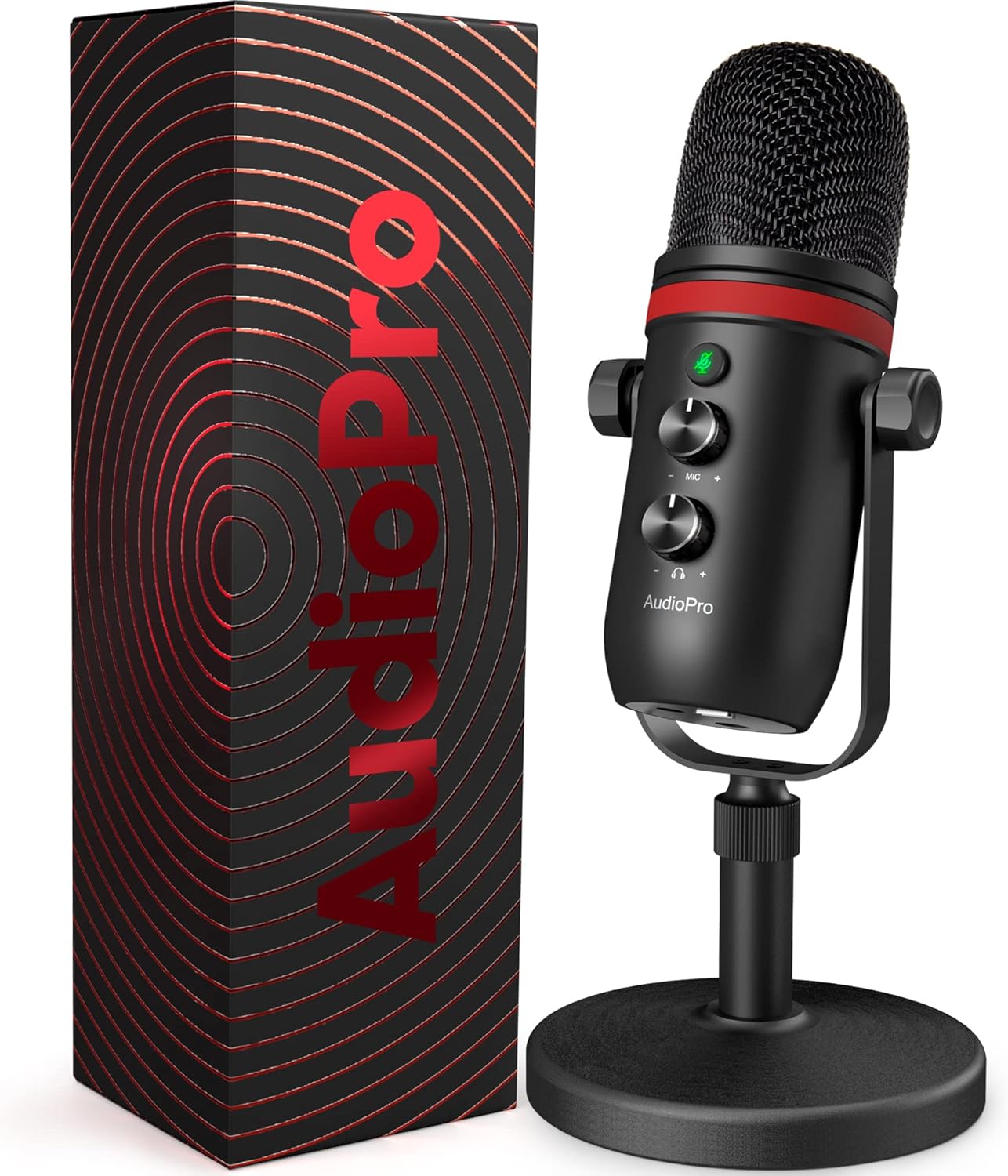
Image: The AUDIOPRO USB Microphone (Model X5) shown alongside its product packaging.
What's in the Box
Your AUDIOPRO USB Microphone package includes the following components:
- Microphone with Desk Stand x1
- USB Cable (5.6ft) x1
- Type-C Cable (5.6ft) x1
- Pop Filter x1
- Conversion Adapter x1
- User Manual x1
- Quick Guide x1

Image: All components included in the AUDIOPRO USB Microphone package, laid out for clear viewing.
Setup
1. Plug and Play Connectivity
The AUDIOPRO USB Microphone is designed for simple plug-and-play operation. No additional drivers are required for most compatible devices. Simply connect the microphone to your device using the provided USB-A or USB-C cable.
- Compatible with: Mac, PS4/5, Windows PC (desktop/laptop), and Android phones (with Type-C port).
- Note: An extra adapter (not included) is required for iPhone connectivity.

Image: The microphone connected to a laptop, illustrating its compatibility with various operating systems and devices like Windows, Mac OS, Linux, PS4/5, and Android.
2. Physical Installation
The microphone comes with a stable desk stand for immediate use. For alternative setups, it supports flexible mounting options:
- Desk Stand: Use the included desk stand for stable placement on any flat surface. The stand is designed to be stable and anti-skid, and the microphone can be rotated 360 degrees for optimal positioning.
- Boom Arm: Utilize the included 5/8" male to 3/8" female conversion adapter to install the microphone on a standard boom arm (not included).
- Pop Filter: Attach the included pop filter to effectively block harsh popping sounds during recording.

Image: A visual representation of the microphone's 360-degree rotation capability and its stable, anti-skid base.

Image: The microphone with its pop filter attached, and an inset showing the conversion head for boom arm compatibility.
Operating Instructions
1. Mute Functionality
The microphone features a quick mute button with an integrated LED indicator:
- Press the button once to mute the microphone. The LED light will change color (e.g., from green to red) to indicate muted status.
- Press the button again to unmute. The LED will revert to its active status color.

Image: A detailed view of the microphone's control panel, highlighting the LED mute button and the microphone gain and headphone volume knobs.
2. Microphone Gain and Headphone Volume Control
Adjust your audio input and output levels directly on the microphone:
- Mic Gain Knob: Use the sensitive mic gain knob to adjust the microphone's input sensitivity, allowing you to record sound more comfortably and clearly.
- Headphone Volume Knob: The 3.5mm headphone jack provides direct, latency-free monitoring. Use the dedicated volume knob to adjust the listening volume of your connected headphones.

Image: The microphone on a desk with headphones, illustrating the 3.5mm audio jack and the monitor volume control knob for real-time audio monitoring.
3. Sound Quality and Pickup Pattern
The AUDIOPRO USB Microphone is engineered for excellent sound capture:
- Cardioid Pickup Pattern: This microphone utilizes a cardioid pickup pattern, which primarily captures sound from the front, effectively suppressing unwanted background noise. This makes it ideal for focused voice capture.
- High Sample Rate: It supports sample rates up to 192kHz/24bit, ensuring precise reproduction of every detail of your voice for clear, smooth, and crisp audio.

Image: An internal view of the microphone highlighting its 14mm diaphragm condenser and professional chipset, along with a diagram illustrating the cardioid pickup pattern.
Maintenance
To ensure the longevity and optimal performance of your AUDIOPRO USB Microphone, follow these simple maintenance guidelines:
- Cleaning: Use a soft, dry cloth to wipe the microphone's exterior. Avoid using harsh chemicals or abrasive materials, as they may damage the finish.
- Storage: When not in use, store the microphone in a clean, dry place away from extreme temperatures and humidity.
- Handling: Handle the microphone with care to prevent drops or impacts, which could damage internal components.
- Cable Care: Avoid sharp bends or kinks in the USB cables to prevent internal wire damage.
Troubleshooting
If you encounter issues with your AUDIOPRO USB Microphone, refer to the following common solutions:
- No Sound Output from Computer Speakers:
If you wish to output sound via your computer's built-in speaker while using the microphone, you may need to manually select "speaker (Realtek High Definition Audio)" or your specific computer's default speaker as the default playback device in your operating system's sound settings.
- Microphone Not Recognized:
Ensure the USB cable is securely connected to both the microphone and your computer's USB port. Try a different USB port or a different USB cable if available. Restart your computer.
- Poor Sound Quality / Distortion:
Check the microphone gain knob on the device; it might be set too high, causing distortion. Adjust it downwards. Ensure you are speaking directly into the front of the microphone, as it has a cardioid pickup pattern. Verify that the pop filter is correctly installed.
- Mute Button Not Responding:
Ensure the microphone is properly powered and connected. If the LED indicator is off, check the USB connection. Try pressing the mute button firmly.
For further assistance, please contact AUDIOPRO Customer Service.
Specifications
| Feature | Detail |
|---|---|
| Brand | AUDIOPRO |
| Model Number | X5 |
| Connectivity Technology | USB, USB Type-C |
| Connector Type | USB, USB Type-C, 3.5mm Headphone Jack |
| Microphone Form Factor | Table Array |
| Polar Pattern | Unidirectional (Cardioid) |
| Frequency Response / Sample Rate | 192 KHz / 24bit |
| Audio Sensitivity | 48 dB |
| Number of Channels | 1 |
| Special Feature | Volume Control, Mic Gain Control, LED Mute Button, No-Latency Monitoring |
| Compatible Devices | Laptop, PC, Gaming Console (PS4/5), Android Phones |
| Color | Black |
| Material | Metal |
| Item Weight | 2.42 pounds (1.1 Kilograms) |
| Product Dimensions (L x W x H) | 4.96 x 4.49 x 11.1 inches |
| Cable Length | 5.6 Feet |
| Power Source | Corded Electric (USB Powered) |
Warranty and Support
AUDIOPRO is committed to providing high-quality products and excellent customer service. While specific warranty details are provided with your purchase, we offer 24-hour professional customer service to assist you with any questions or concerns.
If you have any questions or require support, please feel free to contact us through the vendor's contact information provided at the time of purchase or via the official AUDIOPRO channels.


