
Okin JLDK.04.06.10-YJ-NEW
Okin Recliner Replacement Parts User Manual
Model: JLDK.04.06.10-YJ-NEW
Brand: Okin
Introduction
This user manual provides comprehensive instructions for the installation, operation, and maintenance of your Okin 2 Button Round Hand Control Handset. This replacement part is designed for power recliners, electric recliners, and lift chairs, ensuring smooth and reliable control of your furniture's reclining functions. It features a 5-pin round plug and is compatible with various brands including OKIN, Dewert, Limoss, and Ashley, provided the plug type matches.
Safety Information
Please read all safety instructions carefully before installation and use. Failure to follow these instructions may result in injury or damage to the product.
- Handle with care: Avoid dropping or subjecting the control to strong impacts.
- Avoid liquids: Do not expose the control to water or any other liquids. This can cause electrical short circuits and damage.
- Avoid excessive heat: Keep the control away from direct heat sources or extreme temperatures.
- Electrical parts: Ensure you are comfortable with handling electrical parts before attempting installation. If unsure, consult a qualified technician.
- Power Disconnection: Always disconnect power to the recliner or lift chair before attempting any installation or maintenance.
- Plug Compatibility: Verify that the 5-pin round plug and 90-degree L-shape connector match your existing recliner motor's port before purchase and installation.
Product Overview
The Okin 2 Button Round Hand Control Handset is a durable replacement part designed for seamless integration with compatible power recliners. It features a simple two-button interface for intuitive control.
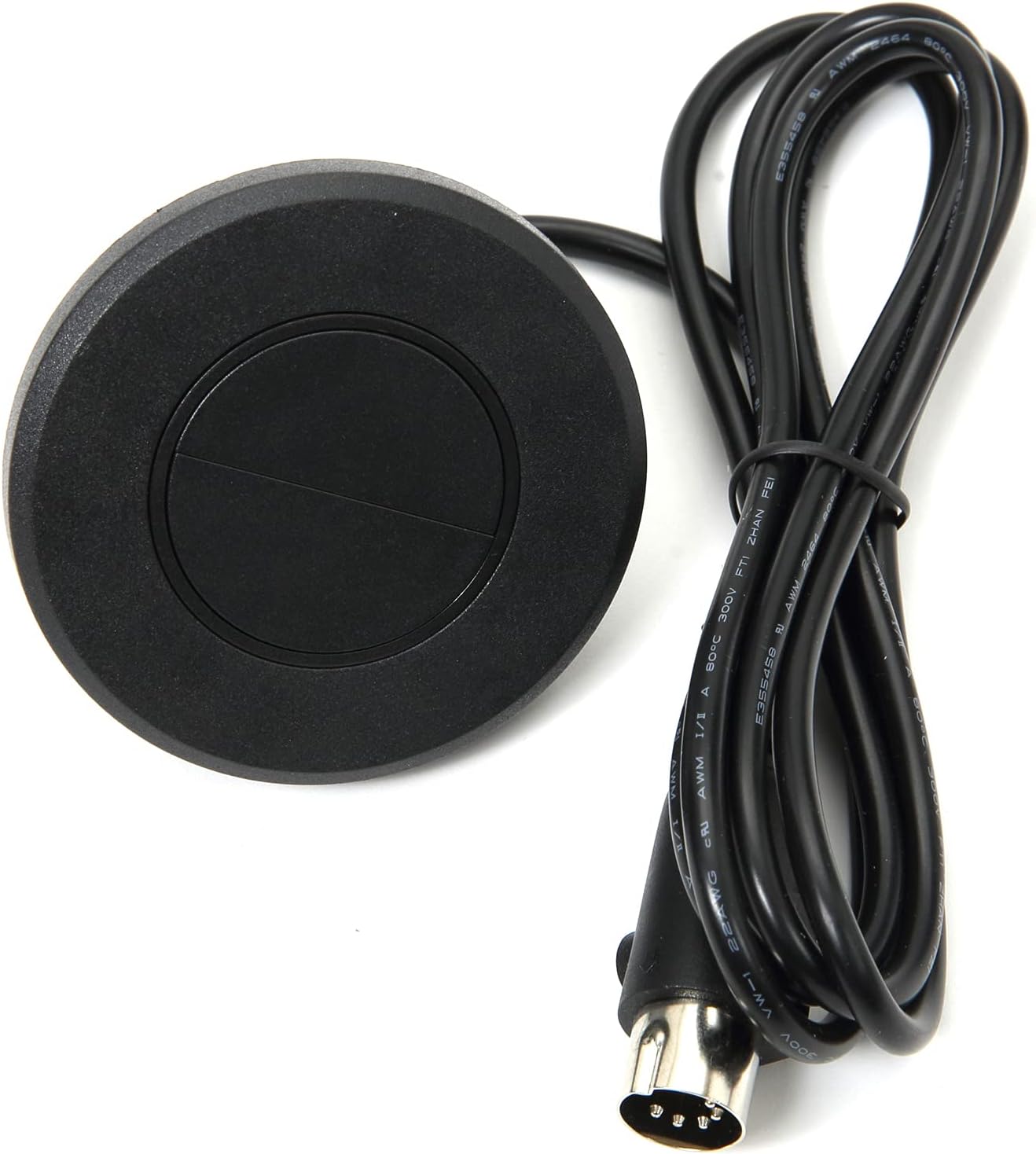
Figure 1: Front view of the Okin 2 Button Round Hand Control Handset, showing the two buttons, attached cable, and 5-pin plug.

Figure 2: Top-down view of the control handset, highlighting the round shape and two distinct buttons.
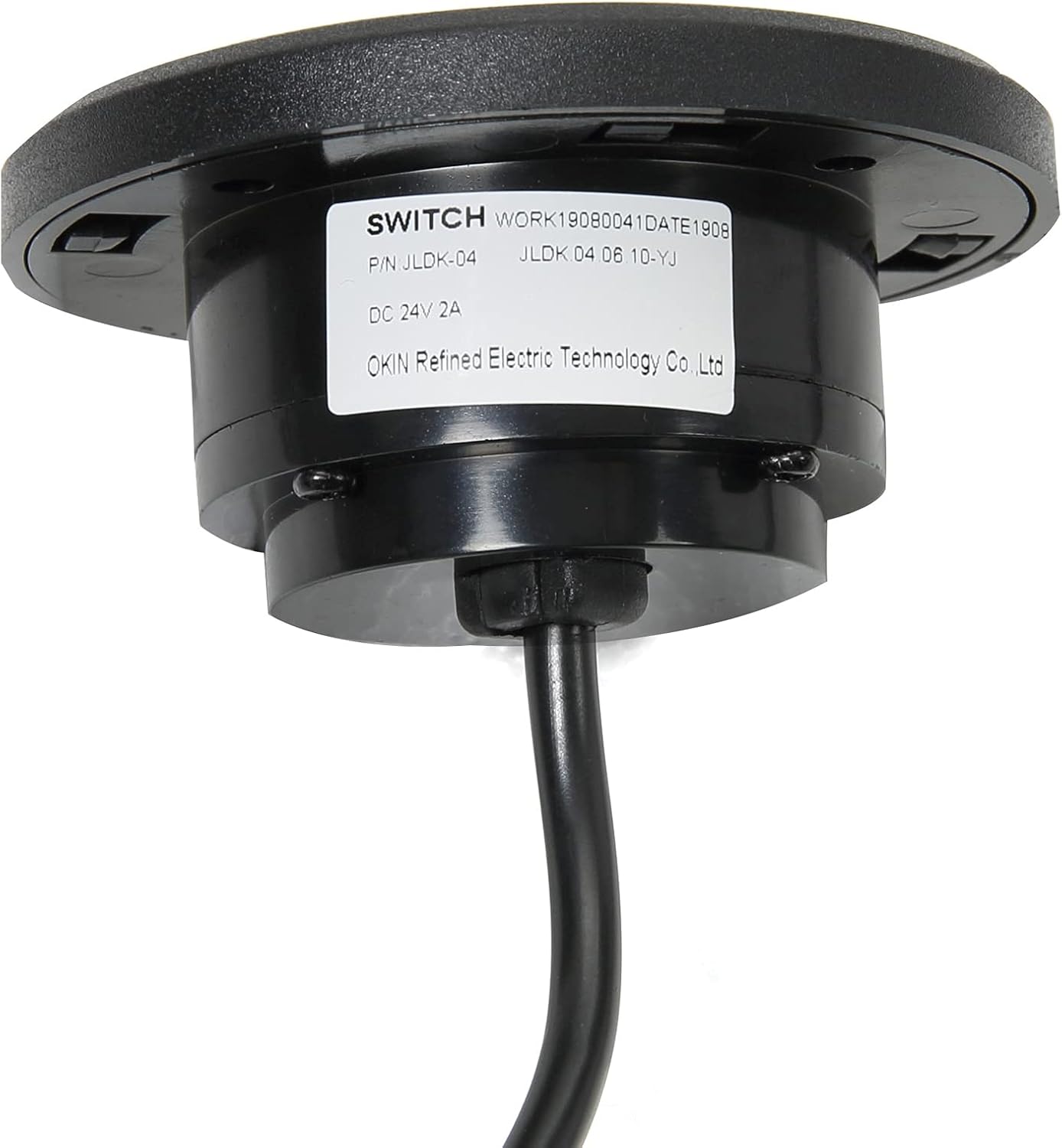
Figure 3: Underside of the control showing the product label with model number (JLDK.04.06.10-YJ-NEW) and manufacturer information.

Figure 4: Close-up view of the 5-pin round plug, which connects the handset to the recliner motor.

Figure 5: Illustration demonstrating the connection of the 5-pin straight plug to a recliner motor port.
Setup and Installation
This replacement handset is designed for easy installation. Follow these steps carefully:
- Disconnect Power: Before beginning, ensure the recliner or lift chair is unplugged from the wall outlet to prevent electrical shock.
- Locate Existing Control: Identify the current hand control and its connection point to the recliner's motor or control box.
- Remove Old Control: Carefully disconnect the old 5-pin plug from the motor. Note the orientation if possible, though the 5-pin design typically ensures correct alignment.
- Insert New Control: Take the new Okin 2 Button Round Hand Control Handset. Align the 5-pin plug with the corresponding port on your recliner's motor or control box. Gently push the plug in until it is securely seated. The 90-degree L-shape connector ensures a snug fit in tight spaces.
- Secure the Handset: If your recliner has a designated slot for the round handset, insert it firmly. The design allows for a flush mount into compatible furniture.
- Reconnect Power: Once the new handset is securely installed, plug the recliner or lift chair back into the wall outlet.
- Test Functionality: Test both buttons on the handset to ensure the recliner extends and retracts smoothly.
Note: This control is compatible with direct circuits and various brands including OKIN, Dewert, Limoss, and Ashley. Always verify the plug type (5-pin round) before installation.
Operating Instructions
The Okin 2 Button Round Hand Control Handset provides simple and intuitive operation for your power recliner or lift chair.
- Extend/Recline: Press and hold the top button to extend the footrest and recline the chair. Release the button when the desired position is reached.
- Retract/Return: Press and hold the bottom button to retract the footrest and return the chair to its upright position. Release the button when the desired position is reached.
The control is designed for smooth and continuous movement. Avoid rapidly pressing buttons or forcing the chair's mechanism.
Maintenance
To ensure the longevity and optimal performance of your Okin Hand Control Handset, follow these simple maintenance guidelines:
- Cleaning: Wipe the surface of the control with a soft, dry cloth. For stubborn dirt, a slightly damp cloth can be used, but ensure no moisture enters the unit. Do not use abrasive cleaners or solvents.
- Cable Inspection: Periodically inspect the cable for any signs of wear, fraying, or damage. If damage is observed, discontinue use and replace the handset.
- Connection Check: Ensure the 5-pin plug remains securely connected to the motor. A loose connection can lead to intermittent operation.
- Storage: If the recliner is not in use for an extended period, it is advisable to unplug it from the power outlet.
Troubleshooting
If you encounter issues with your Okin Hand Control Handset, refer to the following common problems and solutions:
| Problem | Possible Cause | Solution |
|---|---|---|
| Recliner does not respond to button presses. |
|
|
| Intermittent operation. |
|
|
| Buttons feel sticky or unresponsive. |
|
|
If the problem persists after attempting these solutions, please contact customer support.
Specifications
| Feature | Detail |
|---|---|
| Model Number | JLDK.04.06.10-YJ-NEW |
| Brand | Okin |
| Type | 2 Button Round Hand Control Handset |
| Plug Type | 5-pin Round Plug (90-degree L-shape connector) |
| Cable Length | 51.2 inch / 130 cm |
| Material | ABS |
| Color | Black |
| Product Dimensions | 2.67 x 2.67 x 1.57 inches |
| Item Weight | 3.84 ounces |
| Compatibility | Electric furniture with OKIN single motor, Dewert, Limoss, Ashley (verify plug type) |
Warranty and Support
Okin is committed to providing high-quality products and excellent customer service. While specific warranty details are not provided in this manual, we offer dedicated support to assist you with any questions or concerns regarding your product.
For assistance, please refer to the contact information provided with your purchase or visit the official Okin website. Our support team is ready to ensure a seamless setup process and address any operational issues you may encounter.
Manufacturer: OKIN Refined Electric Technology Co.,Ltd
Related documentsJLDK.04.06.10-YJ-NEW


Ask a question about this manual
Ask about setup, troubleshooting, compatibility, parts, safety, or missing instructions. Manuals+ will review the question and use this page’s manual context to help answer it.