
GRV N29
GRV Smart Watch N29 User Manual
Model: N29
Introduction
This manual provides detailed instructions for the setup, operation, and maintenance of your GRV Smart Watch N29. Designed for both men and women, this smartwatch offers comprehensive fitness tracking, health monitoring, and smart notification features, compatible with iOS and Android devices.

Figure 1: GRV Smart Watch N29. This image shows the watch's main display with the time and heart rate, highlighting its sleek design and pink strap.
Setup Guide
1. Charging the Device
Before first use, fully charge your GRV Smart Watch N29. A full charge typically takes 2 to 3 hours and provides approximately 7 days of normal use or 30 days of standby time.
- Connect the magnetic charging cable to the charging contacts on the back of the watch.
- Plug the USB end of the cable into a standard USB power adapter (not included) or a computer's USB port.
- The watch screen will indicate charging status.

Figure 2: Charging the GRV Smart Watch N29. This image illustrates the magnetic charging connection and highlights the watch's long battery life capabilities.
2. Connecting to Your Smartphone (InxFit App)
To unlock the full features of your smartwatch, connect it to your smartphone via the 'InxFit' application.
- Ensure your mobile phone is running iOS 9.0/Android 5.0 or higher.
- Turn on Bluetooth and GPS on your smartphone.
- Download the 'InxFit' App from the App Store (for iOS) or Google Play (for Android).
- Open the 'InxFit' App.
- Scan the QR code displayed on your GRV Smart Watch N29 using the app.
- Agree to the pairing request on both your watch and the app.
- Once successfully connected, the time on your watch will synchronize with your phone's time.
Operating Instructions
1. Receiving Notifications
Your GRV Smart Watch N29 can display notifications for incoming calls, text messages, and various social media applications.
- Allow Phone/Messaging/Call log permissions when you first sign into the InxFit app.
- Ensure your mobile app is allowed to use notifications in your phone's settings.
- In the 'InxFit' app, navigate to 'Device' > 'Message Notification'.
- Enable notifications for the desired applications (e.g., SMS, Facebook, Twitter, YouTube, Instagram). Click the checkmark in the upper right corner to save.
- Also, enable 'Call Reminder' in the app.
- Note: The watch cannot be used to answer, reply to, or send texts, messages, or calls directly.
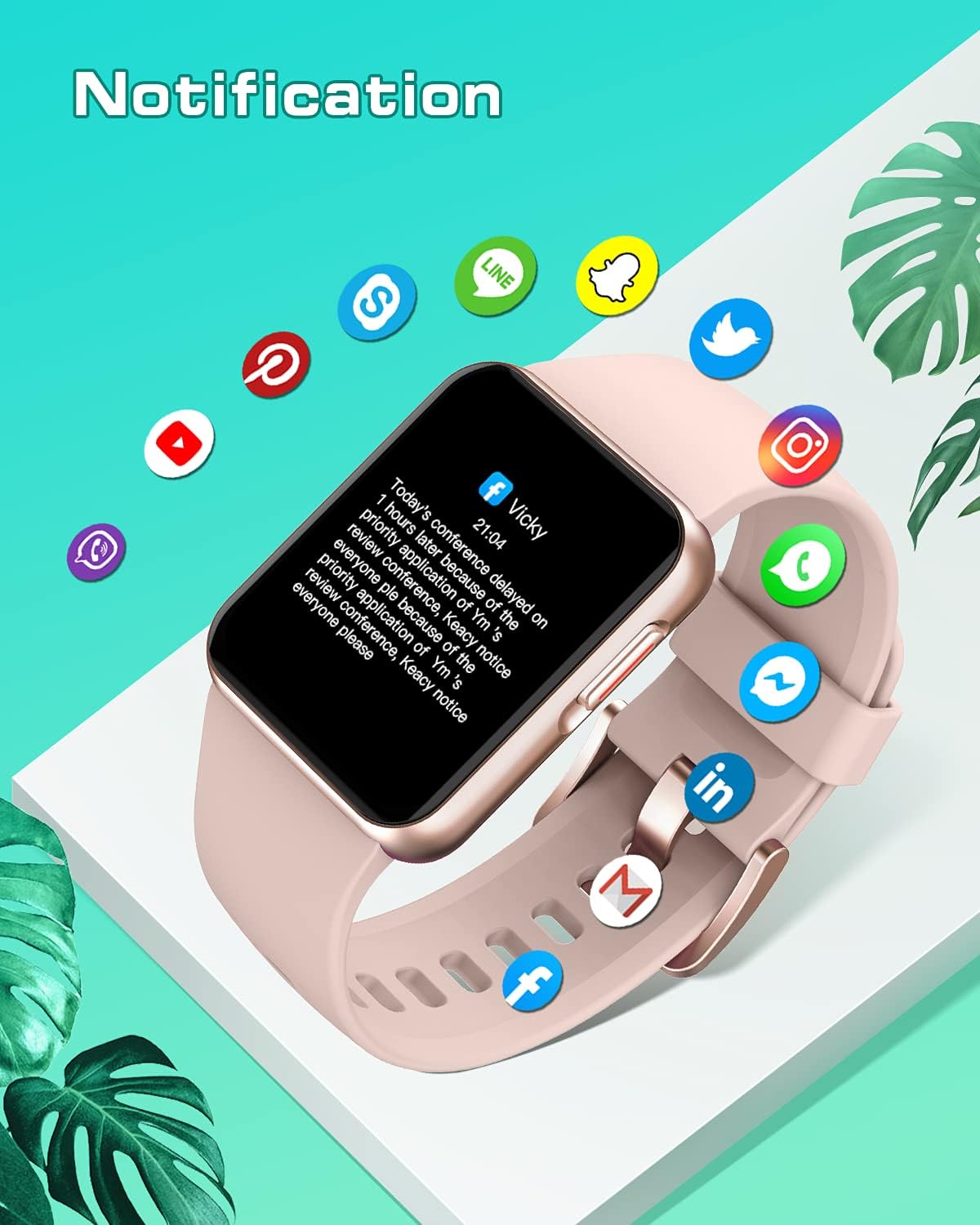
Figure 3: Smartwatch Notification Display. This image shows how messages from various social media platforms appear on the watch screen.
2. Fitness Tracking
The GRV Smart Watch N29 tracks your daily activity, including steps, calories burned, and distance traveled. It supports 10 different sports modes.
- Activity Data: View your daily steps, calories, and distance directly on the watch or in the InxFit app.
- Sports Modes: Access various sports modes such as indoor walking, outdoor walking, indoor running, outdoor running, outdoor cycling, yoga, spinning, and boating. Select the appropriate mode before starting your workout for accurate tracking.
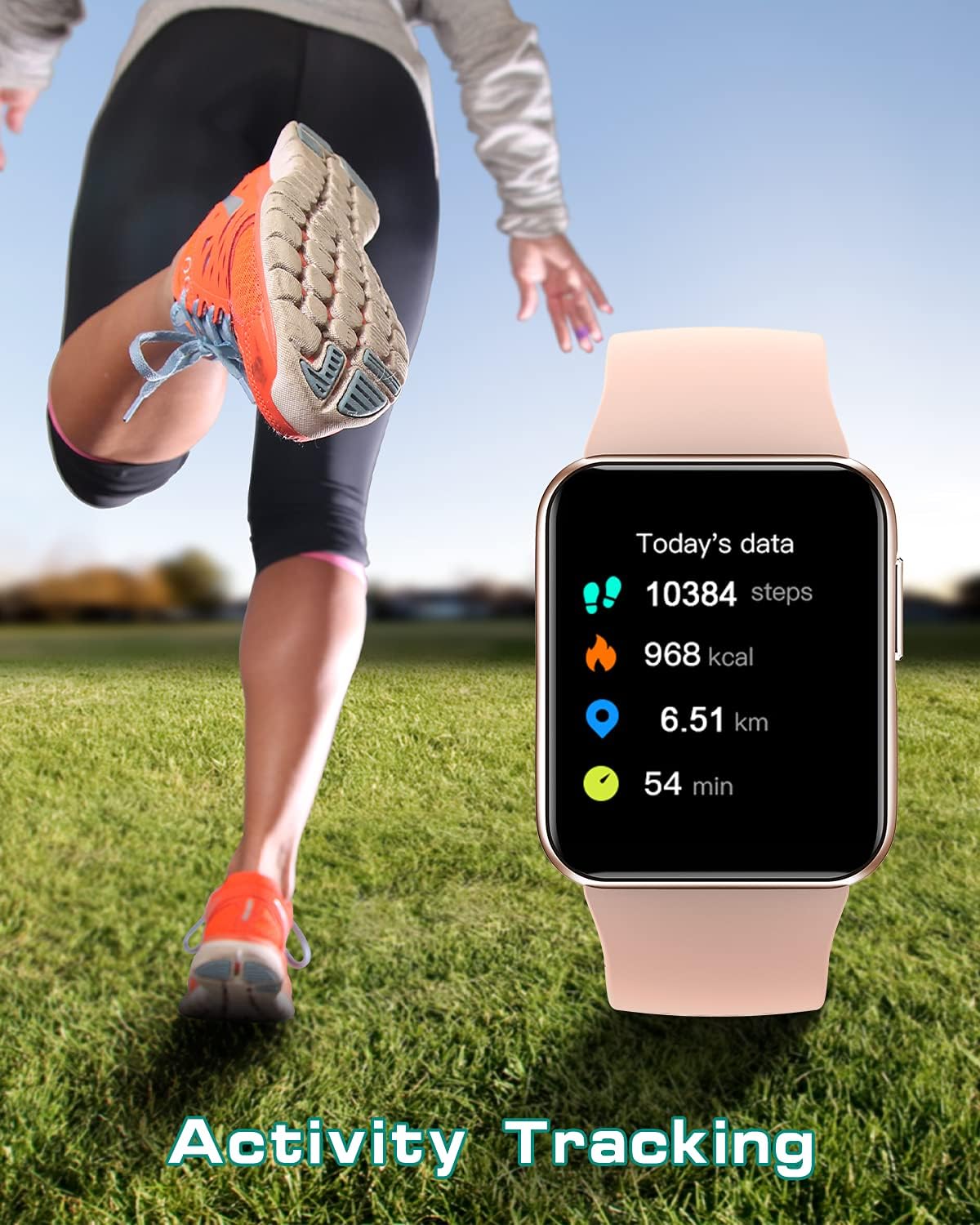
Figure 4: Activity Tracking on GRV Smart Watch N29. This image shows the watch displaying real-time fitness data during an activity.
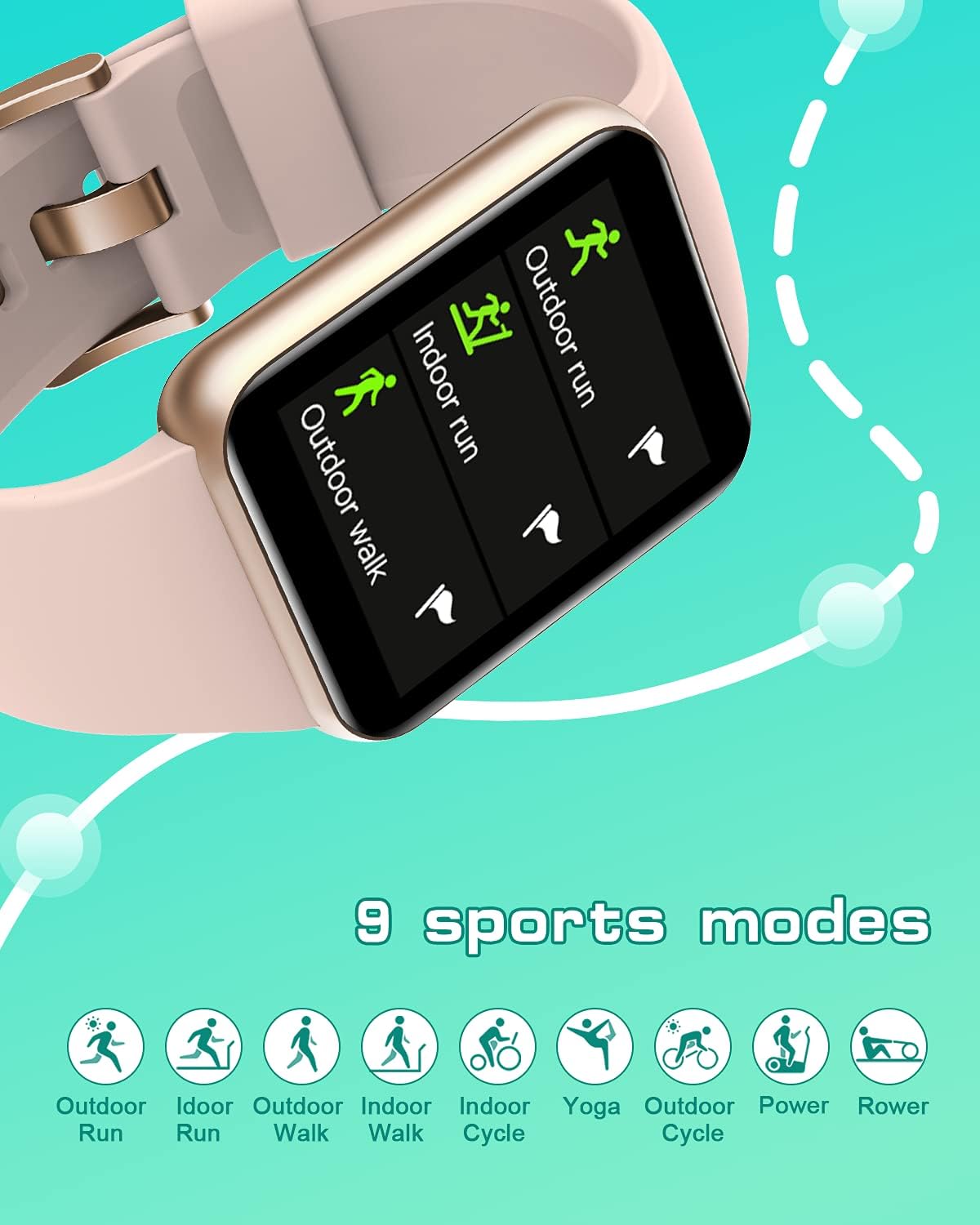
Figure 5: Sports Modes. This image highlights the variety of exercise tracking options available on the smartwatch.
3. Health Monitoring
The smartwatch provides continuous monitoring of your heart rate, blood oxygen levels, and sleep patterns.
- Heart Rate Monitor: Tracks your heart rate throughout the day. View real-time data on the watch or detailed graphs in the app.
- Blood Oxygen Monitor: Measure your blood oxygen saturation (SpO2) after exercise or at any time.
- Sleep Monitor: Automatically tracks your sleep quality, including deep sleep, light sleep, REM, and awake times. Review your sleep data in the InxFit app to understand your sleep patterns.
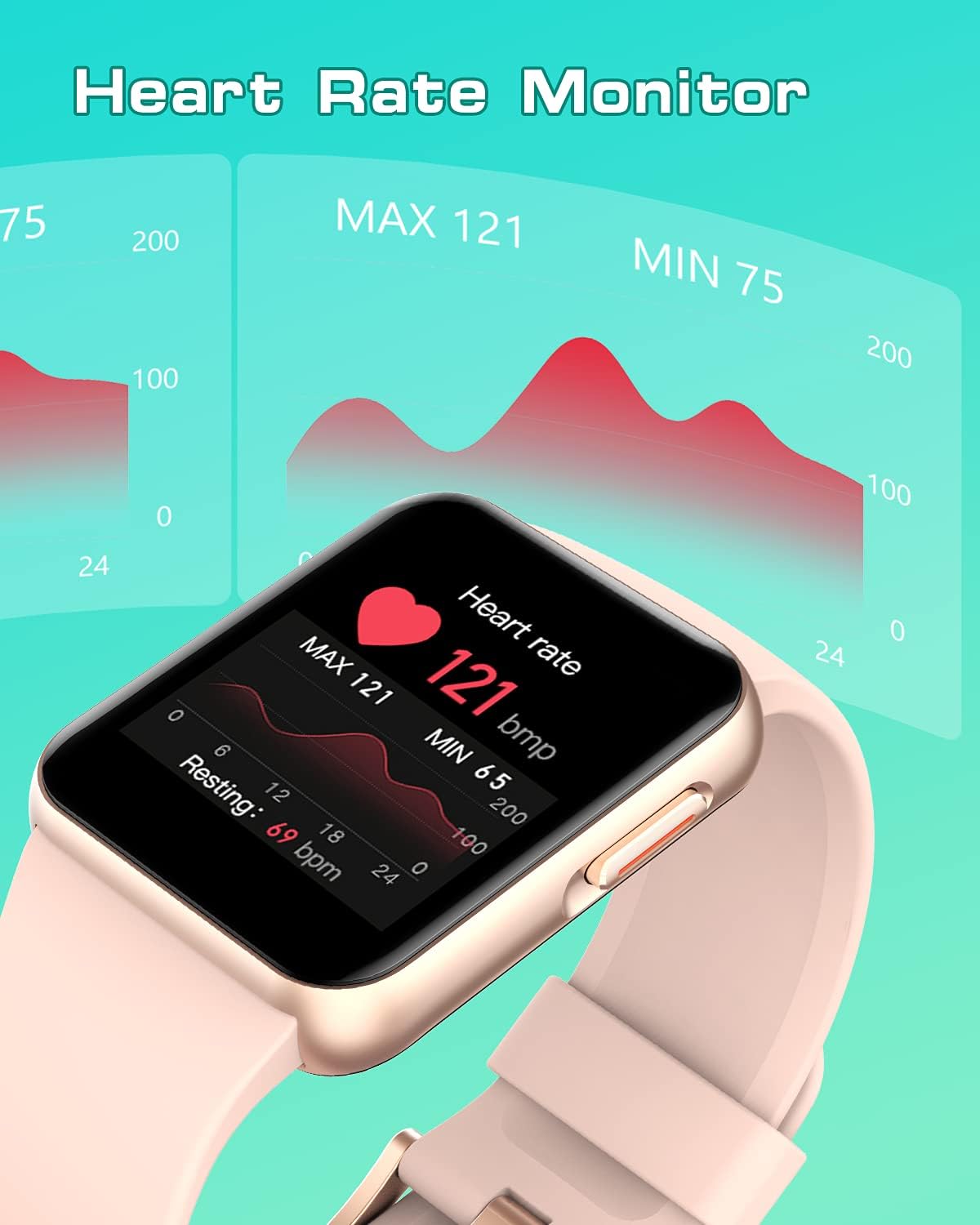
Figure 6: Heart Rate Monitoring. This image shows the watch's interface for displaying heart rate, including current and historical data.
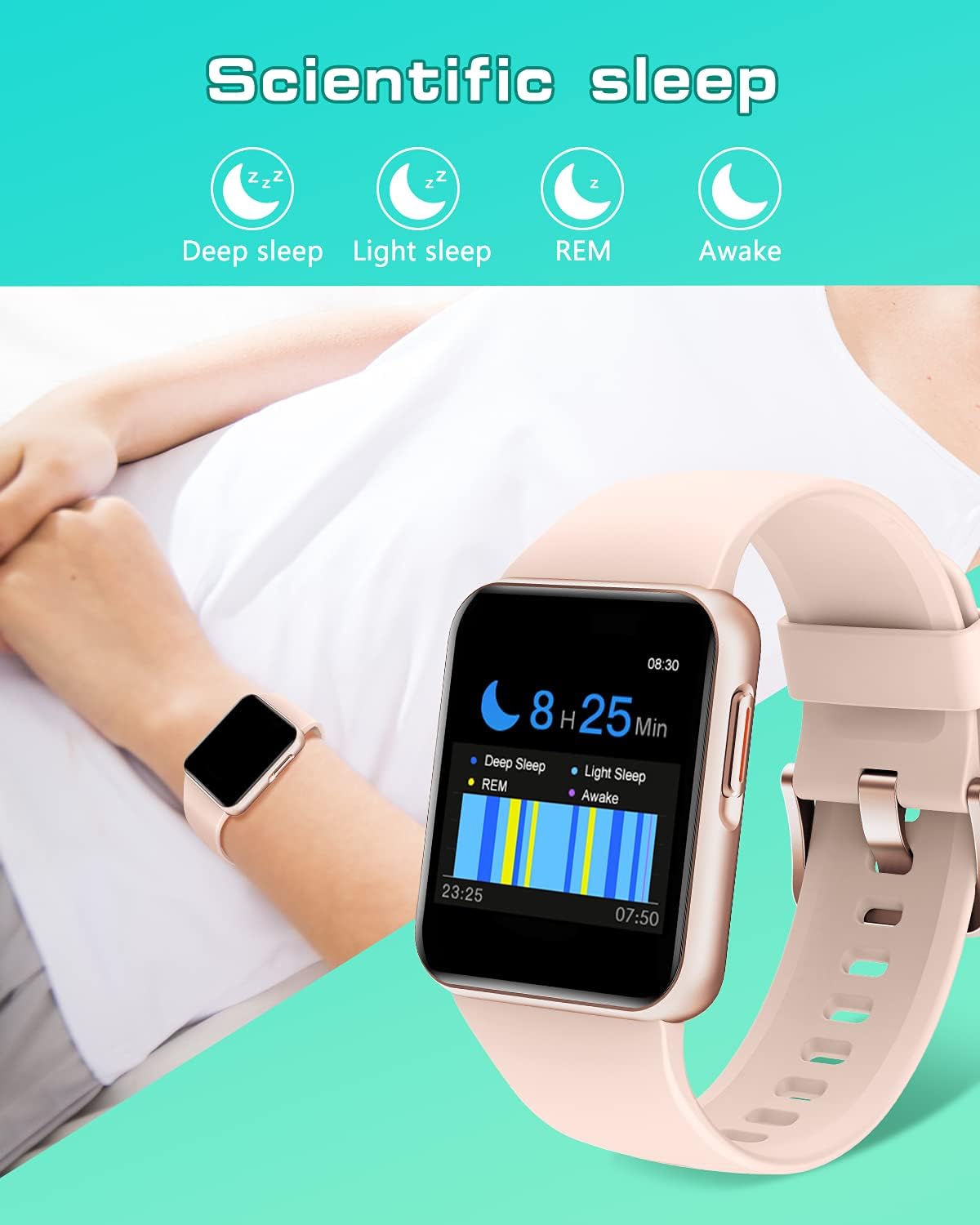
Figure 7: Scientific Sleep Tracking. This image demonstrates the watch's ability to monitor and categorize different stages of sleep.
4. Other Functions
The GRV Smart Watch N29 includes several other convenient features:
- Customized Watch Faces: Personalize your watch by choosing from over 30 dials in the InxFit app or upload your own photos.
- Music Control: Control music playback on your smartphone directly from your watch.
- Drink Water Reminder: Set reminders to ensure you stay hydrated throughout the day.
- Timer & Stopwatch: Utilize built-in timer and stopwatch functions for various activities.
- Weather Reminder: Get real-time weather updates on your wrist.
- Alarm: Set alarms directly from the watch or through the app.
- Breathing Training: Guided breathing exercises to help you relax.

Figure 8: Customized Watch Face. This image shows how users can personalize their watch display with custom photos.
Maintenance
1. Waterproof Rating (IP68)
The GRV Smart Watch N29 has an IP68 waterproof rating, meaning it is resistant to dust and can withstand immersion in water up to 1.5 meters for approximately 30 minutes. It is suitable for showering and swimming in a pool.
- Avoid hot water, steam, or saunas, as these can compromise the watch's water resistance.
- Do not press any buttons while the watch is submerged in water.
- After exposure to water, wipe the watch dry with a soft cloth.
2. Cleaning and Care
To ensure the longevity and proper functioning of your smartwatch:
- Regularly clean the watch screen and strap with a soft, dry, lint-free cloth.
- If the strap becomes dirty, gently wipe it with a damp cloth and mild soap, then rinse and dry thoroughly.
- Avoid using harsh chemicals or abrasive materials for cleaning.
- Keep the charging contacts clean and free of debris to ensure efficient charging.
3. Battery Care
To maximize battery life and performance:
- Avoid fully discharging the battery frequently.
- Store the watch in a cool, dry place when not in use for extended periods.
- Charge the watch regularly, even if not used daily, to prevent deep discharge.
Troubleshooting
Common Issues and Solutions
Q1: How to Connect to the Smartwatch?
- Ensure your mobile phone is iOS 9.0/Android 5.0 or higher.
- Turn on Bluetooth and GPS on your phone.
- Download and open the 'InxFit' App.
- Scan the QR code on the watch within the app.
- Agree to pairing on both the watch and the app.
- If connection fails, try restarting both the watch and your phone, then repeat the steps.
Q2: How to get Call/Message/SNS Alerts?
- Allow Phone/Messaging/Call log permissions for the InxFit app upon first sign-in.
- Allow the mobile app to use notifications in your phone's system settings.
- In the 'InxFit' app, go to 'Device' > 'Message Notification' and enable the specific notifications you wish to receive (e.g., SMS, Facebook, etc.). Remember to save your changes.
- Ensure 'Call Reminder' is also enabled in the app.
- For iOS 13 and higher, open the sharing system notification on Bluetooth settings.
- Verify that 'Lock Screen/Notification Center/banners' are open and 'always show previews' in your phone's notification settings for the InxFit app.
Q3: Watch is not turning on.
- Ensure the watch is fully charged. Connect it to the charger for at least 30 minutes.
- Press and hold the side button for several seconds to power on.
Q4: Inaccurate fitness data.
- Ensure the watch is worn snugly on your wrist, about one finger's width from your wrist bone.
- Calibrate the watch with the app if available.
- Ensure your personal information (height, weight) is accurately entered in the InxFit app.
Specifications
| Feature | Detail |
|---|---|
| Model Number | N29 |
| Brand | GRV |
| Screen Size | 1.4 Inches |
| Product Dimensions | 10.12 x 2.95 x 0.67 inches |
| Item Weight | 1.23 ounces (35 Grams) |
| Battery Type | 1 Lithium Polymer battery (included) |
| Battery Life (Normal Use) | Approximately 7 days |
| Waterproof Rating | IP68 |
| Connectivity | Bluetooth |
| Operating System | Other (Proprietary) |
| Memory Storage Capacity | 128 MB |
| Compatibility | iOS 9.0+ / Android 5.0+ |
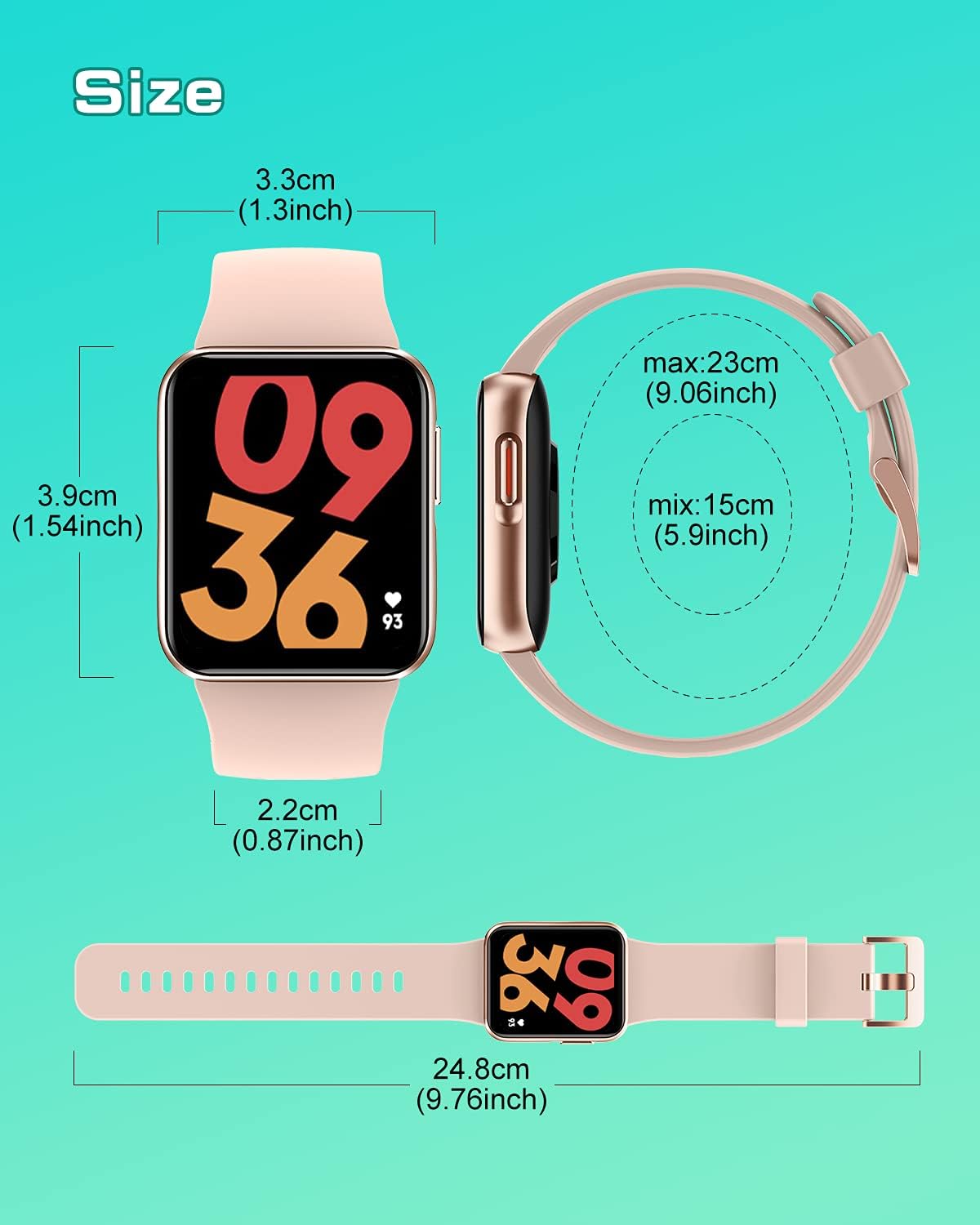
Figure 9: GRV Smart Watch N29 Dimensions. This diagram provides detailed measurements of the watch face and strap length.
Warranty and Support
Warranty Information
For information regarding the warranty period and terms for your GRV Smart Watch N29, please refer to the warranty card included in your product packaging or contact the seller directly. Standard return policy allows for refund/replacement within 30 days of purchase.
Customer Support
If you encounter any quality issues or require assistance with the use of your GRV Smart Watch N29, please contact GRV customer service. You can typically reach support through your order details on the platform where you purchased the product. Provide your order number and a detailed description of the issue for prompt assistance.
For further information and updates, you may visit the official GRV store page: GRV Store on Amazon.
Related documentsN29

Ask a question about this manual
Ask about setup, troubleshooting, compatibility, parts, safety, or missing instructions. Manuals+ will review the question and use this page’s manual context to help answer it.