
WENKEY E2
WENKEY E2 Bluetooth Earbuds User Manual
Model: E2
1. Getting Started
1.1 Package Contents
Please check the package for the following items:
- WENKEY E2 Wireless Earbuds (Left and Right)
- Charging Case
- USB Charging Cable
- Multiple Sizes of Ear Tips (XS, S, M, L, XL)
- User Manual
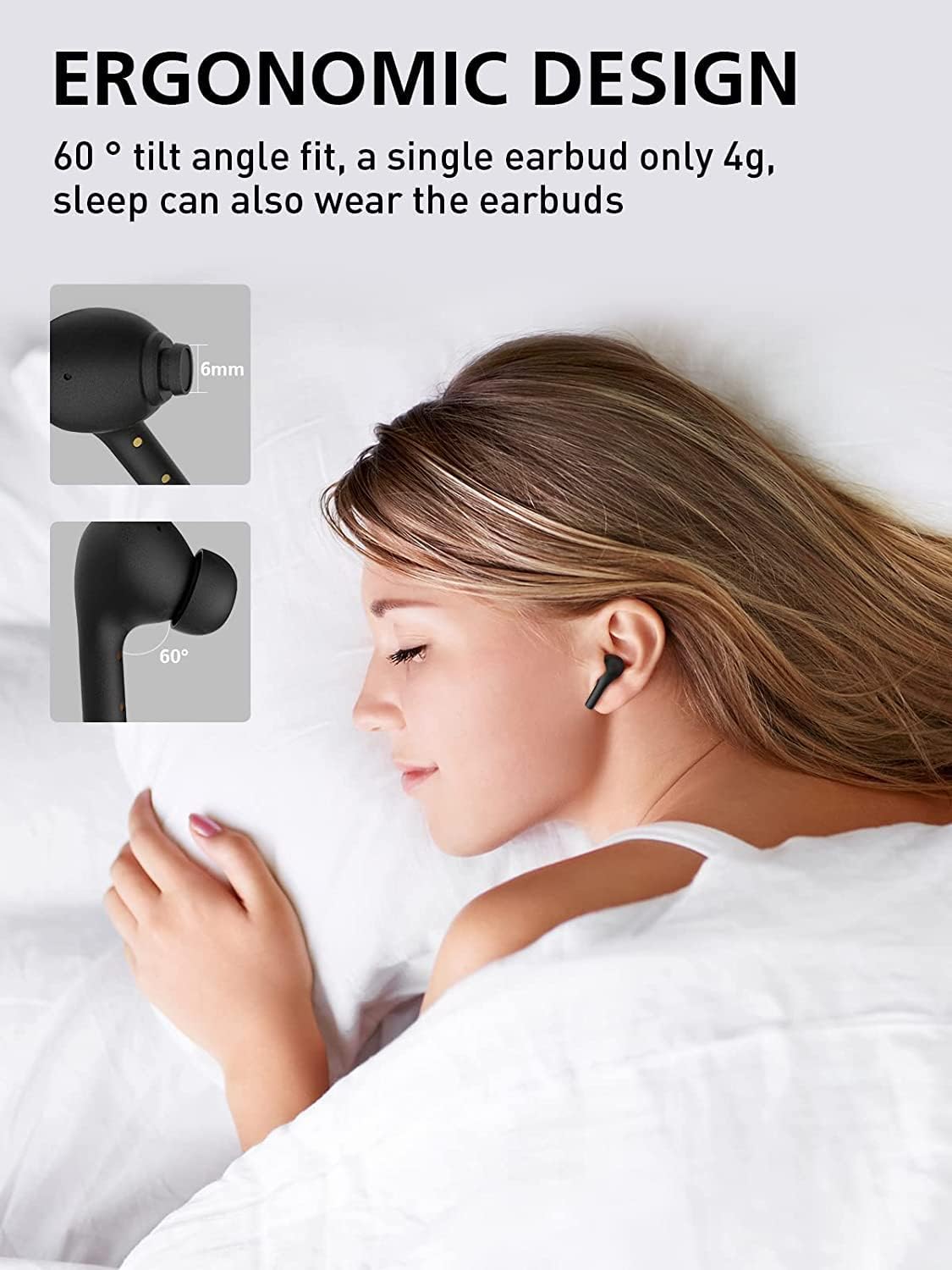
Image: All components included in the WENKEY E2 Earbuds package.
1.2 Charging the Earbuds and Case
Before first use, fully charge the earbuds and the charging case. The charging case provides up to 5 full charges for the earbuds, extending total listening time to 30 hours.
- Place the earbuds into the charging case. Ensure they are correctly seated; the indicator lights on the earbuds will illuminate.
- Connect the charging case to a USB power source using the provided USB cable.
- The LED indicators on the charging case will show the charging status. Four lights indicate a full charge.

Image: WENKEY E2 Earbuds seated in their charging case, ready for charging.

Image: Visual representation of the charging case's LED indicators and their battery level meanings.
1.3 Pairing with Your Device
The earbuds feature one-step pairing for convenience.
- Open the charging case. The earbuds will automatically power on and enter pairing mode.
- On your device (smartphone, tablet, laptop), enable Bluetooth.
- Search for "WENKEY E2" in the list of available Bluetooth devices and select it to connect.
- Once connected, you will hear a confirmation tone, and the earbuds will be ready for use.
The advanced Bluetooth 5.1 technology ensures a fast, stable connection with a range of up to 15 meters.
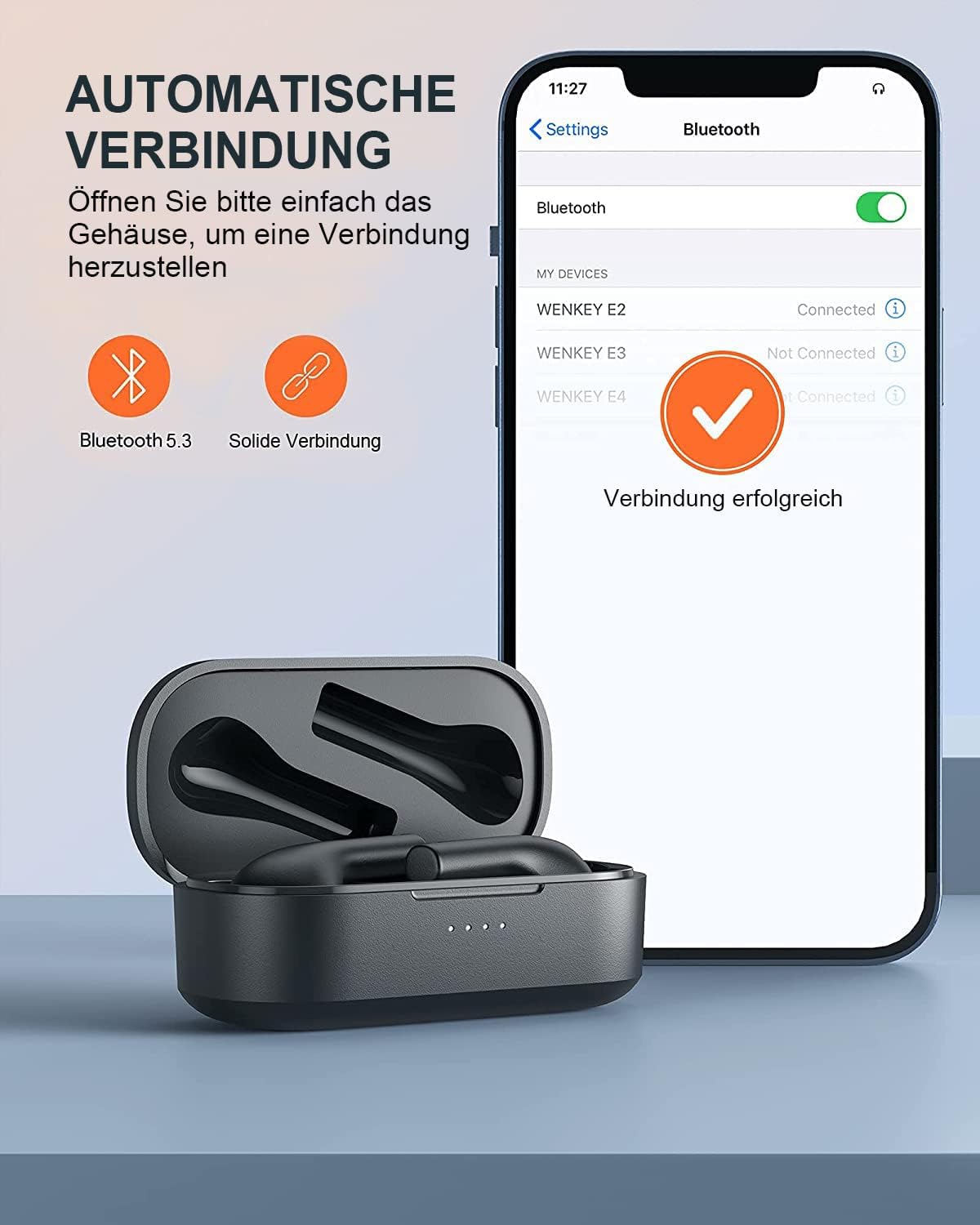
Image: Automatic pairing process shown on a smartphone's Bluetooth settings.
2. Operating the Earbuds
2.1 Wearing the Earbuds
The WENKEY E2 earbuds are designed with an ergonomic 60-degree tilt angle for a secure and comfortable fit. Choose the ear tips that best fit your ear canal for optimal sound quality and noise isolation.

Image: Ergonomic design of the earbuds for comfortable and secure wear.

Image: Selection of ear tip sizes for a customized and comfortable fit.
2.2 Touch Controls
The earbuds feature intuitive touch controls for managing media playback and calls.
| Function | Action |
|---|---|
| Play/Pause | Double-tap either earbud |
| Next Track | Touch and hold the right earbud for 2 seconds |
| Previous Track | Touch and hold the left earbud for 2 seconds |
| Answer/End Call | Double-tap either earbud |
| Reject Call | Touch and hold either earbud for 2 seconds |
| Voice Assistant | Triple-tap either earbud |

Image: Visual guide to the touch control functions on the earbuds.
2.3 Call Functions and Audio Quality
The earbuds feature ENC (Environmental Noise Cancellation) microphones, ensuring clear calls even in noisy environments. Experience Hi-Fi stereo sound with enhanced bass for an immersive audio experience.

Image: Explanation of the noise-canceling microphone technology for clear calls.

Image: Internal structure of the earbud driver, emphasizing high-fidelity audio.
2.4 Single Earbud Use
Either earbud can be used independently as a mono Bluetooth headset, allowing you to stay aware of your surroundings while enjoying audio or making calls.

Image: Demonstrating the flexibility of using a single earbud.
3. Maintenance
3.1 Cleaning
To maintain optimal performance and hygiene, regularly clean your earbuds and charging case.
- Use a soft, dry, lint-free cloth to wipe the earbuds and charging case.
- Gently remove any earwax or debris from the ear tips and speaker mesh using a small, clean brush or cotton swab.
- Do not use abrasive cleaners, alcohol, or chemical solvents.
3.2 Water Resistance (IPX6)
The WENKEY E2 earbuds are IPX6 waterproof, meaning they are resistant to sweat, water splashes, and rain. They are suitable for sports and outdoor activities.
Note: The charging case is not waterproof. Do not expose the charging case to liquids.

Image: Visual representation of the earbuds' IPX6 water resistance.
3.3 Storage
When not in use, store the earbuds in their charging case to protect them and ensure they remain charged.
4. Troubleshooting
If you encounter any issues with your WENKEY E2 earbuds, please refer to the following common solutions:
| Problem | Possible Solution |
|---|---|
| Earbuds not pairing/connecting |
|
| No sound or low volume |
|
| Intermittent connection/sound flickering |
|
| Earbuds not charging |
|
5. Specifications
| Feature | Detail |
|---|---|
| Model Number | E2 |
| Brand | WENKEY |
| Connectivity Technology | Wireless (Bluetooth 5.1) |
| Wireless Communication Technology | Bluetooth |
| Water Resistance Level | IPX6 (Sweatproof, Water-resistant) |
| Battery Life (Earbuds) | Up to 5 hours on a single charge |
| Total Playtime with Charging Case | Up to 30 hours |
| Special Features | Fast Charging, ENC Noise Cancellation, Hi-Fi Stereo Sound |
| Color | Black |
| Form Factor | In-Ear |
| Material | Plastic |

Image: Illustration of the extended battery life with the charging case.

Image: Compatibility of WENKEY E2 earbuds with various operating systems.
6. Warranty and Support
6.1 Warranty Information
Specific warranty details for the WENKEY E2 earbuds are not provided in the product data. Please refer to the warranty card included in your product packaging or contact the retailer/manufacturer directly for warranty terms and conditions.
6.2 Customer Support
For further assistance, technical support, or inquiries, please contact WENKEY customer service. Contact information is typically found on the product packaging, the official WENKEY website, or through your purchase platform.
7. Official Product Videos
No official product videos from the seller were found in the provided data.
Related documentsE2


Ask a question about this manual
Ask about setup, troubleshooting, compatibility, parts, safety, or missing instructions. Manuals+ will review the question and use this page’s manual context to help answer it.