
Introduction
This manual provides detailed instructions for the installation and maintenance of the Qc Universal Light Fixture Mounting Bracket. This steel crossbar plate is designed to securely attach various light fixtures and canopies to electrical junction boxes, ensuring a stable and reliable mounting solution.
Package Contents
Please verify that all components listed below are present in your package:
- 2 x Light fixture crossbars
- 6 x Wiring nuts
- 2 x Ground screws
- 4 x Long mounting screws
- 4 x Short mounting screws
- 4 x Black acorn cap nuts
- 4 x Silver acorn cap nuts

Figure 1: All components included in the package, clearly labeled.
Product Features
- Durable Material: Made of high-quality zinc-plated steel, ensuring durability and rust resistance for a longer service life.
- Wide Application: Designed to attach fixtures and canopies to electrical junction boxes. Suitable for wall lights, close-to-ceiling lights, LED lights, pendant lights, chandeliers, and bathroom vanity light fixtures.
- Easy to Use: 4-inch diameter universal mounting plate fits most ceiling lights. Includes all necessary hardware (ground screws, wiring nuts, crossbar mounting screws) for immediate installation.

Figure 2: Examples of lighting applications compatible with the mounting bracket.
Specifications
| Brand | Qc |
| Model Number | Nickel-860729 |
| Material | Zinc Plated Steel (Alloy Steel) |
| Color | Silver |
| Product Dimensions | 4.84"L x 5.16"W x 0.86"H (approx. 4 inches diameter) |
| Item Weight | 5.6 ounces |
| Quantity | 2 Count |

Figure 3: Dimensional specifications of the mounting bracket.
Setup and Installation
Follow these steps to properly install your Qc Universal Light Fixture Mounting Bracket:
- Safety First: Before beginning any electrical work, ensure the power to the light fixture circuit is turned off at the circuit breaker.
- Prepare the Crossbar: Insert the appropriate mounting screws (long or short, depending on your fixture) through the designated holes in the crossbar plate. Secure them with nuts if necessary, ensuring they are firmly in place.
- Attach to Junction Box: Align the crossbar with the screw holes on your electrical junction box. Use the provided ground screw to secure the ground wire from your fixture to the crossbar.
- Mount the Fixture: Once the crossbar is securely attached to the junction box, connect the fixture's wiring using the provided wiring nuts. Then, align the fixture's canopy with the mounting screws protruding from the crossbar and secure it with the decorative acorn cap nuts.
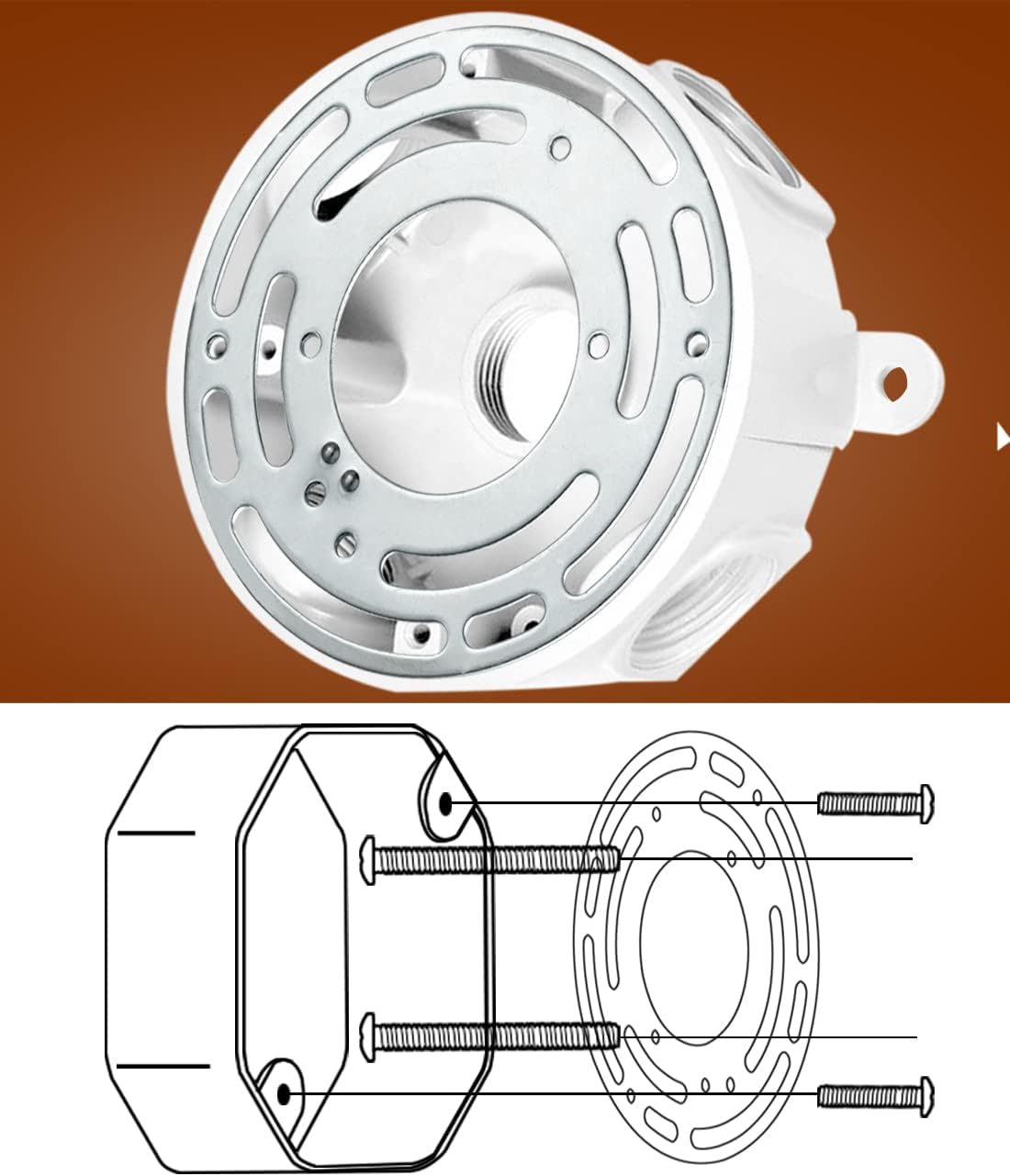
Figure 4: Installation diagram of the mounting bracket to a junction box.
Video 1: Demonstration of assembling the crossbar with screws and attaching it to a light fixture canopy.
Operating Instructions
Once installed, the Qc Universal Light Fixture Mounting Bracket functions as a stable and secure base for your light fixture. No further operational steps are required for the bracket itself.
Maintenance
The Qc Universal Light Fixture Mounting Bracket requires minimal maintenance. Periodically inspect the bracket and its connections to ensure all screws remain tight and there are no signs of corrosion or damage. If any issues are observed, turn off power to the fixture and address them promptly.
Troubleshooting
- Issue: Bracket does not fit the junction box.
Solution: Ensure you are using the correct size bracket (this model is 4 inches in diameter). Verify the screw hole alignment. The universal design accommodates various patterns. - Issue: Light fixture is wobbly after installation.
Solution: Re-check all mounting screws and nuts to ensure they are tightened securely. The crossbar should be flush against the junction box and the fixture canopy. - Issue: Screws are too long or too short.
Solution: The package includes both long and short mounting screws. Select the pair that provides the best fit for your specific light fixture and canopy depth.
Warranty and Support
Qc stands behind the quality of its products. If you are not satisfied for any reason, you may return the product for a refund of your purchase price. We promise 24-hour customer support for any product or order-related issues.
For further assistance or inquiries, please contact the seller, Qc Lighting Store, or visit the official Qc Store on Amazon.