
1. Product Overview
The MasterChef Digital Meat Thermometer is designed for fast, high-precision, and instant temperature readings for a variety of foods and liquids. Crafted from food-grade stainless steel, its foldable probe ensures compact and safe storage, making it an essential tool for any home chef.
Key Features:
- Official MasterChef Product: Professional quality kitchen tool.
- Food-Grade Stainless Steel Probe: Safe for measuring temperatures of meat, jam, sauces, coffee, tea, milk, and more.
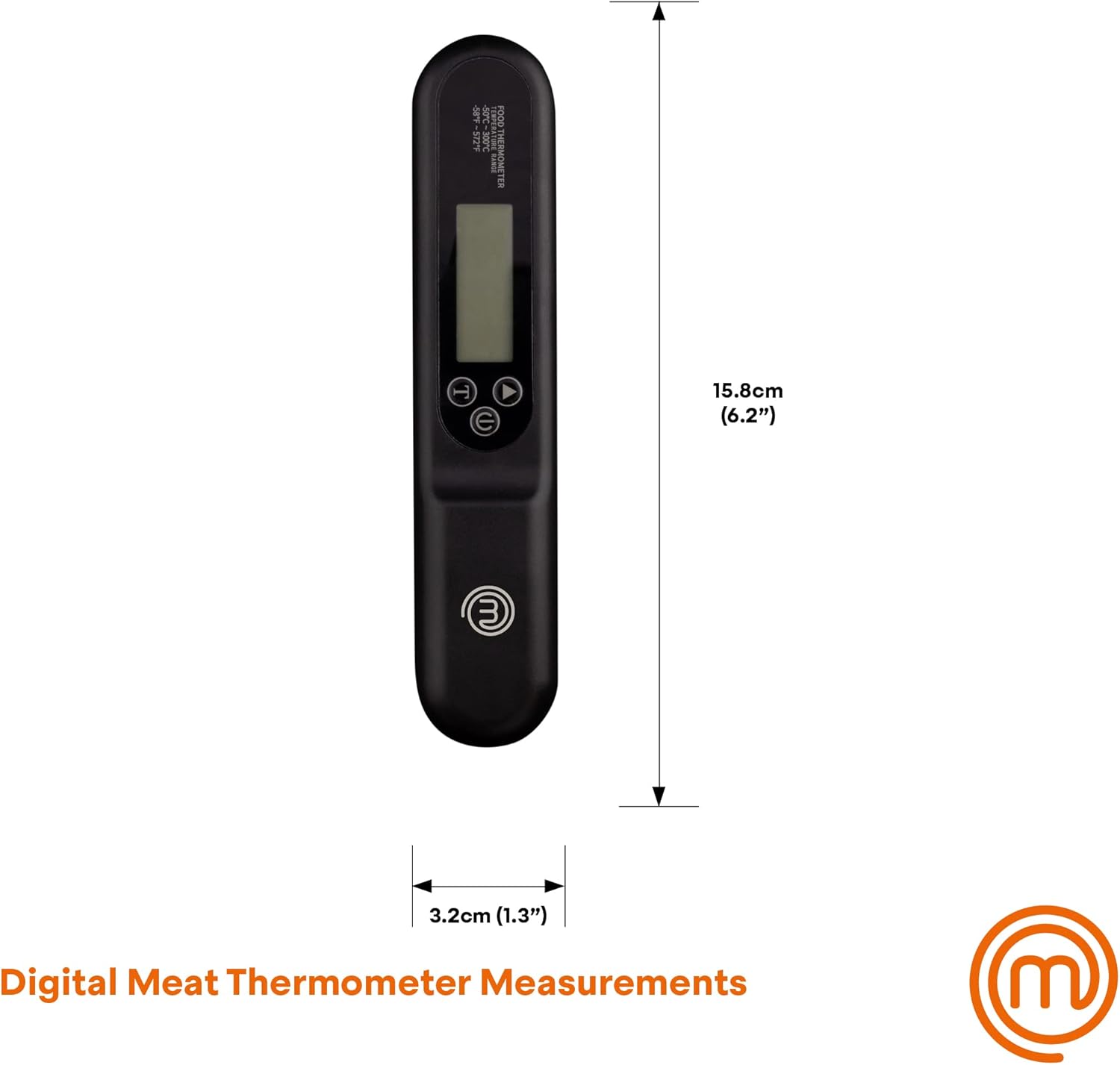
- Digital LCD Display: Large, grey-backlit screen (35mm x 12.5mm) for clear, instant readings.
- Instant Temperature Read: Provides precise temperature within seconds.
- Switchable Units: Easily switch between Celsius (°C) and Fahrenheit (°F).
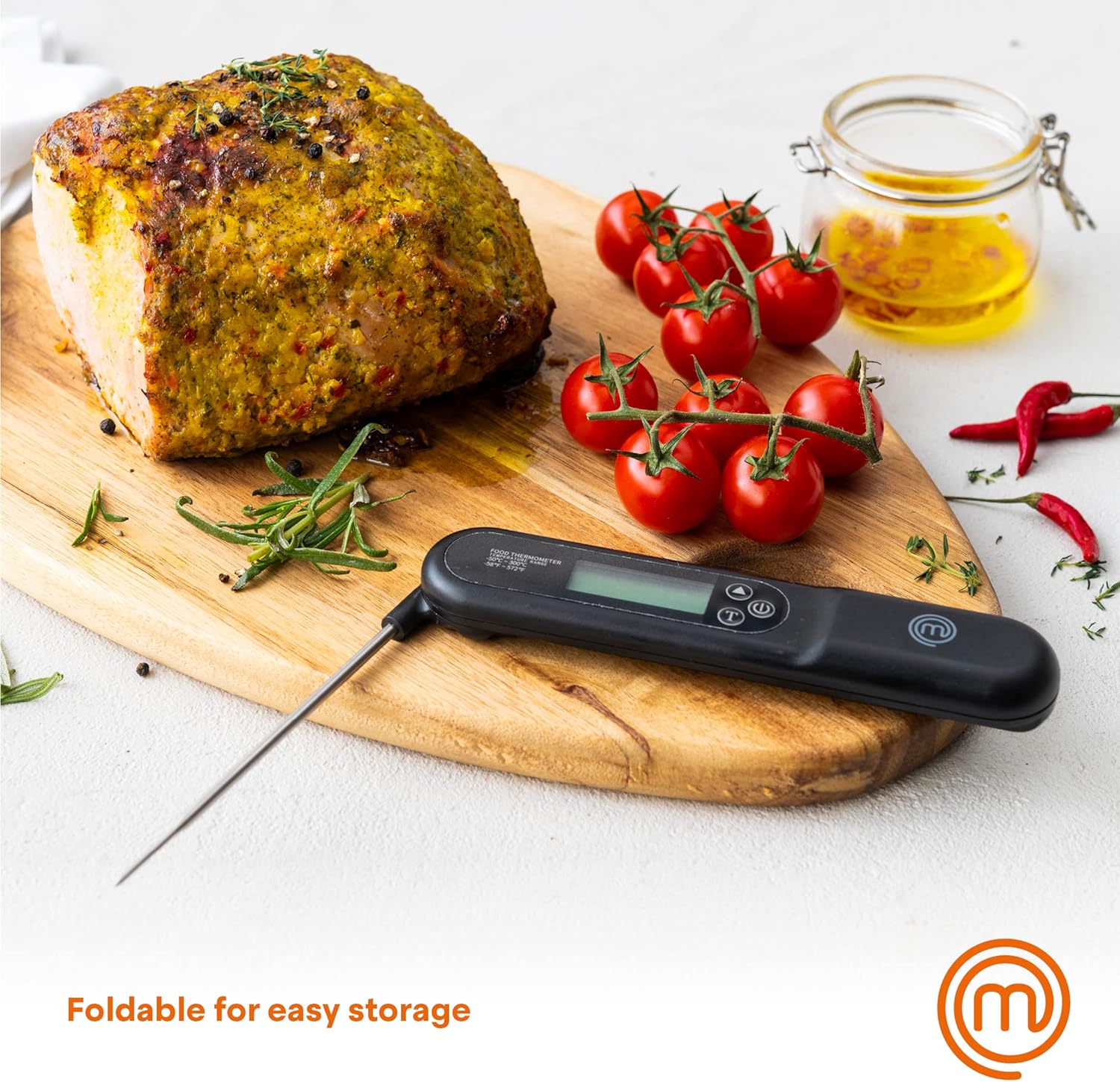
- Foldable Probe: Convenient for compact storage.
- Battery Powered: Operates on 1 AAA battery (included).

2. Safety Information
- The product itself is not waterproof and should not be cleaned by submerging in water. Clean only the probe with a damp cloth.
- The probe tip is sharp. Handle with care to avoid injury.
- Keep out of reach of children.
- Do not expose the thermometer to extreme temperatures beyond its operating range (-58°F to 572°F / -50°C to 300°C).
- Ensure the probe is fully inserted into the food for accurate readings, but avoid touching bones or the bottom of the pan.
3. Setup
Battery Installation:
The MasterChef Digital Meat Thermometer comes with 1 AAA battery included. To install or replace the battery:
- Locate the battery compartment on the back of the thermometer.
- Open the battery cover.
- Insert the AAA battery, ensuring the correct polarity (+/-).
- Close the battery cover securely.
4. Operating Instructions
Basic Operation:
- Power On/Off: Unfold the stainless steel probe to automatically turn on the thermometer. Fold the probe back into the handle to turn it off.
- Select Temperature Unit: Press the °C/°F button (often labeled 'T' or a similar icon) to switch between Celsius and Fahrenheit readings.
- Measure Temperature: Insert the tip of the probe into the thickest part of the food or liquid you wish to measure. Ensure the probe tip is fully immersed for accurate results. The thermometer provides an instant reading on the LCD display.
- Hold Function: Some models may feature a 'HOLD' button to lock the current temperature reading on the display. Refer to the specific button layout on your device.


5. Maintenance and Care
Cleaning:
To ensure the longevity and hygiene of your thermometer:
- Clean the stainless steel probe with a damp cloth immediately after each use.
- Do not immerse the main body of the thermometer in water or place it in a dishwasher, as it is not waterproof.
- Use mild soap if necessary, and dry thoroughly before storing.
Storage:
The thermometer features a convenient foldable probe for easy and compact storage.
- Fold the probe back into the handle after cleaning and drying.
- Store in a dry place, away from extreme temperatures and direct sunlight.
6. Troubleshooting
If you encounter any issues with your MasterChef Digital Meat Thermometer, please consider the following:
- No Display/Faint Display: Check if the battery is correctly installed and has sufficient charge. Replace the AAA battery if necessary.
- Inaccurate Readings: Ensure the probe tip is fully inserted into the center of the food and not touching bones or the pan. Allow a few seconds for the reading to stabilize.
- Probe Not Folding/Extending Smoothly: Check for any debris or damage around the hinge mechanism. Do not force the probe.
For persistent issues, please refer to the Warranty and Support section.
7. Specifications
| Attribute | Detail |
|---|---|
| Brand | MasterChef |
| Model Name | Temperature Probe for Food (VRD919102100) |
| Special Feature | Fast Reading System, High Accuracy |
| Color | Black |
| Included Components | Meat thermometer |
| Outer Material | Stainless Steel |
| Specification Met | FDA, CE, FCC |
| Display Type | Digital |
| Product Care Instructions | Hand Wash Only |
| Power Source | Battery Powered (1 AAA battery included) |
| Item Length | 6.2 Inches (15.8 cm) |
| Upper Temperature Rating | 572 Degrees Fahrenheit (300°C) |
| Reusability | Reusable |
| Usage Environment | Outdoor, Indoor |
| Item Weight | 0.634 ounces |
| Country of Origin | China |
8. Warranty and Support
This MasterChef product is manufactured to high-quality standards. For any warranty claims or technical support, please contact the manufacturer or retailer from whom you purchased the product. Keep your proof of purchase for any warranty-related inquiries.
For more information about MasterChef products, you may visit the official MasterChef store online.
