
1. Introduction
Thank you for choosing the Portronics Ear 2 Wired Earphones. This manual provides essential information for the proper setup, operation, and maintenance of your earphones. Please read it carefully to ensure optimal performance and longevity of your device.
2. Product Overview
The Portronics Ear 2 earphones are designed for clear audio and convenient communication. They feature a 3.5mm audio jack for universal compatibility, an inline microphone for calls, and a durable braided cable.
Components:
- Left and Right Earbuds with Metal Casing
- 1.2 Meter Woven Braided Cable
- Inline Control Button with Integrated Microphone
- 3.5mm Audio Jack

Image: Portronics Ear 2 earphones, highlighting the powerful audio output from the 10mm dynamic drivers.
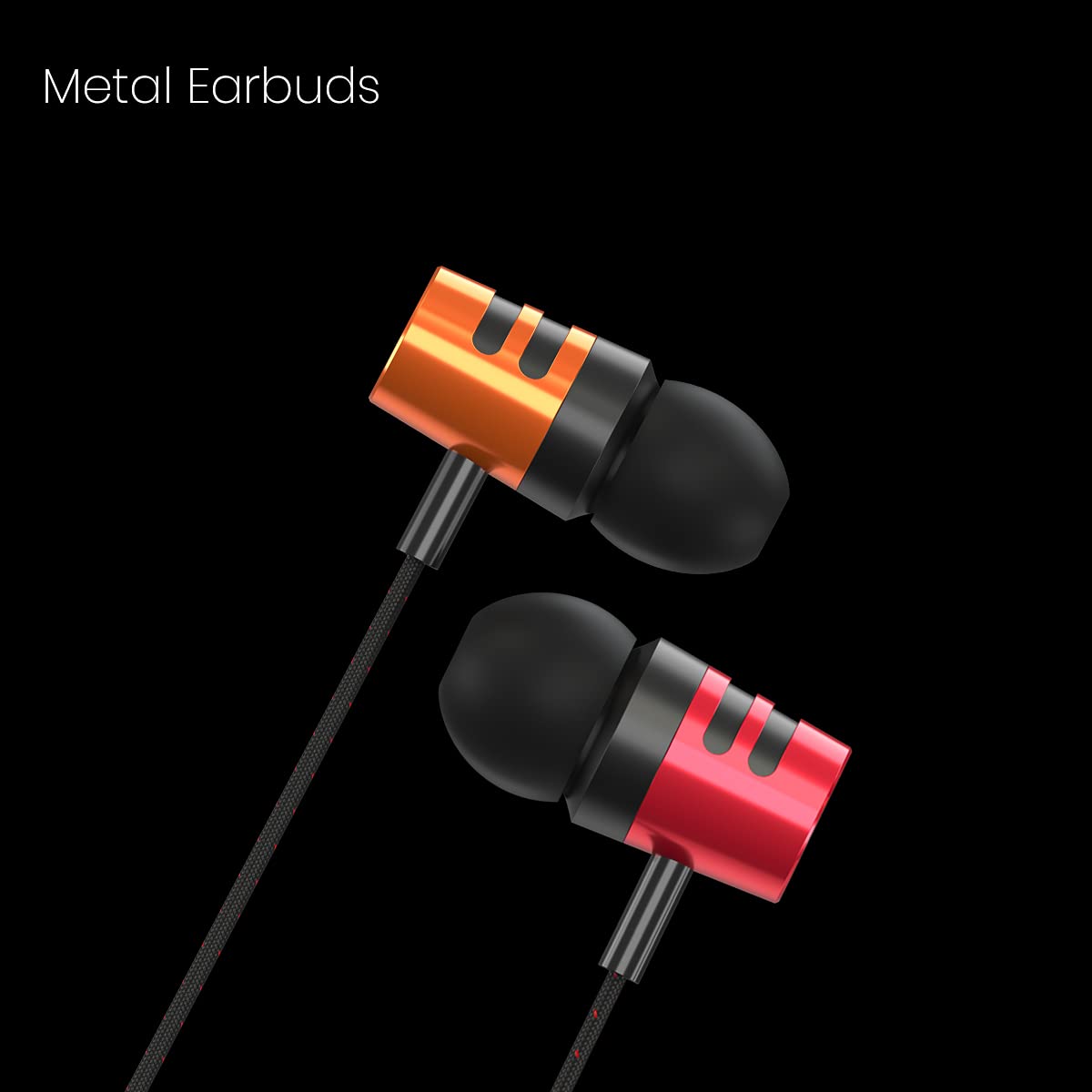
Image: Close-up view of the durable metal earbuds of the Portronics Ear 2.

Image: Detail of the woven braided wire, designed for enhanced durability and tangle resistance.

Image: The inline control button, allowing easy management of calls and music playback.

Image: The standard 3.5mm audio jack for broad device compatibility.
3. Setup
Setting up your Portronics Ear 2 earphones is straightforward. Follow these steps to begin using your device:
- Identify the Audio Port: Locate the 3.5mm audio jack on your smartphone, tablet, MP3 player, PC/laptop, or gaming console. This port is typically marked with a headphone icon.
- Connect the Earphones: Insert the 3.5mm audio jack of your Portronics Ear 2 earphones firmly into the device's audio port. Ensure a secure connection.
- Wear the Earphones: Place the earbuds comfortably into your ears. The ergonomic design ensures a secure fit for extended listening.

Image: Portronics Ear 2 earphones connected to a laptop, demonstrating typical usage.
4. Operating Instructions
Once connected, your Portronics Ear 2 earphones are ready for use. The inline control button provides convenient access to essential functions.
Audio Playback:
- Play/Pause: Press the inline control button once to play or pause audio.
- Next Track: Press the inline control button twice quickly to skip to the next track.
- Previous Track: Press the inline control button three times quickly to go to the previous track.
Call Management:
- Answer/End Call: Press the inline control button once to answer an incoming call or end an ongoing call.
- Reject Call: Press and hold the inline control button for approximately 2 seconds to reject an incoming call.
Microphone Usage:
The integrated microphone allows for hands-free communication during calls. Ensure the microphone is positioned appropriately for clear voice pickup.
5. Maintenance
Proper care and maintenance will extend the life of your earphones and ensure consistent audio quality.
- Cleaning: Regularly wipe the earbuds and cable with a soft, dry cloth. Avoid using harsh chemicals or abrasive materials. For ear tips, gently remove them and clean with a damp cloth, ensuring they are completely dry before reattaching.
- Storage: When not in use, store the earphones in a clean, dry place, away from direct sunlight and extreme temperatures. Avoid tangling the cable by coiling it loosely.
- Cable Care: Do not pull the cable forcefully from the audio jack or the earbuds. Always grasp the plug when disconnecting. Avoid bending the cable at sharp angles, especially near the connectors.
- Water Resistance: These earphones are not water resistant. Avoid exposure to water, sweat, or high humidity to prevent damage.
6. Troubleshooting
If you encounter any issues with your Portronics Ear 2 earphones, refer to the following common problems and solutions:
- No Sound:
- Ensure the 3.5mm audio jack is fully inserted into the device's port.
- Check the volume level on your connected device.
- Test the earphones with another device to rule out a device-specific issue.
- Inspect the cable for any visible damage or breaks.
- Microphone Not Working:
- Ensure the earphones are fully plugged into the device.
- Check your device's audio settings to ensure the external microphone is selected.
- Test the microphone function with another application or device.
- Sound Distortion or Poor Quality:
- Ensure the audio jack is clean and free of debris.
- Try adjusting the volume on your device.
- Test with another audio source or device.
If the problem persists after trying these solutions, please contact customer support.
7. Specifications
| Feature | Specification |
|---|---|
| Brand | Portronics |
| Model Name | Ear 2 |
| Model Number | POR-1371 |
| Ear Placement | In Ear |
| Form Factor | In Ear |
| Noise Control | None |
| Audio Driver Type | Dynamic Driver (10mm) |
| Cable Length | 1.2 Meters |
| Cable Features | Woven Braided Wire |
| Headphone Jack | 3.5 mm Jack |
| Microphone | Integrated Inline Microphone |
| Control Type | Call Control, Music Playback |
| Compatible Devices | Smartphones, Tablets, MP3 Players, PC/Laptops, Gaming Consoles |
| Water Resistance Level | Not Water Resistant |
| Item Weight | 25 Grams |
| Country of Origin | China |
8. Warranty and Support
Warranty Information:
The Portronics Ear 2 Wired Earphones come with a 6 Months Manufacturing Warranty from the date of purchase. This warranty covers manufacturing defects. It does not cover damage caused by misuse, accidents, unauthorized modifications, or normal wear and tear.
Customer Support:
For warranty claims, technical assistance, or any other inquiries, please contact Portronics customer support:
- Manufacturer: Portronics Digital Pvt Ltd.
- Address: B-76, 1st & 2nd Floor, Wazirpur Industrial Area, New Delhi-110052, India
- Phone: 9555-245-245
Please retain your purchase receipt as proof of purchase for warranty services.
