1. Introduction
This manual provides essential instructions for the safe and efficient operation, maintenance, and troubleshooting of your BONSEN S3101-W 8-Sheet Cross-Cut Paper Shredder. Please read this manual thoroughly before using the shredder and retain it for future reference.

Image 1.1: The BONSEN S3101-W 8-Sheet Cross-Cut Paper Shredder.
2. Important Safety Instructions
To reduce the risk of fire, electric shock, or injury, always follow basic safety precautions when using this appliance.
- Keep out of reach of children and pets.
- Do not insert fingers, loose clothing, hair, or ties into the paper entry slot.
- Do not spray any flammable products or lubricants into the shredder.
- Do not shred metal objects, wet paper, or adhesive materials.
- Unplug the shredder before moving, cleaning, or emptying the waste bin.
- Do not operate the shredder if the power cord is damaged.
- The shredder head must be correctly seated on the waste bin for operation.
3. Product Overview and Components
Familiarize yourself with the parts of your shredder:
- Shredder Head (with paper entry slot, control switch, and indicator lights)
- Waste Bin (4-gallon capacity with transparent window)
- Power Cord

Image 3.1: The 4-gallon waste bin with a transparent window, showing shredded paper.
4. Setup Instructions
- Unpack: Carefully remove all components from the packaging.
- Position: Place the shredder on a flat, stable surface.
- Assemble: Ensure the shredder head is securely seated on top of the waste bin. The shredder will only operate when the head is correctly positioned.
- Connect Power: Plug the power cord into a standard electrical outlet.
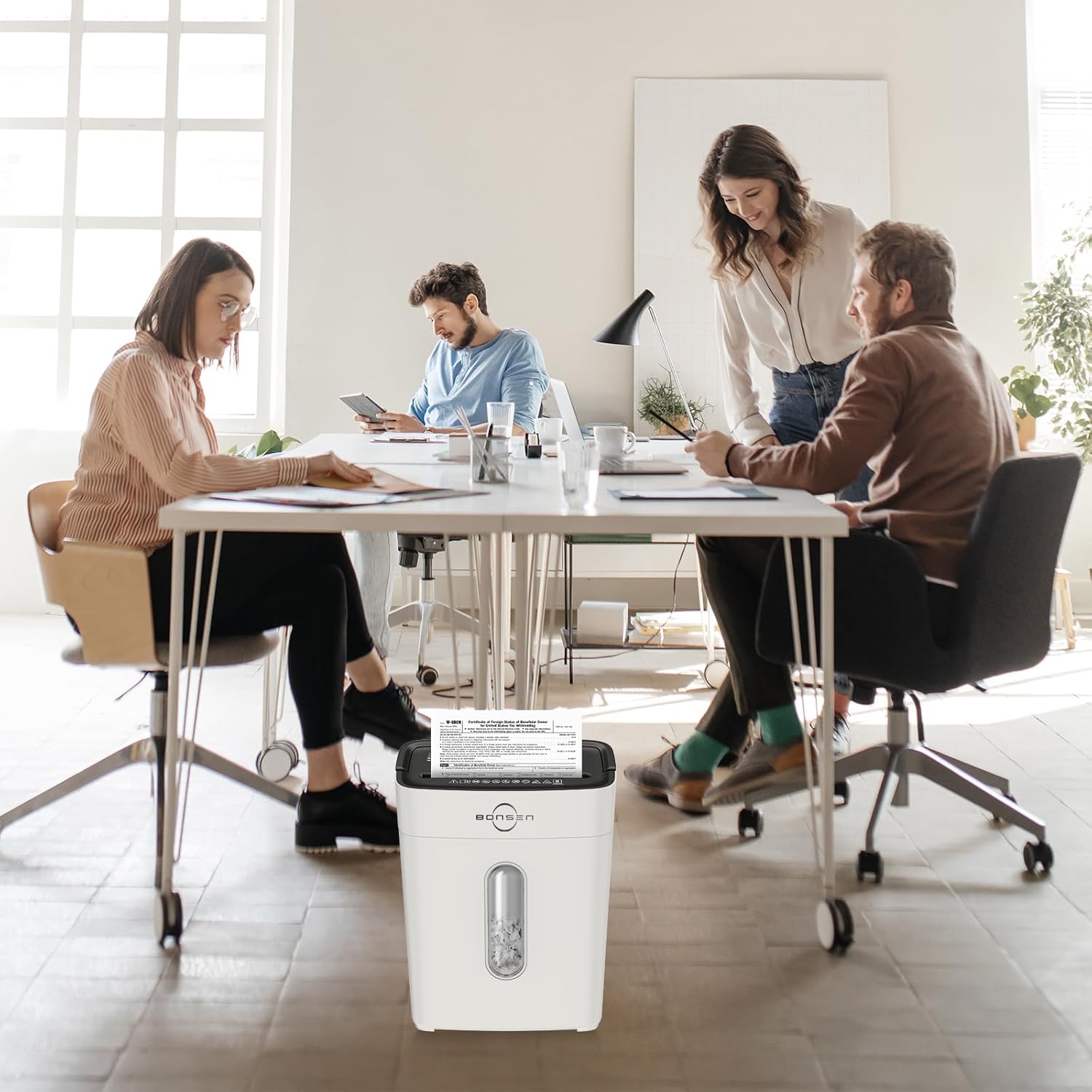
Image 4.1: The shredder head must be correctly placed on the basket for operation, ensuring safety.
5. Operating Instructions
5.1 Control Switch Settings
- FWD (Forward): Manual shredding mode.
- AUTO (Automatic): Shredder starts automatically when paper is inserted.
- OFF: Turns the shredder off.
- REV (Reverse): Reverses the shredding mechanism to clear jams.
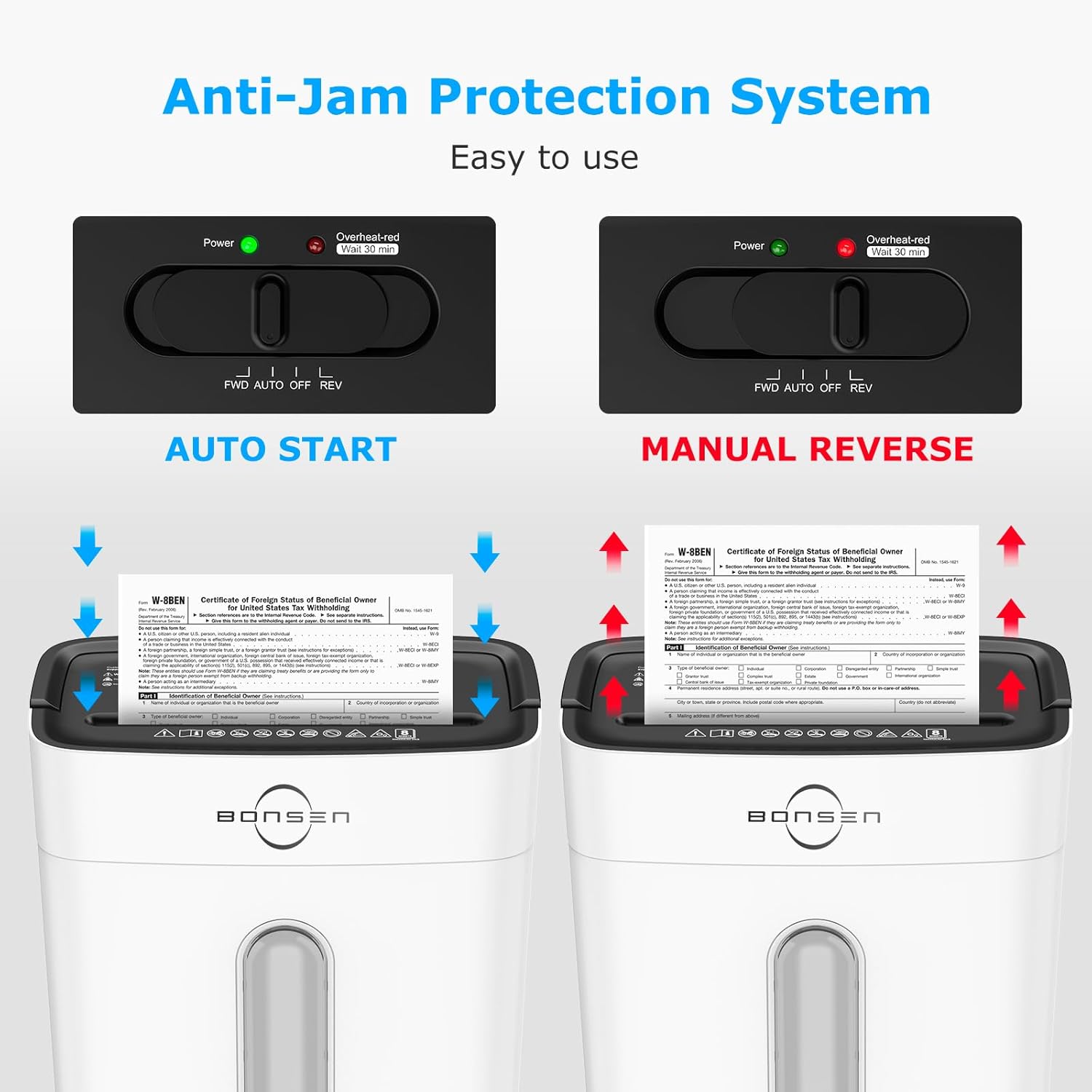
Image 5.1: The control switch with FWD, AUTO, OFF, and REV settings, and indicator lights.
5.2 Shredding Documents
- Set the control switch to AUTO. The green "Power" indicator light will illuminate.
- Insert up to 8 sheets of paper (A4 size, 70g/m²) into the paper entry slot. The shredder will automatically start and stop once shredding is complete.
- For credit cards, insert one card at a time into the designated slot.
- The shredder can also handle staples and small paper clips.

Image 5.2: Demonstrates the 8-sheet shredding capacity and 5-minute continuous running time.
Note: The maximum continuous running time is 5 minutes. After this, the shredder will automatically shut off to prevent overheating. Allow it to cool down for at least 30 minutes before resuming operation. The "Overheat-red" indicator will be solid red during this cool-down period.
6. Maintenance
6.1 Emptying the Waste Bin
- When the transparent window indicates the bin is full, unplug the shredder.
- Carefully lift the shredder head off the waste bin.
- Dispose of the shredded material.
- Replace the shredder head securely onto the waste bin.
Important: Empty the waste bin regularly to prevent paper jams and ensure optimal performance.
6.2 Cleaning
- Always unplug the shredder before cleaning.
- Wipe the exterior of the shredder with a soft, dry cloth. Do not use abrasive cleaners or solvents.
- Occasionally, apply shredder oil to the cutting blades to maintain performance and extend the life of the shredder. Follow the instructions provided with the shredder oil.
7. Troubleshooting
| Problem | Possible Cause | Solution |
|---|---|---|
| Shredder does not operate. |
|
|
| Paper jam. |
|
|
| Shredder stops during operation. |
|
|

Image 7.1: Indicator lights for Standby (Blue On), Overload (Red Flashing), and Overheat (Red Always On).
8. Specifications
| Feature | Detail |
|---|---|
| Model | S3101-W |
| Shred Type | Cross-Cut |
| Security Level | P-4 |
| Shred Size | 13/64'' x 45/64'' (5 x 18 mm) |
| Sheet Capacity | 8 sheets (A4, 70g/m²) |
| Shredding Speed | 5.24 ft/min |
| Continuous Run Time | 5 minutes |
| Cool-down Time | 30 minutes |
| Waste Bin Capacity | 4 gallons (15 liters) |
| Noise Level | 70dB |
| Dimensions (L x W x H) | 12.09" x 7.44" x 15.4" (30.7 x 18.9 x 39.1 cm) |
| Weight | 7.9 pounds (3.58 kg) |
| Shreds | Paper, Credit Cards, Staples, Small Paper Clips |

Image 8.1: Dimensions of the BONSEN S3101-W shredder.

Image 8.2: Illustration of the P-4 security level cross-cut shred size (5mm x 18mm).
9. Warranty and Support
For warranty information or technical support, please refer to the warranty card included with your product or visit the official BONSEN website. You may also contact BONSEN customer service directly for assistance.
BONSEN Customer Service: Please refer to your product packaging or the official BONSEN website for the most current contact information.


